Einführung
This manual provides comprehensive instructions for the safe and efficient use of your Coby True Wireless Earbuds (Model CETW535). Please read this manual thoroughly before using the product and retain it for future reference.
The Coby True Wireless Earbuds offer a seamless audio experience with Bluetooth 5.3 technology, a smart battery display, and intuitive controls for music and calls. They are designed for comfort and convenience, featuring a built-in microphone for hands-free communication.
Packungsinhalt
- Coby True Wireless Earbuds (Left and Right)
- Ladeetui mit intelligenter Akkuanzeige
- USB-Ladekabel
- Benutzerhandbuch (dieses Dokument)
Aufstellen
1. Erstes Aufladen
Before first use, fully charge the earbuds and the charging case. Connect the charging case to a USB power source using the provided USB cable. The digital display on the case will indicate the charging status and battery level.

Image: The Coby True Wireless Earbuds are shown inside their open charging case, which displays "100%" on its digital screen, indicating a full charge. The earbuds are black and fit snugly into their respective slots.
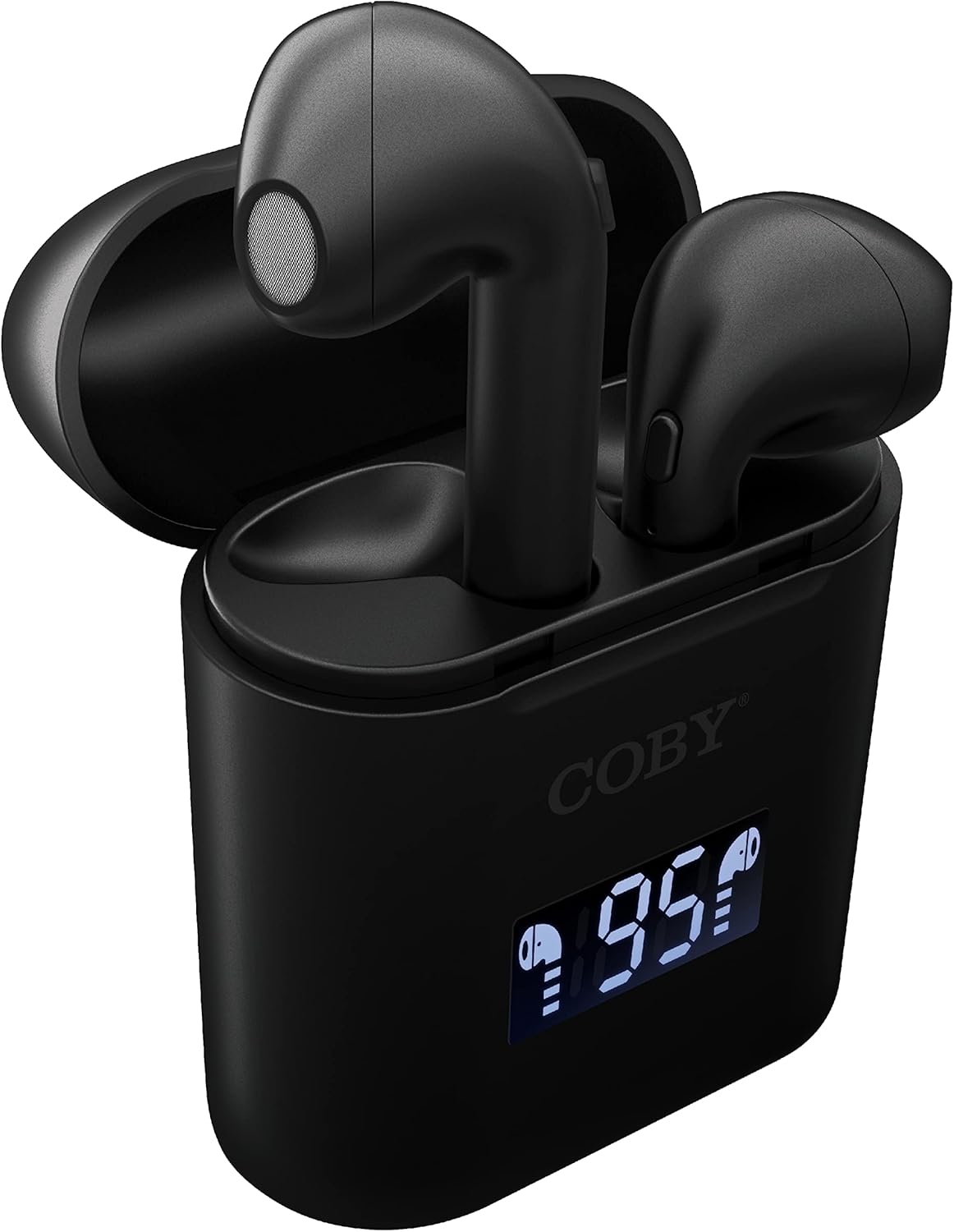
Bild: Eine Nahaufnahme view of the Coby True Wireless Earbuds resting in their open charging case. The case features a digital display showing "95%", indicating the current battery level of the case. The black earbuds are visible, with their microphones facing upwards.
2. Kopplung mit einem Bluetooth-Gerät
- Stellen Sie sicher, dass die Ohrhörer aufgeladen sind und sich im Ladecase befinden.
- Öffnen Sie das Ladecase. Die Ohrhörer schalten sich automatisch ein und wechseln in den Kopplungsmodus.
- Aktivieren Sie Bluetooth auf Ihrem Gerät (Smartphone, Tablet usw.).
- Suchen nach "CETW535" or "Coby Earbuds" in the list of available Bluetooth devices.
- Wählen Sie den Gerätenamen aus, um die Verbindung herzustellen. Nach erfolgreicher Verbindung hören Sie einen Bestätigungston.
- The earbuds will automatically re-pair with the last connected device when removed from the case, if Bluetooth is enabled on the device.
3. Einsetzen der Ohrhörer
Gently insert each earbud into the corresponding ear (L for left, R for right). Adjust them slightly until they feel secure and comfortable. A proper fit ensures optimal sound quality and comfort.

Image: A woman is shown smiling while wearing a black Coby True Wireless Earbud in her right ear, demonstrating a comfortable and secure fit.
Bedienungsanleitung
Ein-/Ausschalten
- Einschalten: Open the charging case, or press and hold the touch control area on each earbud for 3 seconds.
- Ausschalten: Place the earbuds back into the charging case and close the lid, or press and hold the touch control area on each earbud for 5 seconds.
Musiksteuerung
The earbuds feature touch-sensitive controls for easy management of your audio playback.
- Abspielen/Pause: Tippen Sie einmal auf einen der Ohrhörer.
- Nächster Titel: Doppeltippen Sie auf den rechten Ohrhörer.
- Vorheriges Lied: Doppeltippen Sie auf den linken Ohrhörer.
- Lautstärke erhöhen: Tippen Sie dreimal auf den rechten Ohrhörer.
- Lautstärke runter: Tippen Sie dreimal auf den linken Ohrhörer.

Image: A man is shown wearing a Coby True Wireless Earbud in his right ear, taking a drink from a water bottle, illustrating the earbuds' use during active moments.
Anrufsteuerung
Manage your calls effortlessly with the built-in microphone and touch controls.
- Anruf annehmen/beenden: Tippen Sie einmal auf einen der Ohrhörer.
- Anruf ablehnen: Halten Sie einen der Ohrhörer 2 Sekunden lang gedrückt.

Image: A man is depicted wearing a Coby True Wireless Earbud in his left ear while concentrating on a laptop screen, highlighting the earbuds' suitability for work or study environments.
Aktivierung des Sprachassistenten
Activate your device's voice assistant (Siri or Google Assistant) for hands-free commands.
- Sprachassistenten aktivieren: Press and hold either earbud for 3 seconds (after powering on, before powering off gesture).
Intelligent Digital Battery Display
The charging case features a digital display that shows the remaining battery percentage of the case and individual charging status of the earbuds.
- The large number indicates the charging case's battery percentage.
- Small icons next to the percentage indicate the charging status of the left and right earbuds.

Image: The Coby True Wireless Earbuds are shown in their open charging case, with the digital display indicating "95%" battery life for the case. The black earbuds are visible, ready for use or charging.
Wartung
- Reinigung: Reinigen Sie die Ohrhörer und das Ladecase mit einem weichen, trockenen und fusselfreien Tuch. Verwenden Sie keine scharfen Chemikalien oder Scheuermittel.
- Lagerung: Bewahren Sie die Ohrhörer bei Nichtgebrauch im Ladecase auf, um sie zu schützen und geladen zu halten. Lagern Sie sie an einem kühlen, trockenen Ort und schützen Sie sie vor extremen Temperaturen.
- Laden: To prolong battery life, avoid fully discharging the battery frequently. Charge the case and earbuds regularly, even if not in constant use.
Fehlerbehebung
| Problem | Mögliche Lösung |
|---|---|
| Die Ohrhörer lassen sich nicht mit dem Gerät koppeln. |
|
| Nur ein Ohrhörer gibt Ton wieder. |
|
| Ladecase lädt nicht. |
|
| Schlechte Tonqualität oder Verbindungsabbrüche. |
|
Technische Daten
| Besonderheit | Detail |
|---|---|
| Marke | Coby |
| Modellname | Echte kabellose Ohrhörer |
| Modellnummer | CETW535 |
| Konnektivitätstechnologie | Bluetooth 5.3 |
| Farbe | Schwarz |
| Ohrhörer-Spielzeit | Bis zu 6.5 Stunden (bei voller Ladung) |
| Gesamtspielzeit (mit Hülle) | Bis zu 22 Stunden |
| Mikrofon | Eingebaut |
| Unterstützung für Sprachassistenten | Siri, Google-Assistent |
| Abmessungen (L x B x H) | 0.99 x 1.85 x 2.44 Zoll (Ladecase) |
| Artikelgewicht | 6.1 Unzen |
| UPC | 643620020982 |
| Hersteller | Summit Electronics, LLC |
Garantie und Support
Specific warranty information for the Coby True Wireless Earbuds (Model CETW535) is not provided within this manual. For details regarding warranty coverage, terms, and conditions, please refer to the warranty card included with your product packaging or visit the official Coby webWebsite.
For technical support or further assistance, please contact Coby customer service through the contact information provided on their official webStandort oder Produktverpackung.


