1. Produktüberschreitungview
The SUPVAN E10 & E11 Label Maker Tape is a genuine continuous laminated thermal label tape refill designed for use with SUPVAN E10 and E11 label makers. This tape provides durable, waterproof, and oilproof labels suitable for various organizational needs. Its smart RFID auto-detection feature ensures seamless integration and precise printing with compatible devices.
2. Kompatibilität
This label tape is specifically designed to be compatible with SUPVAN E10 and E11 label makers. It may also be compatible with other SUPVAN label maker models such as the E16.
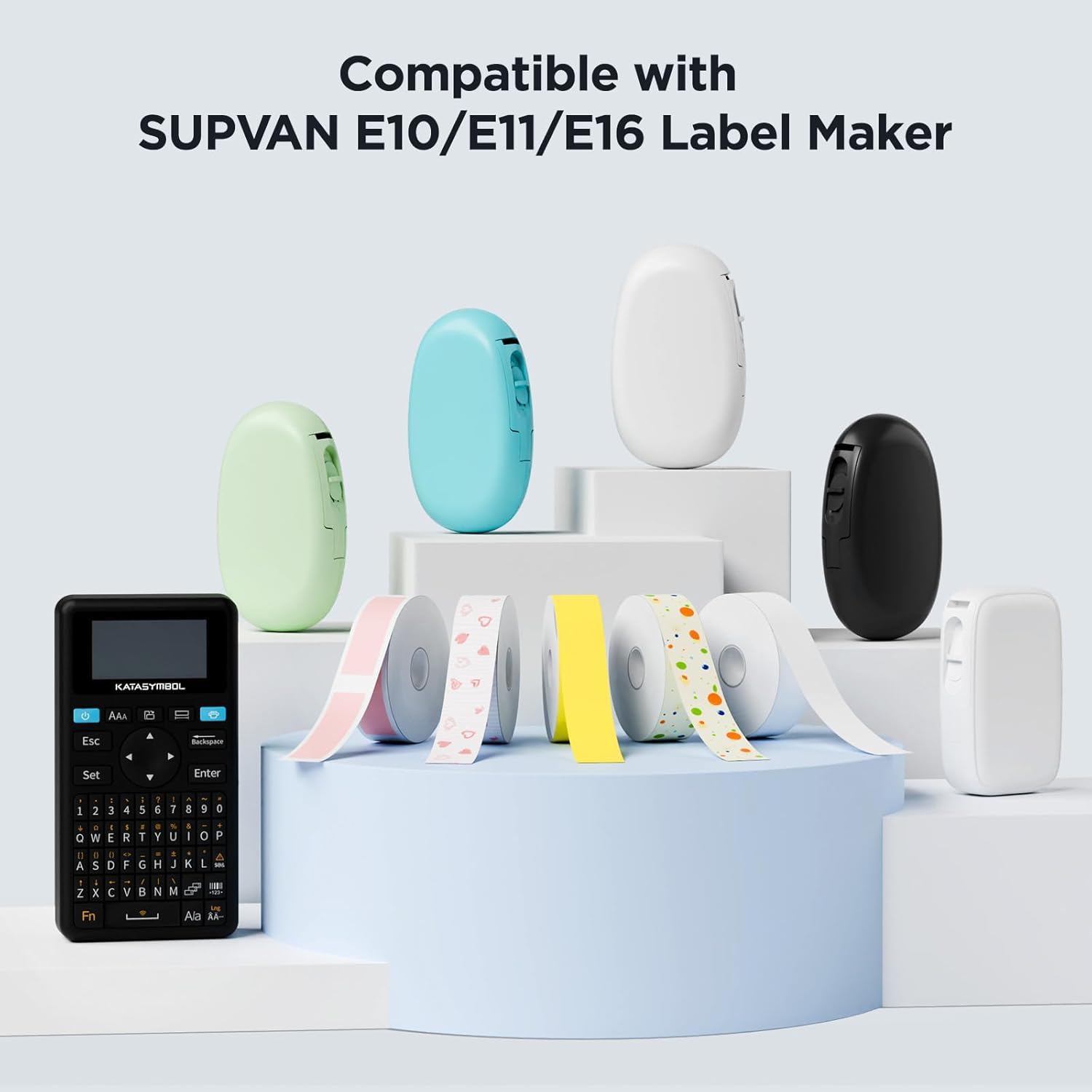
Image: The label tape is compatible with SUPVAN E10, E11, and E16 label makers, shown alongside various colored label maker devices.
3. Klebebandinstallation
- Öffnen Sie die Abdeckung des Etikettiergeräts: Locate the tape compartment cover on your SUPVAN E10 or E11 label maker and open it according to your device's specific instructions.
- Insert the Tape Cartridge: Place the SUPVAN label tape cartridge into the compartment. Ensure it is seated firmly and correctly oriented. The tape's leading edge should extend slightly from the output slot.
- Schließen Sie die Abdeckung: Schließen Sie den Deckel des Bandfachs, bis er einrastet.
- Automatische Erkennung: The label maker features smart RFID auto-detection, which will automatically recognize the tape size and type upon installation. This helps prevent misalignment and minimizes waste.
For detailed visual instructions, refer to your label maker's specific user manual.
4. Bedienungsanleitung
The SUPVAN E10 and E11 label makers are typically operated via a dedicated mobile application. Follow these general steps:
- Laden Sie die App herunter: Download and install the official SUPVAN label maker application on your smartphone or tablet.
- Per Bluetooth verbinden: Turn on your label maker and enable Bluetooth on your mobile device. Pair the label maker with the app.
- Gestalten Sie Ihr Etikett: Use the app's interface to design your label. You can input text, select fonts, add icons, and utilize various templates. The app offers a wide range of customization options.
- Vorview und Drucken: Vorview your label design within the app. Once satisfied, select the print option. The label maker will then print your design onto the tape.
- Schneiden Sie das Etikett aus: Manually cut the printed label from the tape output slot using the integrated cutter on the label maker.
Video: Demonstrates the use of a Bluetooth label maker, including app interface and printing process, for home, office, and school organization.
5. Hauptmerkmale und Vorteile
- Genuine SUPVAN Quality: Constructed from multi-layer synthetic material, ensuring resistance to water, oil, and extreme temperatures. Offers an extended durability of up to 5 years.
- BPA-Free & High Safety: Complies with BPA-free standards, making it safe for labeling food, cosmetics, and other consumables, including baby products.
- Highly Adhesive & Residue-Free: Provides strong adhesion to various surfaces while being easy to remove without leaving sticky residue.
- Intelligente RFID-Autoerkennung: Automatically detected by compatible label makers, ensuring correct size recognition, reducing misalignment errors, and minimizing tape waste through precise paper-feeding.
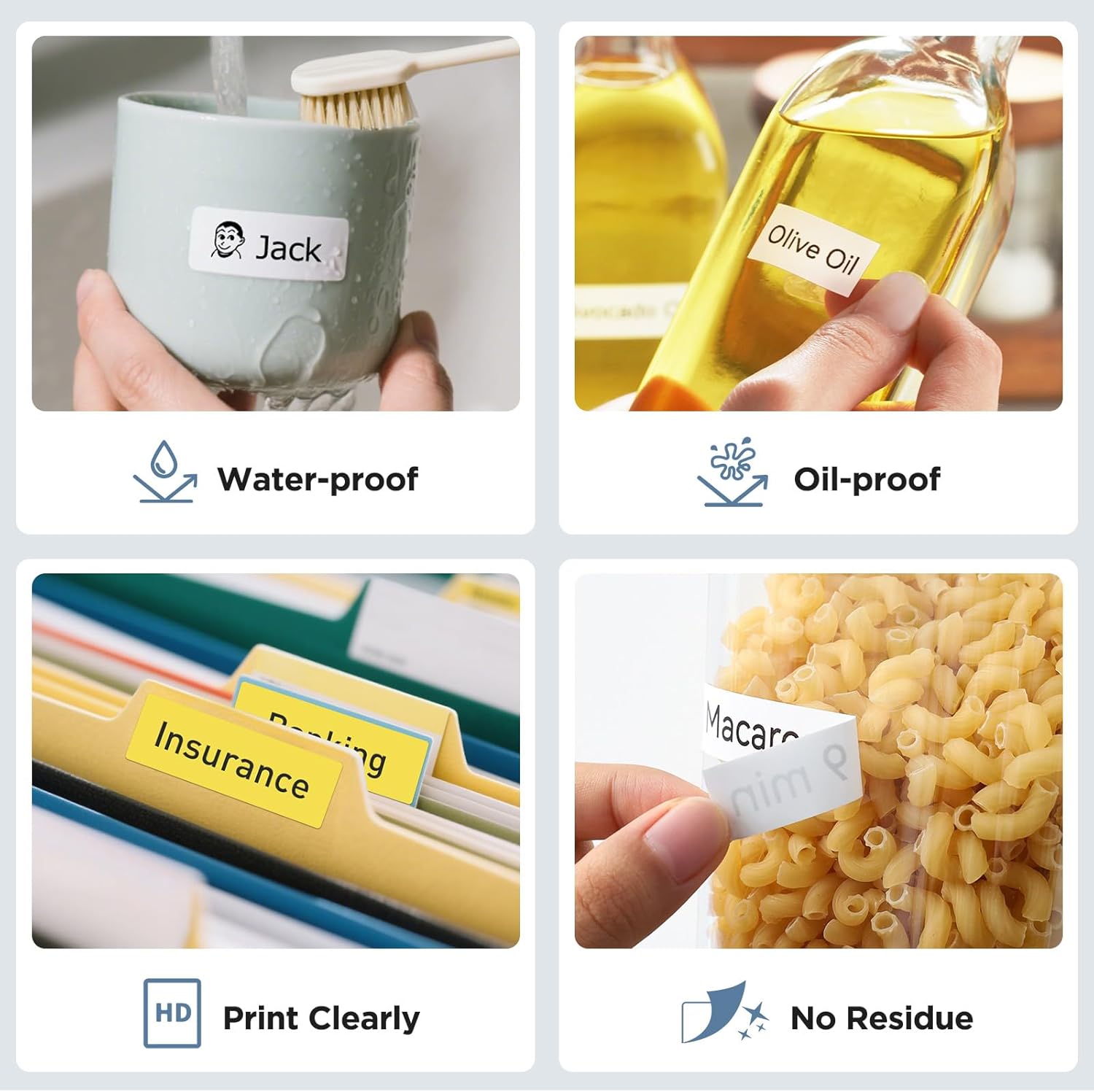
Image: Illustrates the tape's features including waterproof, oil-proof, clear printing, and residue-free removal.
6. Anwendungen
This label tape is versatile and suitable for a wide range of labeling tasks:
- Haushaltsorganisation: Beschriften von Aufbewahrungsboxen, Küchenbehältern, Gewürzgläsern und persönlichen Gegenständen.
- Büronutzung: Organisieren files, labeling drawers, managing equipment assets, and general office classification.
- School & Education: Creating name tags, sorting school supplies, labeling books, and personalizing items for students.

Bild: Examples of labels used for family categories, document sorting, kitchen storage, and desk organization.

Image: Demonstrates school applications such as labeling notebooks, water bottles, and lunchboxes.
7. Wartung
- Lagerung: Store unused label tape cartridges in a cool, dry place away from direct sunlight and extreme temperatures to preserve adhesive quality and print integrity.
- Handhabung: Avoid touching the printing surface of the tape before printing to prevent smudges or oil transfer that could affect print quality.
- Reinigung: Wenn der Druckkopf oder der Bandweg des Etikettendruckers verschmutzt ist, lesen Sie bitte die Reinigungsanweisungen in der Bedienungsanleitung Ihres Etikettendruckers. Versuchen Sie nicht, das Band selbst zu reinigen.
8. Fehlerbehebung
- Schlechte Druckqualität: Ensure the tape is correctly installed and the label maker's print head is clean. Check the print density settings in the app.
- Tape Jamming: Verify the tape cartridge is properly seated. Remove any obstructions in the tape path. If the issue persists, try a new tape cartridge.
- Etikett klebt nicht: Ensure the surface is clean, dry, and smooth before applying the label. Avoid applying labels to heavily textured or oily surfaces.
- Auto-Detection Failure: If the label maker does not detect the tape, remove and reinsert the cartridge. Ensure it is a genuine SUPVAN tape with RFID.
9. Spezifikationen
| Produktname | SUPVAN E10 & E11 Label Maker Tape |
| Modellnummer | E10 Label (transparent) |
| Maße | 0.59 inches (15mm) width x 19.7 feet (6m) length |
| Farbe | Black print on Transparent/Clear tape |
| Materialtyp | Multi-layer synthetic plastic |
| Merkmale | Waterproof, Oilproof, High/Low Temperature Resistant, BPA-free, Strong Adhesive, Residue-Free, Smart RFID Auto-Detection |
| Haltbarkeit | Up to 5 years extended durability |
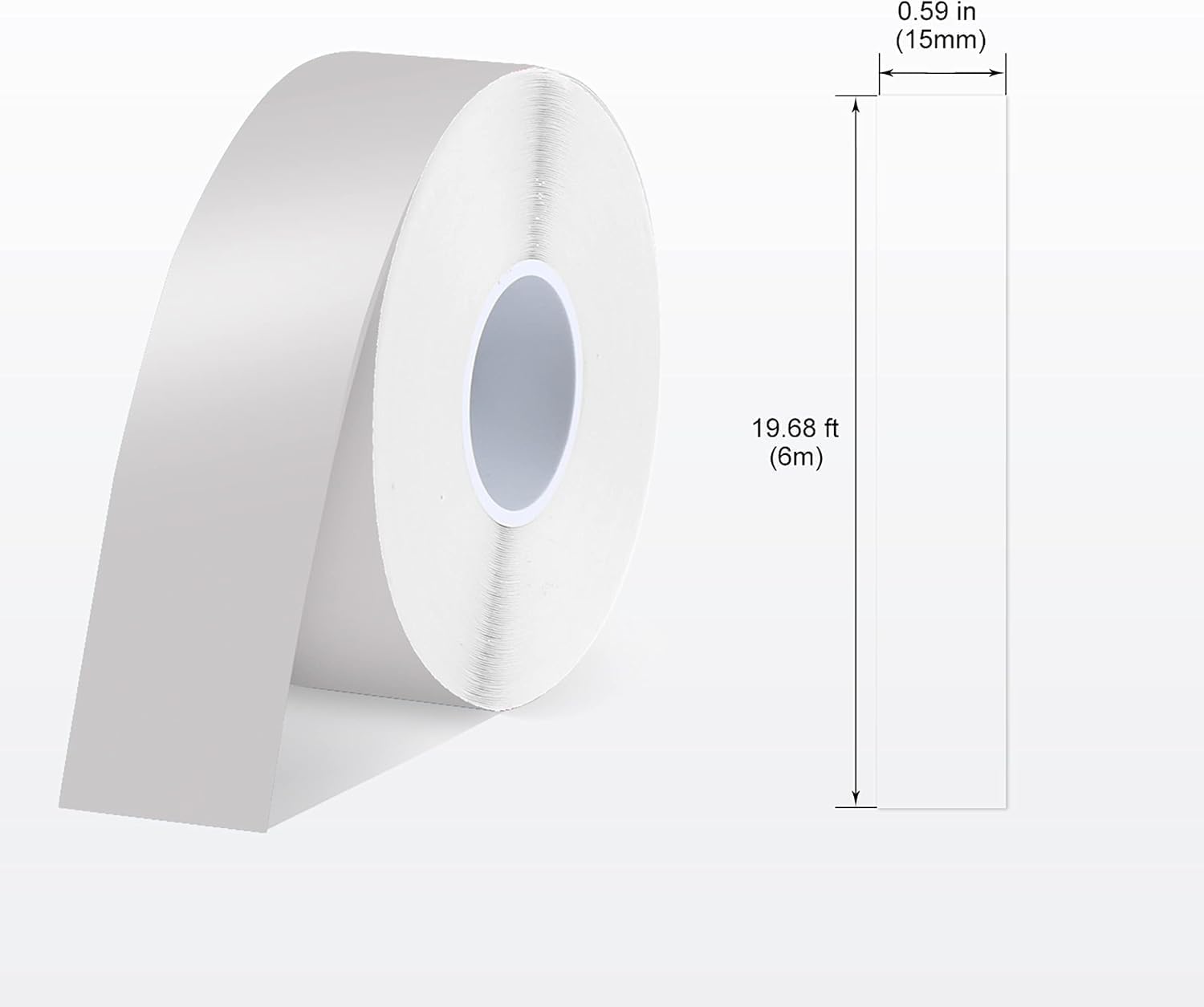
Image: A roll of SUPVAN label tape showing its dimensions: 0.59 inches (15mm) width and 19.68 feet (6m) length.
10. Garantie und Support
SUPVAN products are designed for quality and durability. While specific warranty details for this tape are not provided, the product is manufactured to resist water, oil, and temperature variations, offering up to 5 years of extended durability under normal conditions.
For any questions, technical assistance, or support regarding your SUPVAN label maker tape or device, please visit the official SUPVAN website or contact their customer service directly. You can find more information and support resources at the SUPVAN Store auf Amazon.


