1. Einleitung
This manual provides instructions for the proper installation, operation, and maintenance of your ciciglow KX-T504 Desk Telephone. This corded landline telephone is designed for reliable communication in various environments such as offices, hotels, and homes. It features essential functions including pause, mute, hold, and redial, along with an adjustable ringer.
2. Produktüberschreitungview
Familiarize yourself with the components of your KX-T504 desk telephone.

Figure 2.1: Telephone Components
This image displays the ciciglow KX-T504 desk telephone with its key components labeled. These include the handle handset, handle curve (cord), numeric buttons (number buttons), silent key (mute), pause key, hold button, and redial key. The ringer indicator is also visible.
- Handle Handset: Wird zum Sprechen und Zuhören während eines Anrufs verwendet.
- Numeric Buttons (0-9, *, #): Zum Wählen von Telefonnummern.
- Stummschalttaste: Temporarily silences your microphone during a call.
- Pause-Taste: Inserts a pause in the dialing sequence, useful for accessing automated systems.
- Taste gedrückt halten: Setzt den aktuellen Anruf in die Warteschleife.
- Wahlwiederholungstaste: Wählt die zuletzt gewählte Nummer.
- Ringer Indicator: A light that flashes when there is an incoming call.
3. Einrichtungsanweisungen
Follow these steps to set up your ciciglow KX-T504 Desk Telephone.
3.1 Anschließen des Mobilteils
- Suchen Sie das spiralförmige Hörerkabel.
- Plug one end of the coiled cord into the handset port on the side of the telephone base.
- Plug the other end of the coiled cord into the port on the bottom of the handset. Ensure both connections are secure.
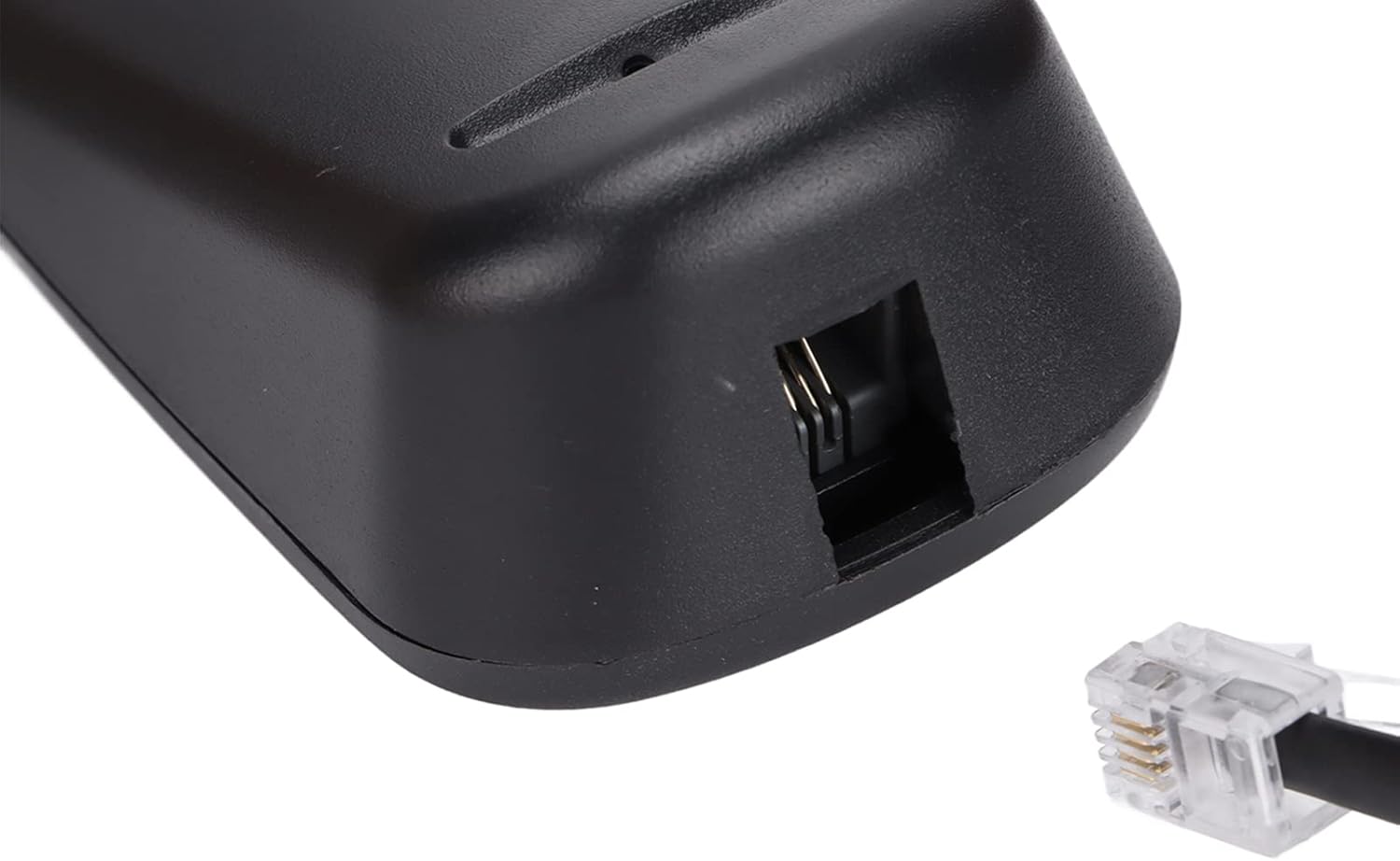
Figure 3.1: Handset Cord Port
This image shows a close-up of the port on the telephone base where the coiled handset cord connects.
3.2 Connecting to the Telephone Line
- Locate the straight telephone line cord (typically black).
- Plug one end of the telephone line cord into the LINE port on the back or side of the telephone base.
- Plug the other end of the telephone line cord into your wall telephone jack. Ensure both connections are secure.

Figure 3.2: Telephone Line Port
This image shows a close-up of the port on the telephone base where the telephone line cord connects to the wall jack.
3.3 Stromquelle
This telephone is powered by the telephone line itself and may also use a battery for certain functions (e.g., memory retention if applicable). No external power adapter is typically required for basic operation.
4. Bedienungsanleitung
Learn how to use the various functions of your telephone.
4.1 Anruf tätigen
- Nehmen Sie den Hörer ab.
- Warten Sie auf ein Freizeichen.
- Dial the desired phone number using the numeric buttons.
- Warten Sie, bis die Anrufverbindung hergestellt ist.
- To end the call, place the handset back on the telephone base.
4.2 Empfangen eines Anrufs
- Wenn das Telefon klingelt, heben Sie den Hörer ab, um den Anruf anzunehmen.
- To end the call, place the handset back on the telephone base.
4.3 Verwendung spezieller Funktionen
- Stumm: Drücken Sie während eines Anrufs die Taste MUTE Drücken Sie diese Taste, um Ihr Mikrofon vorübergehend zu deaktivieren. Ihr Gesprächspartner wird Sie nicht hören. MUTE um wieder zu sprechen.
- Pause: When dialing, press the PAUSE button to insert a brief delay. This is useful when dialing numbers that require a pause before entering extensions or menu options.
- Halten: Drücken Sie während eines Anrufs die Taste HALTEN button to place the call on hold. The other party will hear silence or hold music (if provided by your phone service). Lift the handset or press HALTEN erneut, um das Gespräch fortzusetzen.
- Wahlwiederholung: Um die zuletzt gewählte Nummer erneut anzurufen, heben Sie den Hörer ab und drücken Sie die Taste WIEDERHOLUNG Taste.
4.4 Adjusting Ringer Tone
The incoming ringer tone can be selected or adjusted. Refer to the small switch or button labeled 'RINGER' on the telephone base to change the setting according to your preference. Options typically include High, Low, or Off.
5. Wartung
To ensure the longevity and proper functioning of your telephone, follow these maintenance guidelines:
- Reinigung: Wischen Sie das Telefon mit einem weichen, fusselfreien Tuch ab.amp Stoff. Verwenden Sie keine aggressiven Chemikalien, Lösungsmittel oder starke Reinigungsmittel.
- Vermeiden Sie Flüssigkeiten: Halten Sie das Telefon von Wasser und anderen Flüssigkeiten fern.
- Temperatur: Do not expose the telephone to extreme temperatures or direct sunlight.
- Lagerung: When not in use for extended periods, store the telephone in a cool, dry place.
6. Fehlerbehebung
If you encounter issues with your telephone, try the following solutions:
| Problem | Mögliche Lösung |
|---|---|
| Kein Wählton | Check if the telephone line cord is securely connected to both the phone and the wall jack. Ensure your phone service is active. |
| Kann weder hören noch gehört werden | Ensure the handset cord is securely connected. Check if the MUTE function is accidentally activated. |
| Telefon klingelt nicht | Check the ringer switch setting. Ensure it is not set to 'Off'. |
| Die Wahlwiederholungsfunktion funktioniert nicht. | Ensure you are lifting the handset before pressing the REDIAL button. |
7. Spezifikationen
Key technical specifications for the ciciglow KX-T504 Desk Telephone.
| Besonderheit | Detail |
|---|---|
| Marke | ciciglow |
| Modell | KX-T504 |
| Telefontyp | Kabelgebunden |
| Material | Acrylnitril-Butadien-Styrol (ABS) |
| Stromquelle | Telephone Line Powered, Battery Powered (for specific functions) |
| Dialer-Typ | Einzelne Tastatur |
| Anruferidentifizierung | NEIN |
| Funktionen | Pause, Mute, Hold, Redial, Adjustable Ringer |

Abbildung 7.1: Produktabmessungen
This image shows the ciciglow KX-T504 desk telephone, indicating approximate dimensions of 200mm/7.9in (length), 130mm/5.1in (width), and 70mm/2.8in (height).
8. Garantie und Support
For warranty information or technical support, please refer to the contact details provided with your purchase or visit the official ciciglow webBewahren Sie Ihren Kaufbeleg für Garantieansprüche auf.


