Einführung
This manual provides comprehensive instructions for the setup, operation, and maintenance of your Tesla Smart Pet Feeder (Model TSL-PC-BL4). Please read this manual thoroughly before using the device to ensure proper functionality and safety for your pet.
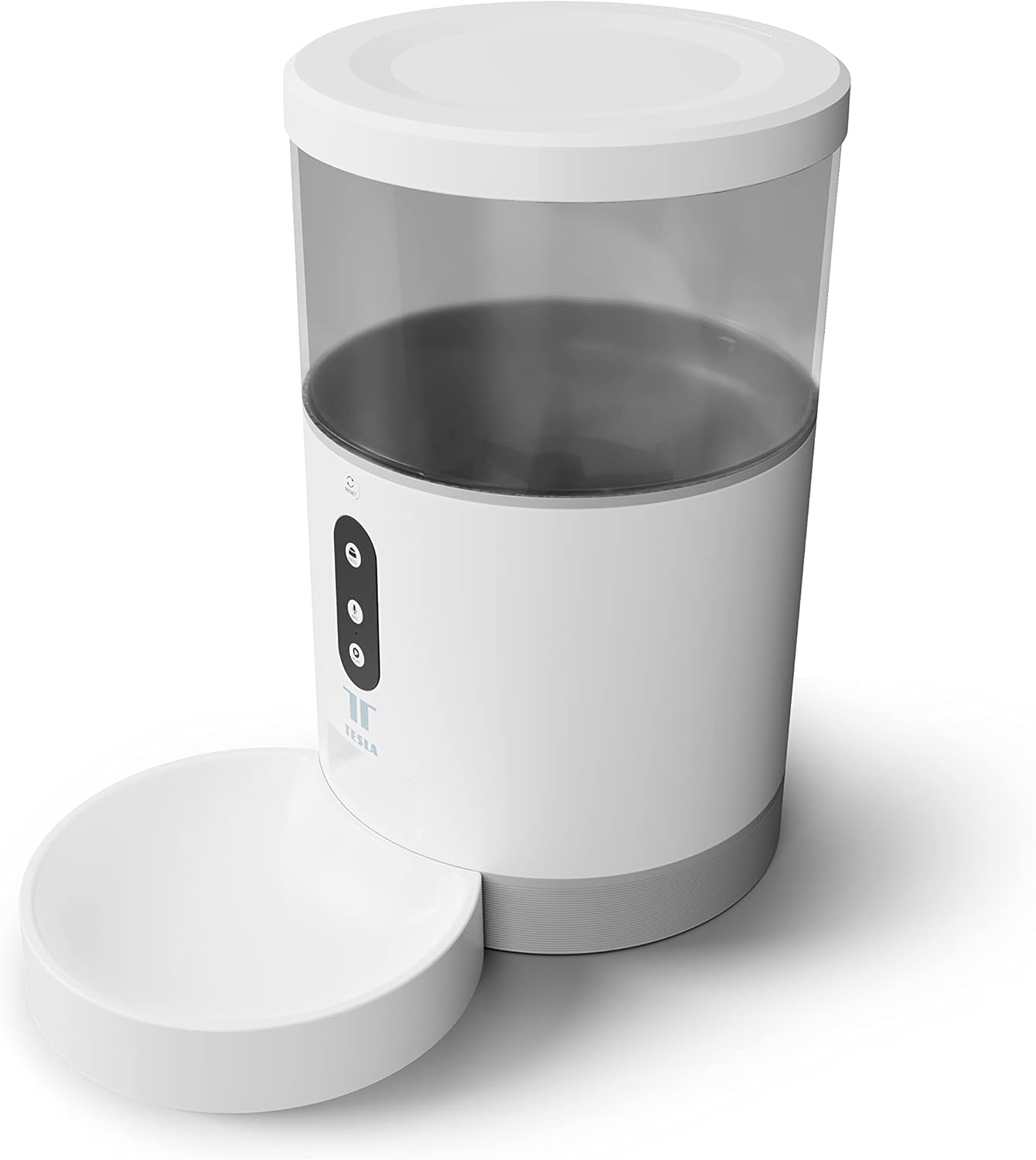
Bild: Vorderseite view of the Tesla Smart Pet Feeder, showing the main unit with a transparent food reservoir, control buttons, and an attached white food bowl.
Wichtige Sicherheitsinformationen
Bitte beachten Sie die folgenden Sicherheitsvorkehrungen, um Verletzungen oder Schäden am Gerät zu vermeiden:
- Tauchen Sie das Hauptgerät nicht in Wasser oder andere Flüssigkeiten.
- Stellen Sie sicher, dass der Futterautomat auf einer stabilen, ebenen Fläche steht.
- Keep out of reach of small children and pets when not in use or during assembly.
- Use only dry pet food with a kibble size up to 10 mm.
- Versuchen Sie nicht, das Gerät selbst zu zerlegen oder zu reparieren. Wenden Sie sich an den Kundendienst, um Hilfe zu erhalten.
- Vor der Reinigung immer den Netzstecker des Futterautomaten ziehen.
Packungsinhalt
Überprüfen Sie, ob alle Komponenten im Paket vorhanden sind:
- Tesla Smart Pet Feeder Main Unit
- Futternapf
- Netzteil
- Benutzerhandbuch (dieses Dokument)
Installationshandbuch
1. Montage
- Stellen Sie die Hauptzuführungseinheit auf eine ebene, stabile Oberfläche.
- Attach the food bowl to the designated slot at the base of the main unit. Ensure it clicks securely into place.

Bild: Vorderseite view of the feeder highlighting the control panel with feed, record, and play buttons.
2. Gerät einschalten
- Wechselstromversorgung: Schließen Sie den Netzadapter an den Stromeingang des Zuführers an und stecken Sie ihn in eine normale Wandsteckdose.
- Batterie-Backup (optional): Für unterbrechungsfreien Betrieb bei Stromausfalltages, insert three LR20 (D-cell) batteries into the battery compartment located at the bottom of the unit. Batterien sind nicht im Lieferumfang enthalten und müssen separat erworben werden.

Bild: Rückseite view of the Tesla Smart Pet Feeder, showing the power input and battery compartment location.
3. Befüllen des Lebensmittelbehälters
- Remove the lid from the top of the feeder.
- Pour dry pet food into the transparent container. The feeder has a capacity of 4 liters. Ensure kibble size does not exceed 10 mm to prevent jamming.
- Setzen Sie den Deckel sicher wieder auf.

Bild: Eine Nahaufnahme view of dry pet food kibble in the feeder's bowl, demonstrating the type of food suitable for the device.
4. App-Download und WLAN-Verbindung
- Download the Tesla Smart app from the App Store (iOS) or Google Play Store (Android).
- Open the app and follow the on-screen instructions to create an account and add your Tesla Smart Pet Feeder.
- Stellen Sie sicher, dass Ihr WLAN-Netzwerk mit 2.4 GHz arbeitet, um eine erfolgreiche Verbindung zu gewährleisten.
Bedienungsanleitung
1. Feeds über die App planen
The primary method for controlling the feeder is through the Tesla Smart app. The app allows you to:
- Set feeding schedules: Define specific times for food dispensing.
- Adjust portion sizes: Control the amount of food dispensed per feeding. The feeder can dispense up to 10 portions per feeding.
- View Fütterungsgeschichte.

Image: An orange cat resting beside the Tesla Smart Pet Feeder, illustrating the feeder in a home environment.
2. Manuelle Zuführung
To dispense food manually, press the "Feed" button on the feeder's control panel. Each press will dispense one portion of food.
3. Sprachaufzeichnung und -wiedergabe
The feeder includes a built-in microphone and speaker, allowing you to record a short message to call your pet at feeding times.
- Aufzeichnen: Press and hold the "Record" button (microphone icon) on the control panel. Speak your message. Release the button to save.
- Spielen: Press the "Play" button (speaker icon) to play your recorded message. The message will also play automatically at scheduled feeding times.
4. Smart Home Integration
The Tesla Smart Pet Feeder is compatible with Google Assistant and Amazon Alexa. You can control the feeder using voice commands after linking it through the respective smart home applications.
Wartung und Reinigung
Regelmäßige Reinigung gewährleistet die Langlebigkeit und den hygienischen Betrieb Ihres Futterautomaten.
- Futternapf: The food bowl can be detached and washed by hand with mild soap and water. Rinse thoroughly and dry completely before reattaching.
- Lebensmittelbehälter: The transparent food container can be wiped clean with a damp Tuch. Stellen Sie sicher, dass es vollständig trocken ist, bevor Sie es wieder mit Lebensmitteln befüllen.
- Haupteinheit: Wipe the exterior of the main unit with a soft, dry cloth. Do not use abrasive cleaners or immerse the main unit in water.
- Gastronomiebetrieb: Periodically check the food outlet for any blockages or food residue and clear as necessary.
Important: Always unplug the feeder from the power source before cleaning.
Fehlerbehebung
| Problem | Mögliche Ursache | Lösung |
|---|---|---|
| Futterspender schaltet sich nicht ein. | No power from outlet; batteries depleted or incorrectly installed. | Check power adapter connection and wall outlet. Replace or install D-cell batteries correctly. |
| Futterausgabe funktioniert nicht. | Food jammed; container empty; incorrect kibble size; feeder offline. | Check for food blockages in the outlet. Refill container. Ensure kibble is max 10mm. Check Wi-Fi connection and app status. |
| Es kann keine Verbindung zum WLAN hergestellt werden. | Falsches WLAN-Passwort; 5-GHz-Netzwerk; Zuleitung zu weit vom Router entfernt. | Verify Wi-Fi password. Ensure you are connecting to a 2.4 GHz network. Move feeder closer to router. Restart feeder and router. |
| Voice recording not working. | Microphone issue; recording procedure incorrect. | Ensure you are pressing and holding the record button correctly. Try restarting the feeder. |
Technische Daten
| Besonderheit | Detail |
|---|---|
| Modellnummer | TSL-PC-BL4 |
| Abmessungen (L x B x H) | 30 x 30 x 20 cm |
| Gewicht | 1.92 Kilogramm |
| Material | Plastik |
| Farbe | Weiß |
| Kapazität | 4 Liter |
| Krokettengröße | Bis zu 10 mm |
| Stromquelle | AC Adapter, 3x LR20 (D-cell) batteries (not included) |
| Konnektivität | Wi-Fi (2.4 GHz) |
| Besondere Merkmale | Wi-Fi and App Control, Voice Recording, Google Assistant/Amazon Alexa Compatible |
Garantie und Support
For warranty information, technical support, or service inquiries, please refer to the official Tesla Smart webBesuchen Sie die Website oder kontaktieren Sie den Kundendienst. Bewahren Sie Ihren Kaufbeleg als Kaufnachweis auf.
For the most up-to-date information and support resources, visit: www.teslasmart.com


