Einführung
The AOC GAMING 27G2SP is a 27-inch frameless gaming monitor designed for competitive gaming. It features a high 165Hz refresh rate and a rapid 1ms MPRT response time for smooth, fluid visuals. Adaptive-Sync technology ensures tear-free gaming by synchronizing the display with the GPU. This monitor supports FHD 1920x1080 resolution with wide viewing angles and vibrant colors, covering up to 122% sRGB and 90% DCI-P3 color gamut. It also incorporates AOC Flicker-Free technology for reduced eye strain and offers customization through AOC G-MENU software.
Lieferumfang
- Monitor
- HDMI-Kabel
- Netzkabel
- Bedienungsanleitung
Aufstellen
1. Monitorbaugruppe
Carefully remove the monitor and its components from the packaging. Attach the stand base to the stand neck, then secure the assembled stand to the back of the monitor. Ensure all connections are firm.
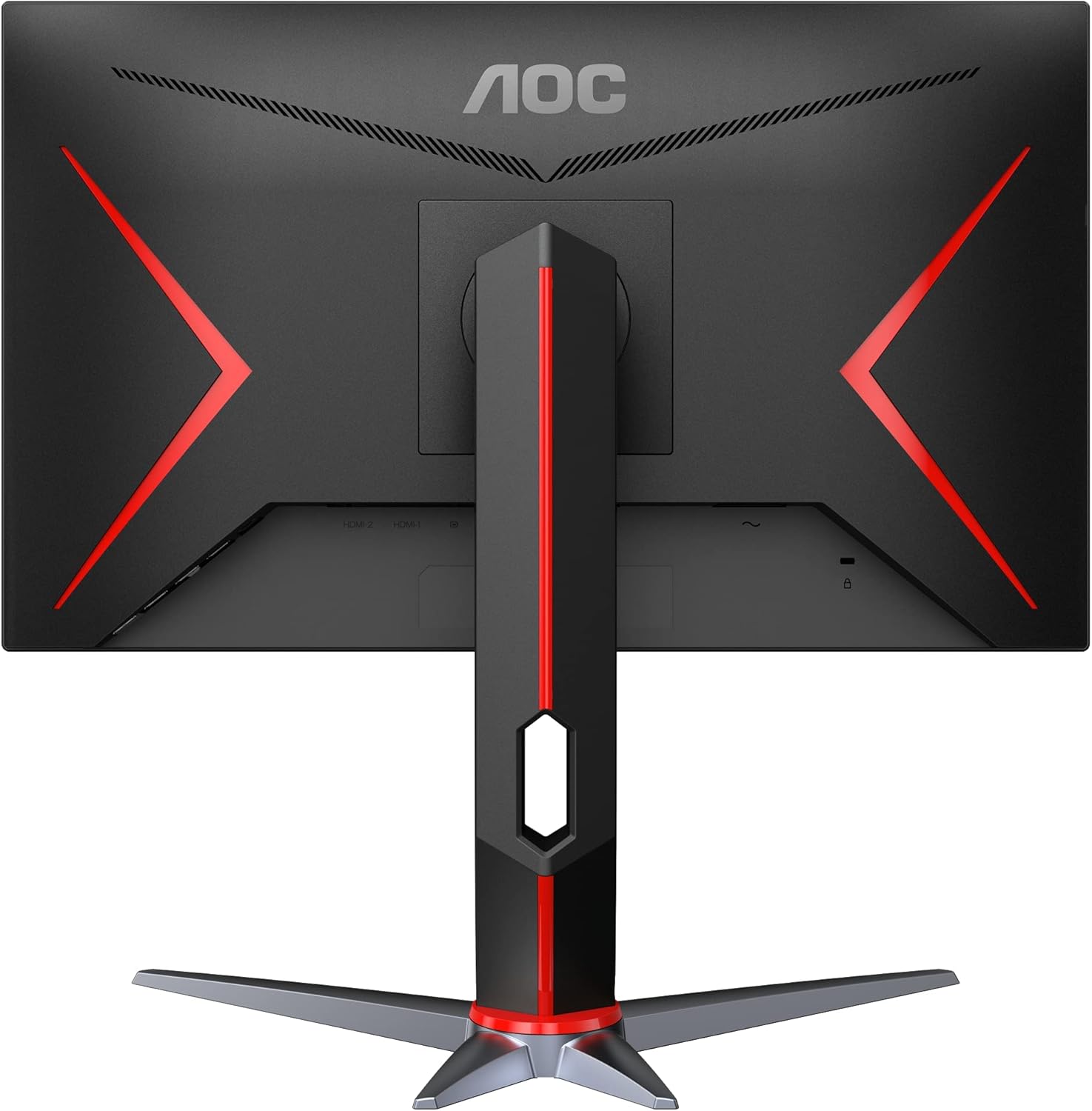
Abbildung 1: Rückseite view of the AOC 27G2SP monitor with its adjustable stand fully assembled.
2. Mit einem Gerät verbinden
Connect the monitor to your computer or console using the provided HDMI or DisplayPort cable. The monitor supports multiple input options for versatile connectivity.

Figure 2: Available input ports on the AOC 27G2SP monitor, including HDMI and DisplayPort for video and audio connections.
3. Stromanschluss
Plug the power cord into the monitor's power input, then connect the other end to a power outlet. The monitor is now ready for use.
Bedienungsanleitung
1. Ein-/Ausschalten
Drücken Sie den Netzschalter am Monitor, um ihn ein- oder auszuschalten. Die Betriebsanzeige leuchtet, wenn der Monitor eingeschaltet ist.
2. Bildschirmmenü (OSD)
Navigate the OSD menu using the joystick control located on the back of the monitor. This menu allows you to adjust various settings such as brightness, contrast, color temperature, and game-specific modes.
Abbildung 3: Vorderseite view of the AOC 27G2SP monitor, illustrating the on-screen display (OSD) menu for settings adjustments.
3. Hauptmerkmale
- 165Hz Bildwiederholfrequenz: Sorgt für extrem flüssige Bewegungen bei rasanten Spielen.
- 1 ms MPRT-Reaktionszeit: Eliminates motion blur and ghosting for crisp visuals.
- Adaptive-Sync-Technologie: Synchronizes the monitor's refresh rate with your GPU's frame rate to prevent screen tearing and stuttering.
- IPS-Panel: Offers wide 178/178 degree viewWinkel und konsistente Farbwiedergabe.
- Flimmerfreie Technologie: Reduziert das Bildschirmflimmern, um die Augenbelastung bei längerer Nutzung zu minimieren.
- AOC G-MENU Software: Allows for convenient customization of monitor settings and peripherals.
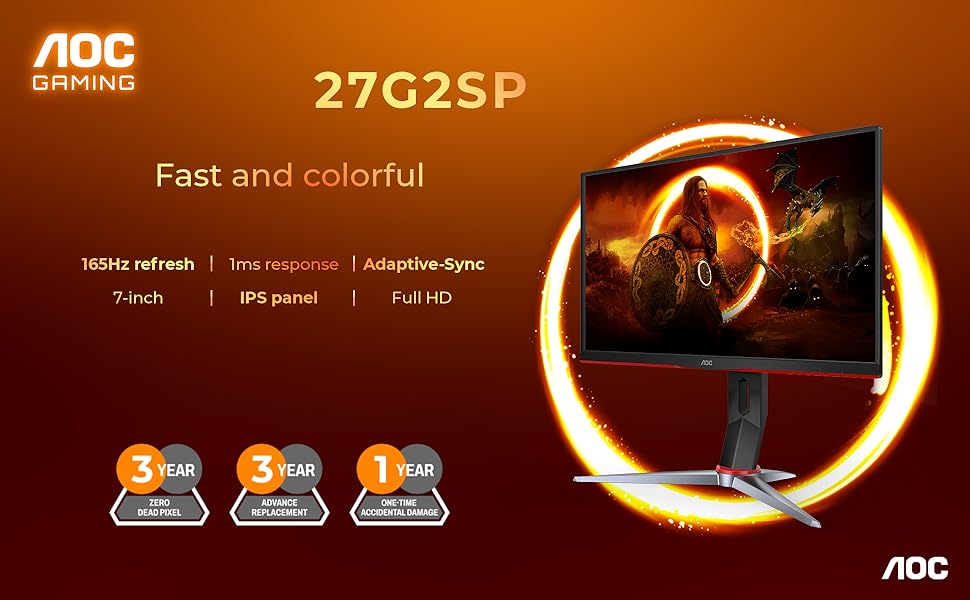
Figure 4: Visual representation of the AOC 27G2SP's core gaming features: 165Hz refresh rate, 1ms response time, and Adaptive-Sync technology.
4. Monitorständer einstellen
The monitor stand is height-adjustable and allows for tilt and swivel movements to optimize your viewing experience. Gently push or pull the monitor to adjust its position.

Abbildung 5: Seitenansichtfile of the AOC 27G2SP monitor, demonstrating its height adjustment capability.
Wartung
- Reinigen des Bildschirms: Benutzen Sie ein weiches, fusselfreies Tuch, dampened with water or a screen cleaner. Avoid using alcohol or ammonia-based cleaners.
- Reinigung des Casing: Wischen Sie den Monitor ab.asinmit einem weichen, trockenen Tuch abwischen.
- Lagerung: When not in use for extended periods, store the monitor in a cool, dry place away from direct sunlight.
Fehlerbehebung
| Problem | Mögliche Ursache/Lösung |
|---|---|
| Kein Bild auf dem Bildschirm |
|
| Das Bild ist unscharf oder verzerrt. |
|
| Bildschirm flackert |
|
| Kein Ton vom Monitor (falls zutreffend) |
|
Technische Daten
| Besonderheit | Detail |
|---|---|
| Marke | AOC |
| Modell | 27G2SP |
| Bildschirmgröße | 27 Zoll |
| Auflösung | 1920x1080 (FHD) |
| Bildwiederholrate | 165 Hz |
| Ansprechzeit | 1 ms MPRT |
| Panel-Typ | IPS |
| Viewing-Winkel | 178 / 178 Grad |
| Farbumfang | 122 % sRGB, 90 % DCI-P3 |
| Adaptive Synchronisierung | Ja |
| Flimmerfrei | Ja |
| VESA-Kompatibilität | Ja |
| Verstellbarkeit | Höhe, Neigung, Schwenken |
| Eingangsanschlüsse | HDMI, DisplayPort |
| Artikelgewicht | 11.17 Pfund |
| Technische Daten | 8.95 x 24.09 x 20.81 Zoll |
Garantie und Support
AOC provides a limited warranty for its products. Please refer to the official AOC website or the warranty card included in your product packaging for detailed terms and conditions. For technical support, driver downloads, or further assistance, visit the official AOC support webWebsite oder wenden Sie sich an den Kundendienst.
Online-Hilfe: www.aoc.com
Zugehörige Dokumente - 27G2SP
 |
AOC 27G2SP/BK LCD Monitor User Manual - Setup, Features, and Troubleshooting Comprehensive user manual for the AOC 27G2SP/BK LCD Monitor. Includes setup instructions, safety information, feature explanations (Adaptive-Sync, FreeSync), OSD settings, troubleshooting guide, and technical specifications. |
 |
AOC U27U3XD Monitor Benutzerhandbuch Ausführliches Benutzerhandbuch für den AOC U27U3XD Monitor mit Informationen zu Einrichtung, Funktionen, Einstellungen, Fehlerbehebung und technischen Daten. Erfahren Sie, wie Sie Ihren AOC Monitor anschließen, konfigurieren und warten. |
 |
AOC U27G4XM Gaming Monitor User Manual This user manual provides comprehensive guidance for the AOC U27G4XM gaming monitor, covering setup, features, adjustments, advanced technologies like Adaptive-Sync and HDR, troubleshooting, and technical specifications. |
 |
AOC CQ32G4E Gaming-Monitor Benutzerhandbuch – Einrichtung, Funktionen und Fehlerbehebung Ausführliches Benutzerhandbuch für den AOC CQ32G4E Gaming-Monitor. Behandelt Einrichtung, Installation, Funktionen wie Adaptive-Sync und HDR, Fehlerbehebung und technische Daten. Holen Sie das Beste aus Ihrem AOC Gaming-Monitor heraus. |
 |
AOC Q27G4SL/WS 3D-Drucker AOC Q27G4SL/WSゲーミングモニターのユーザーマニュアル.セットアップ, 接続, 調整, トラブルシューティングに関する詳細情報を提供し、ディスプレイの機能を最大限に活用するためのガイダンスを提供します. |
 |
AOC Q27G4ZD OLED-Gaming-Monitor – Benutzerhandbuch Ausführliches Benutzerhandbuch für den AOC Q27G4ZD OLED-Gaming-Monitor, das Einrichtung, Funktionen, Spezifikationen, Fehlerbehebung und Sicherheitshinweise umfasst. |