1. Einleitung
This manual provides detailed instructions for the operation and maintenance of your Coby CVR42BK Portable Cassette Player and Recorder. Please read this manual thoroughly before using the device to ensure proper function and longevity.
2. Packungsinhalt
Bitte überprüfen Sie, ob alle unten aufgeführten Artikel in Ihrem Paket enthalten sind:
- Coby CVR42BK Portable Cassette Player and Recorder
- Externes Boom-Mikrofon
- 120-V-Netzteil
- Benutzerhandbuch (dieses Dokument)

Figure 2.1: Included items in the Coby CVR42BK package.
3. Produktüberschreitungview
The Coby CVR42BK is a portable cassette player and recorder designed for both playback and one-touch recording. It features a built-in handle for portability and includes an external boom microphone for enhanced recording quality.

Figure 3.1: Coby CVR42BK Portable Cassette Player and Recorder.
3.1 Bedienelemente und Anzeigen
Familiarize yourself with the controls and ports on your device:
- Play-Button: Startet die Kassettenwiedergabe.
- Aufnahmetaste: Activates recording function (requires a blank cassette).
- Fast Forward Button: Spult das Band schnell weiter.
- Rewind Button: Spult das Band schnell zurück.
- Stopp-/Auswurftaste: Stops playback/recording and opens the cassette compartment.
- Lautstärkeregelung: Regelt die Wiedergabelautstärke.
- Kopfhöreranschluss (3.5 mm): Zum privaten Hören.
- Externer Mikrofoneingang: Connects the included boom microphone.
- AC-Adapteranschluss: For connecting the 120V AC adapter.
- Batteriefach: Holds 4 C batteries for portable power.
4. Einrichtung
4.1 Einschalten des Geräts
The CVR42BK can be powered by either the included AC adapter or 4 C batteries (not included).
- Wechselstromversorgung: Connect the 120V AC adapter to the AC adapter port on the device and then plug it into a standard wall outlet.
- Batterieleistung: Open the battery compartment on the underside of the unit. Insert 4 C batteries, ensuring correct polarity (+/-). Close the compartment securely.

Figure 4.1: Power options for the CVR42BK.
4.2 Einlegen einer Musikkassette
- Drücken Sie die Stopp/Auswerfen Knopf zum Öffnen der Kassettenfachklappe.
- Insert a cassette tape with the open edge facing upwards and the tape side facing you.
- Schließen Sie die Klappe des Kassettenfachs vorsichtig, bis sie hörbar einrastet.

Figure 4.2: Loading a cassette tape.
5. Bedienungsanleitung
5.1 Abspielen einer Musikkassette
- Ensure a cassette tape is loaded (refer to Section 4.2).
- Drücken Sie die Spielen Drücken Sie die Taste. Die Wiedergabe des Bandes beginnt.
- Passen Sie die Lautstärkeregelung auf Ihre gewünschte Lautstärke einstellen.
- Zum schnellen Vorspulen drücken Sie die Schneller Vorlauf Taste drücken. Zum Zurückspulen die Taste drücken. Zurückspulen Taste.
- Um die Wiedergabe zu stoppen, drücken Sie die Taste Stopp/Auswerfen Taste.
- Zum ungestörten Musikhören schließen Sie Kopfhörer an die 3.5-mm-Kopfhörerbuchse an.
5.2 Recording Audio (One-Touch Recording)
The CVR42BK features one-touch recording and Automatic Level Control (ALC) to optimize recording levels.
- Load a blank or recordable cassette tape into the device. Note: Re-using older cassettes may affect sound quality. New cassettes are recommended for optimal results.
- Drücken Sie die Aufzeichnen Schaltfläche. Die Spielen button will also engage simultaneously. The device will begin recording audio from its built-in microphone or the connected external microphone.
- Um die Aufnahme zu stoppen, drücken Sie die Stopp/Auswerfen Taste.
- The device includes an auto-stop feature that will automatically stop recording when the tape reaches its end.
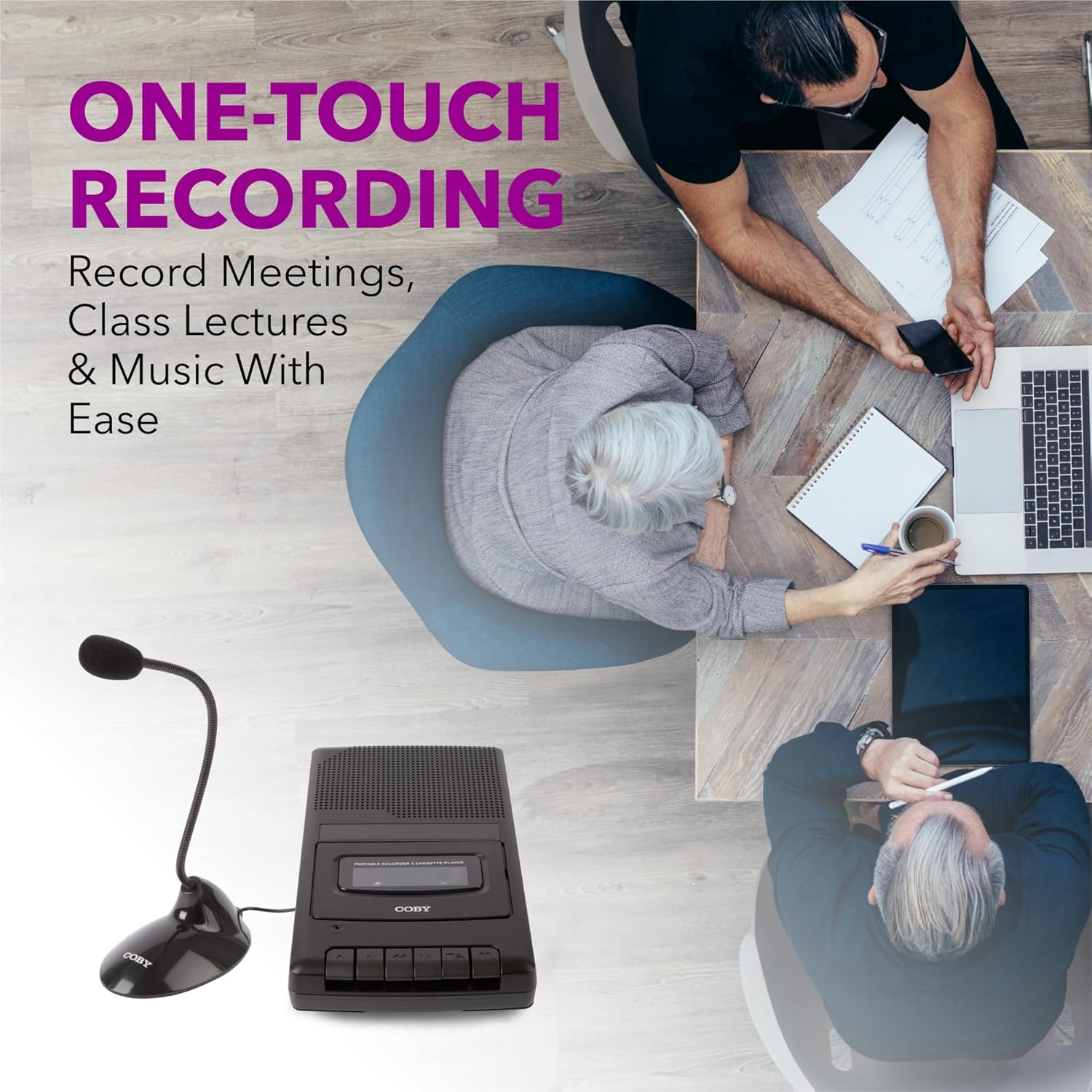
Figure 5.1: Using the CVR42BK for recording.
5.3 Using the External Boom Microphone
For higher quality recordings, especially for lectures or meetings, connect the included external boom microphone.
- Locate the external microphone input port on the CVR42BK.
- Plug the external boom microphone into this port.
- Position the microphone appropriately for the sound source you wish to record.
- Proceed with recording as described in Section 5.2. The device will automatically prioritize the external microphone when connected.

Figure 5.2: External boom microphone in use.
6. Wartung
- Reinigung: Reinigen Sie die Außenseite des Geräts mit einem weichen, trockenen Tuch. Verwenden Sie keine flüssigen Reiniger oder Lösungsmittel.
- Reinigung des Tonkopfes: Periodically clean the tape heads with a specialized cassette head cleaning kit to ensure optimal sound quality and prevent tape damage.
- Lagerung: When not in use for extended periods, remove batteries to prevent leakage. Store the device in a cool, dry place away from direct sunlight and extreme temperatures.
- Kassettenpflege: Store cassette tapes in their cases to protect them from dust and physical damage. Avoid exposing tapes to strong magnetic fields.
7. Fehlerbehebung
| Problem | Mögliche Ursache | Lösung |
|---|---|---|
| Kein Strom | AC adapter not connected or faulty; batteries depleted or incorrectly inserted. | Check AC adapter connection and power outlet. Replace batteries or ensure correct polarity. |
| Kein Ton während der Wiedergabe | Volume too low; headphones connected; tape head dirty; tape damaged. | Increase volume. Disconnect headphones. Clean tape heads. Try a different tape. |
| Aufnahme funktioniert nicht | Tape is write-protected; tape is full; microphone not connected or faulty. | Ensure the write-protect tab on the cassette is intact. Use a blank tape. Check microphone connection. |
| Schlechte Tonqualität | Dirty tape heads; old or damaged cassette tape; external interference. | Clean tape heads. Use a new or known-good cassette tape. Move away from electronic devices. |
| Tape not moving | Tape jammed; mechanism fault. | Gently open compartment and check for tape jams. If problem persists, contact support. |
8. Spezifikationen
| Modellnummer | CVR42BK |
| Stromquelle | 120V AC Adapter (included) or 4 x 'C' Batteries (not included) |
| Merkmale | Automatic Level Control (ALC), One-Touch Recording, Fast Forward, Rewind, Volume Control, Auto-Stop |
| Mikrofon | Built-in microphone, External Boom Microphone (included) |
| Kopfhöreranschluss | 3.5mm Stereo |
| Produktabmessungen (L x B x H) | 10.2 x 5.83 x 1.97 Zoll (25.9 x 14.8 x 5 cm) |
| Artikelgewicht | 1.75 Pfund (0.79 kg) |
| UPC | 810071491450 |
9. Garantie und Support
For warranty information or technical support, please refer to the warranty card included with your product or visit the official Coby webBewahren Sie Ihren Kaufbeleg als Kaufnachweis für eventuelle Garantieansprüche auf.
Hersteller: Summit Electronics LLC


