1. Einleitung
This manual provides detailed instructions for the safe and effective operation of your Aputure LS 600D Professional 600W Daylight 5600K LED Video Light. Please read this manual thoroughly before use and retain it for future reference.
2. Sicherheitshinweise
- Schauen Sie nicht direkt in die Lichtquelle, wenn das Licht eingeschaltet ist.
- Do not place the light near flammable liquids or gases.
- Ensure proper ventilation to prevent overheating. The unit uses natural heat dissipation.
- Use only the specified power cables and accessories.
- Halten Sie das Gerät trocken. Setzen Sie es weder Regen noch Feuchtigkeit aus.
- Handle with care. The unit weighs 33 pounds. Ensure stable mounting.
3. Packungsinhalt
Bitte überprüfen Sie, ob alle unten aufgeführten Artikel in Ihrem Paket enthalten sind:
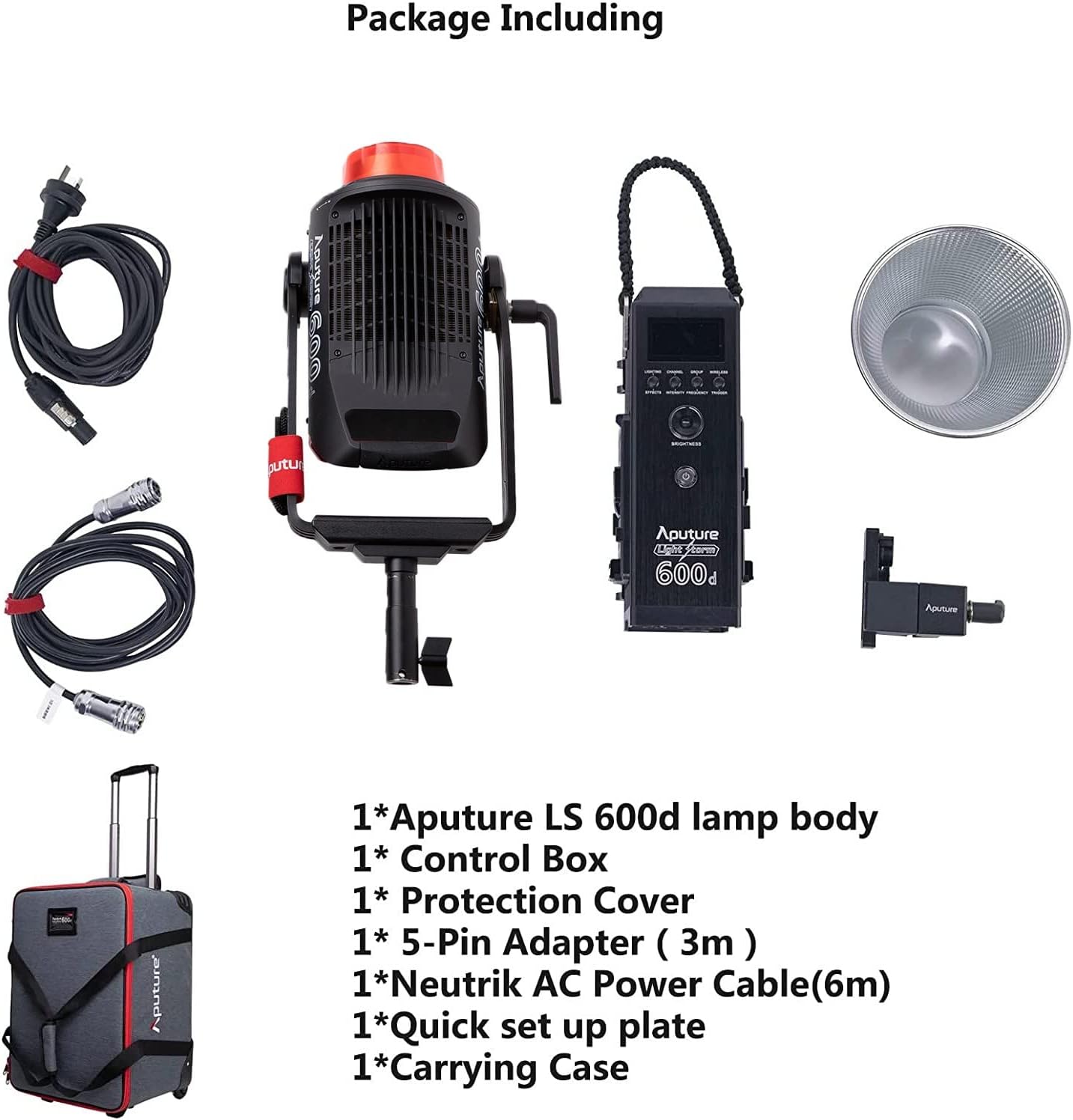
- Aputure LS 600d lamp Körper
- Kontrollkästchen
- Schutzhülle
- 5-Pin Adapter (3m)
- Neutrik AC Power Cable (6m)
- Quick set up plate
- Tragetasche
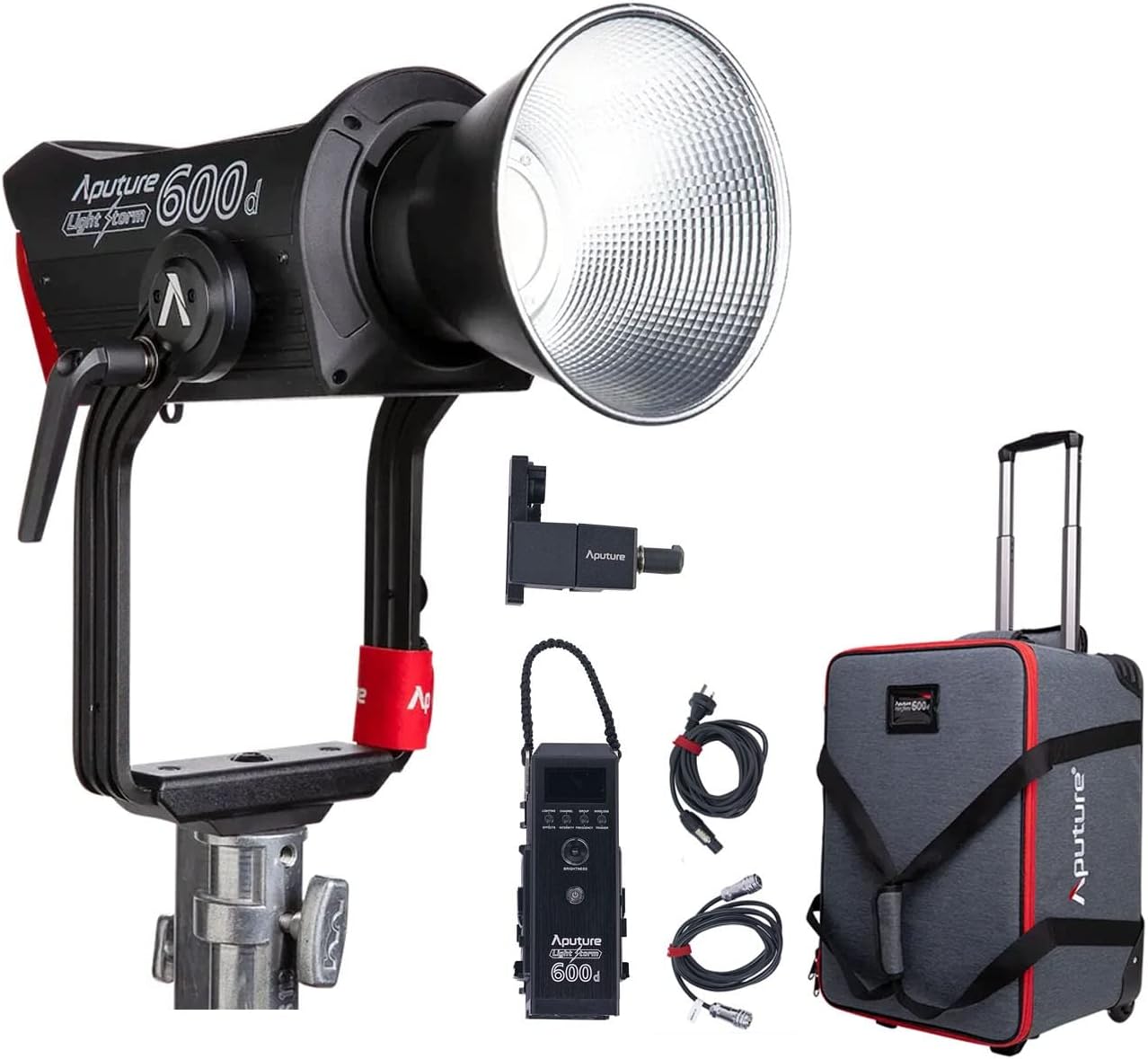
The image above displays the main light unit, control box, cables, reflector, and the wheeled carrying case.
4. Produktüberschreitungview
The Aputure LS 600D is a high-output 600W COB LED light designed for professional video and photography. It features a daylight-balanced 5600K color temperature, high CRI/TLCI ratings, and multiple control methods.

Zu den Hauptmerkmalen gehören:
- Maximale Ausgangsleistung: ≤ 600 W
- CCT: 5600
- CRI: ≥96
- TLCI: ≥96
- Kühlmethode: Natürliche Wärmeableitung
- Kontrollmethoden: Manual, Sidus Link APP, DMX512
- Bluetooth-Betriebsbereich: ≤ 80 m / 262.5 ft
- Built-in Lighting FX: Paparazzi, Fireworks, Faulty Bulb, TV, Pulsing, Strobe, Explosion

5. Einrichtung
5.1 Assembling the Light Unit
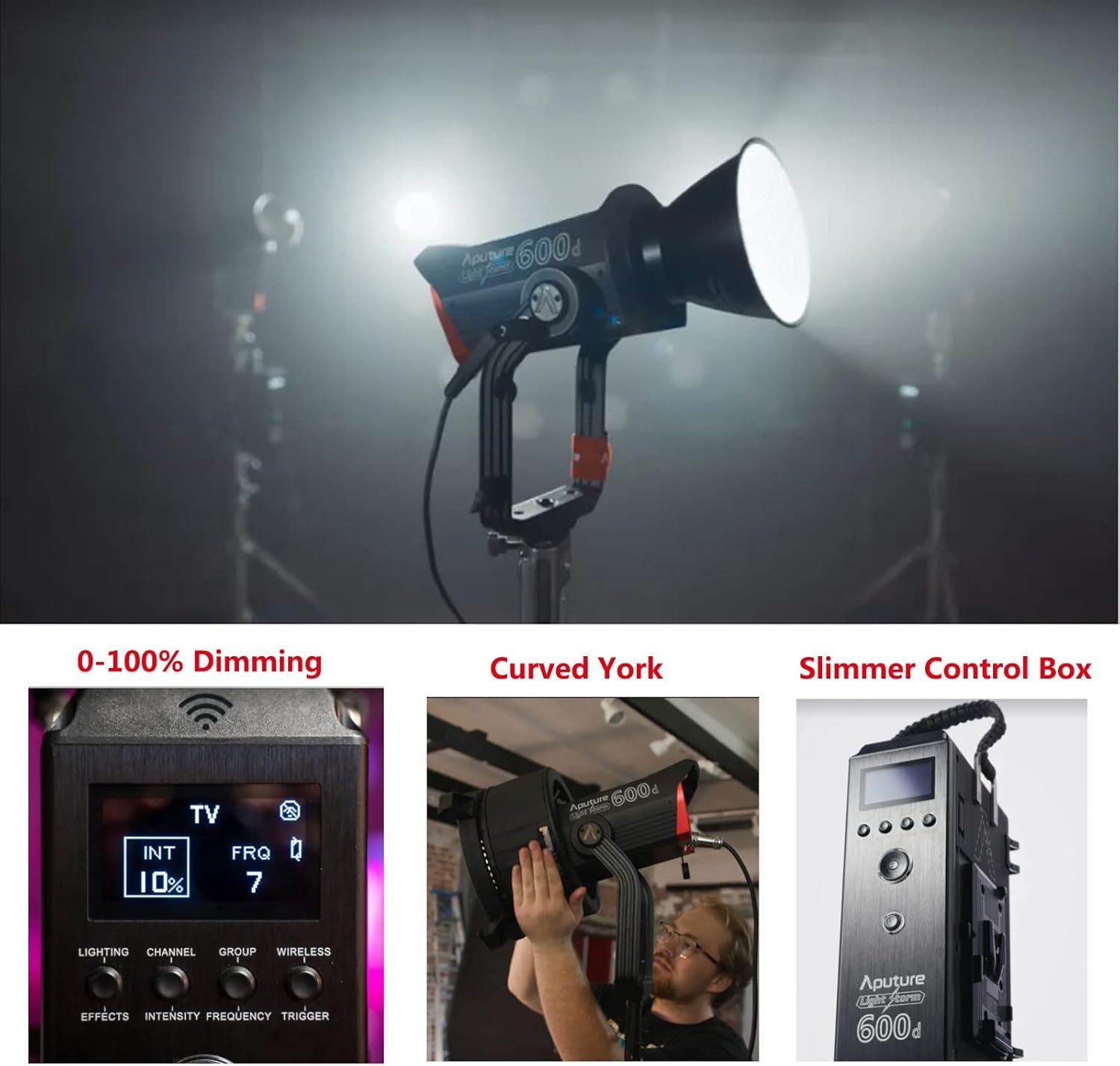
- Montage des Lamp Körper: Attach the Aputure LS 600d lamp body to a sturdy light stand using its curved yoke and mounting bracket. Ensure it is securely tightened.
- Anschluss der Steuereinheit: Connect the control box to the lamp body using the provided 5-pin adapter cable.
- Stromanschluss: Connect the Neutrik AC Power Cable to the control box and then to a suitable power outlet.
- Attaching the Hyper-Reflector: Align the Hyper-Reflector with the Bowens Mount on the front of the lamp body. Twist clockwise until it locks into place.
5.2 Using the Universal Bowens Mount
The LS 600D features a universal Bowens Mount, allowing compatibility with a wide range of light modifiers such as the F10 Fresnel for intense brightness or the Light Dome 150 for softer light.

To attach a Bowens mount accessory, align the accessory's mount with the light's mount, insert, and twist until it clicks securely.
6. Bedienungsanleitung
6.1 Manuelle Steuerung
The control box allows for direct adjustment of light intensity, color temperature, and special effects.
- Netzschalter: Drücken Sie diese Taste, um das Gerät ein-/auszuschalten.
- Helligkeitsregler: Rotate to adjust light intensity from 0-100%.
- CCT-Zifferblatt: Adjusts the color temperature (fixed at 5600K for this model).
- Effects Button: Cycle through 8 built-in lighting effects (Paparazzi, Fireworks, Faulty Bulb, TV, Pulsing, Strobe, Explosion).
6.2 Sidus Link App Control
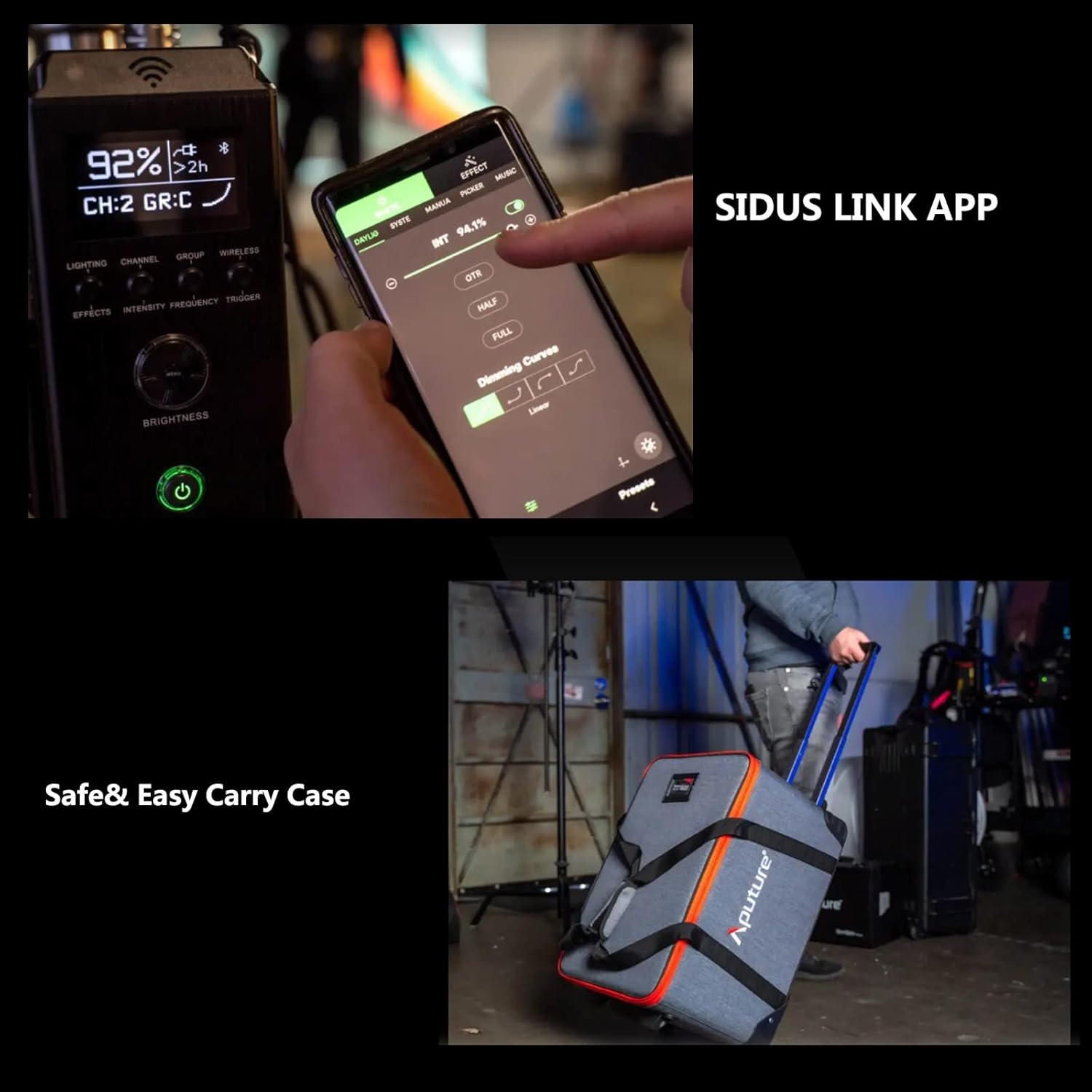
For advanced control and remote operation, download the Sidus Link App on your smartphone or tablet. The light supports Bluetooth control up to 80m (262.5ft).

The app allows for precise adjustments, custom effects, and multi-light control.
7. Wartung
- Reinigung: Use a soft, dry cloth to clean the light body and accessories. Do not use abrasive cleaners or solvents.
- Lagerung: Store the light and its accessories in the provided carrying case in a cool, dry place when not in use.
- Inspektion: Regularly inspect cables and connections for any signs of damage.
8. Fehlerbehebung
| Problem | Mögliche Ursache | Lösung |
|---|---|---|
| Licht geht nicht an. | Kein Strom, lose Verbindung. | Check power cable, ensure secure connections. |
| App cannot connect to light. | Bluetooth deaktiviert, außerhalb der Reichweite, App-Problem. | Ensure Bluetooth is enabled, move closer to the light, restart app/light. |
| Licht flackert. | Unstable power, faulty cable. | Try a different power outlet, replace power cable. |
9. Spezifikationen
| Besonderheit | Detail |
|---|---|
| Technische Daten | 16.25 Zoll L x 9.59 Zoll B x 16.25 Zoll H |
| Artikelgewicht | 33 Pfund |
| Artikelmodellnummer | FP-AP-10056 |
| Konnektivitätstechnologie | Bluetooth |
| Hersteller | Blende |
| Datum der ersten Verfügbarkeit | 11. April 2022 |

10. Garantie und Support
For warranty information and technical support, please refer to the official Aputure website or contact your local distributor. Protection plans are available for extended coverage.
Besuchen Sie die Aputure Store Weitere Produkte und Support-Ressourcen finden Sie hier.


