1. Einleitung
Thank you for choosing the Parsonver FF2 Smartwatch. This device is designed to be a comprehensive companion for your daily life, offering advanced fitness tracking, health monitoring, and smart notifications. With its 5ATM water resistance, over 100 sports modes, and a vibrant 1.8-inch HD touchscreen, the FF2 Smartwatch helps you stay connected and active. Please read this manual carefully to understand how to operate your new smartwatch and ensure its optimal performance.
2. Lieferumfang
Upon opening your Parsonver FF2 Smartwatch package, you should find the following items:
- 1x FF2 Smartwatch
- 1x Ladekabel
- 1x Benutzerhandbuch
3. Installationsanleitung
3.1 Aufladen der Smartwatch
Before initial use, fully charge your smartwatch. Connect the magnetic charging cable to the charging contacts on the back of the watch and plug the USB end into a standard USB power adapter (not included) or a computer's USB port. A full charge typically takes approximately 2 hours.

Image: The Parsonver FF2 Smartwatch, its magnetic charging cable, and the user manual included in the box.
3.2 Herunterladen der Begleit-App
To unlock all features and synchronize data, download the official Parsonver companion app on your smartphone. Suchen nach "Parsonver Fit" (or similar name as specified in the manual) in the Apple App Store for iOS devices or Google Play Store for Android devices.
3.3 Koppeln mit Ihrem Smartphone
- Stellen Sie sicher, dass Ihre Smartwatch aufgeladen und eingeschaltet ist.
- Aktivieren Sie Bluetooth auf Ihrem Smartphone.
- Open the Parsonver Fit app and follow the on-screen instructions to create an account or log in.
- In the app, navigate to the device pairing section and select your FF2 Smartwatch from the list of available devices.
- Bestätigen Sie die Kopplungsanfrage sowohl auf Ihrem Smartphone als auch auf Ihrer Smartwatch.

Image: A smartphone displaying the Parsonver companion application interface.
4. Bedienungsanleitung
4.1 Anzeige und Anpassung
The FF2 Smartwatch features a vibrant 1.8-inch HD touchscreen with a resolution of 320x390 pixels. You can adjust the brightness to one of 5 levels for optimal visibility in various lighting conditions. Personalize your watch with over 200 captivating watch faces available through the app, or upload your own photos to create a unique look.
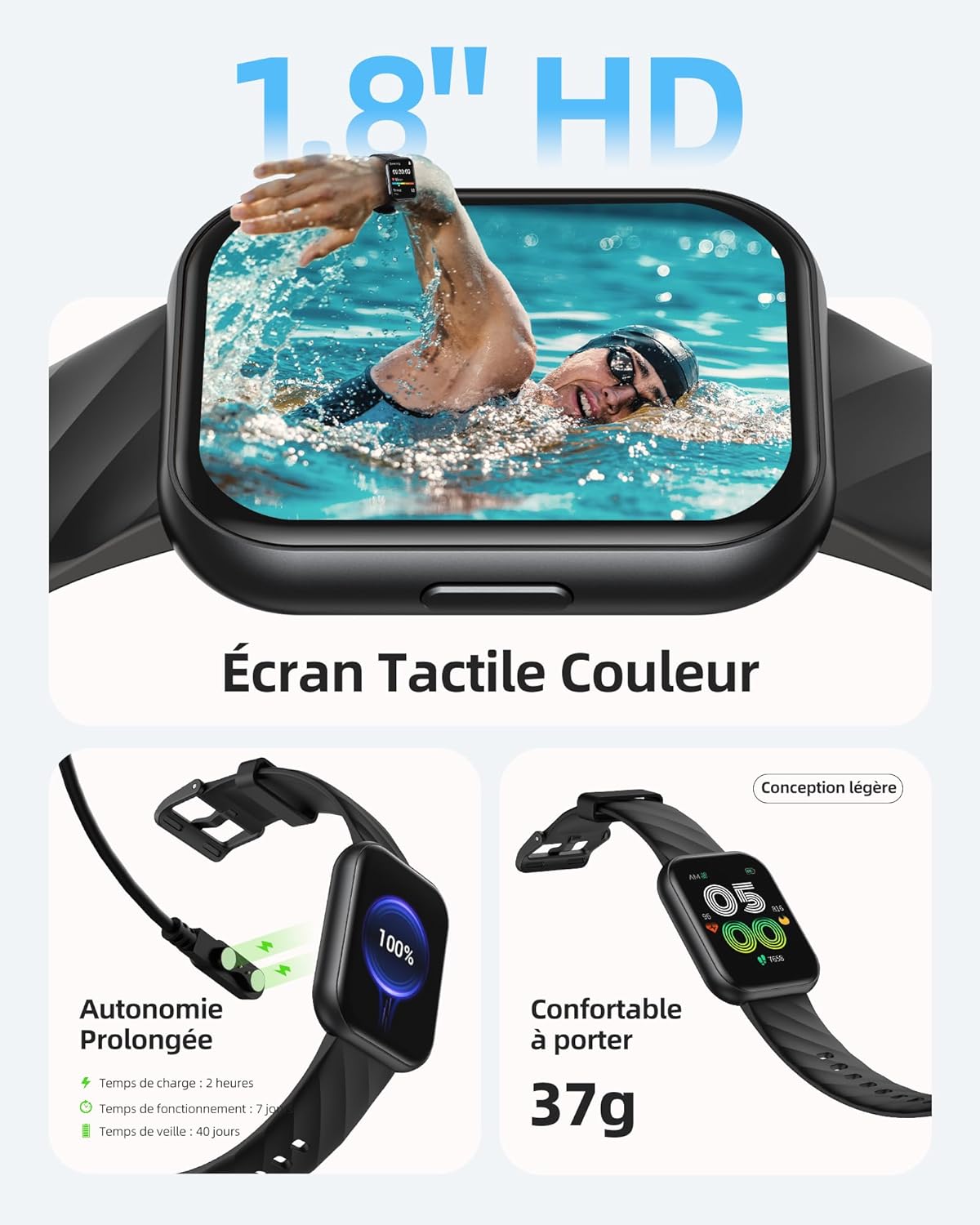
Image: The Parsonver FF2 Smartwatch showcasing a selection of its customizable watch faces.
4.2 Sportmodi und Aktivitätsverfolgung
The smartwatch supports over 100 sports modes, including running, cycling, swimming, yoga, and more. It accurately records your activity data such as heart rate, steps, pace, calories burned, and distance. This data is synchronized with the app for detailed analysis and progress tracking.
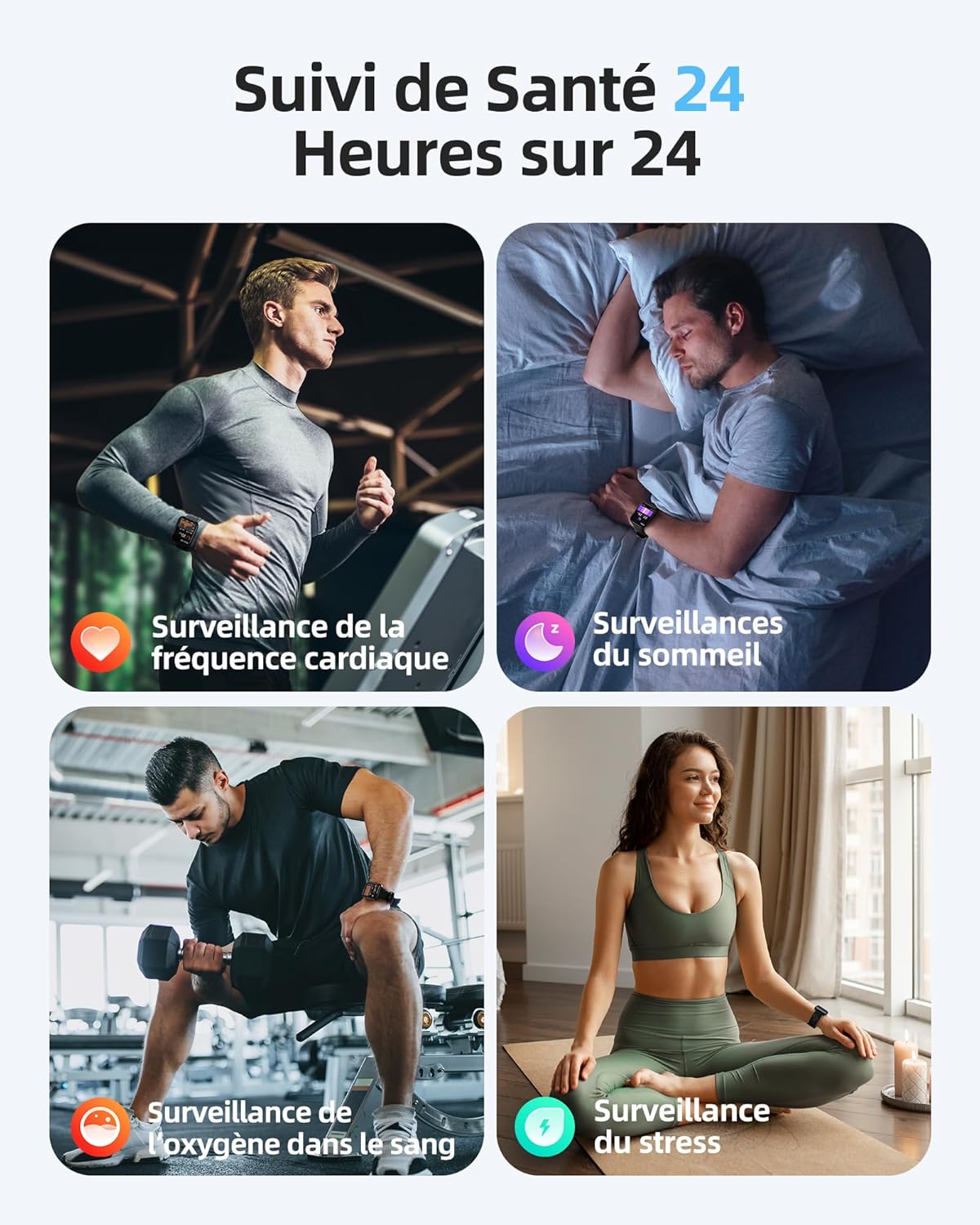
Image: A person engaged in physical activity, with the Parsonver FF2 Smartwatch on their wrist displaying activity metrics.
4.3 Water Resistance and Swimming Tracking
With a 5ATM water resistance rating, the FF2 Smartwatch can withstand water pressure up to 50 meters, making it suitable for swimming. It tracks swimming duration, laps, heart rate, and SWOLF efficiency, providing comprehensive data to help improve your swimming performance.

Image: A swimmer wearing the Parsonver FF2 Smartwatch, with an overlay of swimming activity data.
4.4 Gesundheitsüberwachung
The smartwatch offers continuous health monitoring features:
- Herzfrequenzüberwachung rund um die Uhr: Tracks your heart rate continuously and provides alerts for abnormal readings.
- Schlaf-Tracking: Überwacht Ihren Schlaftages (tief, leicht, REM, wach), um Ihnen zu helfen, Ihre Schlafqualität zu verstehen und zu verbessern.
- Überwachung des Blutsauerstoffs (SpO2): Misst Ihren Blutsauerstoffsättigungsgrad.
- Stressüberwachung: Helps you understand and manage your emotional stress levels.
- Gesundheitsüberwachung für Frauen: Assists women in predicting and tracking menstrual periods and ovulation.
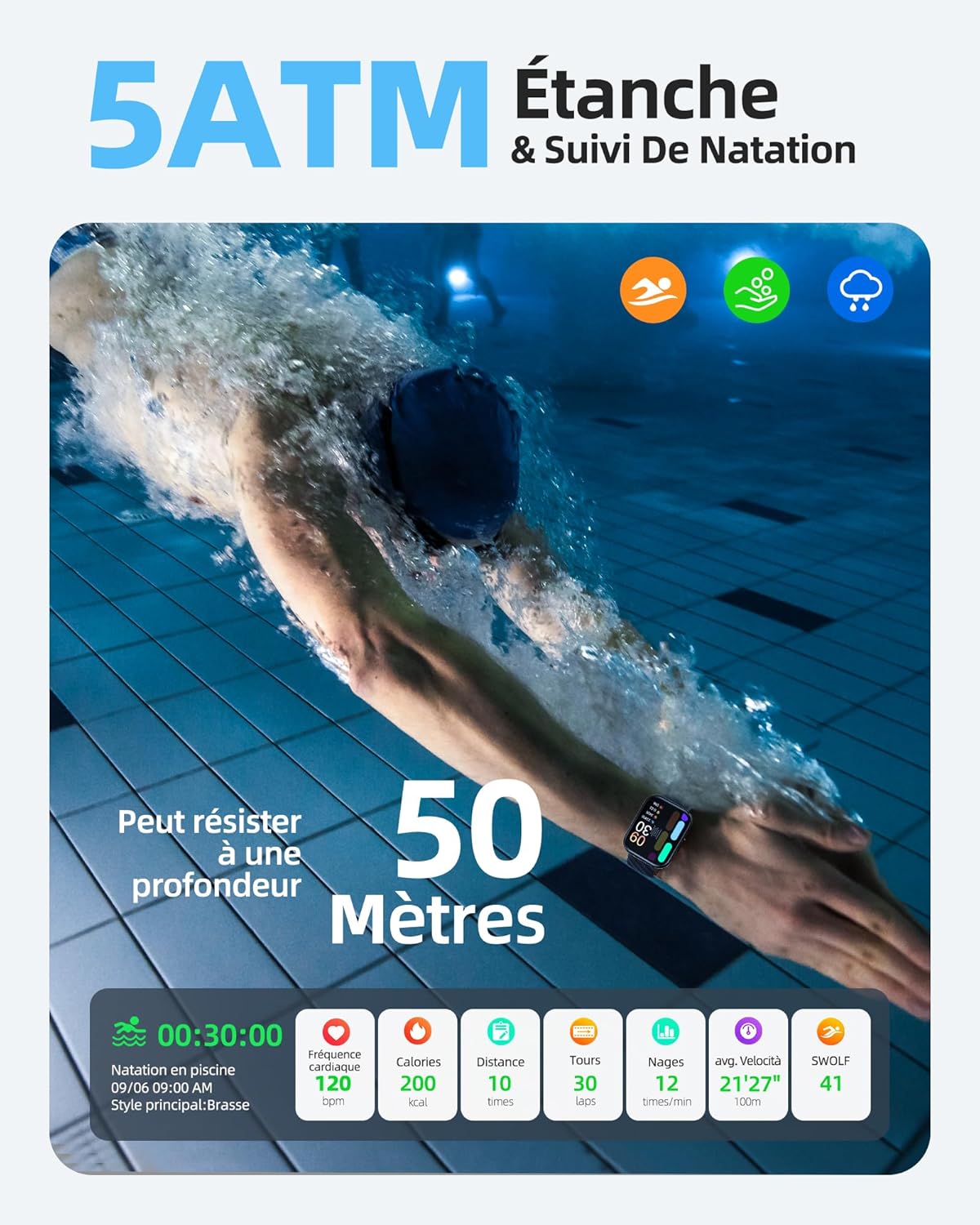
Image: The Parsonver FF2 Smartwatch on a wrist, showing real-time heart rate data.
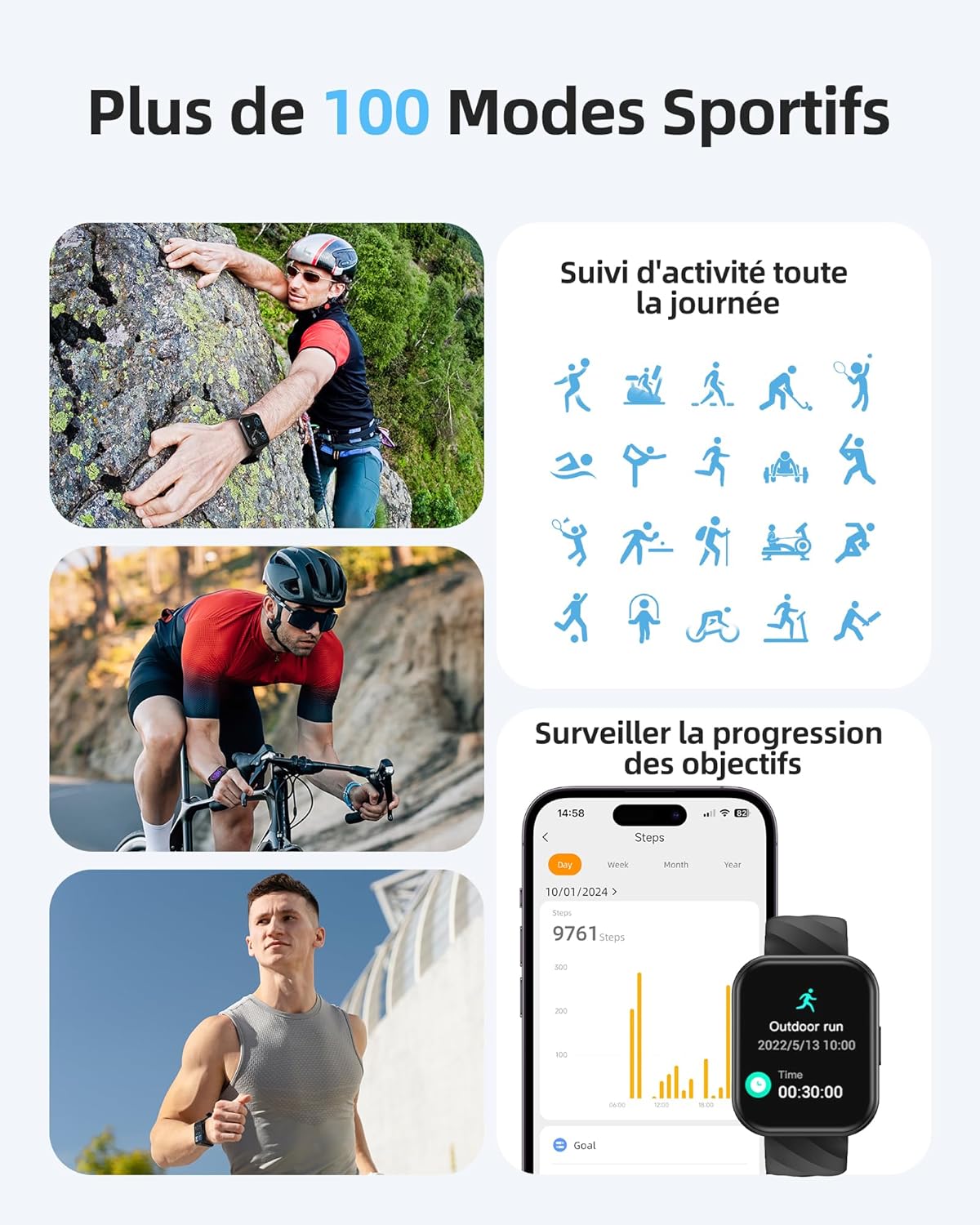
Image: A person sleeping, with the Parsonver FF2 Smartwatch on their wrist displaying sleep tracking information.
4.5 Intelligente Benachrichtigungen
Stay informed with real-time notifications for incoming calls, SMS messages, emails, and social media alerts (e.g., WhatsApp, Facebook) directly on your wrist. You can decline calls from the watch, but direct answering is not supported.

Image: A person looking at their Parsonver FF2 Smartwatch, which displays various app notification icons.
4.6 Sonstige Funktionen
The FF2 Smartwatch includes several other convenient functions:
- Kamerasteuerung
- Wettervorhersage
- Musiksteuerung
- Stoppuhr und Wecker
- Bewegungsmangel-Erinnerungen
- Atemübungen
- Find My Phone function
5. Wartung
5.1 Reinigung Ihrer Smartwatch
Reinigen Sie Ihre Smartwatch und das Armband regelmäßig, um Hautirritationen vorzubeugen und die Hygiene des Geräts zu gewährleisten. Verwenden Sie dazu ein weiches, feuchtes Tuch.amp cloth to wipe the watch face and strap. Avoid using harsh chemicals or abrasive materials.
5.2 Batteriepflege
The FF2 Smartwatch offers up to 7 days of typical usage and 40 days of standby time on a single charge. To prolong battery life, avoid extreme temperatures and fully discharging the battery frequently. Charge the watch using the provided magnetic cable.
5.3 Vorsichtsmaßnahmen zur Wasserdichtigkeit
While the FF2 Smartwatch is 5ATM water resistant, it is important to avoid wearing it in hot baths, saunas, or steam rooms. High temperatures and steam can compromise the watch's water resistance and cause damage.
6. Fehlerbehebung
If you encounter any issues with your Parsonver FF2 Smartwatch, please refer to the following common solutions:
- Uhr schaltet sich nicht ein: Stellen Sie sicher, dass die Uhr vollständig aufgeladen ist. Schließen Sie sie für mindestens 30 Minuten an das Ladegerät an.
- Kopplung mit dem Telefon nicht möglich: Stellen Sie sicher, dass Bluetooth auf Ihrem Smartphone aktiviert ist und sich die Uhr in Reichweite befindet. Starten Sie sowohl die Uhr als auch Ihr Smartphone neu und versuchen Sie dann erneut, die Kopplung über die App durchzuführen.
- Ungenaue Daten: Ensure the watch is worn snugly on your wrist. For sports tracking, select the correct activity mode.
- Benachrichtigungen nicht erhalten: Check app permissions on your phone to ensure the Parsonver Fit app has access to notifications. Verify that notifications are enabled within the app settings.
- Bildschirm reagiert nicht: Versuchen Sie, die Uhr neu zu starten. Sollte das Problem weiterhin bestehen, wenden Sie sich bitte an den Kundendienst.
For further assistance, please refer to the support section of the Parsonver Fit app or visit the official Parsonver webWebsite.
7. Spezifikationen
Here are the technical specifications for the Parsonver FF2 Smartwatch:
| Besonderheit | Spezifikation |
|---|---|
| Modellnummer | FF2 |
| Betriebssystem | Android (kompatibel) |
| Artikelgewicht | 37 g |
| Produktabmessungen (L x B x H) | 24.69 x 3.81 x 1.19 cm |
| Batterie | 1 CR5 (im Lieferumfang enthalten) |
| Konnektivitätstechnologie | Bluetooth |
| GPS | Kein GPS |
| Besondere Merkmale | Notification, Alarm Clock, Activity Tracker, Multisport Tracker, Touchscreen |
| Bildschirmauflösung | 320x390 Pixel |
| Eingabe der menschlichen Schnittstelle | Touch-Screen |
| Farbe | Schwarz |
| Batteriekapazität | 320 mAh |
| Drahtloser Kommunikationsstandard | Bluetooth |
| Batteriezusammensetzung | Lithium-Ionen |
| Bildschirmgröße | 1.8 Zoll |

Image: Technical diagram illustrating the dimensions of the Parsonver FF2 Smartwatch.
8. Garantie und Support
Your Parsonver FF2 Smartwatch comes with a standard manufacturer's warranty. For details regarding warranty coverage, returns, or technical support, please refer to the warranty information provided in the packaging or contact Parsonver customer service directly. You can usually find contact information on the official Parsonver webauf der Website oder innerhalb der zugehörigen App.
Video: Ein überview of the Parsonver FF2 Smartwatch features, including its display, sports modes, and health tracking capabilities.


