1. Einleitung
The MICROWARE EZCAP241 MP3 Digital Music Digitizer is a standalone device designed to convert analog audio signals into digital MP3 files. This device allows you to record audio from various sources, such as vinyl record players, cassette players, CD players, DVD players, game consoles, and TV boxes, directly onto a USB flash drive or SD card without the need for a computer. It also features a playback function, enabling you to review recorded audio files direkt auf dem Gerät.
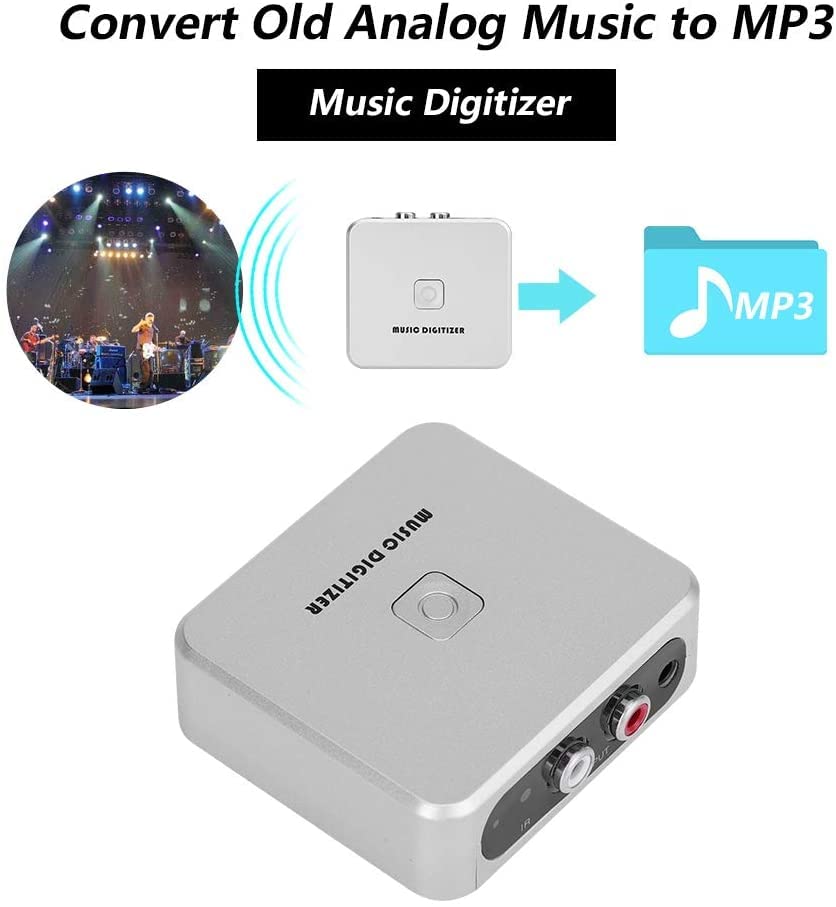
Image 1.1: The EZCAP241 Music Digitizer illustrating its function of converting analog music to MP3 format.
2. Produktüberschreitungview
The EZCAP241 features a compact design with clearly labeled ports and controls for ease of use.
2.1 Gerätekomponenten
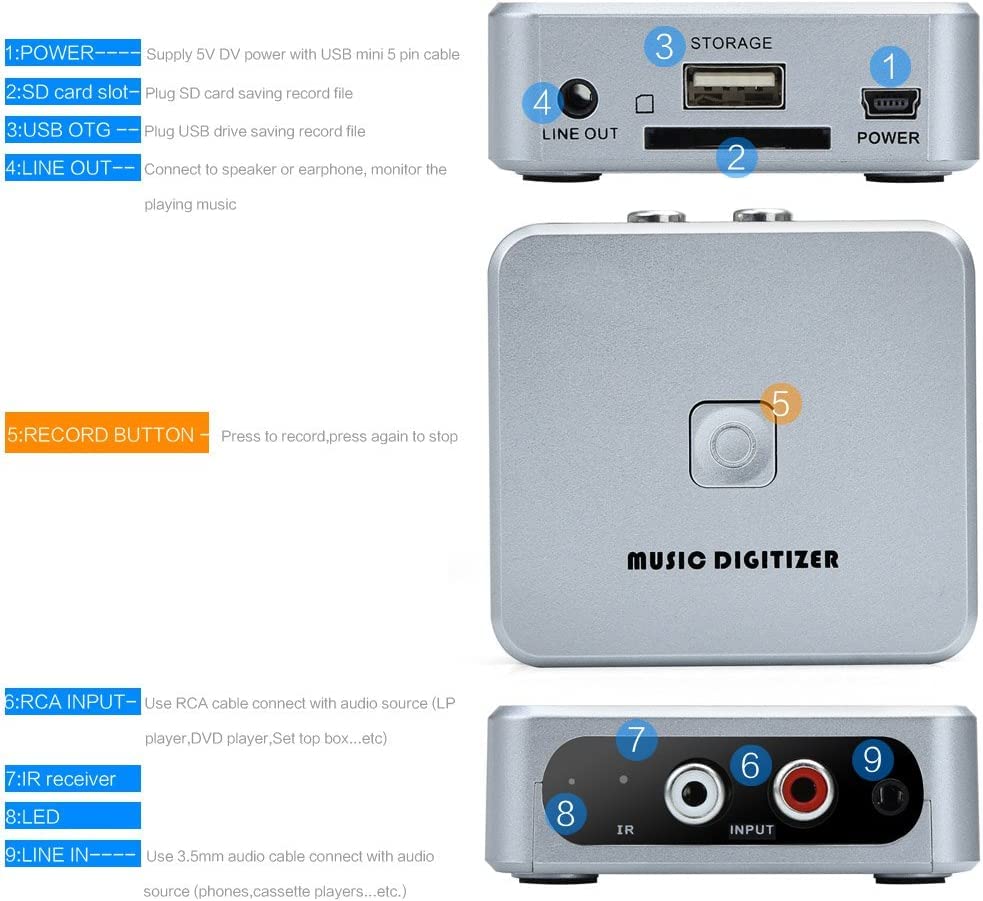
Abbildung 2.1: Detailansicht view of the EZCAP241 device, highlighting its various ports and controls.
- POWER (Mini USB): Connects to a 5V DC power supply using a USB mini 5-pin cable.
- SD-Kartensteckplatz: Insert an SD card for saving recorded audio files.
- USB-OTG-Anschluss: Connect a USB flash drive for saving recorded audio files.
- LINE OUT (3.5 mm): Connect to headphones or speakers to monitor audio during recording or for playback.
- Aufnahmetaste: Press to start recording; press again to stop recording.
- RCA INPUT (Red/White): Connects to audio sources (e.g., LP player, DVD player, set-top box) using an RCA cable.
- IR Empfänger: Empfängt Signale von der Fernbedienung.
- LED-Anzeige: Displays device status (Green LED for manual mode, standby, quick flash for recording, slow flash for playback).
- 3.5mm Audio IN: Connects to audio sources (e.g., phones, cassette players) using a 3.5mm audio cable.

Bild 2.2: Nahaufnahme view of the EZCAP241's input and output ports with their respective labels.
3. Einrichtung
Follow these steps to set up your EZCAP241 for recording:
- Stromanschluss: Connect the EZCAP241 to a 5V DC power source using the provided USB mini 5-pin cable. The power port is labeled 'POWER'.
- Speichergerät: Insert a USB flash drive into the 'USB OTG' port or an SD card into the 'SD card slot'. Ensure the storage device has sufficient free space for your recordings.
- Audioquellenanschluss:
- For devices with RCA output (e.g., LP players, DVD players), connect them to the 'RCA INPUT' ports (red for right, white for left) on the EZCAP241 using an RCA cable.
- For devices with 3.5mm audio output (e.g., phones, cassette players), connect them to the '3.5mm Audio IN' port on the EZCAP241 using a 3.5mm audio cable.
- Monitoring (Optional): Connect headphones or speakers to the 'LINE OUT' (3.5mm) port to monitor the audio during recording or playback.

Image 3.1: Connection diagram illustrating how to connect the EZCAP241 to different audio sources and storage devices.
4. Bedienungsanleitung
4.1 Audioaufzeichnung
- Ensure the EZCAP241 is properly set up with power, a storage device, and an audio source as described in Section 3.
- Start playing the audio from your source device (e.g., cassette player, record player).
- Press the 'RECORD' button on the EZCAP241. The LED indicator will typically flash quickly to indicate recording is in progress.
- To stop recording, press the 'RECORD' button again. The LED indicator will change to reflect standby or playback mode.

Image 4.1: The 'RECORD' button on the EZCAP241, used to initiate and terminate audio recording.
4.2 Audiowiedergabe
The EZCAP241 allows you to play back recorded MP3 files directly from the connected USB flash drive or SD card.
- Ensure headphones or speakers are connected to the 'LINE OUT' port.
- Use the remote control (if included) to navigate and select files for playback. Refer to the remote control's specific instructions for navigation.
- The LED indicator will typically flash slowly during playback.

Image 4.2: The EZCAP241 connected to earphones, demonstrating its playback capability.
5. Wartung
- Reinigen Sie das Gerät regelmäßig mit einem weichen, trockenen Tuch. Vermeiden Sie die Verwendung von flüssigen Reinigern oder Lösungsmitteln.
- Bewahren Sie das Gerät an einem kühlen, trockenen Ort fern von direkter Sonneneinstrahlung und extremen Temperaturen auf.
- Vermeiden Sie es, das Gerät fallen zu lassen oder starken Stößen auszusetzen.
- Stellen Sie sicher, dass alle Kabel fest angeschlossen sind, aber drücken Sie sie nicht mit Gewalt in die Anschlüsse.
6. Fehlerbehebung
| Problem | Mögliche Ursache | Lösung |
|---|---|---|
| Gerät lässt sich nicht einschalten. | Kein Netzteil oder defektes Kabel. | Ensure the 5V DC power supply is connected correctly and functioning. Try a different USB cable or power adapter. |
| Es wurde kein Ton aufgezeichnet. | Incorrect audio input connection, audio source not playing, or storage device issue. | Verify audio input cables are securely connected to the correct ports (RCA or 3.5mm). Ensure the audio source is playing. Check if the USB flash drive or SD card is properly inserted and has free space. |
| Schlechte Aufnahmequalität. | Low input volume from source, interference, or dirty connections. | Increase the volume on your audio source device. Ensure cables are not near sources of electrical interference. Clean audio connectors if necessary. |
| Cannot play back recorded files. | No headphones/speakers connected, corrupted files, or incorrect remote operation. | Connect headphones or speakers to the 'LINE OUT' port. Ensure files are valid MP3 format. Refer to remote control instructions for proper playback navigation. |
7. Spezifikationen
| Besonderheit | Detail |
|---|---|
| Modell | EZCAP-241 |
| Marke | MIKROWARE |
| Schnittstellentyp | Cinch, USB |
| Eingangsaudio | RCA L/R, 3.5mm Audio In |
| Ausgabe Audio | 3.5-mm-Line-Out |
| Speichermedien | USB Flash Drive, SD Card (FAT32 format recommended) |
| Aufnahmeformat | MP3 |
| Stromversorgung | 5V DC (via Mini USB) |
| Artikelgewicht | 140 g |
| Verpackungsabmessungen | 15 x 11.3 x 4.2 cm |
| Ursprungsland | China |
8. Garantie und Support
For warranty information and technical support, please refer to the documentation provided at the time of purchase or contact MICROWARE customer service directly. Keep your proof of purchase for warranty claims.


