Einführung
Thank you for choosing the TECURS MK204 Mechanical Gaming Keyboard. This manual provides essential information for setting up, operating, and maintaining your keyboard. Please read it carefully to ensure optimal performance and longevity of your device.
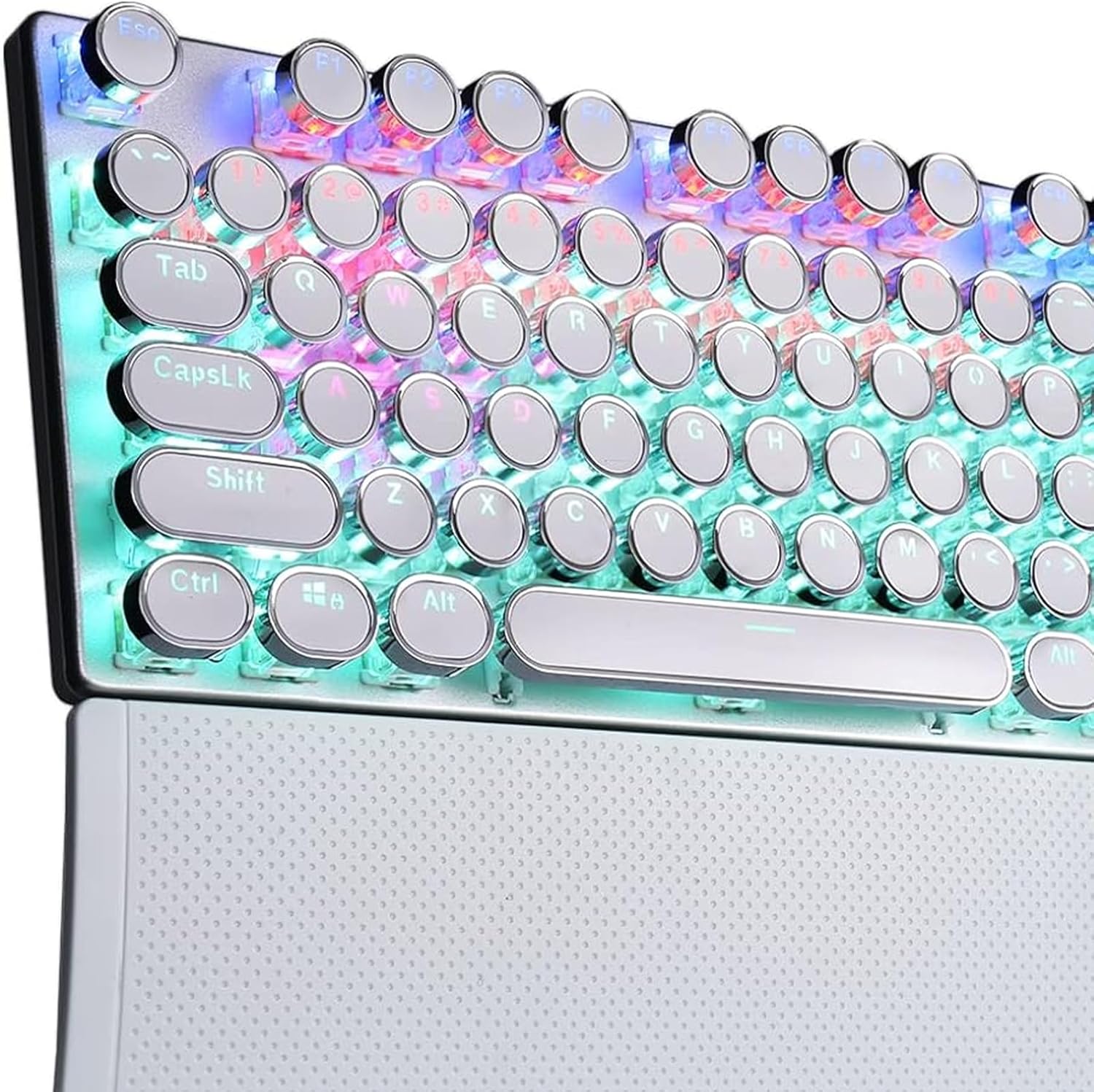
Image 1: The TECURS MK204 Mechanical Gaming Keyboard, showcasing its QWERTZ layout and vibrant RGB backlighting.
Installationsanweisungen
- Auspacken: Carefully remove the keyboard from its packaging. Ensure all components are present: the TECURS MK204 keyboard and the USB cable.
- Anschließen des USB-Kabels:
The keyboard features a Micro USB port. Connect one end of the provided USB cable to the keyboard's Micro USB port. The cable can be routed in three directions (left, center, or right) from the keyboard's underside for cable management.

Image 2: The TECURS MK204 keyboard integrated into a typical computer setup, illustrating its wired connection.
- Herstellen einer Verbindung zu Ihrem Gerät: Connect the other end of the USB cable to an available USB port on your computer (PC, Mac, Laptop) or gaming console (PS4, PS5, Xbox).
- Treiberinstallation (Plug & Play): The TECURS MK204 keyboard is a Plug & Play device. Your operating system should automatically detect and install the necessary drivers. No additional software installation is typically required.
- Erster Test: Once connected, the keyboard's RGB lighting should illuminate. Test basic key functions by typing in a text editor.
Bedienungsanleitung
RGB-Beleuchtungsmodi
The keyboard features eight programmable RGB lighting modes. These modes can be adjusted to suit your preferences, enhancing your gaming or typing experience, especially in low-light environments.
- Umschalten der Modi: Refer to the keyboard's function keys (Fn combinations) for specific commands to cycle through the available RGB modes.
- Helligkeit/Geschwindigkeit anpassen: Certain key combinations may also allow you to adjust the brightness level or the speed of dynamic lighting effects.
Makrodefinition
The TECURS MK204 supports macro definition, allowing you to customize key functions for complex commands or sequences.
- Programmiermakros: Macro programming typically involves using a dedicated software (if available) or specific key combinations on the keyboard itself. Consult the manufacturer's website for any available software or detailed instructions on macro setup.
- Vorteile: Macros can streamline repetitive tasks or execute complex in-game actions with a single key press.
Anti-Ghosting-Technologie
The keyboard incorporates anti-ghosting technology, ensuring that multiple simultaneous key presses are registered accurately. This is particularly beneficial for fast-paced gaming where many keys might be pressed at once.

Image 3: A user engaged in gaming, demonstrating the keyboard's application in a high-performance environment.
Wartung
Regelmäßige Wartung trägt dazu bei, die Funktionalität und das Aussehen der Tastatur zu erhalten.
- Cleaning the Keycaps: The interchangeable ABS keycaps are designed for easy cleaning.
- Disconnect the keyboard from your device.
- Gently remove keycaps using a keycap puller (if provided, or a suitable tool).
- Reinigen Sie die Tastenkappen mit einem weichen, fusselfreien Tuch.amp cloth and mild soap solution. Ensure they are completely dry before reattaching.
- Use compressed air to remove dust and debris from underneath the keycaps.
- Rahmen reinigen: Wipe the aluminum frame with a soft, dry, or slightly damp Tuch. Scheuermittel vermeiden.
- Lagerung: Bei längerer Nichtbenutzung sollte die Tastatur in einer trockenen, staubfreien Umgebung aufbewahrt werden.
Fehlerbehebung
| Problem | Mögliche Lösung |
|---|---|
| Tastatur reagiert nicht |
|
| RGB-Beleuchtung funktioniert nicht |
|
| Die Tasten klemmen oder reagieren nicht. |
|
Technische Daten
| Besonderheit | Detail |
|---|---|
| Marke | TECURS |
| Modellnummer | MK204 |
| Layout | QWERTZ (Deutsch) |
| Anzahl der Schlüssel | 88 keys (80% TKL) |
| Schaltertyp | Mechanical (Classic Blue Switches) |
| Konnektivität | Wired (Micro USB) |
| Hintergrundbeleuchtung | RGB (8 programmable modes) |
| Material | Aluminum frame, ABS keycaps |
| Besondere Merkmale | Ergonomic design, Macro definition support, Anti-ghosting technology, 3-way cable routing |
| Kompatible Geräte | PC, Laptop, Mac, Game Consoles (PS4, PS5, Xbox) |
Garantie und Support
For warranty information and technical support, please refer to the documentation included with your purchase or visit the official TECURS webWebsite.
Hersteller: TECURS
ASIN: B0BC8KSNVT


