1. Einleitung
This manual provides detailed instructions for the operation and maintenance of your Soundmaster DAB280SW Portable DAB+ and FM RDS Digital Radio. The DAB280SW is a versatile portable radio featuring DAB+ and FM RDS reception, a headphone jack, and a practical carrying handle. It offers excellent sound quality and user-friendly controls, including preset station memory and alarm functions.
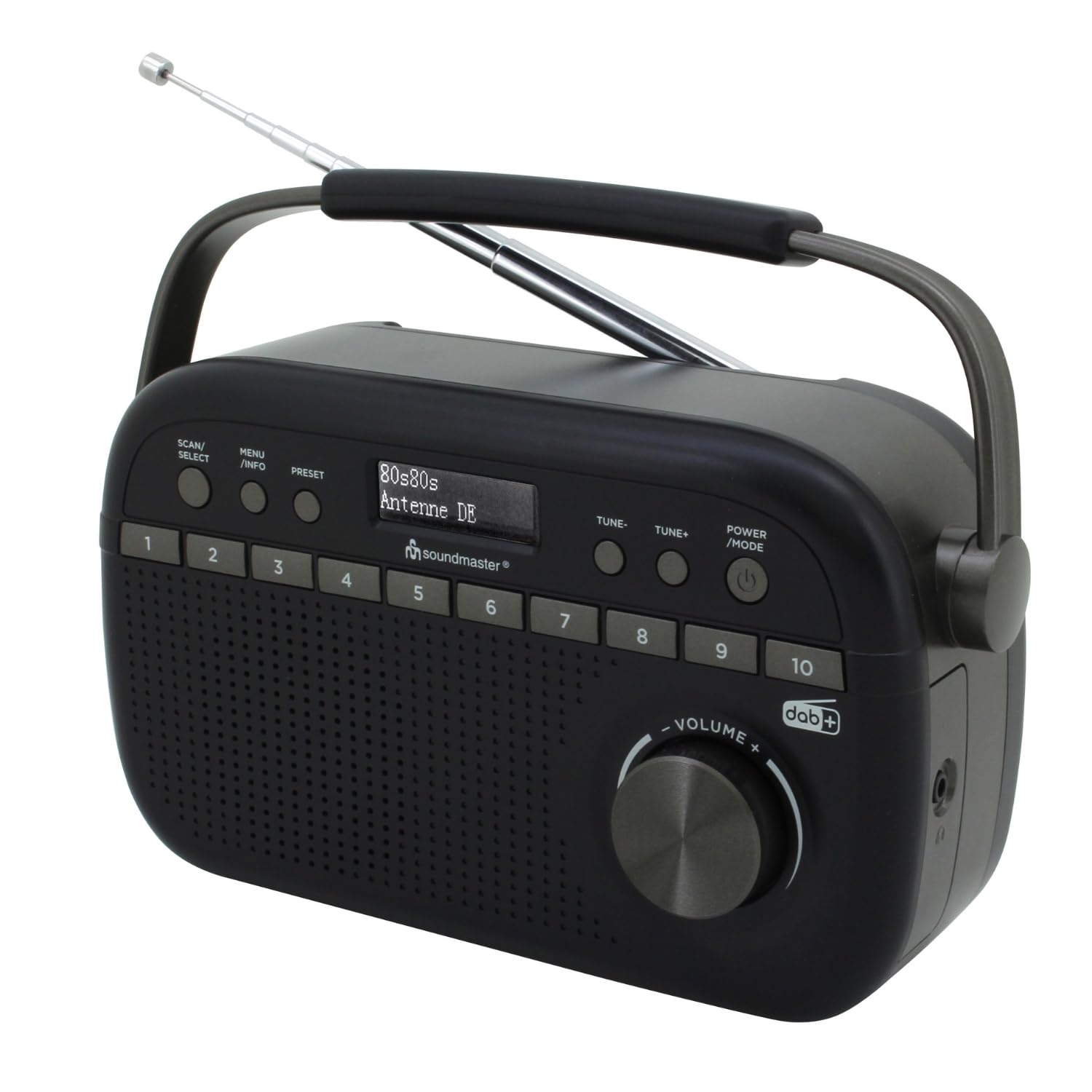
Image 1.1: The Soundmaster DAB280SW Portable DAB+ and FM RDS Digital Radio, showcasing its compact design and carrying handle.
2. Sicherheitshinweise
- Lesen Sie alle Anweisungen sorgfältig durch, bevor Sie das Gerät verwenden.
- Um Brände oder Stromschläge zu vermeiden, setzen Sie das Gerät weder Regen noch Feuchtigkeit aus.
- Sorgen Sie für ausreichende Belüftung rund um das Gerät. Blockieren Sie keine Belüftungsöffnungen.
- Verwenden Sie ausschließlich das angegebene Netzteil oder die Batterien.
- Öffnen Sie nicht das casing. Alle Wartungsarbeiten sind qualifiziertem Personal zu überlassen.
- Das Gerät sollte nicht direkter Sonneneinstrahlung, Wärmequellen oder starken Magnetfeldern ausgesetzt werden.
- Batterien sind gemäß den örtlichen Vorschriften verantwortungsvoll zu entsorgen.
3. Packungsinhalt
Bitte überprüfen Sie, ob alle Artikel vorhanden sind:
- Soundmaster DAB280SW Portable Radio
- AC Power Adapter (if included)
- Bedienungsanleitung
4. Produktmerkmale
- DAB+ Digital Radio Tuner
- FM - RDS Radio Tuner
- 10 preset station memory buttons for quick access
- Total of 40 presets available (20 DAB+, 20 FM)
- Dual alarm times
- Sleep and Snooze functions
- 3.5-mm-Kopfhörerbuchse
- Portable design with carrying handle
- Battery or AC powered operation
5. Bedienelemente und Anzeige
Familiarize yourself with the controls on your radio:
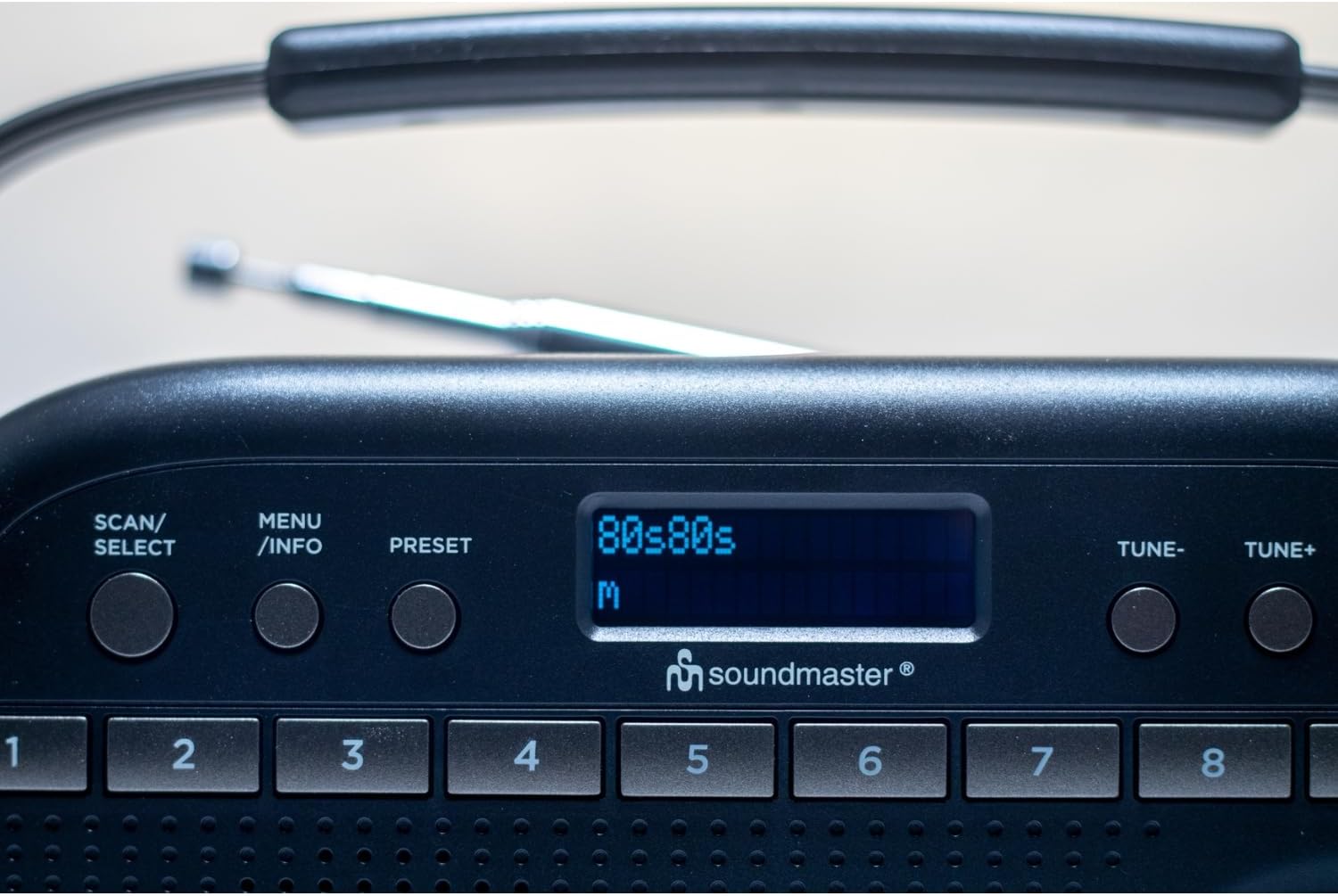
Abbildung 5.1: Oben view of the radio showing the display, SCAN/SELECT, MENU/INFO, PRESET buttons, and preset buttons 1-8.
- POWER/MODE Button: Press to turn the unit on or off. Press repeatedly to switch between DAB+ and FM modes.
- TUNE- / TUNE+ Buttons: Used to manually tune frequencies in FM mode or navigate through DAB+ stations/menu options.
- SCAN/SELECT Button: Initiates a scan for stations in DAB+ or FM mode. Also confirms selections in menu.
- MENÜ-/INFO-Taste: Accesses the menu settings. Press repeatedly to cycle through information display (e.g., program type, signal strength).
- PRESET-Taste: Used to save and recall favorite stations.
- Voreingestellte Tasten (1-10): Direct access buttons for your stored favorite stations.
- Lautstärkeregler: Drehen, um den Audioausgangspegel einzustellen.
- Anzeige: Shows station information, time, menu options, and other relevant data.
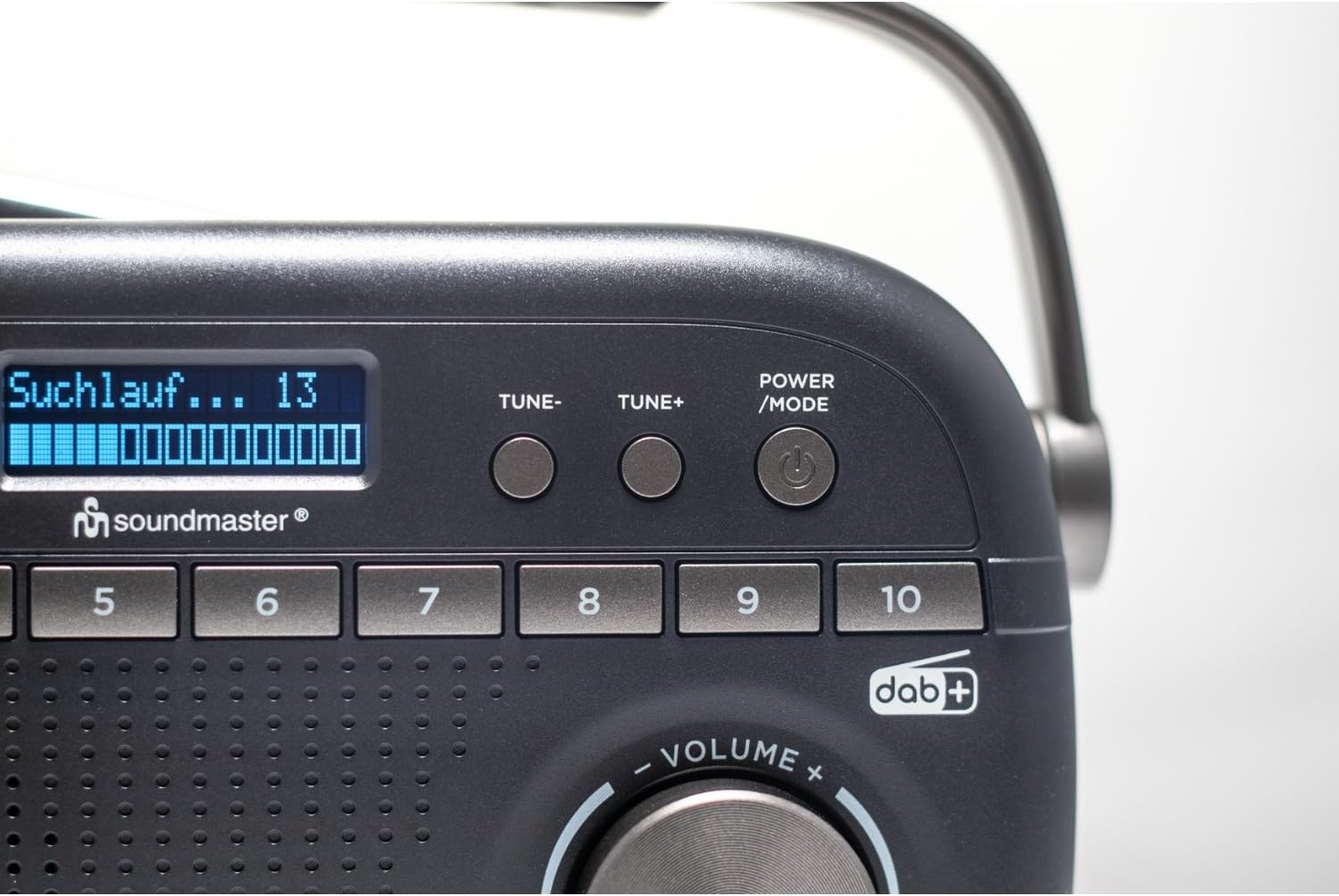
Image 5.2: Close-up of the radio display showing a 'Suchlauf...' (scanning) message, indicating station search in progress.
6. Einrichtung
6.1 Stromversorgung des Geräts
The DAB280SW can be powered by either the included AC power adapter or batteries.
- Wechselstromversorgung: Connect the AC power adapter to the DC IN jack on the rear of the unit and plug the other end into a standard wall outlet.
- Batterieleistung: Open the battery compartment on the rear of the unit. Insert the required number of batteries (type not specified, typically C or AA) ensuring correct polarity (+/-). Close the battery compartment securely.

Bild 6.1: Hinten view of the radio, illustrating the battery compartment cover and the AC power input socket.
6.2 Antenneneinstellung
For optimal reception, fully extend the telescopic antenna located on the rear of the unit. Adjust its position and angle to achieve the best signal quality for both DAB+ and FM broadcasts.
7. Bedienungsanleitung
7.1 Ein-/Ausschalten
Drücken Sie die POWER-MODUS button to turn the radio on. Press and hold the POWER-MODUS Taste, um das Radio auszuschalten.
7.2 Selecting DAB+ or FM Mode
Bei eingeschaltetem Radio die Taste drücken POWER-MODUS button repeatedly to cycle between DAB+ and FM radio modes. The current mode will be displayed on the screen.
7.3 DAB+ Radiobetrieb
- Ersteinrichtung: When you first power on the radio in DAB+ mode, it will automatically perform a full scan for available stations. This may take a few minutes.
- Manueller Scan: To initiate a full scan at any time, press the SCAN / SELECT Taste.
- Sender auswählen: Nach dem Scannen verwenden Sie die MELODIE- or TUNE+ buttons to scroll through the list of available DAB+ stations. Press SCAN / SELECT , um Ihre Auswahl zu bestätigen.

Image 7.1: The official DAB+ digital radio logo, indicating support for digital audio broadcasting.
7.4 FM-Radiobetrieb
- Automatischer Scan: Drücken Sie im FM-Modus die SCAN / SELECT button to automatically scan for and stop at the next available strong station.
- Manuelle Abstimmung: Verwenden Sie die MELODIE- or TUNE+ buttons to manually adjust the frequency in small increments. Press and hold these buttons for faster tuning.
7.5 Voreinstellungen speichern und abrufen
The radio allows you to store up to 20 DAB+ and 20 FM stations as presets.
- So speichern Sie eine Voreinstellung: Stellen Sie den gewünschten Sender ein. Halten Sie die Taste gedrückt. VOREINSTELLUNG button until 'Preset Store' appears on the display. Use the MELODIE- or TUNE+ buttons to select a preset number (1-10 for direct access, or 11-20 via menu). Press SCAN / SELECT to confirm. Alternatively, for direct access presets (1-10), press and hold the desired numbered preset button.
- So rufen Sie eine Voreinstellung auf: Drücken Sie kurz die VOREINSTELLUNG Taste, dann verwenden MELODIE- or TUNE+ to select the desired preset number and press SCAN / SELECT. For direct access presets (1-10), simply press the corresponding numbered preset button.
7.6 Alarm, Sleep, and Snooze Functions
The DAB280SW includes dual alarm times, a sleep timer, and a snooze function. Refer to the detailed menu options for setting these features:
- Alarme einstellen: Drücken Sie die MENÜ/INFO button to enter the menu. Navigate to the 'Alarm' option using MELODIE- or TUNE+ und drücke SCAN / SELECT. Follow the on-screen prompts to set Alarm 1 and Alarm 2, including time, source (DAB/FM/Buzzer), and duration.
- Schlaf-Timer: In the menu, select 'Sleep'. Choose a duration (e.g., 15, 30, 60 minutes) after which the radio will automatically turn off.
- Schlummern: When an alarm sounds, press any button (except POWER/MODE) to activate the snooze function, which will temporarily silence the alarm for a short period.
7.7 Kopfhörernutzung
To listen privately, plug 3.5mm stereo headphones into the headphone jack located on the side of the unit. The internal speaker will automatically mute.
8. Wartung
- Reinigung: Wischen Sie das Gerät mit einem weichen, trockenen Tuch ab. Verwenden Sie keine Scheuer- oder Lösungsmittel.
- Batteriewechsel: If using batteries, replace them when the low battery indicator appears on the display or when performance degrades. Ensure to use fresh batteries of the correct type and dispose of old batteries properly.
- Lagerung: Wenn Sie das Radio über einen längeren Zeitraum lagern, entfernen Sie die Batterien, um ein Auslaufen zu verhindern.
9. Fehlerbehebung
- Kein Strom: Check if the AC adapter is securely connected or if batteries are inserted correctly and are not depleted.
- Schlechter Empfang: Fully extend and adjust the telescopic antenna. Try moving the radio to a different location, away from other electronic devices that may cause interference. Perform a full scan for stations.
- Kein Ton: Überprüfen Sie die Lautstärke. Stellen Sie sicher, dass keine Kopfhörer angeschlossen sind, wenn Sie den Lautsprecher verwenden möchten.
- DAB+ Stations Missing: Perform a full DAB+ scan. DAB+ coverage may vary by location; check local availability.
- Anzeige funktioniert nicht: Versuchen Sie, das Gerät aus- und wieder einzuschalten. Sollte das Problem weiterhin bestehen, wenden Sie sich bitte an den Kundendienst.
10. Spezifikationen
| Besonderheit | Spezifikation |
|---|---|
| Modell | DAB280SW |
| Tuner-Technologie | DAB+, FM RDS |
| Unterstützte Funkbänder | FM (bis zu 108 MHz) |
| Voreingestellte Sender | 40 (20 DAB+, 20 UKW) |
| Audioausgang | 3.5-mm-Kopfhörerbuchse |
| Stromquelle | AC Power Adapter, Battery Powered |
| Produktabmessungen (L x B x H) | 25 x 6 x 12 cm |
| Artikelgewicht | 0.6 Kilogramm |
| Besondere Merkmale | Portable, Dual Alarm, Sleep/Snooze |

Image 10.1: The Soundmaster DAB280SW radio with its approximate dimensions (25cm length, 6cm width, 12cm height) indicated.
11. Garantie und Support
Your Soundmaster DAB280SW radio comes with a standard manufacturer's warranty. Please refer to the warranty card included in your package for specific terms and conditions. For technical support, troubleshooting assistance, or warranty claims, please contact your retailer or the Soundmaster customer service department. Contact information can typically be found on the manufacturer's webauf der Website oder auf der Produktverpackung.


