Einführung
Thank you for choosing the Mesqool MEU-1020DAB-B Emergency Radio. This versatile device combines a DAB/FM radio, a powerful LED flashlight, a reading lamp, and a 3000mAh power bank, all designed for reliability in various situations, from daily use to outdoor adventures and emergencies. This manual provides detailed instructions for safe and effective operation.
Sicherheitshinweise
- Setzen Sie das Gerät keinen extremen Temperaturen, direkter Sonneneinstrahlung oder hoher Luftfeuchtigkeit aus.
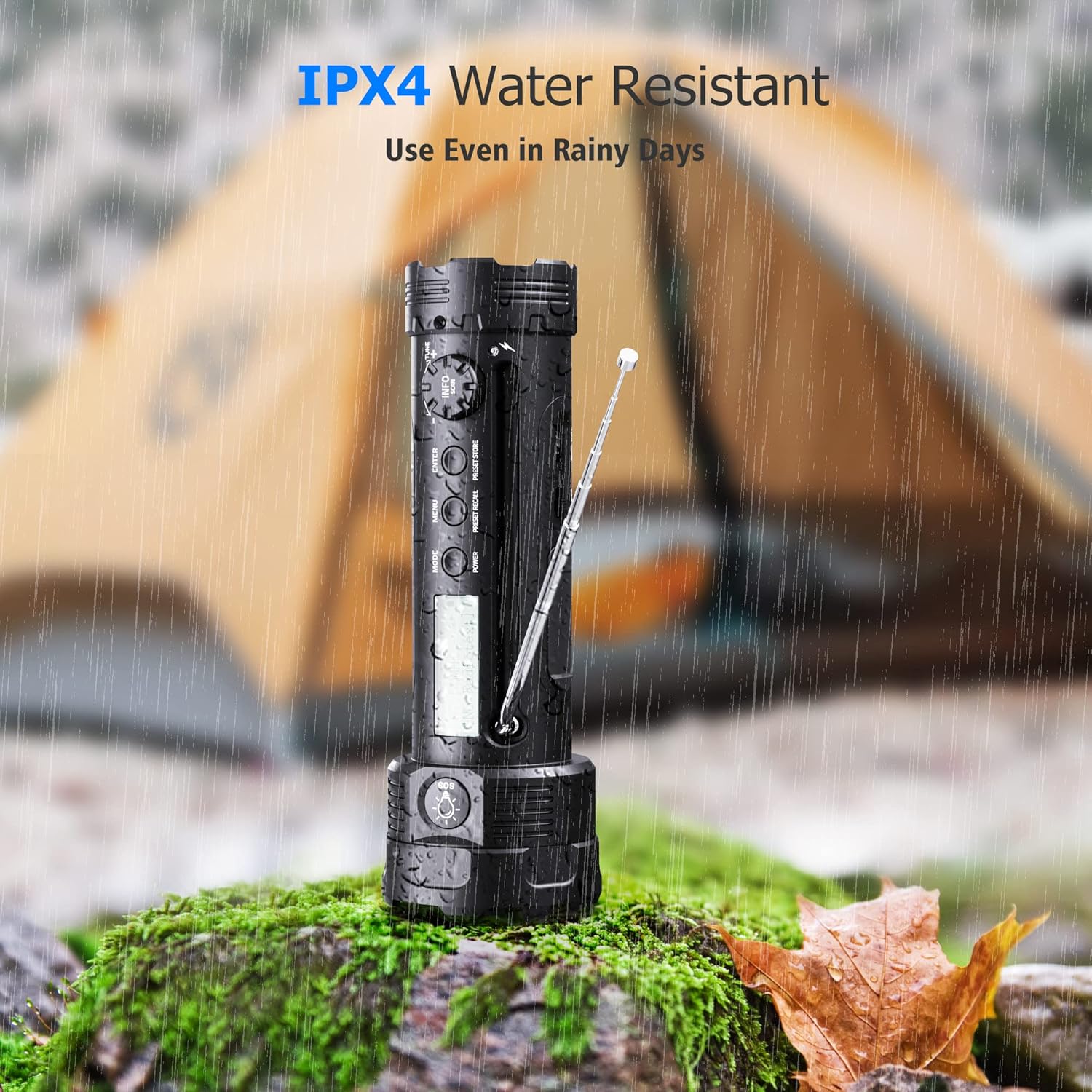
- Keep the device away from water and liquids, except for its IPX4 water-resistant capability which protects against splashing water. Do not submerge.
- Lassen Sie das Gerät nicht fallen und setzen Sie es keinen starken Stößen aus.
- Versuchen Sie nicht, das Gerät zu zerlegen oder zu verändern. Dadurch erlischt die Garantie und es können Schäden entstehen.
- Verwenden Sie ausschließlich die dafür vorgesehenen Ladekabel und Adapter.
- When using the hand crank, ensure smooth rotation to prevent damage.
- The flashlight is powerful; avoid shining it directly into eyes.

The Mesqool MEU-1020DAB-B radio is IPX4 water resistant, suitable for use in light rain or splashing water. It should not be submerged.
Produkt überview
The Mesqool MEU-1020DAB-B is an all-in-one emergency device. Familiarize yourself with its components:
- LED-Taschenlampe: Located at the front, with multiple lighting modes.
- Lesen Lamp: Integrated on the side, providing diffused light.
- DAB/UKW-Radio: With telescopic antenna and digital display.
- Bedientasten: Power, Mode, Menu, Enter, Volume, Tuning.
- Handkurbel: Zur manuellen Stromerzeugung.
- Solarmodul: Zum Aufladen mit Solarenergie.
- USB-Ladeanschlüsse: Input for charging the device, output for charging external devices.
- SOS-Alarm: Notfallsirene und Blinklicht.
- Wiederaufladbarer 3000-mAh-Akku: Interne Stromquelle.

Ein Überview of the Mesqool MEU-1020DAB-B emergency radio, highlighting its multi-functional design.
Aufstellen
- Grundgebühr: Before first use, fully charge the device using the USB cable. Connect the USB cable to a power adapter (not included) and the device's USB input port. The charging indicator will show progress.
- Antenne: Für optimalen Radioempfang die Teleskopantenne vollständig ausziehen.
Bedienungsanleitung
Ein-/Ausschalten
Halten Sie die LEISTUNG Taste, um das Gerät ein- oder auszuschalten.
Radiobetrieb (DAB/FM)
- Auswahlmodus: Drücken Sie die MODUS Taste zum Umschalten zwischen DAB- und FM-Radiomodus.
- Antenne ausfahren: Fully extend the telescopic antenna for best reception.
- Automatischer Scan (DAB): In DAB mode, the radio will automatically scan for available stations. The display will show station information.
- Manuelle Sendersuche (FM): In FM mode, use the tuning knob or buttons to manually adjust the frequency.
- Lautstärkeregelung: Verwenden Sie die LAUTSTÄRKE +/- Tasten zum Einstellen der Lautstärke.
- Speichersteckplätze: The radio supports 30 DAB and 30 FM memory slots for saving your favorite stations. Refer to the on-screen menu for saving and recalling stations.
- DRC Function: The Dynamic Range Control (DRC) function allows you to adjust the compression rate for DAB radio, improving listening experience in noisy environments. Access this through the menu.

The radio display shows DAB/FM frequencies and station information. An SOS alert icon is also visible.
Taschenlampenbetrieb
The flashlight offers 5 lighting modes:
- Hoch: Maximum brightness for powerful illumination (up to 300 lumens, 150-200m beam).
- Medium: Ausgewogene Helligkeit für den allgemeinen Gebrauch.
- Niedrig: Energiesparmodus für längere Nutzung.
- Strobe: Blinklicht zur Signalisierung oder Desorientierung.
- SOSSE: Morse code SOS signal (three short, three long, three short flashes) for emergencies.
To cycle through modes, press the dedicated flashlight button (often located near the flashlight head). Press and hold to turn off.

Visual representation of the five flashlight modes: High, Medium, Low, SOS, and Strobe.
Lesen Lamp Betrieb
Um die Lesefunktion zu aktivierenamp, locate the lamp panel on the side of the device and open it. The lamp will illuminate, providing soft, diffused light suitable for reading in low-light conditions. Close the panel to turn off the lamp.
Die Lektüre lamp provides convenient illumination for activities like reading in a tent.
Charging the Device (3 Modes)
The Mesqool MEU-1020DAB-B offers three ways to recharge its internal 3000mAh battery:
- USB-Aufladung: Connect the provided USB cable to the device's input port and a standard USB power source (e.g., wall adapter, computer, power bank). This is the fastest charging method.
- Hand Crank Power: Extend the hand crank handle and rotate it clockwise or counter-clockwise at a steady pace (approximately 130-150 RPM). A few minutes of cranking can provide power for a short period of radio or flashlight use.
- Solarenergie: Place the device with its solar panel facing direct sunlight. The solar panel will slowly charge the internal battery. This method is ideal for maintaining charge or for emergency trickle charging when other power sources are unavailable.

The three versatile charging methods: USB, hand crank, and solar power, ensuring power availability in various situations.
Powerbank-Funktion
The built-in 3000mAh battery can also serve as a power bank to charge small electronic devices in an emergency. Connect your smartphone or other USB-powered device to the USB output port of the Mesqool radio using your device's charging cable. This function is intended for emergency use to provide a critical charge.

The emergency radio can charge small electronic devices like smartphones via its USB output port.
SOS-Alarm
In an emergency, activate the SOS alarm by pressing the dedicated SOS button. This will trigger a loud siren and the flashlight will flash in an SOS pattern, attracting attention for assistance.
Wartung
- Reinigung: Wischen Sie das Gerät mit einem weichen, damp Tuch. Keine Scheuer- oder Lösungsmittel verwenden.
- Lagerung: Bewahren Sie das Gerät bei Nichtgebrauch an einem kühlen, trockenen Ort ohne direkte Sonneneinstrahlung auf.
- Batteriepflege: To prolong battery life, fully charge the device at least once every three months, even if not in regular use.
Fehlerbehebung
| Problem | Mögliche Lösung |
|---|---|
| Gerät lässt sich nicht einschalten. | Ensure the battery is charged. Try charging via USB, hand crank, or solar power. |
| Schlechter Radioempfang. | Fully extend the telescopic antenna. Move to an open area away from obstructions or interference. Try rescanning for DAB stations or manually tuning FM. |
| Die Taschenlampe ist schwach oder funktioniert nicht. | Check battery level. Recharge the device. |
| Externe Geräte können nicht geladen werden. | Ensure the Mesqool radio has sufficient charge. Use a compatible USB cable for your external device. |
| Die Handkurbel ist schwergängig oder erzeugt keinen Strom. | Ensure the crank is fully extended and rotating smoothly. Do not force it. If it remains stiff, contact support. |
Technische Daten
- Modell: MEU-1020DAB-B
- Marke: Mesqool
- Farbe: Schwarz
- Batterie: 3000mAh wiederaufladbar
- Radiobänder: DAB, UKW
- DAB-Frequenzbereich: 174.928 - 239.200 MHz (Band III)
- FM-Frequenzbereich: 87.5 - 108 MHz
- Flashlight Brightness: Bis zu 300 Lumen
- Strahlabstand: 150-200 Meter
- Lademethoden: USB, Hand Crank, Solar Panel
- Ausgabe: USB (zum Laden externer Geräte)
- Wasserbeständigkeit: IPX4 (spritzwassergeschützt)
- Abmessungen: 7.6 L x 7.6 B x 22 H cm
- Enthaltene Komponenten: Bedienungsanleitung
Garantie und Support
Mesqool offers a 24-month warranty for this product, covering manufacturing defects from the date of purchase. Please retain your proof of purchase for warranty claims. For technical support, troubleshooting assistance, or warranty inquiries, please contact Mesqool customer service through the retailer where you purchased the product or visit the official Mesqool webWebsite für Kontaktinformationen.
We are committed to providing excellent customer service and will assist you with any questions or concerns you may have.


