Einführung
This manual provides comprehensive instructions for the ENDORFY Omnis Pudding Onyx White Red mechanical keyboard (Model EY5A036). This full-size keyboard features Kailh Red mechanical switches, durable PBT Pudding keycaps, and customizable ARGB backlighting. It is designed for various applications, including gaming, creative work, and general office use, offering a responsive and comfortable typing experience. Key features include a reinforced chassis, a detachable magnetic wrist rest, and a metal volume wheel for convenient audio control.
Packungsinhalt
- ENDORFY Omnis Pudding Onyx White Red Mechanical Keyboard
- Detachable USB-A Cable
- Magnetische Handballenauflage
- Benutzerhandbuch (dieses Dokument)
Aufstellen
1. Anschließen der Tastatur
Connect the detachable USB-A cable to the USB-C port on the keyboard and then to an available USB-A port on your computer. The keyboard is plug-and-play and should be recognized automatically by your operating system.
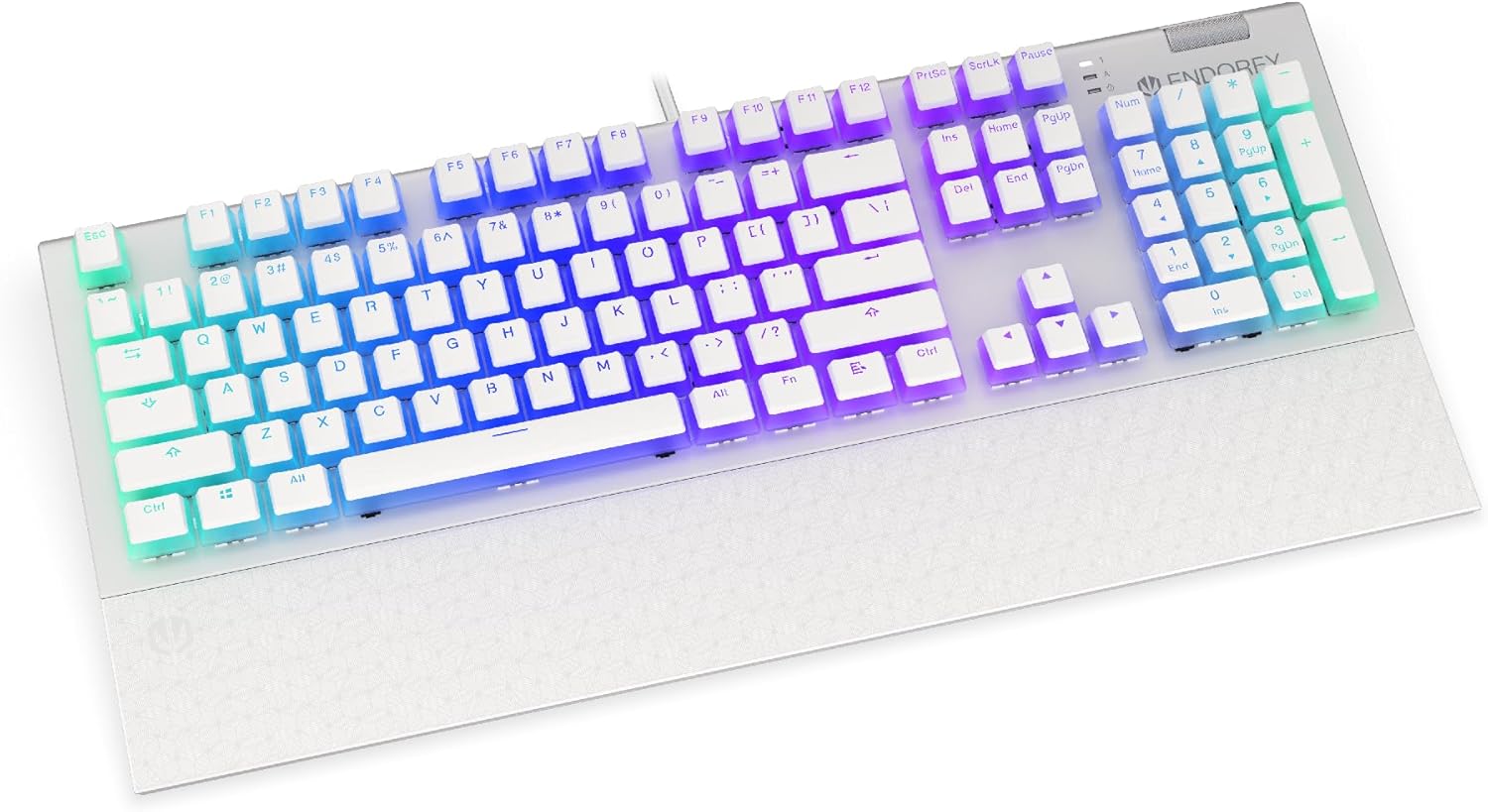
Bild: Vorderseite view of the ENDORFY Omnis Pudding Onyx White Red mechanical keyboard, showcasing its full layout and connected cable.
2. Anbringen der Handgelenkauflage
Align the magnetic wrist rest with the front edge of the keyboard. The magnets will automatically secure it in place, providing ergonomic support during use.

Bild: Abgewinkelt view of the ENDORFY Omnis Pudding Onyx White Red mechanical keyboard with the magnetic wrist rest attached, highlighting the seamless integration.
3. Softwareinstallation (optional)
For advanced customization of lighting effects, key assignments, and macros, download the official ENDORFY software from the manufacturer's webFolgen Sie den Anweisungen auf dem Bildschirm zur Installation.
Bedienungsanleitung
Grundlegende Tastaturfunktionen
The keyboard features a standard full-size layout with a dedicated numpad, function keys (F1-F12), and navigation keys. All keys operate as standard input devices for your computer.
Volume Wheel Operation
The metal volume wheel located on the top right of the keyboard allows for quick audio adjustments:
- Rotate Up: Lautstärke erhöhen.
- Rotate Down: Lautstärke verringern.
- Niederdrücken: Audio stummschalten/Stummschaltung aufheben.
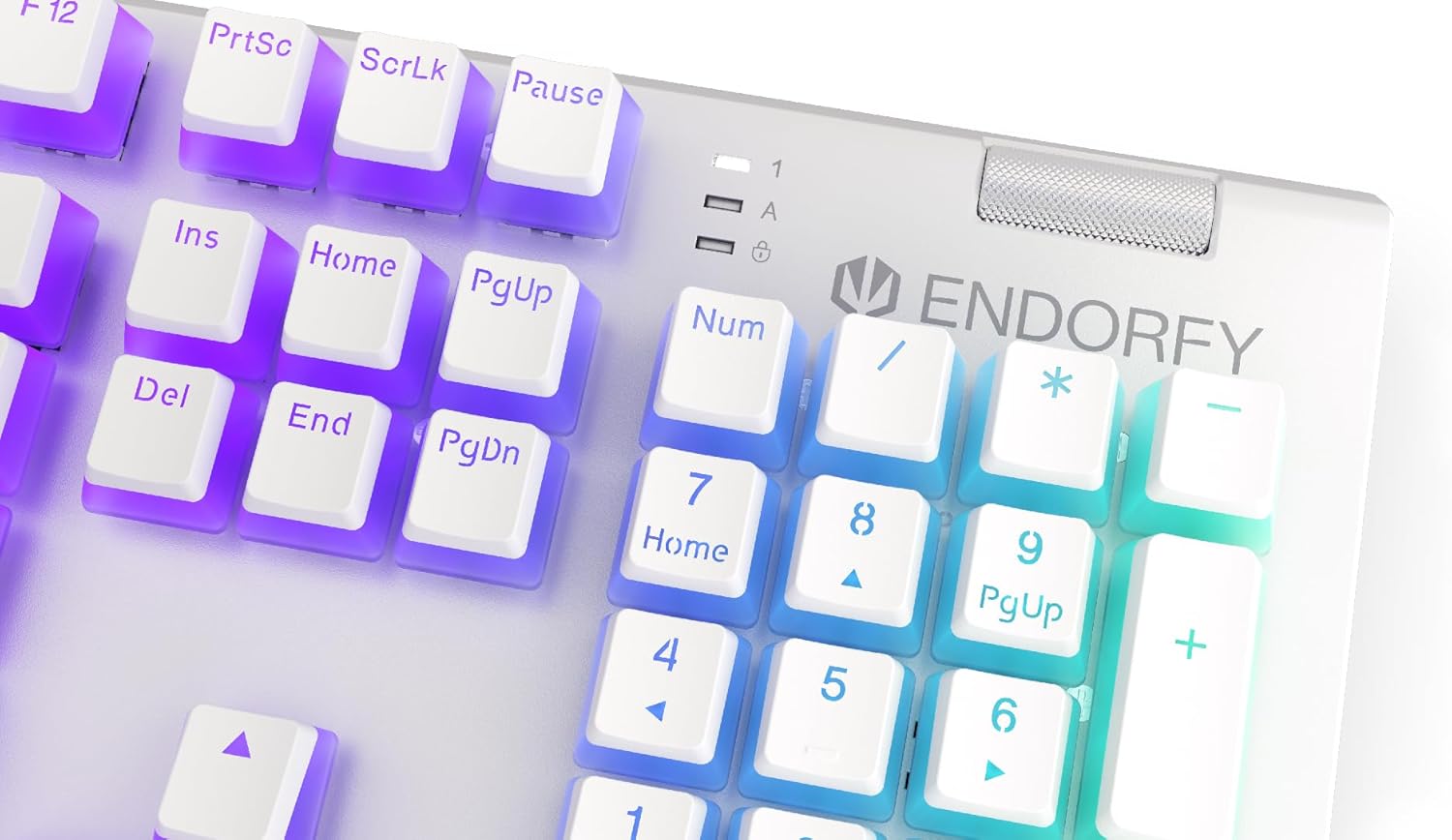
Bild: Nahaufnahme view of the keyboard's numpad and the prominent metal volume wheel, indicating its position for easy access.
RGB-Hintergrundbeleuchtungssteuerung
The keyboard features customizable ARGB backlighting. Lighting effects and brightness can be adjusted using the dedicated ENDORFY software. Some basic lighting modes and brightness levels may also be accessible via keyboard shortcuts (e.g., Fn + arrow keys or specific function keys), though advanced customization is recommended through the software.

Image: The ENDORFY Omnis Pudding Onyx White Red mechanical keyboard illuminated with vibrant RGB backlighting, showcasing the Pudding keycaps.
N-Key-Rollover (NKRO)
The keyboard supports N-Key Rollover, which means every key press is registered independently, regardless of how many other keys are being pressed simultaneously. This feature is particularly beneficial for fast typists and gamers, preventing ghosting or missed inputs.
Software-Funktionalität
The ENDORFY software allows users to:
- Customize ARGB lighting effects and colors.
- Einzelne Tasten neu belegen.
- Erstellen und Zuweisen von Makros für komplexe Befehlssequenzen.
- Verwalten Sie mehrere Profisfiles für verschiedene Anwendungen oder Spiele.
Wartung
Reinigung der Tastatur
Um optimale Leistung und ein ansprechendes Erscheinungsbild zu gewährleisten:
- Trennen Sie die Tastatur vor der Reinigung vom Computer.
- Mit einem weichen, fusselfreien Tuch leichtampAnschließend mit Wasser oder einer milden Reinigungslösung abwischen, um die Tastenkappen und das Gehäuse zu reinigen.
- Für Staub und Schmutz zwischen den Tastenkappen verwenden Sie Druckluft.
- Vermeiden Sie die Verwendung aggressiver Chemikalien oder Scheuermittel.
Tastenkappen entfernen und ersetzen
The PBT Pudding keycaps can be removed for thorough cleaning or replacement. Use a keycap puller (not included) to gently lift keycaps straight up. When replacing, align the keycap with the switch stem and press down firmly until it clicks into place.

Bild: Nahaufnahme view of the Kailh Red mechanical switches, visible when keycaps are removed, illustrating the switch mechanism.
Fehlerbehebung
- Tastatur reagiert nicht:
Ensure the USB cable is securely connected to both the keyboard and the computer. Try connecting the keyboard to a different USB port or a different computer to rule out port or system issues. Restart your computer. - Hintergrundbeleuchtung funktioniert nicht oder ist fehlerhaft:
Check the brightness settings via the ENDORFY software or any onboard shortcuts. Ensure the software is up to date. If specific keys have incorrect lighting, reset the lighting profile in der Software. - Schlüssel werden nicht registriert:
Clean under the affected keycaps to remove any debris that might be obstructing the switch. If the issue persists, it may indicate a hardware fault; refer to the Warranty and Support section. - Wrist Rest Not Attaching Securely:
Ensure there is no debris between the keyboard and the wrist rest that might interfere with the magnetic connection.
Technische Daten
| Besonderheit | Detail |
|---|---|
| Marke | UNTERSTÜTZT |
| Modellnummer | EY5A036 |
| Farbe | Weiß |
| Schlüsselschalter | Kailh Red Mechanical |
| Tastenkappen | PBT Pudding |
| Layout | Full-size (US Layout) |
| Hintergrundbeleuchtung | ARGB (Configurable RGB) |
| Konnektivität | USB-A (Detachable Cable) |
| Handballenauflage | Magnetic, Detachable |
| Lautstärkeregelung | Metal Volume Wheel |
| N-Key-Rollover | Ja |
| Kompatible Betriebssysteme | Linux, Mac OS X 10.12 Sierra, Windows 7, Windows 8, Windows 10 |
| Empfohlene Verwendung | Spiele, Multimedia |
| Material | Polybutylenterephthalat (PBT) |
Garantie und Support
ENDORFY products are covered by a manufacturer's warranty. For detailed warranty terms, technical support, or service inquiries, please refer to the official ENDORFY webBesuchen Sie unsere Website oder wenden Sie sich an Ihren Händler vor Ort. Bewahren Sie Ihren Kaufbeleg für Garantieansprüche auf.


