Einführung
This manual provides instructions for the setup, operation, and maintenance of your XTREME DIGITAL LIFESTYLE ACCESSORIES Monster Sound-Reactive Color Flow LED Equalizer Light Bar. This product features sound-reactive lighting, customizable color modes, and flexible mounting options, designed to enhance your environment with dynamic visual effects.

Image: The Monster Sound-Reactive Color Flow LED Equalizer Light Bar shown both in its retail packaging and as a standalone unit, highlighting its design and features.
Packungsinhalt
- 2 x Monster Sound-Reactive Color Flow LED Equalizer Light Bars
- 2 x Vertical Stands
- 2 x USB-Ladekabel
- Bedienungsanleitung (dieses Dokument)
Aufstellen
The Monster LED Equalizer Light Bar offers versatile placement options. Follow these steps for initial setup:
- Aufladen des Geräts: Before first use, fully charge the light bar using the provided USB charging cable. Connect the cable to the light bar's charging port and a standard USB power source (e.g., computer, USB wall adapter). The charging indicator will show the charging status. A full charge provides approximately 3-4 hours of continuous light.
- Montagemöglichkeiten:
- Vertikale Platzierung: Attach the included base to the bottom of the light bar for vertical orientation. Ensure the bar is securely seated in the base.
- Horizontale Platzierung: The light bar can be placed horizontally on any flat surface without the base.

Image: A visual representation illustrating the two mounting methods: vertically with the included stand and horizontally on a flat surface.
Bedienungsanleitung
The light bar can be controlled via built-in buttons or a dedicated mobile application.
1. Basic Operation (Built-in Buttons)
The light bar features control buttons, typically located on the device, to manage power, modes, and settings.
- Netzschalter: Zum Ein- oder Ausschalten des Geräts drücken und halten.
- Modus-Taste: Short press to cycle through the 18 color modes and 8 equalizer patterns.
- Brightness/Speed Button: Short press to adjust brightness (4 levels) or speed (5 settings) depending on the active mode.
2. Advanced Operation (Mobile App Control)
For full customization and control, download the official Monster LED app from your device's app store. The app allows access to all 18 color modes, 8 equalizer patterns, 4 brightness levels, and 5 speed settings.
- App herunterladen: Suchen nach "Monster LED" or "Xtreme LED" in your smartphone's app store (iOS App Store or Google Play Store).
- Paarung:
- Ensure your light bar is powered on and within Bluetooth range of your smartphone.
- Open the app and follow the on-screen instructions to discover and pair with your light bar.
- Note: Some users have reported initial difficulties with Bluetooth pairing. Ensure Bluetooth is enabled on your phone and try restarting both the light bar and the app if issues persist.
- Anpassung: Use the app interface to select desired color modes, equalizer patterns, adjust brightness, and set animation speeds.
3. Sound-Reactive Displays (Music Mode)
Activate Music Mode via the built-in buttons or the mobile app to enable the light bar to react to ambient sounds and music, creating dynamic visual effects synchronized with audio.

Image: Multiple LED light bars showcasing various multicolor moving patterns, illustrating the dynamic visual effects.

Image: A close-up of the LED light bar with a USB charging cable connected, indicating its rechargeable feature.
Wartung
To ensure the longevity and optimal performance of your LED Equalizer Light Bar, follow these maintenance guidelines:
- Reinigung: Use a soft, dry cloth to gently wipe the surface of the light bar. Avoid abrasive cleaners, solvents, or excessive moisture, as these can damage the device.
- Lagerung: Bei längerer Nichtbenutzung sollte die Lichtleiste an einem kühlen, trockenen Ort, geschützt vor direkter Sonneneinstrahlung und extremen Temperaturen, aufbewahrt werden.
- Batteriepflege: To maintain battery health, avoid fully discharging the device frequently. Recharge the battery periodically even if not in regular use.
- Wasserbeständigkeit: Dieses Produkt ist nicht wasserbeständig. Avoid exposure to liquids or high humidity.
Fehlerbehebung
If you encounter issues with your Monster LED Equalizer Light Bar, refer to the following common solutions:
- Gerät lässt sich nicht einschalten:
- Stellen Sie sicher, dass das Gerät vollständig aufgeladen ist. Schließen Sie es an eine USB-Stromquelle an und lassen Sie es mindestens 30 Minuten lang aufladen, bevor Sie versuchen, es wieder einzuschalten.
- Vergewissern Sie sich, dass der Netzschalter einige Sekunden lang gedrückt gehalten wird.
- Lights Not Reacting to Sound:
- Confirm that Music Mode is activated.
- Stellen Sie sicher, dass ausreichend Umgebungsgeräusche vorhanden sind, damit das Mikrofon sie aufnehmen kann.
- Check the sensitivity settings via the mobile app, if applicable.
- Difficulty with App Pairing (Bluetooth):
- Ensure Bluetooth is enabled on your smartphone and the light bar is powered on and nearby.
- Try restarting both the light bar and the mobile application.
- If issues persist, try unpairing and re-pairing the device through your phone's Bluetooth settings and the app.
- Kurze Akkulaufzeit:
- Stellen Sie sicher, dass das Gerät vor der Verwendung vollständig aufgeladen ist.
- Battery life can vary based on brightness levels and active modes. Higher brightness and complex patterns consume more power.
- Wenn die Batterieleistung im Laufe der Zeit deutlich nachlässt, kann dies auf einen Verschleiß der Batterie hindeuten.
Technische Daten
| Marke | EXTREME DIGITALE LIFESTYLE-ACCESSOIRES |
| Modellnummer | ECOM-1087-PP2 |
| Farbe | Mehrfarbig |
| Verwendung im Innen- und Außenbereich | Innenbereich |
| Besonderheit | Wiederaufladbar |
| Lichtquellentyp | LED |
| Stromquelle | Batteriebetrieben |
| Material | Plastik |
| Controllertyp | App-Steuerung, Touch |
| Anzahl der Lichtquellen | 32 |
| Wastage | 1 Watt |
| Artikelgewicht | 8 Unzen (0.5 Pfund) |
| Produktabmessungen (L x B x H) | 2.75 x 1.6 x 7.4 Zoll |
| Wasserbeständigkeit | Nicht wasserfest |
| UPC | 805106234331 |
Garantieinformationen
Detaillierte Garantieinformationen finden Sie auf der offiziellen Website des Herstellers. website or contact their customer support. Keep your proof of purchase for any warranty claims.
Kundenservice
If you require further assistance or have questions not covered in this manual, please contact XTREME DIGITAL LIFESTYLE ACCESSORIES customer support. Visit their official website for contact details or refer to the product packaging.
Besuchen Sie auch die XTREME DIGITAL LIFESTYLE ACCESSORIES Store on Amazon für weitere Informationen.
Zusätzliches Produkt Views

Image: Four LED light bars displayed on a desk, showcasing their use in a typical setup.

Image: Four LED light bars against a vibrant, abstract equalizer graphic, emphasizing their sound-reactive capabilities.
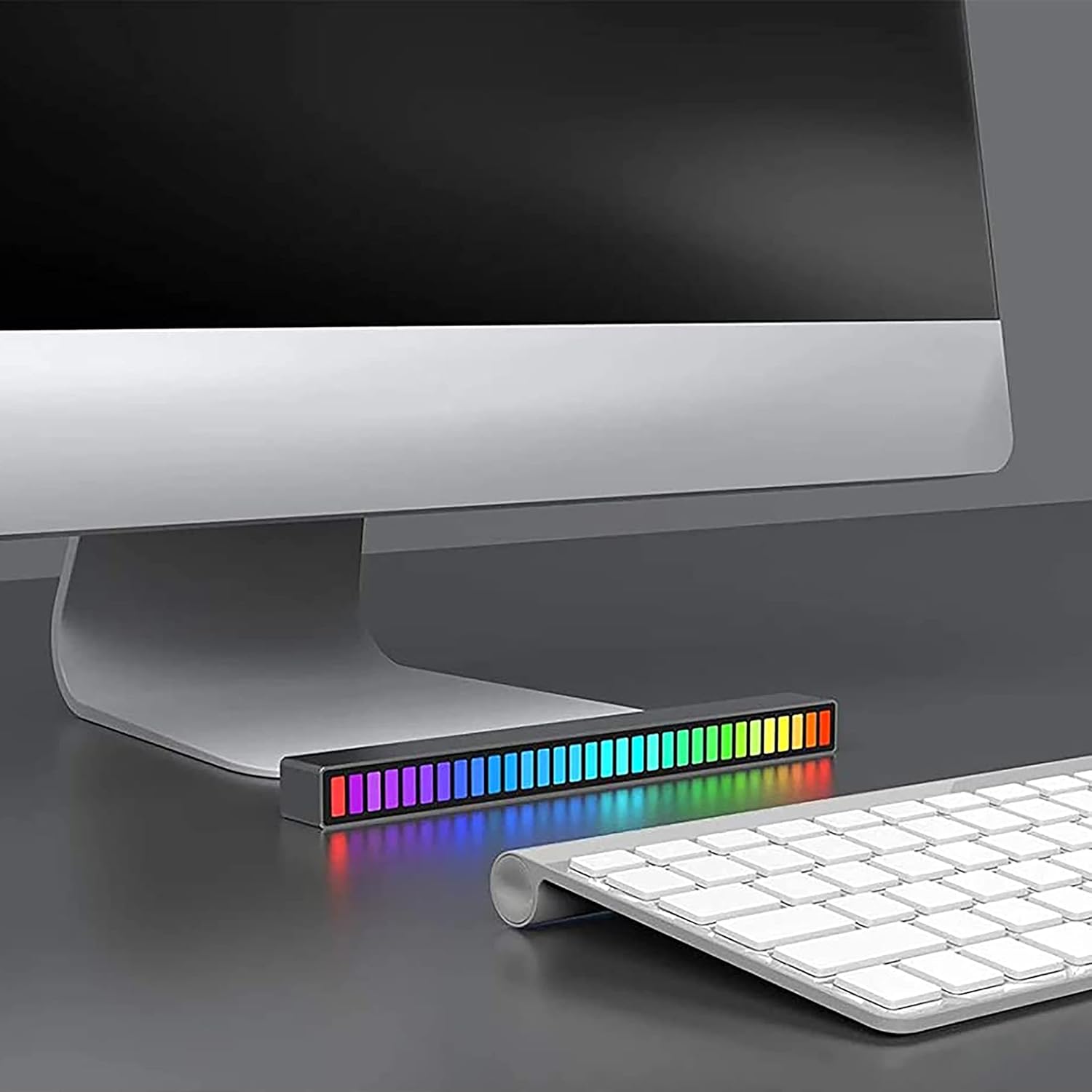
Image: A single LED light bar positioned horizontally beneath a computer monitor, demonstrating a common placement.

Image: Two LED light bars integrated into a DJ setup, illustrating their use in a music-centric environment.

Image: Two LED light bars used to augment a gaming station, providing ambient lighting during gameplay.

Image: An LED light bar positioned in a home theater setup, contributing to the atmospheric lighting while a person watches a film.

Image: Two LED light bars placed in a music studio, providing visual feedback to a person playing a guitar.
Wichtige Sicherheitsinformationen
- Zerlegen, modifizieren oder versuchen Sie nicht, das Gerät zu reparieren.
- Von Wasser, Feuer und hohen Temperaturen fernhalten.
- Verwenden Sie ausschließlich das mitgelieferte USB-Ladekabel oder ein zertifiziertes gleichwertiges Kabel.
- Das Produkt und seine Batterie sind gemäß den örtlichen Vorschriften verantwortungsvoll zu entsorgen.


