1. Einleitung
Thank you for choosing the AgfaPhoto Powerstation PPS 600 Pro. This portable power bank is designed to provide reliable power for various devices during outdoor activities, travel, and emergency situations. This manual provides essential information for safe operation, setup, maintenance, and troubleshooting. Please read it thoroughly before using the product.
2. Sicherheitshinweise
- Das Gerät darf nicht zerlegt, repariert oder verändert werden. Eine unsachgemäße Montage kann zu Bränden oder Verletzungen führen.
- Do not expose the unit to fire or extreme temperatures (above 60°C / 140°F).
- Das Gerät darf nicht in einem Badezimmer oder in einem Bereich, der Wasser oder Feuchtigkeit ausgesetzt ist, verwendet oder gelagert werden.
- Das Gerät darf nicht fallen gelassen, angestoßen oder starken Stößen ausgesetzt werden.
- Außerhalb der Reichweite von Kindern aufbewahren.
- Verwenden Sie ausschließlich empfohlenes Zubehör und Ladekabel.
- Sorgen Sie während des Gebrauchs und des Ladevorgangs für ausreichende Belüftung, um eine Überhitzung zu vermeiden.
- In case of leakage from the battery, avoid contact with skin and eyes. Rinse affected areas with water and seek medical attention.
3. Packungsinhalt
Prüfen Sie, ob alle Artikel in der Box vorhanden sind:
- AgfaPhoto Powerstation PPS 600 Pro
- Power Cord (for AC charging)
- Kfz-Zigarettenanzünderadapter
- Bedienungsanleitung
4. Produktüberschreitungview
Familiarize yourself with the ports, buttons, and display of your Powerstation PPS 600 Pro.

Image: Front panel of the AgfaPhoto Powerstation PPS 600 Pro, showing the LCD screen, DC output, USB-A ports, USB-C port, and AC output switch.
The unit features a clear LCD display that shows battery level, input power, and output power. Various ports are available for charging different devices simultaneously.
- LCD Anzeige: Zeigt Batteriestatus, Eingangs-/Ausgangsleistung antage und Fehlerindikatoren.
- DC-Ausgang: Für Geräte, die Gleichstrom benötigen.
- USB-A-Anschlüsse: Zum Aufladen von Smartphones, Tablets und anderen USB-betriebenen Geräten.
- USB-C-Anschluss: Für Geräte, die mit Schnellladen kompatibel sind.
- Wechselstromausgang: Standard wall outlet for appliances.
- Eingangsanschluss: For charging the power station itself.
5. Einrichtung
5.1 Erstaufladung
Before first use, fully charge your AgfaPhoto Powerstation PPS 600 Pro. This ensures optimal battery performance and longevity.
- Connect the provided power cord to the AC input port on the power station.
- Stecken Sie das andere Ende des Netzkabels in eine normale Wandsteckdose.
- Das LCD-Display zeigt den Ladestatus an. Das Gerät ist vollständig geladen, wenn die Akkuanzeige 100 % anzeigt.
Charging can also be done via a solar panel (sold separately) or a car cigarette lighter adapter.

Image: Illustration of the three charging methods for the power station: via car cigarette lighter, AC wall adapter, and solar panel.
6. Bedienungsanleitung
6.1 Ein-/Ausschalten
- To turn on the unit, press and hold the main power button for a few seconds. The LCD display will illuminate.
- Zum Ausschalten des Geräts den Hauptschalter erneut gedrückt halten, bis das Display ausgeht.
6.2 Laden externer Geräte
The Powerstation PPS 600 Pro offers multiple output options:
- USB-Ausgang: Connect your USB-powered devices (smartphones, tablets, drones, cameras) to the USB-A or USB-C ports. The unit will automatically detect and begin charging.
- Wechselstromausgang: For devices requiring standard wall power (laptops, mini-refrigerators, LED TVs), press the AC ON/OFF button to activate the AC outlet. Plug your device into the AC outlet. Remember to turn off the AC output when not in use to conserve battery.
- DC-Ausgang: For 12V DC devices, connect them to the DC output port.

Image: The AgfaPhoto Powerstation PPS 600 Pro connected and charging a laptop, demonstrating its use for portable electronics.

Image: The power station in use during a power outage, providing light and charging a smartphone, highlighting its emergency backup capability.
7. Wartung
7.1 Speicherung
- Store the power station in a cool, dry place, away from direct sunlight and heat sources.
- Zur Langzeitlagerung sollte das Gerät alle 3 bis 6 Monate auf etwa 50-80% aufgeladen werden, um die Batterieleistung zu erhalten.
- Vermeiden Sie die Lagerung in Umgebungen mit hoher Luftfeuchtigkeit oder extremen Temperaturen.
7.2 Reinigung
- Reinigen Sie die Außenseite des Geräts mit einem weichen, trockenen Tuch.
- Keine Scheuer- oder Lösungsmittel verwenden.
- Stellen Sie sicher, dass alle Anschlüsse frei von Staub und Schmutz sind.
8. Fehlerbehebung
If you encounter issues with your Powerstation PPS 600 Pro, refer to the following common problems and solutions:
| Problem | Mögliche Ursache | Lösung |
|---|---|---|
| Das Gerät lässt sich nicht einschalten | Der Akku ist vollständig entladen. | Charge the unit using the AC adapter. |
| No output from AC port | AC output not activated. Device exceeds power limit. | Press the AC ON/OFF button. Check device wattage against unit specifications. |
| Slow charging of external devices | Device requires higher current. Cable issue. | Ensure you are using the correct USB port (e.g., USB-C PD). Try a different cable. |
| Gerät überhitzt | Poor ventilation. Excessive load. | Ensure vents are clear. Reduce the number or power of connected devices. Allow unit to cool down. |
Sollte das Problem weiterhin bestehen, wenden Sie sich bitte an den Kundendienst.
9. Spezifikationen
Technical details for the AgfaPhoto Powerstation PPS 600 Pro:
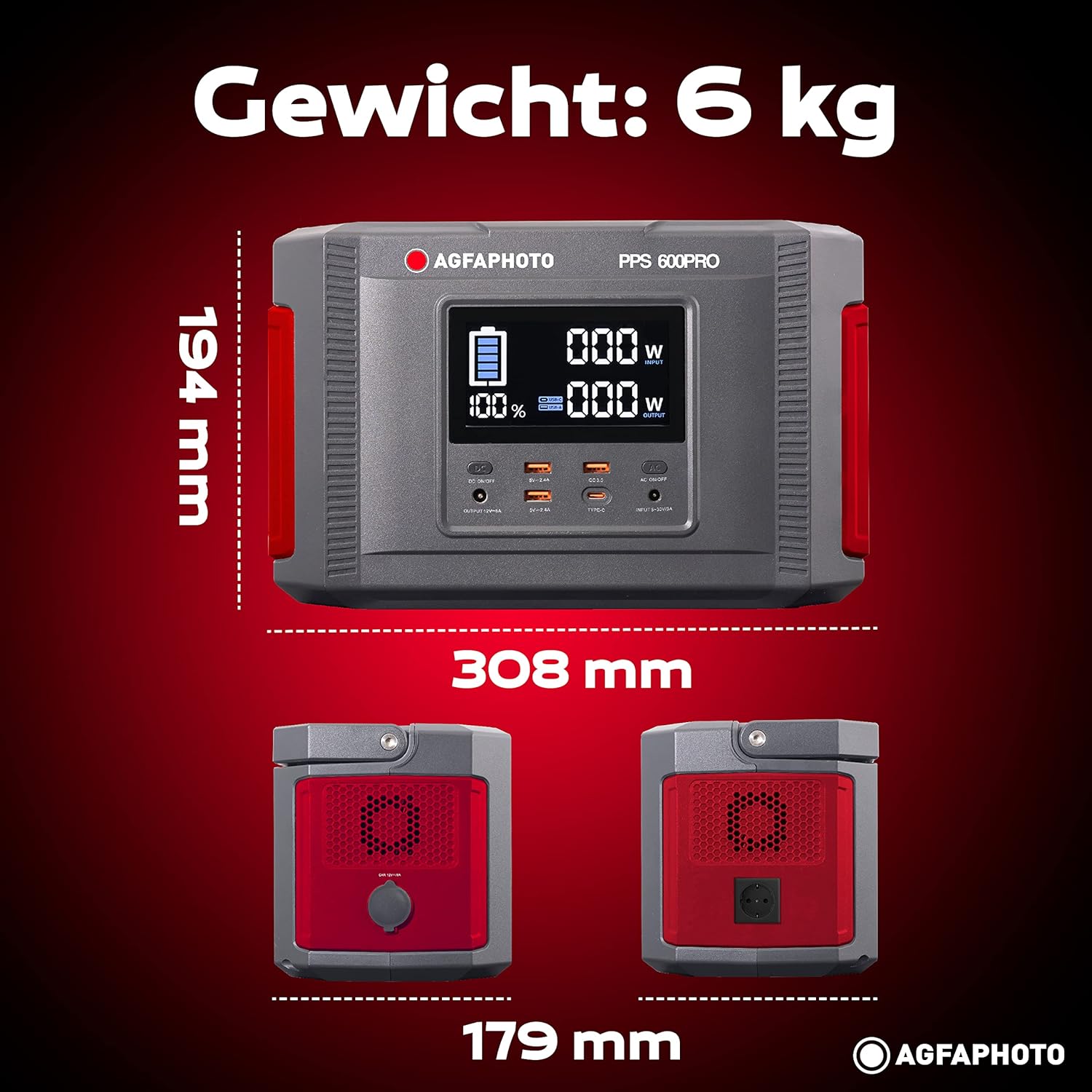
Image: Visual representation of the AgfaPhoto Powerstation PPS 600 Pro's dimensions (308 x 179 x 194 mm) and weight (6 kg).
| Besonderheit | Spezifikation |
|---|---|
| Marke | AgfaPhoto |
| Modellnummer | 717-854742 (PPS600) |
| Batteriekapazität | 644 Wh |
| Ausgangsleistung (Dauerleistung) | 600 Watt |
| Ausgangsleistung (Spitze) | 1000 Watt |
| Bandtage | 220 Volt |
| Artikelgewicht | 6.1 Kilogramm |
| Abmessungen (L x B x H) | 308 x 179 x 194 mm |
| Stromquelle | Battery Powered (Solaire, électricité) |
| Empfohlene Verwendung | Mobile phones, cameras, laptops, tablets |
| Im Lieferumfang enthaltene Komponenten | Power cord, USB ports, LCD screen, car cigarette lighter adapter |
| Besonderheit | Kompaktes Design |
10. Garantie und Support
AgfaPhoto products are manufactured to high-quality standards and are covered by a manufacturer's warranty. For specific warranty terms and conditions, please refer to the warranty card included with your product or visit the official AgfaPhoto webWebsite.
For technical support, troubleshooting assistance, or spare parts inquiries, please contact AgfaPhoto customer service. Contact details can typically be found on the product packaging or the official brand webWebsite.


