Einführung
This manual provides detailed instructions for the setup, operation, maintenance, and troubleshooting of your STEELPLAY Wireless Controller, model LA-0HNY-U4YG. Please read this manual carefully before using the product to ensure proper functionality and to prevent damage.
Aufstellen
Packungsinhalt
Überprüfen Sie, ob alle Artikel im Paket vorhanden sind:
- STEELPLAY Wireless Controller (LA-0HNY-U4YG)
- USB-Ladekabel
- Benutzerhandbuch (dieses Dokument)
Aufladen des Controllers
Before first use, fully charge the controller. Connect the USB charging cable to the controller's charging port and the other end to a powered USB port (e.g., gaming console, PC, USB wall adapter).
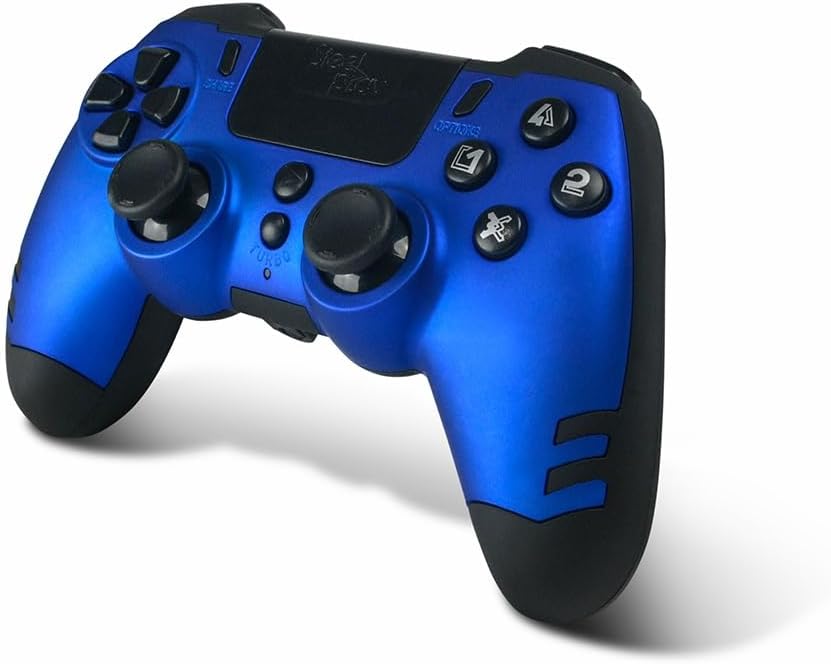
Image: The STEELPLAY Wireless Controller with a charging cable connected. This image illustrates the controller's design and potential charging port location.
Kopplung mit einem Gerät
Follow these steps to pair your wireless controller with your gaming console or PC:
- Stellen Sie sicher, dass der Controller aufgeladen ist.
- Turn on your gaming console or PC.
- Halten Sie auf dem Controller gedrückt AKTIE und die PS button simultaneously until the light bar begins to flash.
- On your device, navigate to Bluetooth settings and select the "STEELPLAY Wireless Controller" from the list of available devices.
- Once paired, the light bar will stop flashing and remain lit, indicating a successful connection.
Bedienungsanleitung
Grundlegende Bedienelemente
The STEELPLAY Wireless Controller features standard gamepad controls. Familiarize yourself with the button layout:
- Richtungspad (D-Pad): Für präzise Richtungseingaben.
- Linker/Rechter Analogstick: Zur Bewegungs- und Kamerasteuerung.
- Aktionsschaltflächen (Dreieck, Kreis, Kreuz, Quadrat): Für Aktionen im Spiel.
- Schultertasten (L1, R1) und Trigger (L2, R2): Für verschiedene Spielfunktionen.
- Teilen-Schaltfläche: To share gameplay content.
- OPTIONEN-Schaltfläche: To access in-game menus or pause.
- PS-Taste: To access the console's home menu or power on/off the controller.
- Touchpad: For additional input, often used for navigation or specific game mechanics.
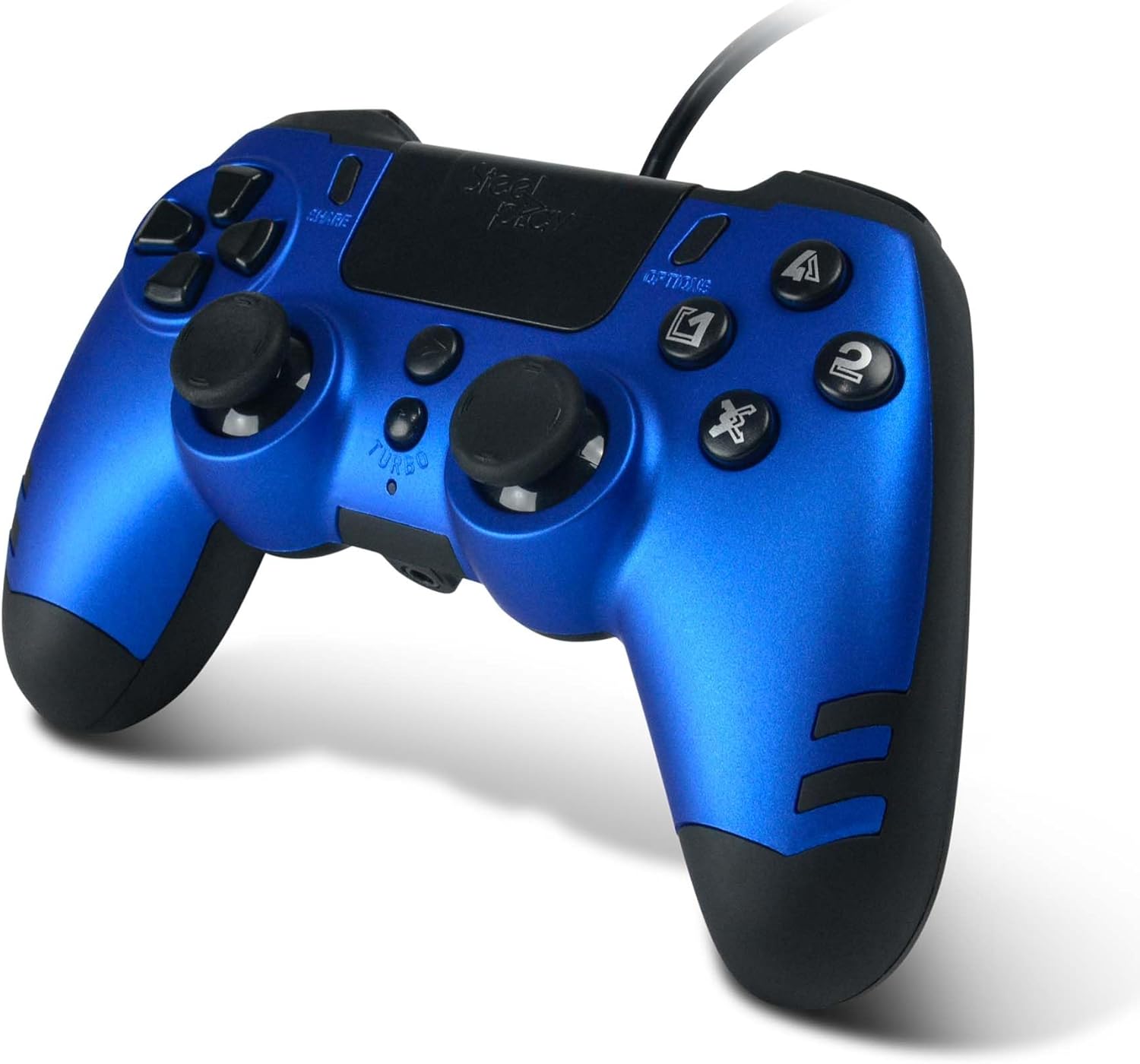
Bild: Eine detaillierte view of the STEELPLAY Wireless Controller, highlighting the layout of its 14 buttons, D-pad, and analog sticks.
Ein-/Ausschalten
- Zum Einschalten: Drücken Sie die Taste PS Taste.
- Zum Ausschalten: Die Taste gedrückt halten PS button for approximately 10 seconds until the controller powers down.
Wiederverbindung
Once paired, the controller should automatically reconnect to the last paired device when powered on. If it does not, press the PS button to initiate reconnection.
Wartung
Reinigung
Reinigen Sie den Controller mit einem weichen, trockenen Tuch. Bei hartnäckigem Schmutz leicht andrücken.ampBefeuchten Sie das Tuch mit Wasser. Verwenden Sie keine scharfen Chemikalien, Lösungsmittel oder Scheuermittel, da diese die Oberfläche und die internen Bauteile des Controllers beschädigen können.
Lagerung
Bewahren Sie den Controller an einem kühlen, trockenen Ort ohne direkte Sonneneinstrahlung und extreme Temperaturen auf. Vermeiden Sie es, schwere Gegenstände auf den Controller zu stellen.
Batteriepflege
The controller contains a rechargeable battery. To prolong battery life:
- Vermeiden Sie häufiges vollständiges Entladen des Akkus.
- Laden Sie den Controller regelmäßig auf, auch wenn er über längere Zeiträume nicht benutzt wird.
- Do not expose the controller to temperatures above 60°C (140°F).
Fehlerbehebung
- Der Controller lässt sich nicht einschalten:
- Ensure the controller is fully charged. Connect it to a power source using the USB cable and allow it to charge for at least 30 minutes before attempting to power it on again.
- Controller does not connect or pair:
- Ensure the controller is in pairing mode (light bar flashing).
- Verify that the device you are trying to connect to has Bluetooth enabled.
- Entfernen Sie alle zuvor verbundenen Controller-Kopplungen aus den Bluetooth-Einstellungen Ihres Geräts und versuchen Sie erneut, den Controller zu koppeln.
- Move the controller closer to the device to ensure a strong signal.
- Starten Sie sowohl den Controller als auch das Gerät neu.
- Input lag or unresponsive buttons:
- Stellen Sie sicher, dass der Controller vollständig aufgeladen ist. Ein niedriger Akkustand kann die Leistung beeinträchtigen.
- Reduce interference by moving away from other wireless devices (Wi-Fi routers, other Bluetooth devices).
- If possible, try connecting the controller via a USB cable to see if the issue persists (if wired mode is supported).
Technische Daten
| Besonderheit | Detail |
|---|---|
| Modellname | LA-0HNY-U4YG |
| Brand (Manufacturer) | STEELPLAY |
| Brand (Retail) | Lexip |
| Konnektivität | Kabellos |
| Anzahl der Tasten | 14 |
| Maße | 17.5 x 13 x 8.3 cm |
| Gewicht | 350 g |
| Batterien im Lieferumfang enthalten | No (Features an internal rechargeable battery) |
Garantie und Support
Specific warranty information is not provided in this manual. Please refer to the retailer's purchase terms or the manufacturer's official website for detailed warranty policies and support contact information.
For further assistance, please contact STEELPLAY customer support through their official channels.


