Einführung
Thank you for choosing the Varmilo Minilo VXB67 65% Bluetooth Mechanical Keyboard. This manual provides detailed instructions for setting up, operating, and maintaining your new keyboard. The VXB67 offers a compact 65% layout, dual-mode connectivity (wired USB-C and Bluetooth), and a comfortable typing experience with Varmilo EC Daisy V2 switches and durable ABS double-shot keycaps. It also features a Type-Cool sound dampening structure for a clear typing sound.

Image: The Varmilo Minilo VXB67 keyboard, showcasing its compact design and color scheme.
Packungsinhalt
Bitte überprüfen Sie den Packungsinhalt, um sicherzustellen, dass alle Artikel vorhanden sind:
- Varmilo Minilo VXB67 Mechanical Keyboard
- USB-C-Kabel
- Tastenkappenabzieher
- Abzieher wechseln
- Staubschutzhülle
- Benutzerhandbuch (dieses Dokument)

Image: The Varmilo Minilo VXB67 keyboard alongside its USB-C cable, keycap puller, switch puller, and a clear dust cover.
Aufstellen
1. Kabelgebundene Verbindung
- Suchen Sie den USB-C-Anschluss an der Tastatur.
- Verbinden Sie ein Ende des mitgelieferten USB-C-Kabels mit der Tastatur.
- Verbinden Sie das andere Ende des USB-C-Kabels mit einem freien USB-Anschluss an Ihrem Computer.
- Die Tastatur wird von Ihrem Betriebssystem automatisch erkannt.
2. Bluetooth-Verbindung
The VXB67 keyboard can connect to up to 3 devices via Bluetooth.
- Stellen Sie sicher, dass die Tastatur geladen oder über USB-C angeschlossen ist.
- Turn on Bluetooth on your device (computer, tablet, or smartphone).
- Drücken und halten Sie auf der Tastatur die Taste Fn Schlüssel und einer der Bluetooth-Schlüssel (Q, W, oder E) for 3-5 seconds to enter pairing mode. The indicator light will flash.
- On your device, search for Bluetooth devices and select "Varmilo VXB67" (or similar) from the list.
- Nach erfolgreicher Kopplung leuchtet die Kontrollleuchte auf der Tastatur dauerhaft, anstatt zu blinken.
- Repeat for up to two additional devices using the other Bluetooth keys.
3. Einstellen des Tastaturwinkels
The keyboard features 3-level adjustable kickstands on the bottom to customize your typing angle for comfort.

Image: The underside of the keyboard, highlighting the foldable kickstands for ergonomic adjustment.
Video: Demonstrates the features of the Varmilo Minilo Eucalyptus keyboard, including the adjustable kickstands and multi-device connectivity.
Bedienungsanleitung
1. Austausch von Tastenkappen und Schaltern
The VXB67 features hot-swappable switches, allowing you to change switches without soldering. Use the provided keycap and switch pullers for this process.
- Entfernen der Tastenkappen: Verwenden Sie den Tastenkappenabzieher, um die Tastenkappe vorsichtig zu greifen und nach oben zu ziehen.
- Schalter entfernen: Use the switch puller to carefully grip the top and bottom clips of the switch and pull upwards.
- Installation von Schaltern: Richten Sie die Pins des neuen Schalters an den Löchern auf der Platine aus. Drücken Sie ihn fest nach unten, bis er hörbar einrastet. Achten Sie darauf, dass die Pins nicht verbogen sind.
- Installation der Tastenkappen: Setzen Sie die Tastenkappe auf den Schalterschaft und drücken Sie sie vorsichtig nach unten, bis sie sicher sitzt.
Video: Demonstrates the process of changing switches and keycaps on the Varmilo Minilo 67 keyboard.
2. Steuerung der Hintergrundbeleuchtung
The keyboard features white LED backlighting. Use the following key combinations to control the backlight:
- Fn + \ |: Cycle through backlight effects.
- Fn + ↑: Helligkeit der Hintergrundbeleuchtung erhöhen.
- Fn + ↓: Hintergrundbeleuchtungshelligkeit verringern.
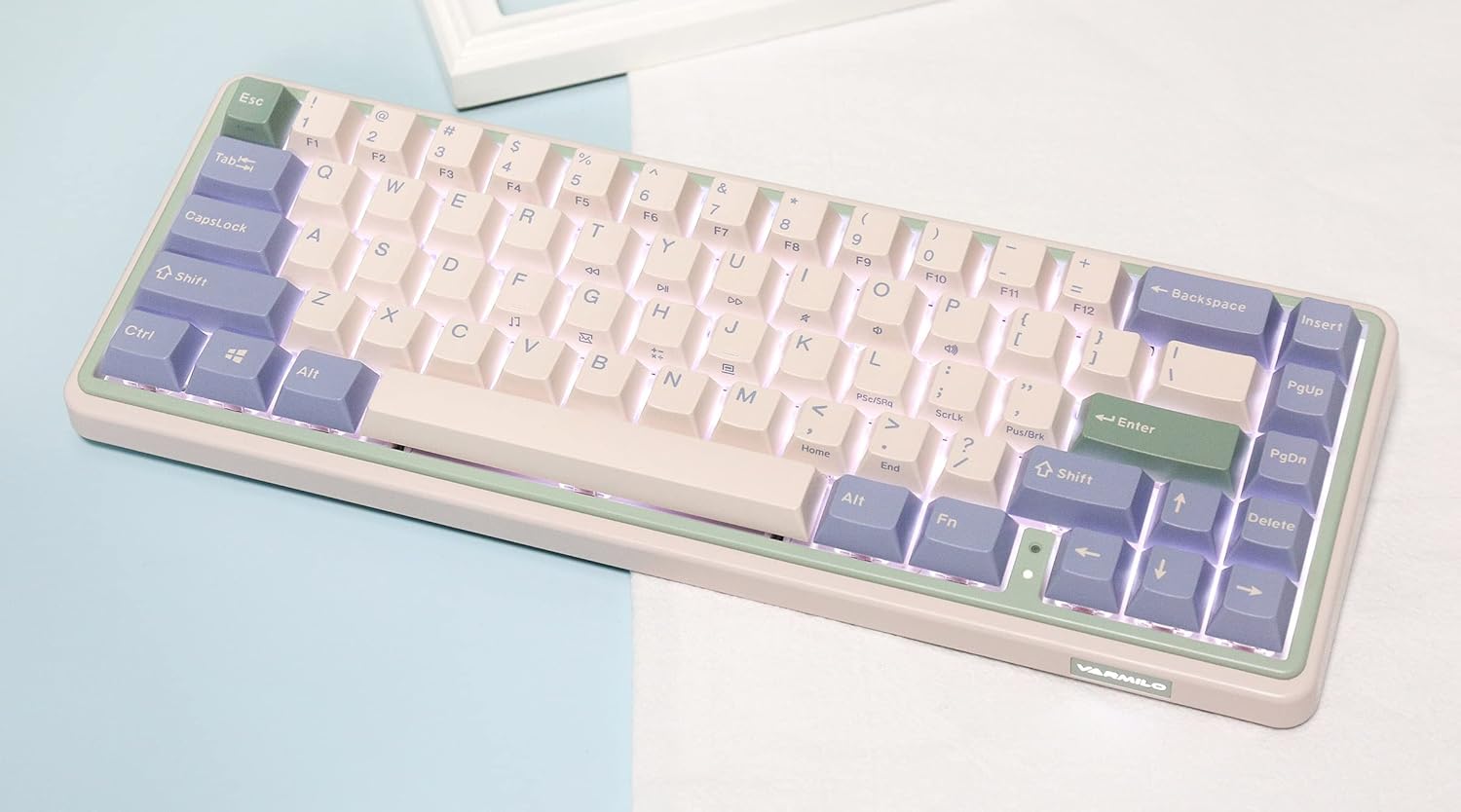
Image: The Varmilo Minilo VXB67 keyboard illuminated by its white LED backlighting.
3. Umschaltung mehrerer Geräte
To switch between paired Bluetooth devices:
- Drücken Fn + Q zum Bluetooth-Gerät 1 wechseln.
- Drücken Fn + W zum Bluetooth-Gerät 2 wechseln.
- Drücken Fn + E zum Bluetooth-Gerät 3 wechseln.
The keyboard will quickly connect to the selected device.
Wartung
- Reinigung: Use a soft, dry cloth to wipe the keyboard surface. For deeper cleaning, remove keycaps using the provided keycap puller and use compressed air to clear debris.
- Aufladen der Batterie: Connect the keyboard via the USB-C cable to a power source (computer USB port or USB wall adapter). The Escape key will light up while charging and flash when the battery is low.
- Lagerung: When not in use, store the keyboard in a cool, dry place. Use the provided dust cover to protect it from dust and spills.
Fehlerbehebung
- Tastatur reagiert nicht (kabelgebunden):
- Stellen Sie sicher, dass das USB-C-Kabel sowohl mit der Tastatur als auch mit dem Computer fest verbunden ist.
- Probieren Sie einen anderen USB-Anschluss an Ihrem Computer aus.
- Versuchen Sie es mit einem anderen USB-C-Kabel.
- Tastatur reagiert nicht (Bluetooth):
- Stellen Sie sicher, dass Bluetooth auf Ihrem Gerät aktiviert ist.
- Stellen Sie sicher, dass die Tastatur aufgeladen ist.
- Kopplungsmodus erneut aufrufen (Fn + Q/W/E) and attempt to re-pair with your device.
- Forget the device on your computer/tablet/phone and try pairing again.
- Schlüssel werden nicht registriert:
- Ensure the keycap and switch are properly seated. Remove and re-install if necessary.
- If using hot-swappable switches, ensure the switch pins are not bent.
- Hintergrundbeleuchtung funktioniert nicht:
- Check backlight brightness settings (Fn + ↑/↓).
- Ensure the keyboard is not in a low power state.
Technische Daten
| Modell | VXB67 |
| Layout | 65 % (67 Tasten) |
| Konnektivität | Bluetooth 5.0, USB-C-Kabel |
| Schalter | Varmilo EC Daisy V2 (Hot-swappable) |
| Tastenkappen | 1.5mm thick ABS Double Shot |
| Hintergrundbeleuchtung | Weiße LED |
| Batteriekapazität | 3400 mAh |
| Kompatible Geräte | PC (and other Bluetooth-enabled devices) |
| Material | Acrylnitril-Butadien-Styrol (ABS) |
| Maße | Approx. 15 x 7 x 2.5 inches (based on package dimensions) |
| Gewicht | 3.21 Pfund |
Garantie und Support
Informationen zur Garantie und zum technischen Support finden Sie auf der offiziellen Varmilo-Website. webBesuchen Sie unsere Website oder kontaktieren Sie Ihren Händler. Bewahren Sie Ihren Kaufbeleg für Garantieansprüche auf.
Varmilo-Beamter WebWebsite: www.varmilo.com


