1. Einleitung
Thank you for choosing the MEDION P66400 All-in-One Audio System. This manual provides essential information for the safe and efficient operation of your device. Please read it thoroughly before use and retain it for future reference.

Front view of the MEDION P66400 All-in-One Audio System.
2. Sicherheitshinweise
Beachten Sie stets die folgenden Sicherheitsvorkehrungen, um Stromschläge, Brände oder Verletzungen zu vermeiden:
- Setzen Sie das Gerät weder Regen noch Feuchtigkeit aus.
- Öffnen Sie nicht das casing; alle Wartungsarbeiten sind qualifiziertem Personal zu überlassen.
- Sorgen Sie für ausreichende Belüftung, um eine Überhitzung zu vermeiden.
- Verwenden Sie ausschließlich das mit dem Gerät gelieferte Netzkabel.
- Halten Sie das Gerät von Wärmequellen und direkter Sonneneinstrahlung fern.
- Stellen Sie keine schweren Gegenstände auf das Gerät.
3. Packungsinhalt
Überprüfen Sie, ob alle Artikel im Paket vorhanden sind:
- MEDION P66400 All-in-One Audio System
- Fernbedienung (mit 2 AAA-Batterien)
- Peitschenantenne
- Stromkabel
- Bedienungsanleitung
- Garantiekarte

The remote control for the MEDION P66400, showing various buttons for power, navigation, volume, EQ, and playback.
4. Produktüberschreitungview
4.1 Bedienelemente auf der Vorderseite
- Netzschalter: Schaltet das System ein/aus.
- LCD Anzeige: 7.1 cm color display for menus, station information, and playback details. Dimmable in 4 levels.
- Lautstärkeregler: Stellt die Master-Lautstärke ein.
- Navigationstasten: For menu navigation and track selection.
- Quellentaste: Selects input sources (Internet Radio, DAB+, FM, CD, Bluetooth, USB, AUX).
- Preset-Tasten: For quick access to stored radio stations.
4.2 Anschlüsse auf der Rückseite
- Leistungsaufnahme: Wird an die Hauptstromversorgung angeschlossen.
- Antenneneingang: Connects the supplied whip antenna for DAB+ and FM reception.
- AUX-Eingang (3.5 mm): Zum Anschluss externer Audiogeräte.
- Line-In (RCA): For connecting external audio devices with RCA output.
- USB-Anschluss: Zum Abspielen von Musik von USB-Speichergeräten.
- Kopfhöreranschluss: Zum privaten Hören.

Diagram showing the dimensions and rear connections of the MEDION P66400.
5. Einrichtung
5.1 Erstplatzierung
Place the audio system on a stable, flat surface. Ensure there is adequate space around the unit for ventilation. Avoid placing it near strong magnetic fields or direct heat sources.

The MEDION P66400 All-in-One Audio System placed on a desk.
5.2 Anschließen der Antenne
Connect the supplied whip antenna to the antenna input on the rear panel for optimal DAB+ and FM radio reception. Extend the antenna fully for best signal quality.
5.3 Stromanschluss
Connect the power cable to the power input on the rear of the unit, then plug it into a standard wall outlet (220V).
5.4 First-Time Setup (Wi-Fi)
Upon first power-on, the system will guide you through the initial setup, including language selection and Wi-Fi network configuration. Follow the on-screen prompts to connect to your home Wi-Fi network. This is essential for Internet Radio and streaming services.
6. Bedienungsanleitung
6.1 Internetradio
Select 'Internet Radio' from the source menu. You can browse stations by genre, location, or search for specific stations. The system provides access to over 25,000 internet radio stations and numerous podcasts.
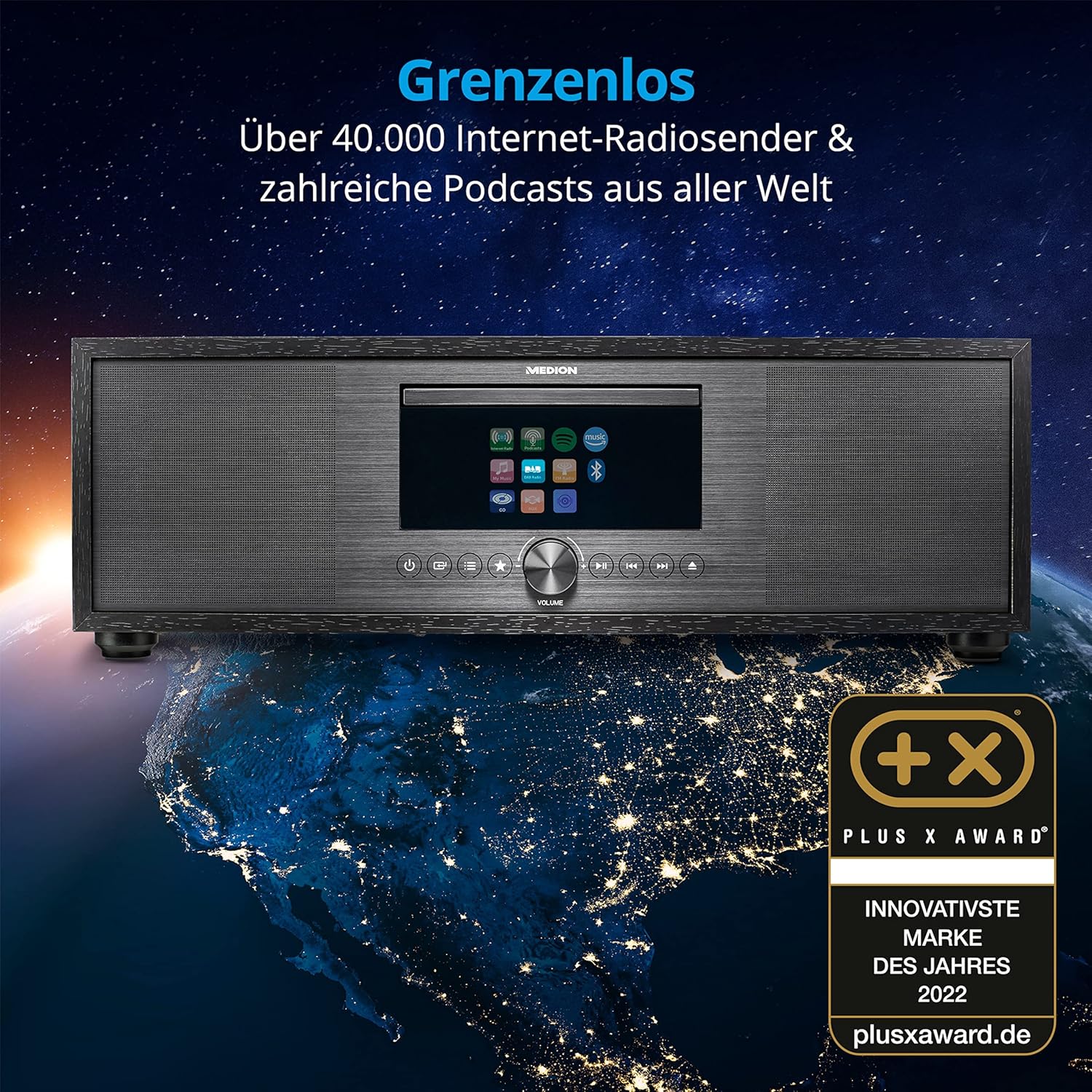
The MEDION P66400 system displaying its internet radio capabilities.
6.2-Zoll-DAB+- und UKW-Radio
Switch to 'DAB+' or 'FM' mode. The system will automatically scan for available stations. You can save up to 40 stations as presets for quick access.
6.3-Zoll-CD/MP3-Player
Insert an audio CD or an MP3 CD into the CD slot. The system will automatically detect and begin playback. Use the navigation buttons to control playback (play, pause, skip tracks).

Inserting a CD into the integrated CD player.
6.4 Bluetooth-Konnektivität
Select 'Bluetooth' mode. On your smartphone or other Bluetooth device, search for 'MEDION P66400' and pair. Once connected, you can stream audio wirelessly from your device to the audio system.

Streaming music via Bluetooth from a smartphone.
6.5 USB-Wiedergabe
Insert a USB storage device into the USB port on the rear panel. Select 'USB' as the source. The system will display the contents of the USB device, allowing you to browse and play audio files.
6.6 AUX and Line In
Connect an external audio device (e.g., MP3 player, TV) to the AUX In (3.5 mm) or Line In (RCA) ports. Select 'AUX' or 'Line In' as the source to play audio from the connected device.
6.7 Spotify Connect and Amazon Music
The system supports Spotify Connect and Amazon Music. Ensure your device is connected to Wi-Fi. Use the respective apps on your smartphone or tablet to control music playback directly on the MEDION P66400.
6.8 Alarmfunktion
Access the alarm settings through the system menu. You can set multiple alarms with various sources (radio, buzzer) and snooze/sleep timer functions.
6.9 Toneinstellungen
The system features a 2.1 audio system with an integrated subwoofer, providing rich sound. Access the equalizer settings via the menu or remote control to choose from 9 sound presets or customize your audio experience.

Illustration of the 2.1 sound system with integrated subwoofer.
7. Wartung
To ensure the longevity and optimal performance of your audio system:
- Reinigung: Reinigen Sie die Außenseite mit einem weichen, trockenen Tuch. Verwenden Sie keine flüssigen Reinigungsmittel oder Scheuermittel.
- CD-Spieler: Regularly clean the CD lens with a specialized CD lens cleaner.
- Belüftung: Halten Sie die Lüftungsöffnungen frei von Staub und Verstopfungen.
- Lagerung: Wenn Sie das Gerät über einen längeren Zeitraum lagern, trennen Sie es vom Stromnetz und bewahren Sie es an einem kühlen, trockenen Ort auf.
8. Fehlerbehebung
| Problem | Mögliche Ursache | Lösung |
|---|---|---|
| Kein Strom | Stromkabel nicht angeschlossen; Steckdose defekt. | Überprüfen Sie den Netzanschluss; versuchen Sie es mit einer anderen Steckdose. |
| Kein Ton | Lautstärke zu niedrig; falsche Quelle ausgewählt; Stummschaltung aktiviert. | Increase volume; select correct source; deactivate mute. |
| Schlechter Radioempfang | Antenna not properly connected or extended; weak signal. | Ensure antenna is fully extended and positioned correctly; try repositioning the unit. |
| Probleme mit der Bluetooth-Kopplung | Device not in pairing mode; distance too far. | Ensure both devices are in pairing mode; move devices closer. |
| CD wird nicht abgespielt | CD inserted incorrectly; CD scratched or dirty; unsupported format. | CD korrekt wieder einlegen; CD reinigen; sicherstellen, dass es sich um eine Audio-CD oder MP3-CD handelt. |
9. Spezifikationen
| Besonderheit | Spezifikation |
|---|---|
| Modellnummer | P66400 |
| Audiosystem | 2.1 with integrated subwoofer |
| Ausgangsleistung (RMS) | 2 x 20 W + 1 x 40 W (subwoofer) |
| Radio-Tuner | Internet Radio, DAB+, PLL FM (40 presets) |
| Anzeige | 7.1 cm LCD, 4-level dimmable |
| Konnektivität | Bluetooth, USB, AUX In (3.5 mm), Line In (RCA), Headphone Jack, Wi-Fi |
| CD Spieler | Supports Audio-CDs, MP3-CDs |
| Streaming-Dienste | Spotify Connect, Amazon Music |
| Stromquelle | AC 220V (Electric Cable) |
| Abmessungen (L x B x H) | 44 cm x 26 cm x 14.7 cm |
| Gewicht | 5.15 kg |
| Batterien für Fernbedienungen | 2 x AAA (im Lieferumfang enthalten) |
10. Garantie und Support
For warranty information and customer support, please refer to the warranty card included in your package or visit the official MEDION webBewahren Sie Ihren Kaufbeleg für Garantieansprüche auf.
Hersteller: MEDION
WebWebsite: www.medion.com


