1. Einleitung
The SIIG Thunderbolt 4 Docking Station (Model: JU-DK0U11-S1) is designed to expand the connectivity of your laptop, providing a comprehensive workstation solution. This docking station offers 15 ports, enabling connections for multiple displays, peripherals, network, and power through a single Thunderbolt 4 cable. It supports high-speed data transfer and versatile display configurations for both Mac and Windows systems.

Image 1.1: SIIG Thunderbolt 4 Docking Station (JU-DK0U11-S1) overview.
2. Packungsinhalt
Überprüfen Sie, ob alle Artikel in Ihrem Paket vorhanden sind:
- SIIG Thunderbolt 4 Docking Station (JU-DK0U11-S1)
- 150W Netzteil
- Thunderbolt 4 Kabel
- Bedienungsanleitung

Image 2.1: Contents included in the SIIG Thunderbolt 4 Docking Station package.
3. Produktüberschreitungview
3.1 Anschlüsse an der Vorderseite
- 3.5mm Stereo Out: Für Kopfhörer oder externe Lautsprecher.
- SD 3.0 Card Slot: Supports SD 3.0 UHS-1 memory cards up to 2TB.
- USB-A 3.2 Gen 1 (5Gbps) Ports (x2): For connecting USB-A peripherals, supporting 5V/0.9A charging.
- Thunderbolt 4-Port: For connecting Thunderbolt 4 devices or displays.
- Netzschalter: Zum Ein- und Ausschalten der Dockingstation.

Abbildung 3.1: Detailansicht view of the front panel ports.
3.2 Anschlüsse auf der Rückseite
- DC Power Jack (20V/7.5A): Connects to the included 150W power adapter.
- Thunderbolt 4 Port (Host PD 60W): Connects to your laptop via the Thunderbolt 4 cable, providing up to 60W power delivery.
- 3.5mm Mic In: Zum Anschluss eines externen Mikrofons.
- Micro SD (TF) 3.0 Card Slot: Supports Micro SD (TF) 3.0 UHS-1 memory cards up to 2TB.
- USB-A 2.0 (480Mbps) Ports (x2): For connecting USB-A peripherals, supporting 5V/1.5A charging.
- Gigabit-Ethernet-Port: Für kabelgebundene Netzwerkverbindungen.
- DisplayPort-Ausgang: Zum Anschluss eines externen Displays.
- HDMI-Ausgang: Zum Anschluss eines externen Displays.
- Thunderbolt 4-Anschlüsse (x2): For connecting additional Thunderbolt 4 devices or displays, providing 45W power delivery.

Abbildung 3.2: Detailansicht view of the rear panel ports.
4. Einrichtungsanweisungen
- Strom anschließen: Plug the included 150W power adapter into the DC Power Jack on the rear of the docking station, then connect it to a power outlet.
- Verbindung zum Host-Laptop herstellen: Use the provided Thunderbolt 4 cable to connect the Thunderbolt 4 Host port (60W PD) on the rear of the docking station to your laptop's Thunderbolt 4 or USB-C port.
- Einschalten: Press the power button on the front panel of the docking station. The power indicator LED should illuminate.
- Displays verbinden: Connect your monitors to the available DisplayPort, HDMI, and Thunderbolt 4 output ports on the docking station. Refer to the 'Display Configuration' section for supported setups.
- Peripheriegeräte anschließen: Connect your USB devices, Ethernet cable, and audio devices to the corresponding ports on the docking station.
5. Bedienungsanleitung
5.1 Anzeigekonfiguration
The docking station supports various display setups, including single 8K or quad 4K displays, utilizing Thunderbolt 4 and DisplayLink technology. Ensure DisplayLink drivers are installed for optimal performance, especially for additional displays beyond native Thunderbolt outputs.
- Single Display Output: Supports up to 8K resolution.
- Dual-Display-Ausgang: Supports up to 2x 4K resolution via two Thunderbolt 4 ports.
- Quad Display Output: Achieved by combining two Thunderbolt 4 ports with the DisplayPort and HDMI ports, enabling four 4K displays.

Abbildung 5.1: Beispielample of a quad display setup using the docking station.

Image 5.2: Display compatibility and resolution matrix for Windows and Mac M1/M2 systems.
5.2 Stromversorgung
The docking station provides power to your connected devices:
- Aufladen des Laptops: Up to 60W Power Delivery (PD) to the host laptop via the Thunderbolt 4 host port.
- Thunderbolt 4-Anschlüsse: Each of the three downstream Thunderbolt 4 ports provides up to 45W of power.
- USB-A Fast Charging: Two USB-A 5Gbps ports support 5V/0.9A charging, and two USB-A 2.0 ports support 5V/1.5A charging.

Image 5.3: Power delivery capabilities of the docking station.
5.3 Datenübertragung
Experience high-speed data transfer for efficient workflow:
- Blitz 4: Up to 40Gbps data transfer speed, 8 times faster than USB 3.0.
- USB A 3.2 Gen 1: Datenübertragungsgeschwindigkeit bis zu 5 Gbit/s.
- Speicherkartenleser: Supports SD 3.0 UHS-1 and Micro SD (TF) 3.0 UHS-1 with data transfer rates up to 104MB/s.
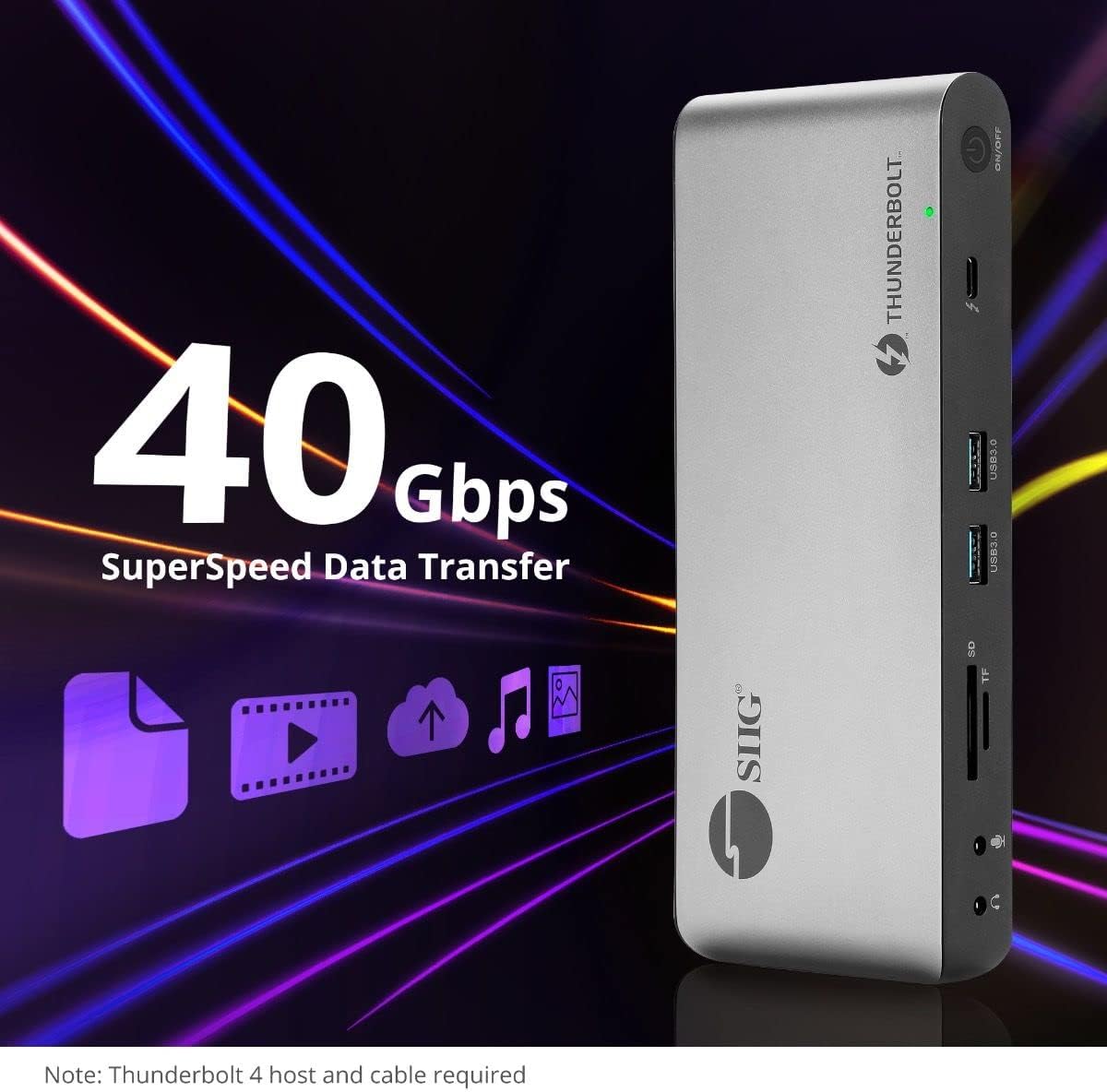
Image 5.4: High-speed data transfer capabilities.
6. Kompatibilität
The SIIG Thunderbolt 4 Docking Station is broadly compatible with various systems:
- Betriebssysteme: Mac M1/M2/M3 Pro & Max, Intel chip Macs, Windows PCs (Intel/AMD/Snapdragon), and Chromebooks.
- Abwärtskompatibilität: Fully compatible with Thunderbolt 3, USB4, and USB-C equipped computers.
7. Wartung
Um die Langlebigkeit und optimale Leistung Ihrer Dockingstation zu gewährleisten, beachten Sie bitte folgende Wartungsrichtlinien:
- Reinigung: Reinigen Sie die Außenseite des Geräts mit einem weichen, trockenen Tuch. Vermeiden Sie flüssige Reiniger oder Lösungsmittel.
- Belüftung: Stellen Sie sicher, dass die Dockingstation in einem gut belüfteten Bereich aufgestellt wird, um eine Überhitzung zu vermeiden. Blockieren Sie keine Lüftungsöffnungen.
- Lagerung: Bewahren Sie das Gerät an einem kühlen, trockenen Ort fern von direkter Sonneneinstrahlung und extremen Temperaturen auf.
- Handhabung: Lassen Sie das Gerät nicht fallen und setzen Sie es keinen starken Stößen aus.
8. Fehlerbehebung
If you encounter issues with your SIIG Thunderbolt 4 Docking Station, refer to the following common problems and solutions:
- Kein Strom:
- Stellen Sie sicher, dass das Netzteil sowohl an die Dockingstation als auch an eine funktionierende Steckdose fest angeschlossen ist.
- Verify the power button on the docking station is pressed and the power indicator LED is on.
- Anzeigeprobleme (Kein Signal/Falsche Auflösung):
- Check all display cables (HDMI, DisplayPort, Thunderbolt) are securely connected to both the docking station and the monitors.
- Ensure your laptop's display settings are configured correctly to detect and extend/mirror displays.
- For multi-display setups, especially beyond two monitors, ensure DisplayLink drivers are installed and up to date on your operating system.
- Verify your monitors support the selected resolution and refresh rate.
- Peripheriegeräte nicht erkannt:
- Ensure USB devices are properly connected to the docking station's USB ports.
- Versuchen Sie, das Peripheriegerät direkt an Ihren Laptop anzuschließen, um zu überprüfen, ob es funktioniert.
- Restart the docking station and your laptop.
- Überhitzung:
- Ensure the docking station is placed in an area with adequate airflow and not covered.
- Reduce the number of high-power devices connected if possible, or consider using a cooling pad if persistent.
- Langsame Datenübertragung:
- Ensure you are using Thunderbolt 4 certified cables for Thunderbolt connections.
- Verify the connected device supports the expected transfer speeds.
9. Spezifikationen
| Besonderheit | Detail |
|---|---|
| Modellnummer | JU-DK0U11-S1 |
| Technische Daten | 3.27 x 7.8 x 1.14 Zoll |
| Artikelgewicht | 15.4 Unzen (0.96 Pfund) |
| Anzahl der Ports | 15 (including 7 USB ports) |
| Host-Verbindung | Thunderbolt 4 (USB-C) |
| Videoausgänge | 1x HDMI, 1x DisplayPort, 3x Thunderbolt 4 (USB-C) |
| Maximale Bildschirmauflösung | Single 8K@30Hz, Quad 4K@60Hz |
| Stromversorgung (Host) | Bis zu 60 W |
| Power Delivery (Downstream TB4) | Bis zu 45 W pro Port |
| Datenübertragungsgeschwindigkeit | Thunderbolt 4: 40Gbps, USB-A 5Gbps: 5Gbps |
| Ethernet | Gigabit Ethernet |
| Kartenleser | SD 3.0 UHS-1, Micro SD (TF) 3.0 UHS-1 (up to 2TB) |
| Audio-Anschlüsse | 3.5mm Stereo Out, 3.5mm Mic In |
| Kompatibles Betriebssystem | Mac M1/M2/M3 Pro & Max, Intel Macs, Windows, Chromebooks |
| Farbe | Schwarz |
| UPC | 662774045689 |
10. Garantie und Support
SIIG products are designed for reliability and performance. For warranty information and technical support, please refer to the documentation included with your product or visit the official SIIG webWebsite. Bewahren Sie Ihren Kaufbeleg für Garantieansprüche auf.


