Einführung
Thank you for choosing the Aubess 10A Mini WiFi Smart Plug with Energy Monitoring. This smart plug allows you to control your electronic devices remotely, monitor energy consumption, and automate your home using the VeSync app, Amazon Alexa, or Google Assistant. This manual provides essential information for safe operation, setup, and troubleshooting.

Image: The Aubess 10A Mini WiFi Smart Plug, a compact white device designed to fit into standard wall outlets.
Sicherheitshinweise
- Überschreiten Sie nicht die maximale Belastung von 10 Amps oder 1200 Watt.
- Use only in dry indoor locations. Avoid damp Umgebungen.
- Stellen Sie sicher, dass der smarte Stecker vollständig in die Wandsteckdose eingesteckt ist.
- Zerlegen oder modifizieren Sie das Gerät nicht.
- Außerhalb der Reichweite von Kindern aufbewahren.
- If the plug feels excessively hot, discontinue use and contact support.
Packungsinhalt
- Aubess 10A Mini WiFi Smart Plug
- Bedienungsanleitung
Produkt überview
The Aubess Smart Plug is a compact device designed to make your home smarter. It features a power button/indicator light and a standard 3-prong outlet.
Hauptmerkmale:
- Energieüberwachung: Track power consumption of connected devices.
- Fernbedienung: Control devices from anywhere via the VeSync app.
- Sprachsteuerung: Kompatibel mit Amazon Alexa und Google Assistant.
- Planung und Timer: Set custom schedules and timers for automation.
- Kompaktes Design: Mini size ensures it does not block adjacent outlets.
Aufstellen
1. Download the VeSync App
Suchen nach "VeSync" in the Apple App Store or Google Play Store and download the app. Create an account or log in if you already have one.
2. Prepare for Connection
- Plug the Aubess Smart Plug into a wall outlet.
- Stellen Sie sicher, dass Ihr Smartphone mit einem 2.4 GHz Wi-Fi-Netzwerk. The smart plug does not support 5GHz Wi-Fi.
- Place the smart plug within range of your Wi-Fi router.

Image: Diagram illustrating the smart plug's connection to a Wi-Fi router.
3. Pair the Device with VeSync App
- Öffnen Sie die VeSync-App.
- Tap the "+" icon or "Add Device" to add a new device.
- Select "Aubess Smart Plug" from the device list.
- Follow the in-app instructions to connect the smart plug. This typically involves pressing and holding the power button on the plug for 5 seconds until the Wi-Fi indicator blinks, then entering your Wi-Fi password in the app.
- Sobald die Verbindung hergestellt ist, können Sie Ihrer intelligenten Steckdose einen Namen geben und sie einem Raum zuweisen.

Image: A four-step visual guide showing the process of adding the smart plug to the VeSync app, from selecting 'Add Device' to successful pairing.
Bedienungsanleitung
Grundlegende Ein-/Ausschaltsteuerung
- Manuelle Kontrolle: Drücken Sie den Netzschalter an der intelligenten Steckdose, um das angeschlossene Gerät manuell ein- oder auszuschalten.
- App-Steuerung: Open the VeSync app, select your smart plug, and tap the power icon to toggle its status.

Image: A user plugging in the smart plug and then connecting it via the VeSync app on a smartphone.
Energiemonitoring
The VeSync app provides real-time and historical data on the power consumption of devices connected to your smart plug. This feature helps you track usage and manage energy costs.
- In the VeSync app, select your smart plug.
- Navigate to the energy monitoring section to view statistics such as current voltage, energy usage (kWh), and power (Watts).

Image: A graph illustrating energy consumption data over several days, demonstrating the energy monitoring feature.
Planungs- und Timerfunktionen
Automate your devices by setting schedules or timers through the VeSync app.
- Zeitplan: Set specific times for the smart plug to turn on or off daily or on selected days of the week.
- Timer: Set a countdown timer for the smart plug to turn off after a specified duration.
- Auswärtsmodus: Simulate occupancy by randomly turning devices on and off.

Image: A smart plug in use with an espresso machine and toaster, showing a customizable schedule with auto-on at 07:30 and auto-off at 08:00.
Sprachsteuerung mit Alexa und Google Assistant
Integrate your Aubess Smart Plug with Amazon Alexa or Google Assistant for hands-free control.
- Ensure your Alexa or Google Assistant device is set up and connected to the internet.
- In the Alexa or Google Home app, enable the VeSync skill/action.
- Link your VeSync account to your Alexa/Google account.
- Geräte suchen. Ihre smarte Steckdose sollte angezeigt werden.
- Verwenden Sie Sprachbefehle wie:
- "Alexa, schalte das Licht ein."amp."
- "Google, turn off the coffee machine."
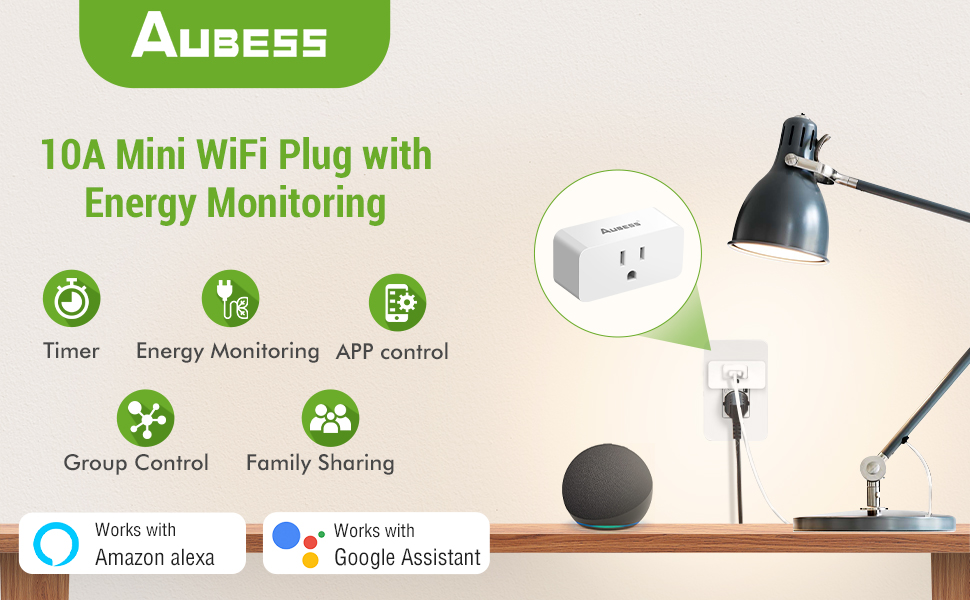
Image: A person using voice commands with an Amazon Echo Dot and Google Home speaker to control a lamp connected to a smart plug.
Device Sharing and Group Control
- Gerätefreigabe: Share control of your smart plugs with family members through the VeSync app.
- Gruppensteuerung: Create groups of smart plugs in the app to control multiple devices simultaneously with a single command.

Image: An illustration of a house with various smart devices connected to the VeSync app, demonstrating the group control feature.
Wartung
- Reinigung: Disconnect the smart plug from the power outlet before cleaning. Wipe with a dry, soft cloth. Do not use liquid cleaners.
- Lagerung: Store the smart plug in a cool, dry place when not in use.
Fehlerbehebung
Häufige Probleme und Lösungen:
- Smart Plug not connecting to Wi-Fi:
- Stellen Sie sicher, dass Ihr WLAN-Netzwerk mit 2.4 GHz arbeitet.
- Prüfen Sie, ob das WLAN-Signal am Standort der Steckdose stark genug ist.
- Starten Sie Ihren WLAN-Router neu und versuchen Sie es erneut mit der Kopplung.
- Reset the smart plug by holding the power button for 5-10 seconds until the indicator light blinks rapidly.
- Device not responding to app/voice commands:
- Verify the smart plug is connected to Wi-Fi and the indicator light is solid.
- Überprüfen Sie Ihre Internetverbindung.
- Stellen Sie sicher, dass die VeSync-App auf die neueste Version aktualisiert ist.
- For voice control, confirm the VeSync skill/action is enabled and linked correctly in your Alexa/Google Home app.
- Smart Plug feels warm:
- It is normal for smart plugs to generate some heat during operation.
- If the plug feels excessively hot to the touch, unplug it immediately and discontinue use. Contact customer support.
- Ensure the connected appliance does not exceed the maximum wattage (1200W) or current (10A).
- Energy monitoring data is inaccurate:
- Stellen Sie sicher, dass die smarte Steckdose ordnungsgemäß angeschlossen ist und das Gerät Strom bezieht.
- If persistent issues occur, contact customer support.
Technische Daten
| Modellnummer | 10A Abuess Smart Plug |
| Aktuelle Bewertung | 10 Amps |
| Betriebslautstärketage | 120 Volt |
| Wastage | 1200 Watt max. |
| Konnektivitätsprotokoll | Bluetooth, Wi-Fi (nur 2.4 GHz) |
| Kontrollmethode | App, Fernbedienung, Stimme |
| Controllertyp | Amazon Alexa, Android, Google Assistant, iOS |
| Abmessungen (L x B x H) | 2.56 x 1.26 x 1.06 Zoll |
| Artikelgewicht | 7.9 Unzen |
Garantie und Support
Aubess provides a 30-day worry-free return policy and a 12-month warranty for this product.
Kundendienst:
If you encounter any issues or have questions regarding your Aubess Smart Plug, please contact us through the following methods:
- Amazon Mail: Contact us directly via the Amazon messaging system.
- Customer Q&A: Post your question on the product's customer Q&A section on Amazon.
- Aubess Official WebWebsite: Visit the official Aubess website for further support options.


