1. Produktüberschreitungview
The BISOFICE 3-IN-1 Mini Projector is a versatile and portable device designed for various entertainment and presentation needs. Featuring Android TV 9.0, WiFi, and Bluetooth connectivity, it delivers 1080P HD projection with 150 ANSI lumens and automatic vertical keystone correction.
Hauptmerkmale:
- Upgraded Performance & 1080P HD Projection: Android 9.0 system for smooth operation, 400:1 contrast ratio, 35,000-hour LED bulb lifetime, 100 ANSI lumens for clear images, and advanced color restoration technology.
- Low Noise 3-Side Stereo Speakers: Advanced noise reduction (max 28BD fan noise) and unique 3-sided speakers for clear, three-dimensional audio. Supports external speakers.
- Mehrere Schnittstellen: Equipped with HDMI, VGA, AV, and USB ports for connecting smartphones, laptops, tablets, USB drives, and TV boxes.
- Tragbar für unterwegs: Compact and lightweight design, 7000 mAh battery for 1-2 movies, supports Type-C mobile power supply or car charger (5V/2.5A required).
- Verbesserte Auflösung: Natural resolution increased to 800*480 for improved brightness and color saturation.
Packungsinhalt:
- BISOFICE 3-IN-1 Mini Projector
- Fernbedienung
- Typ C-Kabel
- USB-Speicherstick
- 1.2 m Netzkabel
- 1 m HDMI-Kabel
- Stativ

Image: All items included in the BISOFICE Mini Projector package, including the projector, remote, cables, and tripod.
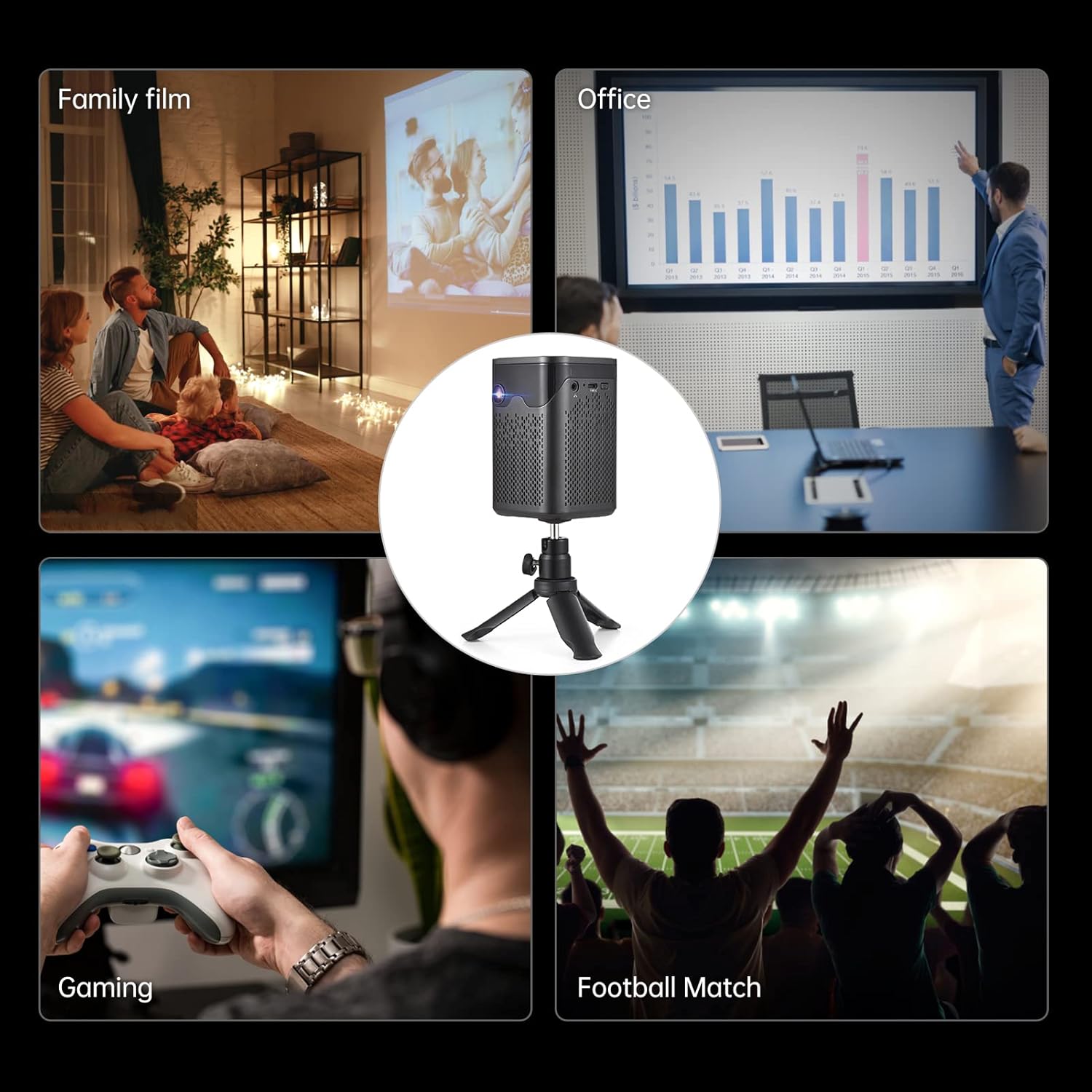
Image: A collage showing various usage scenarios for the projector, including family movie night, office presentations, gaming, and watching sports.
2. Installationsanleitung
2.1 Ersteinrichtung
- Einschalten: Connect the projector to a power source using the provided power cord or use the built-in 7000 mAh battery. Press the power button on the projector or remote control to turn it on.
- Platzierung: Stellen Sie den Projektor auf eine stabile, ebene Fläche. Für optimale Ergebnisse viewing, position it perpendicular to the projection surface. The included tripod can be used for flexible placement.
- Fokuseinstellung: Use the focus wheel on the side of the projector to achieve a clear image.
- Trapezkorrektur: The projector features auto-vertical keystone correction. If the image appears trapezoidal, the projector will automatically adjust it. Manual adjustment options may also be available in the settings.

Image: The BISOFICE Mini Projector shown with its remote control and a smartphone, highlighting its compact size and connectivity options.
2.2 Geräte anschließen
Der Projektor bietet vielfältige Möglichkeiten zum Anschluss Ihrer Geräte:
- HDMI: Connect laptops, gaming consoles, or TV boxes using an HDMI cable.
- USB: Schließen Sie USB-Laufwerke für die direkte Medienwiedergabe an.
- EIN V: Ältere Geräte können über ein AV-Kabel angeschlossen werden.
- Typ-C: Use the Type-C port for power input or connecting compatible devices.
- W-lan: Connect to your home network for streaming and online content.
- Bluetooth: Pair with external Bluetooth speakers, headphones, or input devices like a mouse or keyboard.

Image: A hand holding the compact BISOFICE Mini Projector, illustrating its portable design and small dimensions (74x74x110mm, 410g).
3. Bedienungsanleitung
3.1 Navigating the Android TV 9.0 Interface
The projector runs on Android TV 9.0, providing access to various applications and settings. Use the remote control to navigate the interface.
- Startbildschirm: Access pre-installed apps like Netflix, YouTube, and Google Play.
- Einstellungen: Adjust network, Bluetooth, language, date/time, and projection settings.
- Touchscreen-Bedienung: The top panel of the projector features touch controls for basic navigation and volume adjustment.

Image: The projector operating in Bluetooth Speaker Mode, connected to a smartphone playing music, demonstrating its audio capabilities.
3.2 Projektionseinstellungen
Access the "Projection Setting" menu to fine-tune your viewErfahrung:
- Projektionsmodus: Adjust for front, rear, ceiling front, or ceiling rear projection.
- Trapezkorrektur: Manual adjustment for image shape if needed.
- Helligkeitsanpassung: Control the image brightness.
- Zoom-Modus: Adjust the screen size without moving the projector.

Image: The projector displaying the Android 9 Smart OS interface, showing various applications like Netflix, YouTube, and Google Play.
3.3 Video Playback and Connectivity
Enjoy movies, videos, and games by connecting your devices or streaming directly:
Video: A demonstration of the BISOFICE Mini Projector's interface, settings, and projection capabilities, including network and language settings, and media playback.
Video: Ein kurzer Überblickview of the Mini Projector with WiFi and Bluetooth, showcasing its compact design, touch screen operation, headphone jack, battery life, keystone correction, and various usage scenarios.
4. Wartung
4.1 Reinigung
- Linse: Reinigen Sie die Projektorlinse vorsichtig mit einem weichen, fusselfreien Tuch. Vermeiden Sie scheuernde Materialien oder aggressive Chemikalien.
- Exterieur: Clean the exterior of the projector with a dry or slightly damp soft cloth. Do not use liquid cleaners directly on the device.
- Belüftung: Um eine Überhitzung zu vermeiden, stellen Sie sicher, dass die Lüftungsöffnungen frei von Staub und Schmutz sind.
4.2 Literamp Lebensdauer
The projector uses an LED light source with an estimated lifetime of 35,000 hours, providing long-term use without frequent lamp Ersatz.

Image: Graphic illustrating the projector's LED lamp lifetime of 30,000 hours and 100 ANSI lumens brightness.
5. Fehlerbehebung
- Kein Bild:
- Vergewissern Sie sich, dass der Projektor eingeschaltet und korrekt angeschlossen ist.
- Überprüfen Sie die Auswahl der Eingabequelle.
- Verify the projection surface is clear.
- Verschwommenes Bild:
- Stellen Sie das Fokusrad so ein, dass das Bild scharf ist.
- Ensure the projector is within the recommended projection distance (0.5m-3m for 10-100 inches).
- Überprüfen Sie die Trapezkorrektureinstellungen.
- Kein Ton:
- Erhöhen Sie die Lautstärke am Projektor und am angeschlossenen Gerät.
- Überprüfen Sie die Audioausgabeeinstellungen des angeschlossenen Geräts.
- Ensure Bluetooth speakers are properly paired if used.
- Verbindungsprobleme (WLAN/Bluetooth):
- Ensure WiFi/Bluetooth is enabled on both the projector and the device.
- Starten Sie den Projektor und das angeschlossene Gerät neu.
- Check network settings and password for WiFi.
6. Spezifikationen
| Besonderheit | Detail |
|---|---|
| Marke | Bischofsamt |
| Modellnummer | 3-IN-1 Mini Projector |
| Betriebssystem | Android 9.0 |
| Display-Technologie | DLP |
| Bildschirmauflösung | 3840 x 2160 (4K supported) |
| Helligkeit | 150 ANSI-Lumen |
| Kontrastverhältnis | 400:1 |
| Konnektivität | WiFi, Bluetooth, HDMI, VGA, AV, USB, Type-C |
| Lautsprechertyp | Built-In 3W Stereo Speakers |
| Batterie | 7000 mAh (up to 1-2 movies playback) |
| Maße | 2.91 x 2.91 x 4.33 Zoll |
| Artikelgewicht | 2.2 Pfund |
| Besondere Merkmale | HDMI Connectivity, Portable, USB Connectivity, Auto-Vertical Keystone |
7. Garantie und Support
This BISOFICE product comes with a standard manufacturer's warranty. Please refer to the warranty card included in your package for specific terms and conditions. For technical support, troubleshooting assistance, or warranty claims, please contact BISOFICE customer service through their official webWebsite oder den Händler, bei dem das Produkt gekauft wurde.
Halten Sie Ihren Kaufbeleg und die Seriennummer des Produkts bereit, wenn Sie den Kundendienst kontaktieren.


