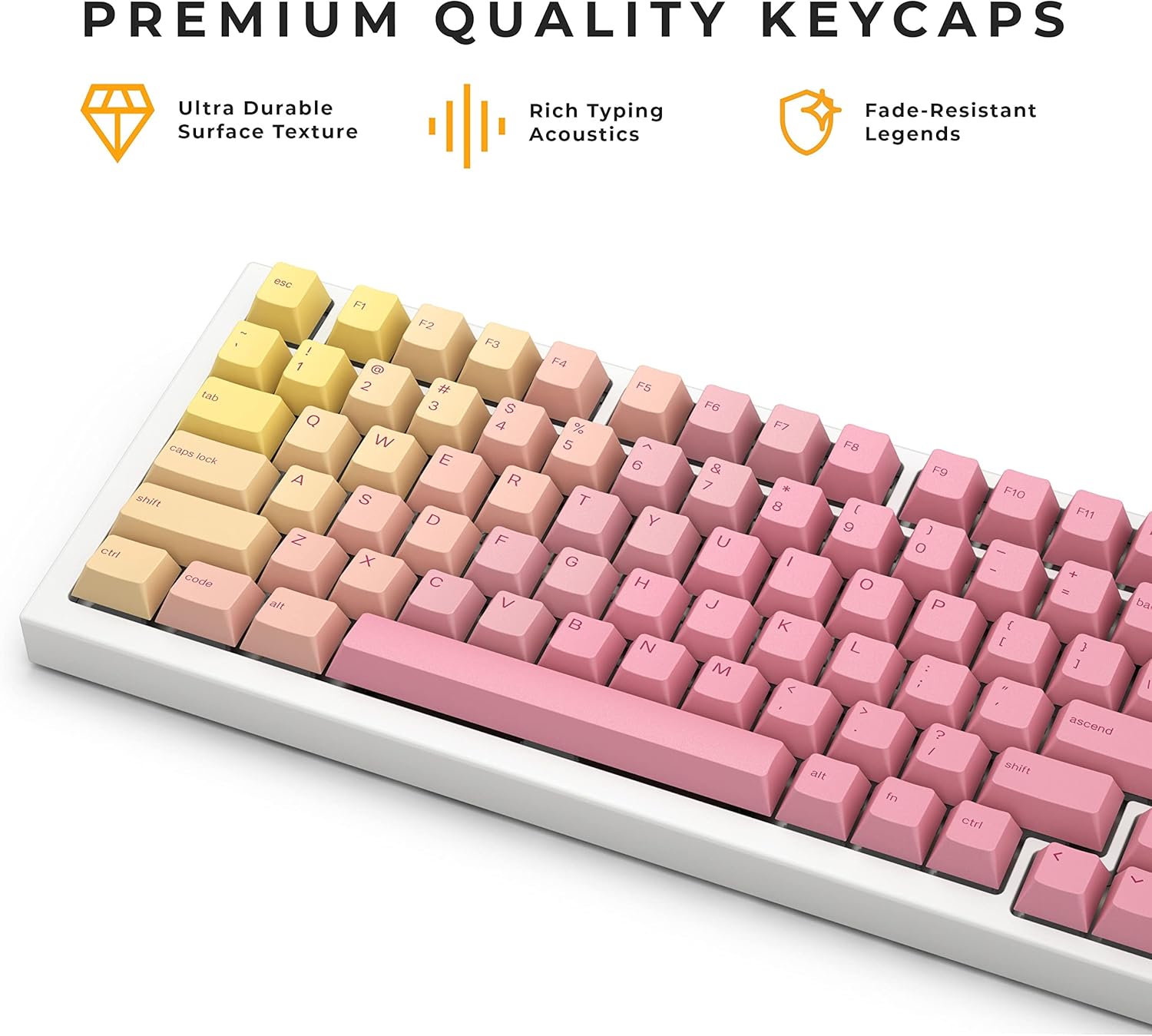
Thank you for choosing the Glorious Grapefruit PBT Keycaps Set. This set features a striking pastel gradient in vibrant yellow and soft pink, designed to enhance the aesthetic and typing experience of your mechanical keyboard. Made from durable PBT material with dye-sublimated legends, these keycaps offer rich acoustics, a satisfying textured surface, and fade resistance. This manual provides detailed instructions for installation, usage, and maintenance to ensure optimal performance and longevity of your keycaps.
Image: The Glorious Grapefruit PBT Keycaps Set, showcasing its unique pink and yellow gradient design on a mechanical keyboard.
Packungsinhalt
Your Glorious Grapefruit PBT Keycaps Set package includes the following items:
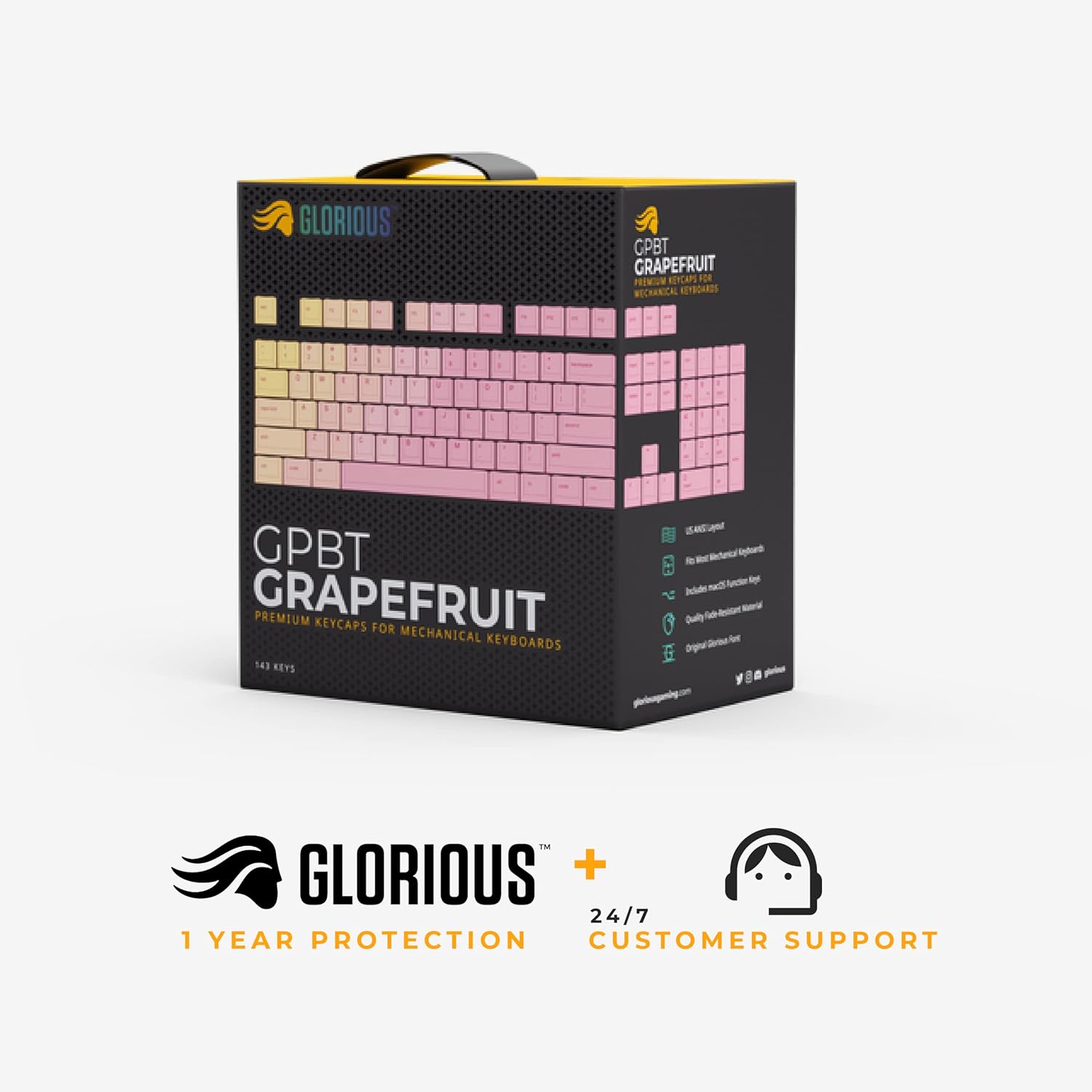
1 × GPBT Grapefruit Keycap Set (143 Keys)
Additional macOS compatible keys
Image: The retail packaging for the Glorious Grapefruit PBT Keycaps Set.
Setup und Installation
Follow these steps to properly install your new Glorious Grapefruit PBT Keycaps. Ensure your keyboard is disconnected from power before beginning the installation process.
1. Prepare Your Keyboard
If you are replacing existing keycaps, carefully remove them using a keycap puller. Ensure the mechanical switches are clean and free of debris.
Image: Detail of MX-style mechanical switches, indicating compatibility for keycap installation.
2. Tastenkappen installieren
Align each keycap with its corresponding switch stem and press down firmly until it clicks into place. Start with the larger keys (Spacebar, Shift, Enter) and ensure the stabilizers are properly seated.
Image: A comprehensive layout of all 143 keycaps included in the set, illustrating their sizes and positions for various keyboard layouts.
3. Kompatibilität
This keycap set is designed to fit all Glorious keyboards and most Full Size, TKL (Tenkeyless), and Compact mechanical keyboards. It includes alternate function row and modifier keys for macOS compatibility.
Bild: Examples of Glorious keyboards (GMMK 2 Compact, GMMK Pro, GMMK 2 Full Size) fitted with the Grapefruit keycaps, highlighting broad compatibility.
Image: The Grapefruit keycap set includes extra keycaps for macOS users, such as Option and Command keys.
Bedienung und Nutzung
Once installed, your Glorious Grapefruit PBT Keycaps are ready for use. These keycaps are designed for an optimal typing experience with their low-profile Cherry MX profile and PBT material construction.
Tastenkappe Profile and Feel
The keycaps feature an ergonomic Cherry profile, providing a comfortable and familiar typing angle. The PBT material offers a satisfying textured surface and contributes to rich acoustics during typing.
Abbildung: Seite A view of the keycaps on a keyboard, highlighting their ergonomic Cherry profile für maximalen Komfort.
Ästhetisches Design
The unique grapefruit colorway, with its pastel yellow and pink gradient, adds a vibrant and custom look to your keyboard setup. The legends are dye-sublimated for durability and fade resistance, ensuring long-lasting visual appeal.
Image: A complete desk setup featuring the Grapefruit keycaps, demonstrating their eye-catching colorway in a real-world environment.
Wartung
To keep your Glorious Grapefruit PBT Keycaps in excellent condition and ensure their longevity, follow these simple maintenance guidelines:
Regelmäßige Reinigung: Verwenden Sie eine weiche Bürste oder Druckluft, um Staub und Schmutz zwischen den Tastenkappen zu entfernen.
Gründliche Reinigung: For a more thorough clean, carefully remove the keycaps using a keycap puller. Wash them gently with mild soap and lukewarm water. Avoid harsh chemicals or abrasive materials, as these can damage the PBT plastic and dye-sublimated legends.
Trocknen: Ensure keycaps are completely dry before re-installing them on your keyboard.
Handhabung: When installing or removing keycaps, apply even pressure to avoid damaging the keycap stem or the switch.
Image: The keycaps are made from premium PBT material, offering ultra-durable surface texture and fade-resistant legends, making them easy to maintain.
Fehlerbehebung
If you encounter any issues with your Glorious Grapefruit PBT Keycaps, please refer to the common troubleshooting tips below. For more detailed assistance, consult the official Troubleshooting Guide PDF or contact Glorious customer support.
Keycap Not Fitting: Ensure you are aligning the keycap correctly with the switch stem. Apply firm, even pressure. Verify that your keyboard uses MX-style switches.
Loose Keycap: If a keycap feels loose, it might be due to a worn switch stem or improper installation. Re-seat the keycap firmly.
Discolored or Faded Legends: The dye-sublimation process ensures high durability against fading. If you notice discoloration, ensure you are not using harsh cleaning agents.
Most Full Size, TKL, and Compact mechanical keyboards (Cherry MX-style switches), includes macOS keys.
Technische Daten
0.07 x 0.07 x 0.03 Zoll
Artikelgewicht
12 Unzen
Garantie und Support
Glorious stands behind the quality of its products. Your Grapefruit PBT Keycaps Set comes with a 1 Jahre Herstellergarantie. Glorious products can receive an additional year of warranty when registered on their official webWebsite.
For any questions, technical support, or warranty claims, please visit the official Glorious website or contact their customer support team. Details can be found on the product packaging or the Glorious brand store on Amazon.
Glorious Series One Pro – Kurzanleitung Dieses Handbuch enthält Einrichtungsanweisungen, Anschlussmöglichkeiten, Batterieinformationen, Reset-Verfahren und Supportdetails für die Glorious Series One Pro-Maus. Es enthält außerdem Garantieinformationen, Haftungsbeschränkungen und Sicherheitshinweise.
Glorious GMMK PRO Mechanical Gaming Keyboard User Guide Comprehensive user guide for the Glorious GMMK PRO mechanical gaming keyboard, detailing setup, firmware updates, hotkeys, customization software (Glorious Core, QMK), switch and keycap replacement, switch plate and rotary knob customization, and warranty information.
GMMK Compact Tastaturkürzel und LED-Steuerungsanleitung Ein umfassender Spickzettel für die mechanische Tastatur Glorious GMMK Compact, der alle Fn-Tastenkombinationen für allgemeine Funktionen, die LED-Hintergrundbeleuchtungssteuerung, Animationseffekte und Multimedia-Steuerungen detailliert beschreibt.