Einführung
This manual provides comprehensive instructions for the installation, operation, maintenance, and troubleshooting of the Grandstream GDS3712 Single Button HD IP Video Door System. Please read this manual thoroughly before attempting to install or operate the device to ensure proper functionality and safety.
The Grandstream GDS3712 is an HD IP Video Door System designed for secure access control and monitoring. It features powerful video resolution, robust construction, and SIP video streaming capabilities, making it suitable for various security applications.
Sicherheitshinweise
Beachten Sie bei der Installation und dem Betrieb die folgenden Sicherheitsvorkehrungen:
- Stellen Sie sicher, dass alle Stromanschlüsse sicher sind und den örtlichen Elektrovorschriften entsprechen.
- Setzen Sie das Gerät keinen extremen Temperaturen, Feuchtigkeit oder direkter Sonneneinstrahlung aus.
- Vermeiden Sie es, das Gerät in der Nähe starker elektromagnetischer Felder aufzustellen.
- Verwenden Sie nur vom Hersteller angegebenes Zubehör.
- Versuchen Sie nicht, das Gerät selbst zu öffnen oder zu reparieren. Überlassen Sie alle Wartungsarbeiten qualifiziertem Fachpersonal.
- Tragen Sie während der Installation geeignete persönliche Schutzausrüstung (PSA).
Packungsinhalt
Überprüfen Sie, ob alle Artikel in Ihrem Paket vorhanden sind:
- Grandstream GDS3712 Unit
- Montagehalterung und Schrauben
- Kabelbaum
- Quick Installation Guide (This manual serves as the detailed guide)
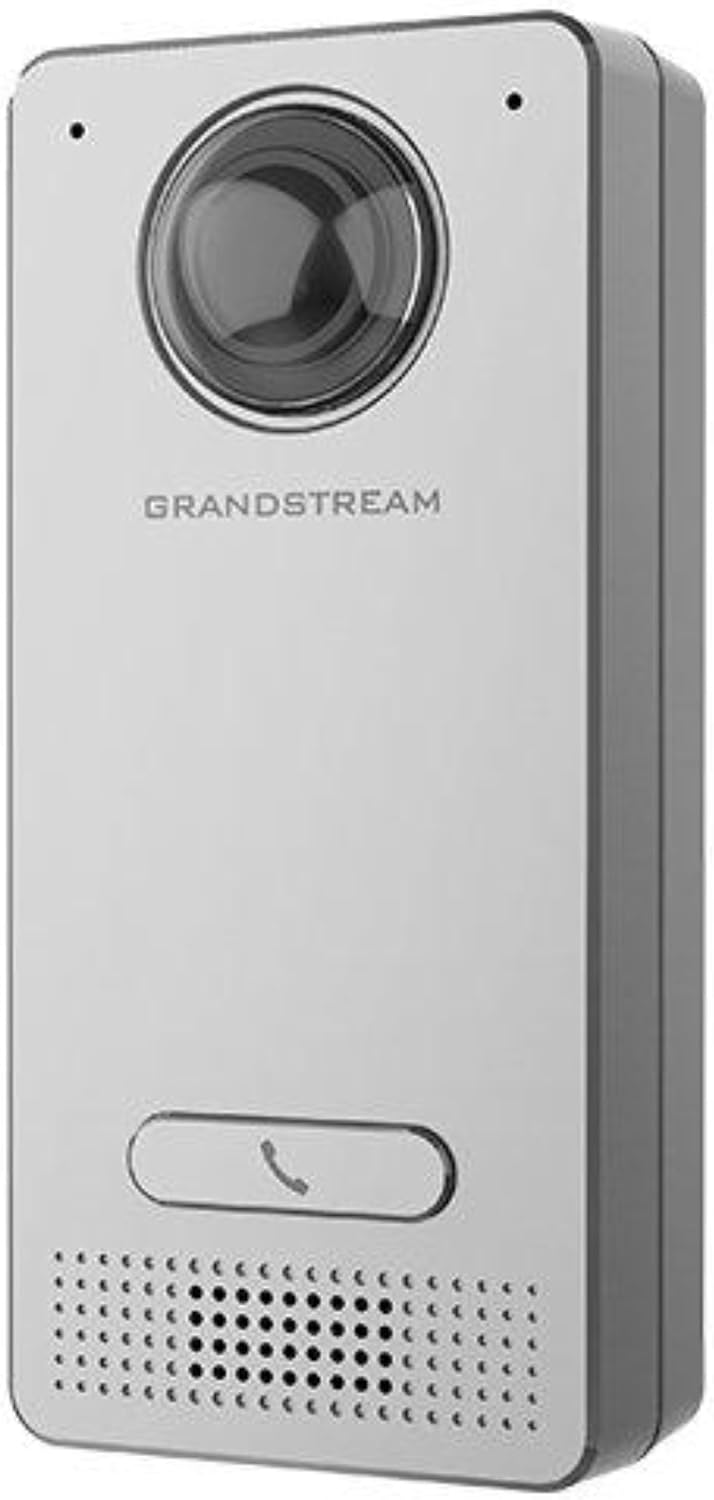
Image: Grandstream GDS3712 unit with included mounting accessories.
Produkt überview
The GDS3712 is a robust IP video door system designed for reliable access control and surveillance. Key features include:
- Hochauflösendes Video: Supports resolutions up to 1080p for clear visual identification.
- Integrated Relays: Two relays for electric lock and alarm output, and two alarm inputs for exit buttons and door sensors.
- SIP Compatibility: Enables video streaming to NVRs, video intercom stations, IP phones, and smartphones simultaneously.
- Langlebige Konstruktion: Metall casing provides weatherproof and vandal-resistant protection.
- Weites Feld von View: Built-in hemispheric camera offers 180-degree wall-to-wall coverage.

Bild: Vorderseite view of the GDS3712, highlighting the camera lens, call button, and speaker/microphone grille.
Installation und Setup
1. Montage des Gerätes
- Ort wählen: Select a suitable outdoor or indoor location, ensuring clear line of sight for the camera and easy access for visitors. Consider mounting height for optimal facial recognition.
- Verkabelung vorbereiten: Route necessary Ethernet (PoE recommended) and control wiring through the wall to the mounting point.
- Sichere Halterung: Use the provided screws to securely attach the mounting bracket to the wall.
- Verkabelung anschließen: Connect the Ethernet cable to the GDS3712's RJ45 port. If using external power, connect the power adapter. Connect alarm inputs/outputs and electric lock relays as required. Refer to the wiring diagram in the full technical datasheet for detailed connections.
- Gerät anhängen: Carefully align the GDS3712 unit with the mounting bracket and secure it in place.
2. Erste Netzwerkkonfiguration
- Einschalten: Apply power to the GDS3712. The device will boot up.
- Gerät erkennen: Use Grandstream's GDS Manager software or a network scanner to discover the GDS3712's IP address on your local network.
- Zugang Web Benutzeroberfläche: Öffnen Sie ein web browser and enter the device's IP address. Log in using the default credentials (usually admin/admin).
- Netzwerkeinstellungen konfigurieren: Set a static IP address, subnet mask, gateway, and DNS server if required by your network.
- Firmware aktualisieren: Check for and install the latest firmware updates from the Grandstream webWebsite für optimale Leistung und Sicherheit.
3. SIP-Kontoregistrierung
- Navigate to the SIP settings in the web UI
- Configure the SIP server address, SIP User ID, Authenticate ID, and Password as provided by your SIP service provider or IP PBX administrator.
- Ensure the SIP status shows "Registered" after applying settings.
Bedienungsanleitung
1. Einen Anruf tätigen
- Visitor Initiated Call: A visitor presses the single call button on the GDS3712. The device will dial the pre-configured SIP extension(s).
- Receiving Call: The call can be received on a compatible IP phone, video intercom station, or smartphone application.
2. Remote Door Opening
- During an active call, the recipient can enter a DTMF code (e.g., a PIN) on their receiving device to trigger the electric lock relay, opening the door.
- The specific DTMF code is configured in the GDS3712's web Schnittstelle.
3. Videoüberwachung
- The GDS3712's video stream can be accessed via an NVR, compatible IP video phone, or a dedicated surveillance application.
- Refer to your NVR or surveillance software documentation for instructions on adding an IP camera.
4. Alarm Inputs/Outputs
- Alarmeingang: Connect an exit button or door sensor to the alarm input ports. These can trigger events such as initiating a call or sending an alert.
- Alarmausgang: The alarm output can be configured to activate external devices (e.g., a siren) based on specific events detected by the GDS3712.
Wartung
- Reinigung: Periodically clean the camera lens and the device's exterior with a soft, damp Tuch. Verwenden Sie keine scharfen Chemikalien oder Scheuermittel.
- Firmware-Updates: Überprüfen Sie regelmäßig den Grandstream. website for new firmware versions. Keeping the firmware updated ensures optimal performance, security, and access to new features.
- Kabelinspektion: Periodically inspect all cables and connections for signs of wear or damage.
- Sicherungskonfiguration: It is recommended to regularly back up the device's configuration settings through the web Schnittstelle.
Fehlerbehebung
| Problem | Mögliche Ursache | Lösung |
|---|---|---|
| Gerät lässt sich nicht einschalten. | No power, faulty power adapter, or PoE issue. | Check power source, power adapter, and PoE switch/injector. Ensure cables are securely connected. |
| Kein Zugriff möglich web Schnittstelle. | Falsche IP-Adresse, Problem mit der Netzwerkverbindung oder Firewall blockiert den Zugriff. | Verify IP address. Check network cable. Ensure device and computer are on the same network segment. Temporarily disable firewalls. |
| SIP account fails to register. | Incorrect SIP server details, wrong credentials, or network issues preventing SIP communication. | Double-check SIP server address, user ID, and password. Verify network connectivity to the SIP server. Check firewall settings. |
| No video stream. | Network bandwidth issues, incorrect video settings, or NVR/client configuration. | Check network load. Verify video encoding settings in the GDS3712 web UI. Ensure NVR/client is configured correctly to receive the stream. |
| Door lock does not open remotely. | Incorrect DTMF code, relay wiring issue, or lock malfunction. | Verify the DTMF code in the GDS3712 settings. Check wiring between the GDS3712 and the electric lock. Test the electric lock independently. |
Technische Daten
| Besonderheit | Detail |
|---|---|
| Modell | GDS3712 |
| Hersteller | Großstream |
| Videoauflösung | Bis zu 1080p |
| Relais | 2 (for Electric Lock and Alarm Out) |
| Alarmeingänge | 2 (for Exit button and Door sensor) |
| Kamera | Hemispheric, 180-degree coverage |
| Casing | Metal, Weatherproof, Vandal Resistant |
| Energieaufnahme | 3 Watt |
| Artikelgewicht | 6 Unzen (170 Gramm) |
| Alarmtyp | Nur Bewegung |
Garantie und Support
Informationen zur Garantie finden Sie auf der offiziellen Grandstream-Website. website or the warranty card included with your product. Technical support can be obtained through Grandstream's official support channels, including their webWebsite, Wissensdatenbank und Kundendienst-Kontaktinformationen.
Always provide your product model number (GDS3712) and serial number when contacting support.


