Produkt überview
The iGear Duo Charging Cable is a versatile 2-in-1 solution designed for efficient charging and data synchronization across a wide range of devices. It features both a Type-C to Type-C connection and a Type-C to iPhone-pin connection, making it compatible with various smartphones, laptops, power banks, and other USB-C and Lightning-enabled devices.
Zu den Hauptmerkmalen gehören:
- Duale Konnektivität: Offers both Type-C to Type-C and Type-C to iPhone-pin connections in a single cable.
- Schnelles Laden: Supports 65W Power Delivery (PD) for Type-C to Type-C connections and 20W fast charging for Type-C to iPhone-pin connections.
- Hohe Haltbarkeit: Constructed with a durable nylon braided exterior designed to resist breakage and withstand over 50,000 bends.
- Breite Kompatibilität: Compatible with a broad range of devices including Android phones, iPhones, laptops, power banks, and speakers.
- Data Sync Capability: Enables high-speed data transfer up to 480Mbps.

Image: The iGear Duo Charging Cable showcasing its Type-C and detachable Lightning connectors, highlighting its dual functionality.
Installationshandbuch
The iGear Duo Charging Cable is designed for plug-and-play simplicity. No complex setup or software installation is required.
- Geräteanschluss identifizieren: Determine whether your device requires a Type-C connection or an iPhone-pin (Lightning) connection.
- Connector auswählen:
- For Type-C devices: Use the integrated Type-C connector.
- For iPhone-pin (Lightning) devices: Attach the Lightning adapter to the Type-C connector. The Lightning adapter is designed to securely fit onto the Type-C end of the cable.
- Connect to Power Source/Device: Plug the appropriate connector into your device (phone, laptop, etc.) and the other Type-C end into a compatible power adapter (wall charger, power bank) or another device for data transfer.
Bedienungsanleitung
Ladegeräte
The iGear Duo Charging Cable supports fast charging for both Type-C and iPhone-pin devices. Ensure your power adapter supports Power Delivery (PD) for optimal charging speeds.
- Für Geräte mit Typ-C: Connect the Type-C end of the cable to your device and the other Type-C end to a 65W PD compatible power adapter.
- For iPhone-pin Devices: Attach the Lightning adapter to the cable's Type-C end, then connect it to your iPhone-pin device. Plug the other Type-C end into a 20W PD compatible power adapter.
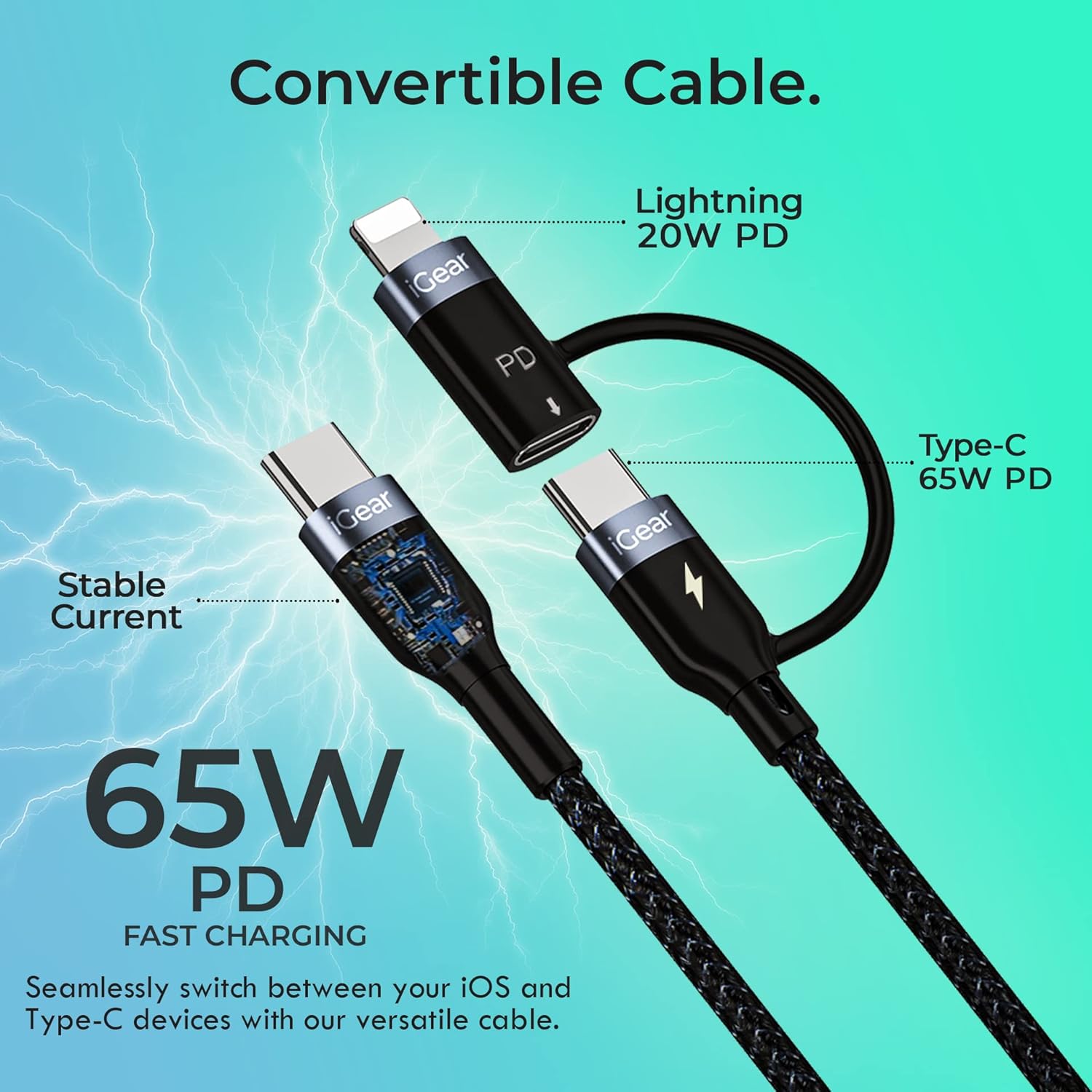
Image: A visual representation of the cable's convertible design, illustrating how the Lightning adapter connects to the Type-C end, and specifying 20W PD for Lightning and 65W PD for Type-C.
Datenübertragung
The cable facilitates high-speed data transfer between compatible devices, such as a smartphone and a laptop.
- Geräte verbinden: Plug one end of the cable into your device (e.g., smartphone) and the other end into the data port of another device (e.g., laptop).
- Übertragung einleiten: Follow the prompts on your devices to allow data access and begin transferring files. The cable supports data transfer speeds of up to 480Mbps.

Image: A hand holding a smartphone connected via the iGear Duo Cable, with text overlays indicating "65W Fast Charging" and "Upto 480Mbps Data Transfer," demonstrating its dual capabilities.
Pflege und Wartung
Proper care will extend the life of your iGear Duo Charging Cable and ensure optimal performance.
- Vermeiden Sie extremes Biegen: While the cable is designed to be durable and withstand many bends, avoid sharp or excessive bending, especially near the connectors, to prevent internal wire damage.
- Richtig lagern: When not in use, coil the cable loosely. Avoid tightly wrapping or knotting the cable, which can stress the internal wires and outer braiding.
- Sauber halten: Verwenden Sie ein weiches, trockenes Tuch, um Kabel und Anschlüsse abzuwischen. Vermeiden Sie die Verwendung von scharfen Chemikalien oder scheuernden Materialien.
- Vor Elementen schützen: Das Kabel sollte vor extremen Temperaturen, direkter Sonneneinstrahlung und Feuchtigkeit geschützt werden.
- Gehen Sie vorsichtig mit den Anschlüssen um: Beim Abziehen des Steckers von einem Gerät oder einer Stromquelle immer am Steckerkopf und nicht am Kabel selbst ziehen.

Abbildung: Ein detaillierter Querschnitt view of the cable's construction, highlighting its protective layers: rubber coating for insulation, copper wire for power, aluminum shield for protection, and a nylon braided jacket for durability.
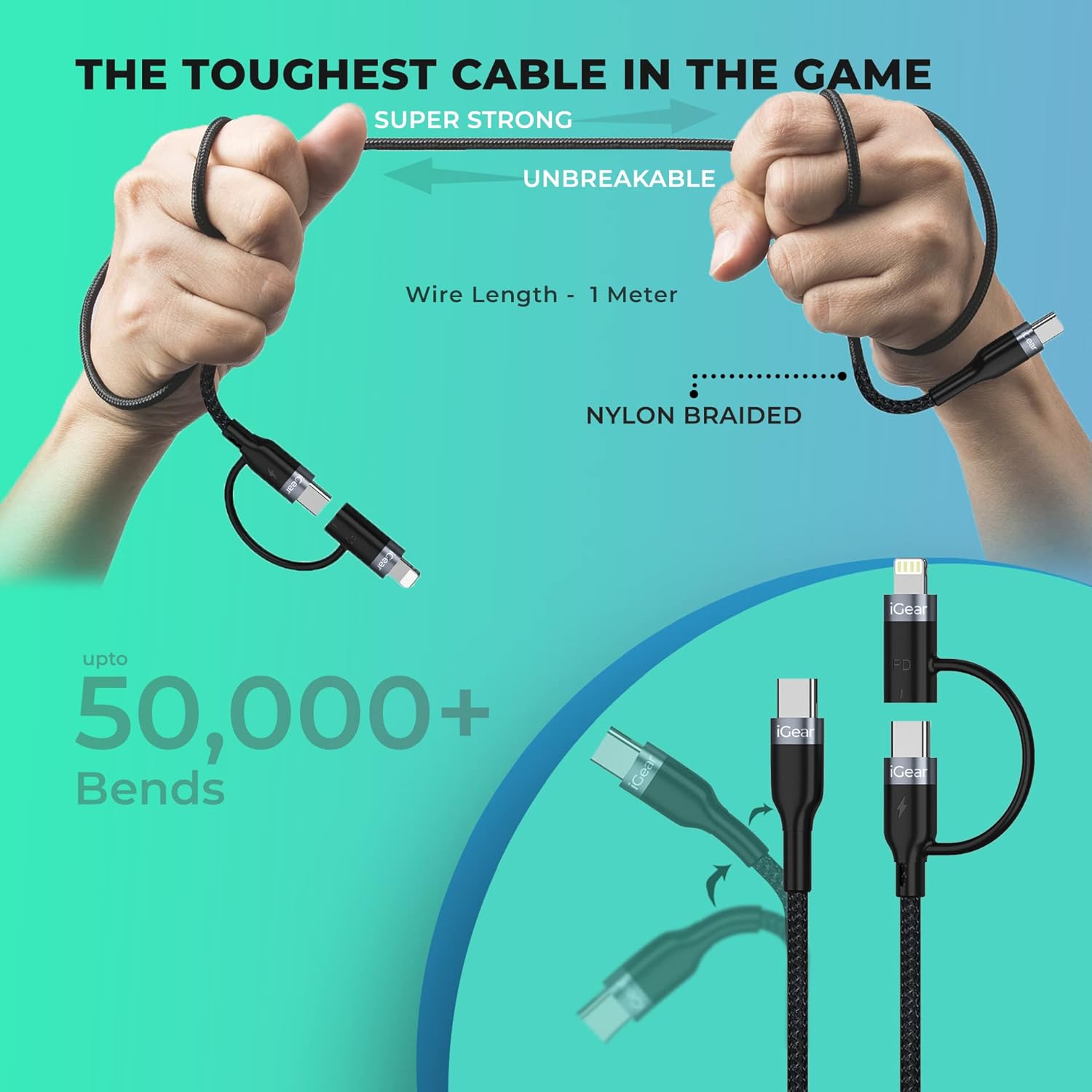
Image: A visual representation of the cable's robust design, showing it being bent and twisted, emphasizing its "Super Strong" and "Unbreakable" nylon braided construction, capable of withstanding over 50,000 bends.
Fehlerbehebung
If you encounter issues with your iGear Duo Charging Cable, refer to the following common problems and solutions:
| Problem | Mögliche Ursache | Lösung |
|---|---|---|
| Gerät wird nicht geladen. | Loose connection, incompatible power adapter, dirty port, or damaged cable. |
|
| Langsame Ladegeschwindigkeit. | Power adapter not supporting PD, device drawing less power, or background apps consuming power. |
|
| Datenübertragung funktioniert nicht. | Incorrect connection, device settings, or driver issues. |
|
Technische Spezifikationen
| Besonderheit | Spezifikation |
|---|---|
| Marke | iGear |
| Modellnummer | iG-1012 |
| Steckertyp | USB Type C, Lightning (via adapter) |
| Kabeltyp | USB |
| Power Delivery (Type-C to Type-C) | Bis zu 65 W PD |
| Power Delivery (Type-C to iPhone-pin) | Bis zu 20 W PD |
| Datenübertragungsgeschwindigkeit | Bis zu 480 Mbit/s |
| Kompatible Geräte | Headphone, Laptop, Power Bank, Smartphone, Speaker (Android & iPhone) |
| Besondere Merkmale | Braided, Data Transfer, Durable |
| Farbe | Schwarz |
| Außenmaterial | Nylon |
| Artikelgewicht | 40 g |
| Verpackungsabmessungen | 16.2 x 8.3 x 2.3 cm |
| Im Lieferumfang enthaltene Komponenten | 1 Ladekabel |
Garantie und Support
Garantieinformationen
The iGear Duo Charging Cable comes with a 1 Jahr Garantie Diese Garantie gilt ab Kaufdatum. Sie deckt Herstellungsfehler und Mängel ab, die bei normalem Gebrauch auftreten. Schäden durch Missbrauch, Unfälle, unbefugte Änderungen oder Naturkatastrophen sind nicht abgedeckt.
Bitte bewahren Sie Ihren Kaufbeleg als Kaufnachweis für Garantieansprüche auf.
Kundenservice
For any product-related inquiries, technical assistance, or warranty claims, please contact iGear customer support:
- Hersteller: IGEAR TECH PRIVATE LIMITED
- Adresse: Goregaon East, Mumbai 400063
- Kontaktnummer: 9327667193
You may also visit the official iGear store on Amazon for more information and product updates: iGear Amazon Store


