1. Einleitung
This manual provides essential information for the safe and efficient installation, operation, and maintenance of your Antec NeoECO NE650G M 80+ Gold Certified Fully Modular Power Supply Unit (PSU). Please read this manual thoroughly before installation and keep it for future reference.
The Antec NeoECO Gold Modular series is designed to provide stable and efficient power to your PC system. Featuring an 80 PLUS Gold certification and a 100% full modular design, it ensures convenient installation and reduced electricity consumption. The integrated 120mm silent fan with Zero RPM mode optimizes cooling while maintaining quiet operation.
2. Sicherheitshinweise
Beachten Sie stets die folgenden Sicherheitsvorkehrungen, um Verletzungen oder Schäden an Ihrer Ausrüstung zu vermeiden:
- Vor der Installation oder Wartung muss sichergestellt werden, dass die Stromversorgung von der Steckdose getrennt ist.
- Öffnen Sie das Netzteil nicht.asing. Hohes VolumentagSie sind auch im nicht angeschlossenen Zustand vorhanden.
- Install the PSU in a well-ventilated area, away from heat sources and moisture.
- Use only the modular cables provided with this power supply. Using incompatible cables may damage the PSU or connected components.
- Dieses Produkt ist für die Verwendung in PC-Systemen konzipiert. Verwenden Sie es nicht für andere Zwecke.
- Bitte gehen Sie vorsichtig mit dem Gerät um, um ein Fallenlassen oder Stöße zu vermeiden.
3. Packungsinhalt
Überprüfen Sie, ob alle Artikel in Ihrem Paket vorhanden sind:
- Antec NeoECO NE650G M Power Supply Unit
- Modular Cable Set (including ATX 24-pin, CPU 4+4-pin, PCIe 6+2-pin, SATA, and Molex cables)
- Netzkabel
- Befestigungsschrauben
- Benutzerhandbuch (dieses Dokument)
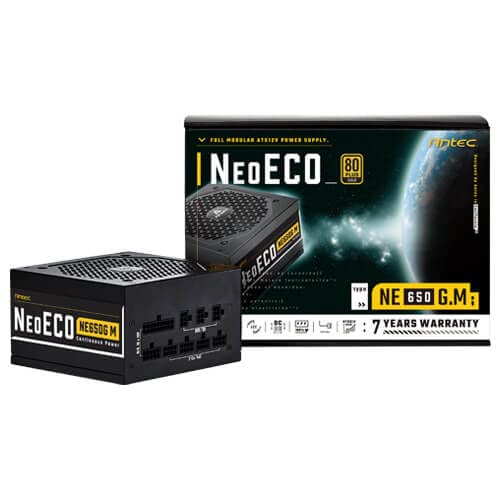
Figure 3.1: Antec NeoECO NE650G M Power Supply with its retail packaging.
4. Einrichtung und Installation
Follow these steps to install your Antec NeoECO NE650G M PSU into your computer system:
- Bereiten Sie Ihr System vor: Stellen Sie sicher, dass Ihr Computer vollständig ausgeschaltet und vom Stromnetz getrennt ist. Öffnen Sie das Computergehäuse.
- Altes Netzteil entfernen (falls zutreffend): Trennen Sie alle Kabel von Ihrem alten Netzteil. Schrauben Sie das alte Netzteil aus dem Gehäuse und entfernen Sie es.
- Das neue Netzteil einbauen: Carefully slide the Antec NeoECO NE650G M into the PSU mounting bay of your computer case. Ensure the fan faces the correct direction (usually downwards if your case has a bottom vent, or upwards if it's a top-mounted PSU). Secure the PSU with the provided mounting screws.
- Modulare Kabel anschließen: Identify the necessary cables for your components (motherboard, CPU, graphics card, storage drives). Connect the appropriate modular cables to the corresponding ports on the PSU. The ports are clearly labeled on the PSU.
- Komponenten verbinden: Route the connected modular cables neatly through your case and connect them to your motherboard (24-pin ATX, 4+4-pin CPU), graphics card(s) (6+2-pin PCIe), and storage devices (SATA, Molex). Ensure all connections are firm and secure.
- Gehäuse schließen und Strom anschließen: Once all internal connections are made, close your computer case. Connect the AC power cord to the PSU's inlet and then to a wall outlet or surge protector.
- Einschalten: Flip the power switch on the back of the PSU to the 'ON' position. You can now power on your computer.
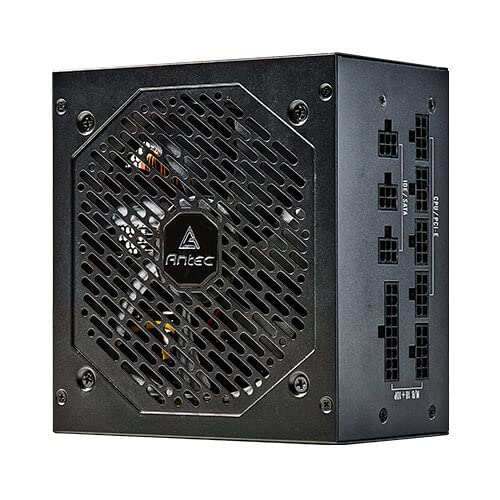
Abbildung 4.1: Seite view of the Antec NeoECO NE650G M PSU, highlighting the modular cable connection ports.
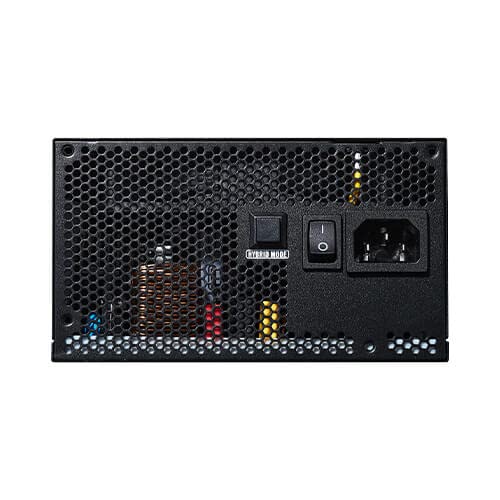
Figure 4.2: The Antec NeoECO NE650G M PSU with various modular cables attached, ready for system integration.
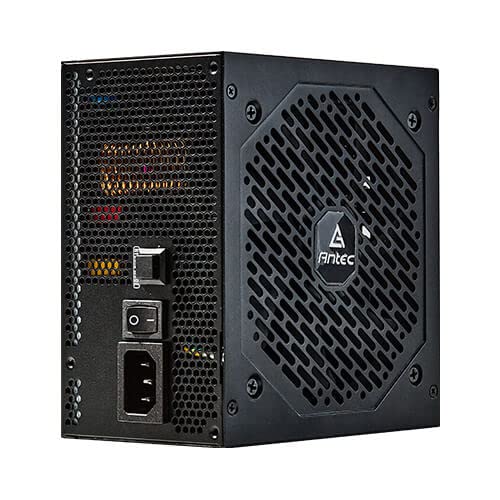
Abbildung 4.3: Rückseite view of the Antec NeoECO NE650G M PSU, showing the main power switch and AC power inlet.
5. Bedienungsanleitung
The Antec NeoECO NE650G M PSU is designed for reliable and efficient operation. Key features include:
- 80 PLUS Gold-Zertifizierung: Ensures high power efficiency, reducing heat generation and electricity costs.
- Vollständig modulares Design: Allows for cleaner cable management and improved airflow within your PC case by only using the necessary cables.
- Zero-RPM-Modus: The 120mm silent fan will remain off at low loads (typically below 30% of total wattage) to provide absolute silence. As the load increases, the fan will automatically spin up to maintain optimal temperatures. This feature helps extend the fan's lifespan and reduces noise during light usage.
- CircuitShield Protection: Incorporates industrial-grade protections including OVP (Over Voltage Protection), UVP (Unterspannungsschutztage Protection), OCP (Over Current Protection), OPP (Over Power Protection), SCP (Short Circuit Protection), OTP (Over Temperature Protection), and NLO (No Load Operation) to safeguard your system.
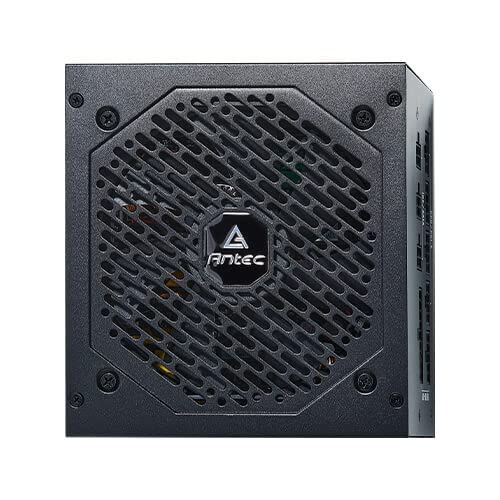
Abbildung 5.1: Vorderseite view of the Antec NeoECO NE650G M PSU, showcasing the 120mm silent cooling fan grill.
6. Wartung
Proper maintenance ensures the longevity and optimal performance of your PSU:
- Staubentfernung: Periodically clean dust from the PSU's fan grill and vents using compressed air. Ensure the PSU is powered off and unplugged before cleaning.
- Kabelmanagement: Achten Sie darauf, dass die Kabel ordentlich verlegt sind und den Luftstrom im PC-Gehäuse nicht behindern.
- Umgebungsbedingungen: Betreiben Sie das Netzteil innerhalb der empfohlenen Temperatur- und Feuchtigkeitsbereiche. Vermeiden Sie extreme Bedingungen.
- Keine vom Benutzer zu wartenden Teile: Do not attempt to open the PSU casing. There are no user-serviceable parts inside, and opening it will void the warranty.
7. Fehlerbehebung
If you encounter issues with your Antec NeoECO NE650G M PSU, refer to the following common problems and solutions:
| Problem | Mögliche Ursache | Lösung |
|---|---|---|
| Der PC lässt sich nicht einschalten. |
|
|
| Das System schaltet sich ein, schaltet sich aber sofort wieder ab. |
|
|
| Lüfter dreht sich nicht. |
|
|
| Ungewöhnliche Geräusche vom Netzteil. |
|
|
If the problem persists after attempting these solutions, please contact Antec customer support or refer to the warranty section for service information.
8. Spezifikationen
| Besonderheit | Detail |
|---|---|
| Marke | Antec |
| Modellname | NE650G M |
| Formfaktor | ATX |
| Wastage | 650 Watt |
| 80 PLUS Zertifizierung | Gold |
| Modularität | Voll Modular |
| Lüftergröße | 120-mm-Leiselüfter |
| Null-RPM-Modus | Ja |
| Japanische Kondensatoren | Ja |
| Abmessungen (LxBxH) | 15 x 14 x 9 cm |
| Artikelgewicht | 1.5 kg |
| Kompatible Geräte | Personalcomputer |
| Steckertyp | ATX |
| Protections (CircuitShield) | OVP, UVP, OCP, OPP, SCP, OTP, NLO |
9. Garantie und Support
The Antec NeoECO NE650G M Power Supply Unit is backed by a 7 Jahr Garantie ab Kaufdatum. Diese Garantie deckt Material- und Verarbeitungsfehler bei normalem Gebrauch ab.
For warranty claims or technical support, please contact Antec customer service. Keep your proof of purchase for warranty validation.
For more information, visit the official Antec webBesuchen Sie die Website oder beachten Sie die Kontaktdaten, die Ihrer Produktverpackung beiliegen.


Antec provides a comprehensive warranty and is recognized as a top brand in PC components.


