1. Einleitung
The E-YOOSO K-662 is a full-size 104-key wired mechanical gaming keyboard designed for PC users. It features OUTEMU Blue switches, customizable rainbow backlighting, RGB sidelights, and an integrated wrist rest for enhanced comfort and performance. This manual provides essential information for setting up, operating, and maintaining your keyboard.
Packungsinhalt:
- E-YOOSO K-662 Mechanical Keyboard
- Integrated Wrist Rest
2. Hauptmerkmale
- Full Keys Anti-ghosting & 12 Multimedia Keys: Ensures all key presses are registered accurately, even during rapid, simultaneous inputs. Dedicated multimedia functions enhance control.
- OUTEMU Clicky Blue Switch: Guarantees 50 million keypresses with a 2.8 mm keystroke distance and 65g actuation force, providing a quick, springy response and a distinct click sound.
- Double Injection Keycaps & Wide Palm Rest: Durable double injection-molded keycaps offer clear, uniform backlighting. The wide palm rest provides ergonomic support for comfortable use.
- Rainbow Backlit & RGB Sidelight: Features 10 adjustable rainbow backlight modes and 5 RGB sidelight modes, with customizable brightness and speed settings.
- Breite Kompatibilität: Compatible with Windows 2000/XP/Vista/7/8/10/11 and Mac OS (note: some multimedia functions may not be available on Mac OS). Works with Desktops, Chromebooks, PCs, Laptops, and more.
3. Einrichtung
To set up your E-YOOSO K-662 keyboard:
- Packen Sie die Tastatur aus der Verpackung.
- Connect the keyboard's USB cable to an available USB port on your computer.
- Die Tastatur ist Plug-and-Play-fähig und benötigt für die grundlegenden Funktionen keine zusätzlichen Treiber. Ihr Betriebssystem sollte die erforderlichen Treiber automatisch erkennen und installieren.
4. Bedienungsanleitung
4.1 Multimediafunktionen
Access multimedia controls by holding the Fn Taste und Drücken der entsprechenden F1-F12 Funktionstasten:
- Fn + F1-F12: Various multimedia shortcuts (e.g., media player, volume control, web Browser).

Image: E-YOOSO K-662 keyboard layout highlighting multimedia functions (Fn + F1-F12).
4.2 Backlight Modes and Customization
The keyboard features various backlight effects and customization options:
- Fn + Einfg: Cycle through 10 different rainbow backlight operation modes.
- Fn + 9 / Fn + 0: Activate custom backlight modes.
- Fn + Up Arrow / Fn + Down Arrow: Passen Sie die Helligkeit der Hintergrundbeleuchtung an.
- Fn + Left Arrow / Fn + Right Arrow: Hintergrundbeleuchtungsgeschwindigkeit anpassen.

Image: Instructions for customizing backlight modes and Win Lock function.
4.3 RGB Sidelight
The keyboard includes RGB sidelights with multiple effects:
- Fn + Pause: Cycle through 5 RGB sidelight modes.
- Fn + Minus (-) / Fn + Plus (=): Adjust sidelight color and speed.

Image: E-YOOSO K-662 keyboard with active RGB streamer sidelights.
4.4 Win Key Lock
To prevent accidental interruptions during gaming or other activities:
- Fn + Win: Lock the Windows key. Press again to unlock.
4.5 Anti-Ghosting
The E-YOOSO K-662 features 104-key anti-ghosting. This ensures that every key press is registered accurately, even when multiple keys are pressed simultaneously, which is crucial for fast-paced gaming.
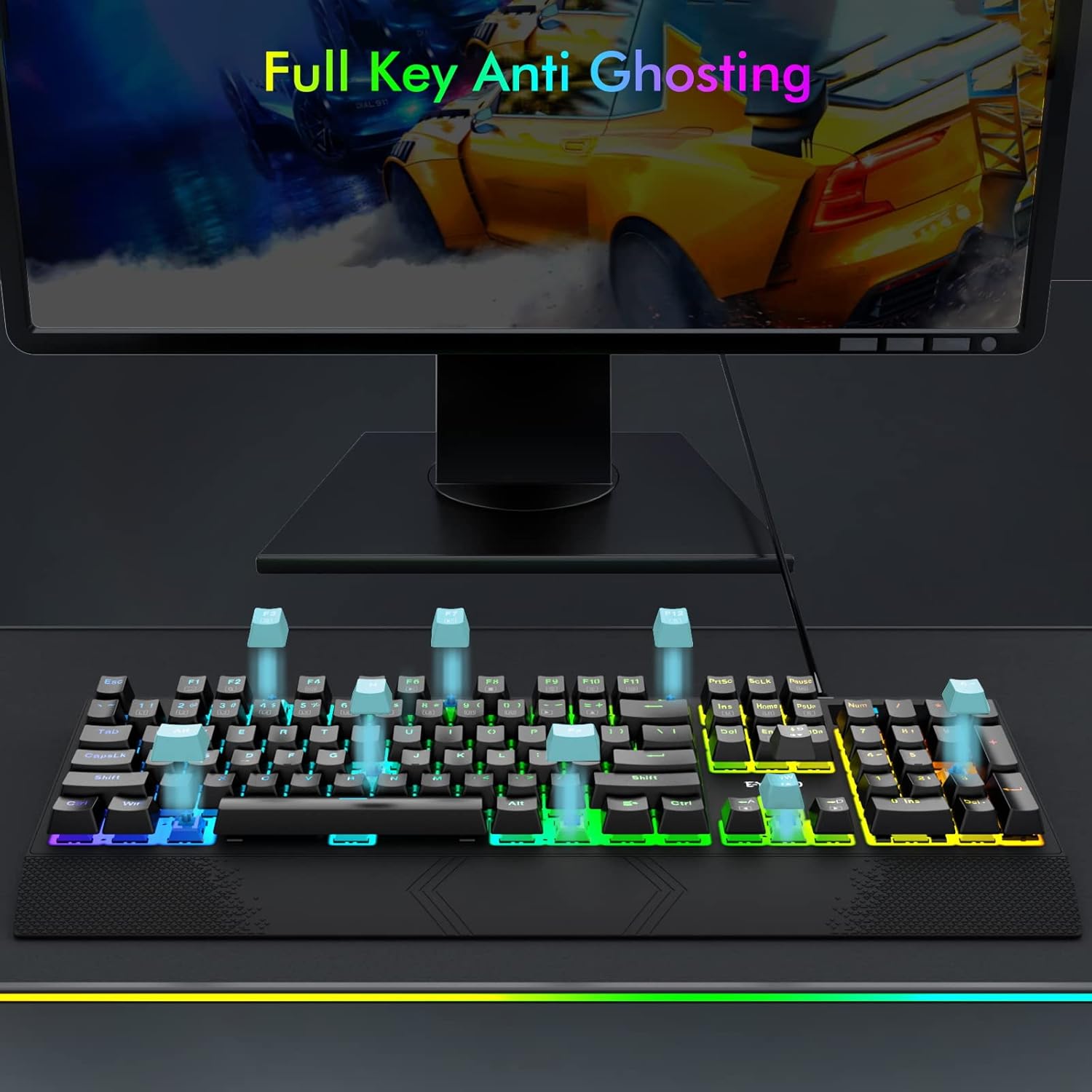
Image: Visual representation of full key anti-ghosting on the E-YOOSO K-662 keyboard.
5. Wartung
Proper maintenance helps prolong the life and performance of your keyboard:
- Reinigung: Disconnect the keyboard from your computer before cleaning. Use a soft, dry cloth to wipe the surface. For removing debris between keycaps, use compressed air. Avoid using harsh chemicals, solvents, or abrasive materials.
- Lagerung: Bewahren Sie die Tastatur an einem kühlen, trockenen Ort fern von direkter Sonneneinstrahlung und extremen Temperaturen auf.
- Handhabung: Avoid dropping the keyboard or exposing it to liquids. Do not attempt to disassemble the keyboard, as this may void the warranty.

Image: Double-shot ABS keycaps, designed for durability and clear backlighting.
6. Fehlerbehebung
If you encounter issues with your E-YOOSO K-662 keyboard, refer to the following troubleshooting steps:
- Tastatur reagiert nicht:
- Stellen Sie sicher, dass das USB-Kabel sowohl mit der Tastatur als auch mit Ihrem Computer fest verbunden ist.
- Versuchen Sie, die Tastatur an einen anderen USB-Anschluss Ihres Computers anzuschließen.
- Starten Sie Ihren Computer neu.
- Hintergrundbeleuchtung funktioniert nicht oder ist fehlerhaft:
- Check backlight mode settings using Fn + Einf um durch die verschiedenen Modi zu schalten.
- Passen Sie die Helligkeit an mit Fn + Up Arrow / Fn + Down Arrow.
- If specific keys are not lighting up, ensure custom modes are not active unintentionally.
- Multimedia-Tasten funktionieren unter Mac OS nicht:
- Some multimedia functions may have limited or no compatibility with Mac OS due to operating system differences.
- Keys failing to register intermittently:
- Ensure the keyboard is clean and free of debris that might obstruct key switches.
- If the issue persists after cleaning, contact customer support for further assistance.
7. Spezifikationen
| Besonderheit | Spezifikation |
|---|---|
| Modellnummer | K-662 |
| Hersteller | E-YOOSO |
| Konnektivitätstechnologie | USB (kabelgebunden) |
| Tastaturbeschreibung | Gaming, Mechanik |
| Schaltertyp | OUTEMU Blue Switches |
| Anzahl der Schlüssel | 104 Tasten (volle Größe) |
| Hintergrundbeleuchtung | Rainbow Backlit, RGB Sidelight |
| Besondere Merkmale | Backlit, Ergonomic, Wrist Rest, Anti-ghosting |
| Kompatible Geräte | Gaming Console, PC, Laptop, Chromebook |
| Betriebssystemkompatibilität | Windows 2000/XP/Vista/7/8/10/11, Mac OS |
| Material | Plastik |
| Artikelgewicht | 2.84 Pfund (ca. 1.29 kg) |
| Verpackungsabmessungen | 17.75 x 8 x 1.75 Zoll (ca. 45.09 x 20.32 x 4.45 cm) |

Bild: Detailliert view of an OUTEMU Blue mechanical switch.
8. Garantie und Support
The E-YOOSO K-662 Mechanical Keyboard typically comes with a 1-year limited warranty from the date of purchase. This warranty covers manufacturing defects under normal use.
For warranty claims, technical support, or any product-related inquiries, please refer to the contact information provided with your product packaging or visit the official E-YOOSO webWebsite mit den aktuellsten Support-Ressourcen.