1. Einleitung
Thank you for choosing the BYINTEK U70 Pro Portable 4K 3D DLP Projector. This manual provides essential information for the safe and efficient operation of your device. Please read it thoroughly before use and retain it for future reference.

Image 1.1: The BYINTEK U70 Pro Portable Projector and its remote control.
2. Sicherheitshinweise
- Schauen Sie nicht direkt in die Projektorlinse, wenn der lamp ist eingeschaltet.
- Sorgen Sie für ausreichende Belüftung, um eine Überhitzung zu vermeiden. Blockieren Sie die Belüftungsöffnungen nicht.
- Verwenden Sie nur das mitgelieferte Netzteil.
- Halten Sie das Gerät von Wasser, Feuchtigkeit und extremen Temperaturen fern.
- Versuchen Sie nicht, den Projektor selbst zu zerlegen oder zu reparieren. Wenden Sie sich an qualifiziertes Servicepersonal.
- Außerhalb der Reichweite von Kindern aufbewahren.
3. Packungsinhalt
Überprüfen Sie, ob alle Artikel in Ihrem Paket vorhanden sind:
- 1 x BYINTEK U70 Pro Projector
- 1 x Fernbedienung
- 1 x HD Kabel
- 1 x Benutzerhandbuch (dieses Dokument)
- 1 x DC 19V 3.42A Netzteil
4. Produktüberschreitungview
Machen Sie sich mit den Komponenten und Schnittstellen des Projektors vertraut.
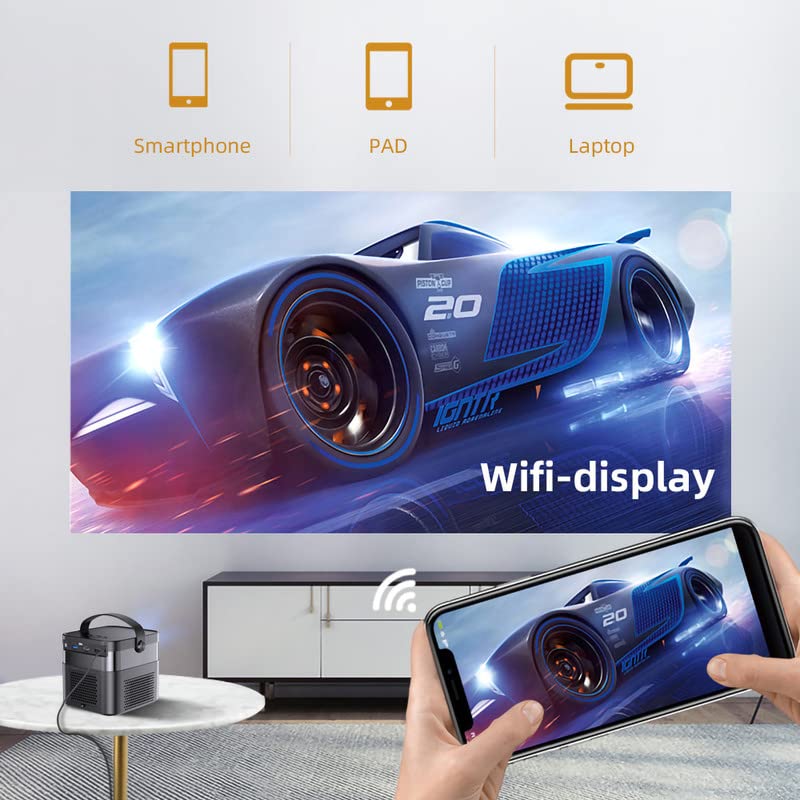
Abbildung 4.1: Vorder- und Rückseite views of the BYINTEK U70 Pro Projector, highlighting its various ports and controls.
Schlüsselkomponenten:
- Linse: Projection output.
- Tastenfeld: Manual control buttons on top.
- IR Empfänger: Für Fernsteuersignale.
- DC 12V-in: Stromeingangsanschluss.
- USB 3.0 / USB 2.0: For connecting USB storage devices, mouse, or keyboard.
- Stromschalter: Zum Ein- und Ausschalten des Projektors.
- Audio-out (3.5mm Jack): Für externe Lautsprecher oder Kopfhörer.
- HD-Eingang (HDMI): Zum Anschluss externer Videoquellen.
- 5W Speakers: Eingebaute Stereolautsprecher.
- Detachable Dust Filter: Für einfache Reinigung und Pflege.
- Universal Bracket Hole (d=1/4inch, 6mm): Zur Montage auf Stativen oder Deckenhalterungen.
5. Einrichtung
5.1 Ein-/Ausschalten
- Connect the DC 19V 3.42A Power Adapter to the projector's DC 12V-in port.
- Press the Power Switch to turn the projector on. The indicator light will illuminate.
- To power off, press the Power Switch again.
5.2 Platzierung und Projektion
The BYINTEK U70 Pro supports a projection size of 30-300 inches with a projection distance of 1-8 meters. The optimal aspect ratio is 16:9, but 16:10 and 4:3 are also supported.
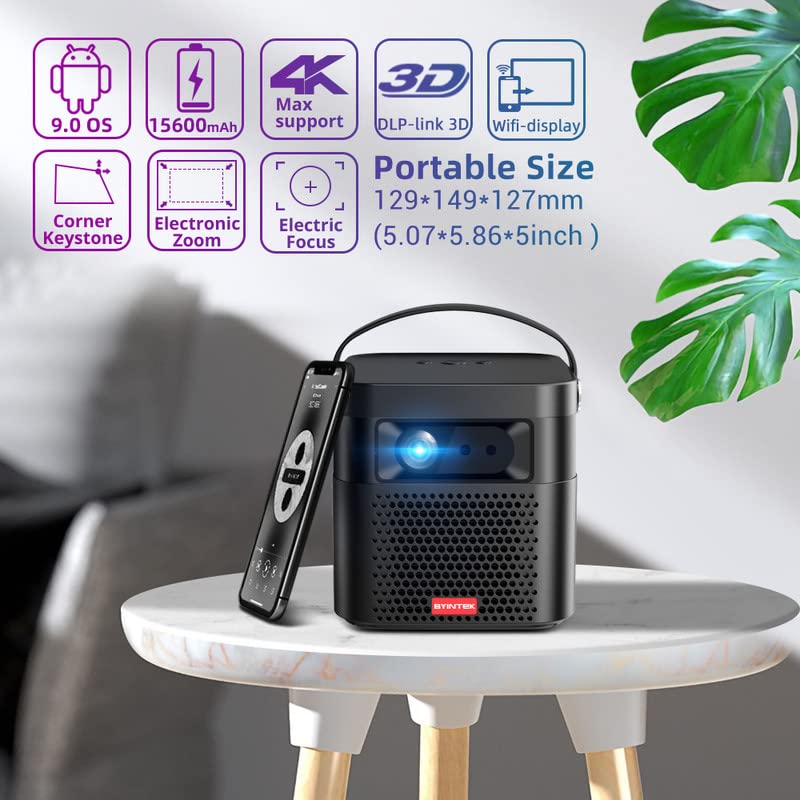
Image 5.1: The BYINTEK U70 Pro Projector highlighting its portable size and advanced features.
5.3 Fokus- und Trapezkorrektur
- Der Projektor verfügt über Autofokus für schnelle Bildschärfe.
- For fine-tuning, use the Elektrischer Fokus function via the remote control or on-device keypad.
- Auto Manual Vertical Keystone Correction is available to adjust image distortion when the projector is not perfectly perpendicular to the screen.
- Corner Keystone correction allows for individual corner adjustments.
5.4 Konnektivität
Der Projektor bietet verschiedene Anschlussmöglichkeiten:
- HDMI: Connect external devices like TV sticks, X-BOX, PS4, PCs, or laptops using the provided HD Cable.
- USB: Insert USB sticks or SSD hard drives for media playback. Supports USB 2.0 and USB 3.0.
- W-lan: Connect to your wireless network for online content and wireless projection.
- Bluetooth: For connecting external Bluetooth speakers or headphones (if supported by the Android OS).
6. Bedienungsanleitung
6.1 Android 9.0 Smart OS
The BYINTEK U70 Pro runs on Android 9.0, providing a smart interface with 32GB internal storage. Navigate the interface using the remote control or by connecting a USB mouse/keyboard.

Image 6.1: The Android 9.0 operating system interface, allowing access to various applications.
6.2 Kabellose Projektion
Wirelessly connect your Android or iOS devices for screen mirroring.

Image 6.2: Wireless display functionality, enabling screen mirroring from smartphones, tablets, and laptops.
- Stellen Sie sicher, dass sowohl der Projektor als auch Ihr Mobilgerät mit demselben WLAN-Netzwerk verbunden sind.
- Select the appropriate wireless projection app (e.g., Airplay, Miracast, DLNA, Eshare) on the projector's home screen.
- Follow the on-screen instructions to connect your smartphone, tablet, or laptop.
6.3 3D-Funktionalität
Der Projektor unterstützt Real 3D content for an immersive viewErfahrung.
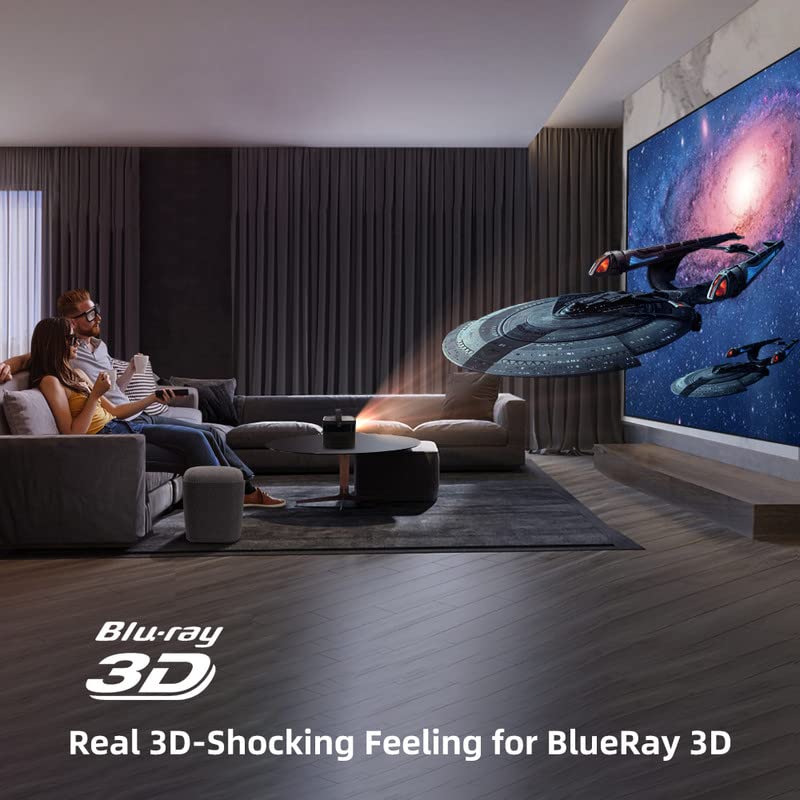
Image 6.3: The projector displaying 3D content for an immersive home theater experience.
- To enjoy 3D content, you will need compatible 3D glasses (sold separately).
- Play 3D-enabled media (e.g., Blu-ray 3D) through a connected device.
- Activate the 3D mode on the projector via the settings menu.
6.4 Audioausgang
The projector has built-in 2 x 5W speakers. For enhanced audio, connect external speakers or headphones via the 3.5mm Audio Jack or Bluetooth.
7. Wartung
7.1 Reinigung der Linse
Verwenden Sie ein weiches, fusselfreies Tuch, das speziell für optische Linsen entwickelt wurde. Verwenden Sie keine Scheuermittel und wenden Sie keine übermäßige Kraft an.
7.2 Reinigung des Staubfilters
The projector features a detachable dust filter. Regularly remove and clean it to maintain optimal performance and prevent overheating. Refer to Image 4.1 for the location of the detachable dust filter.
7.3 Batteriepflege
The projector includes a rechargeable battery. To prolong battery life:
- Vermeiden Sie häufiges vollständiges Entladen des Akkus.
- Bewahren Sie den Projektor an einem kühlen, trockenen Ort auf, wenn er längere Zeit nicht benutzt wird.
- Charge the battery periodically if stored for a long time.
8. Fehlerbehebung
Sollten Sie auf Probleme stoßen, konsultieren Sie bitte die folgenden häufigen Probleme und Lösungen:
| Problem | Mögliche Ursache | Lösung |
|---|---|---|
| Kein Bild angezeigt | Power cable loose, input source incorrect, lens cap on | Check power connection, select correct input source, remove lens cap |
| Bild verschwommen | Focus not adjusted, keystone incorrect | Adjust focus using remote/keypad, correct keystone settings |
| Kein Ton | Volume too low, external audio device not connected, source audio issue | Increase volume, check external audio connections, verify source audio output |
| Fernbedienung funktioniert nicht | Batteries dead, IR receiver blocked | Replace batteries, ensure clear line of sight to IR receiver |
| Überhitzungswarnung | Blocked ventilation, dusty filter | Ensure clear ventilation, clean dust filter |
9. Spezifikationen
Detailed technical specifications for the BYINTEK U70 Pro Projector:
| Besonderheit | Spezifikation |
|---|---|
| Marke | VONINTEK |
| Modell | BYINTEK-UFO-U70-PRO |
| Display-Technologie | DLP (LED) |
| Bildhelligkeit | 500 ANSI-Lumen |
| Native Auflösung | 1280 x 800 (supports 1080p Full HD Pixels, Max supports 4K signal input) |
| Bildkontrastverhältnis | 15000:1 |
| Seitenverhältnis | 16:9 (also 16:10, 4:3) |
| Projektionsgröße | 30-300 Zoll |
| Projektionsabstand | 1-8 Meter |
| Betriebssystem | Android 9.0 |
| Interner Speicher | 32 GB |
| Besondere Merkmale | Built-In 3D, Auto Focus, Short Throw, Built-in Speakers, Rechargeable Battery, Wireless Projection |
| Hardware-Schnittstelle | HDMI, USB 2.0, USB 3.0 |
| Konnektivitätstechnologie | W-lan |
| Audioausgang | 3.5mm Audio Jack, Built-in 2 x 5W Speakers |
| Stromquelle | DC 19V 3.42A, Rechargeable Battery |
| Wastage | 65 Watt |
| Technische Daten | 12.9 x 14.9 x 12.7 cm |
| Artikelgewicht | 1.36 kg |
| Modelljahr | 2023 |
10. Garantie und Support
10.1 Garantieinformationen
The BYINTEK U70 Pro Projector comes with a 1 Jahr Garantie Ab Kaufdatum. Bitte bewahren Sie Ihren Kaufbeleg für Garantieansprüche auf. Die Garantie deckt Herstellungsfehler bei normalem Gebrauch ab.
10.2 Kundendienst
For technical assistance, warranty claims, or any other inquiries, please contact BYINTEK customer support:
- Telefonnummer: +91 8885241706
- E-Mail: care@justshop24x7.com


