1. Einleitung
This manual provides detailed instructions for the installation, operation, and maintenance of your XTRONS 19.5-inch Android Car Roof Monitor, model CM195AP. This device is designed to provide in-car entertainment with its large IPS display, Android operating system, 8K video support, and various connectivity options. Please read this manual thoroughly before using the product to ensure proper function and safety.
2. Sicherheitshinweise
- Ensure professional installation to prevent damage to the vehicle or the device.
- Versuchen Sie nicht, das Gerät zu zerlegen oder zu verändern. Dies kann zum Erlöschen der Garantie führen und Sicherheitsrisiken bergen.
- Halten Sie das Gerät von Wasser, Feuchtigkeit und extremen Temperaturen fern.
- Reinigen Sie den Bildschirm mit einem weichen, trockenen Tuch. Vermeiden Sie scheuernde Reinigungsmittel.
- Always operate the vehicle safely. Do not allow the monitor to distract the driver.
3. Einrichtung und Installation
3.1 Packungsinhalt
Überprüfen Sie, ob alle Komponenten im Paket vorhanden sind:
- 1 x Fernbedienung
- 1 x Stromkabel
- 6 x Nüsse
- 1 x Benutzerhandbuch
- XTRONS Android Car Roof Monitor (Main Unit)

Abbildung 3.1: Package Contents and Dimensions. The image displays the monitor's physical dimensions (525mm x 363mm x 35mm, mounting plate 338mm x 250mm) and lists the included accessories.
3.2 Installationsschritte
The following steps outline the general installation process. Professional installation is recommended.
- Montieren Sie die Halterung am Autodach: Secure the mounting bracket to the designated area on your vehicle's roof.
- Fix the car roof player to the bracket with screws: Attach the main monitor unit to the installed bracket using the provided screws.
- Schließen Sie das Netzkabel an: Connect the power cable to the monitor and the vehicle's power supply according to the wiring diagram (not provided in this manual, refer to specific vehicle wiring instructions or professional installer).
Abbildung 3.2: Installation Diagram. This diagram visually guides through the process of mounting the monitor to the car roof.
4. Bedienungsanleitung
4.1 Android-Systemview
The XTRONS CM195AP operates on an Android system, powered by an Octa-Core processor with 2GB RAM and 32GB ROM. This allows for the installation and use of various applications from the Google Play Store.
- App-Zugriff: Enjoy popular streaming services like Netflix, YouTube, Prime Video, Hulu, Spotify, and Disney+.
- Internetverbindung: Connect to Wi-Fi or use an XTRONS 4G Dongle (sold separately, search B07JNTX7CB) as a hotspot for internet access.

Abbildung 4.1: Android Interface and Key Features. This image highlights the monitor's Android capabilities and hardware specifications.
4.2 Bildschirmspiegelung
Mirror the screen of your smartphone directly onto the monitor. This feature allows you to share photos, videos, and games without needing to download additional applications.
- Kompatibilität: Supports iPhones with iOS 9.0 and above, and Android phones with Android 8.0 and above.
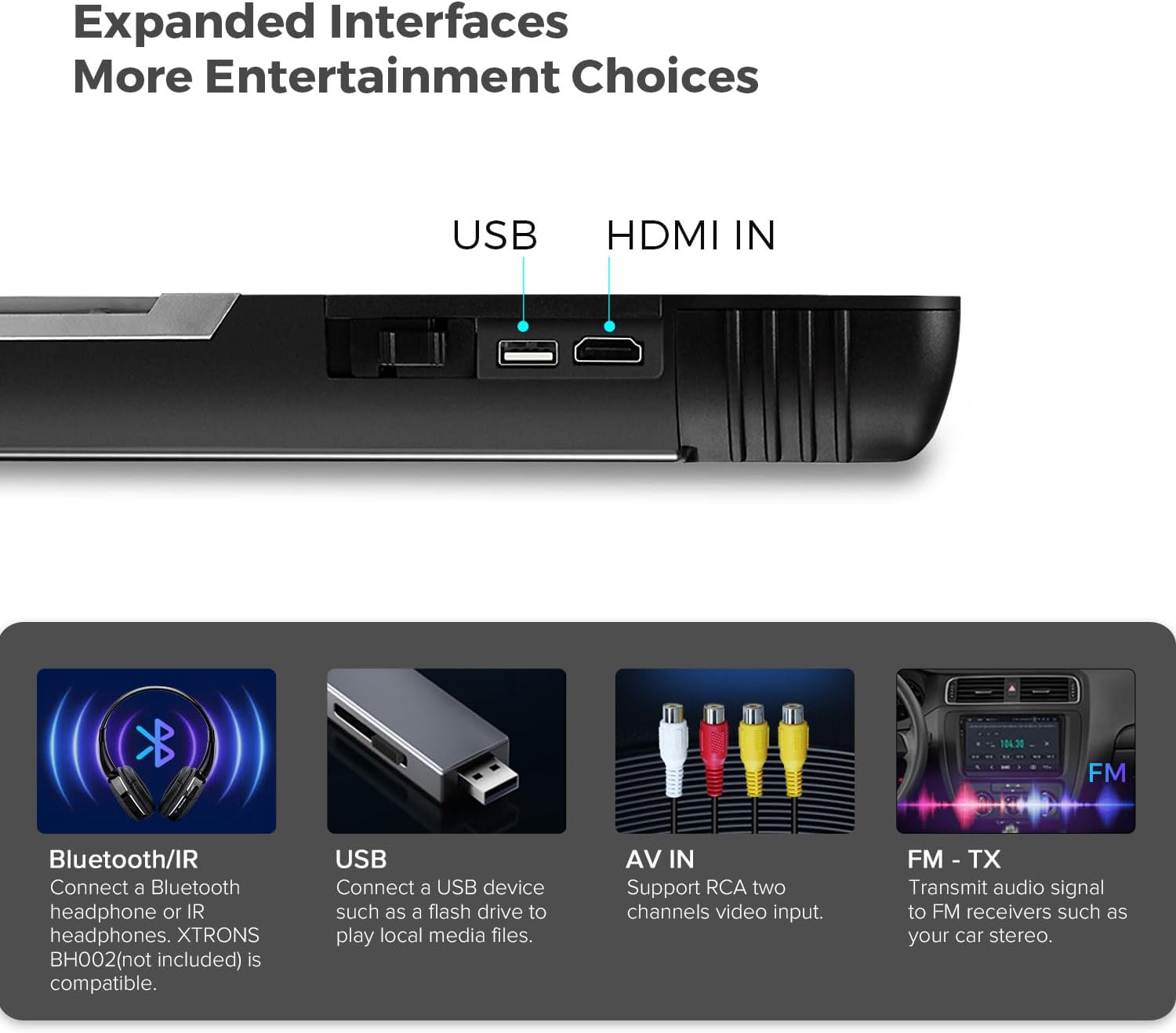
Abbildung 4.2: Wireless Screen Mirroring. The image illustrates how content from a mobile device can be displayed on the monitor.
4.3 Konnektivitätsoptionen
The monitor offers multiple ways to connect external devices and expand your entertainment choices.
- HDMI-Eingang: Connect external devices such as game consoles, cameras, or video recorders for high-fidelity audio and video streaming.
- USB-Anschluss: Spielen Sie Musik, Videos usw. ab view photos from a USB flash drive (maximum compatibility: 128GB, USB 2.0 only).
- RCA Input (AV IN): Compatible with two-channel RCA video input.
- Bluetooth/IR Audio Transmission: Transmit audio to Bluetooth headphones or IR headphones (XTRONS BH002 not included).
- FM-TX: Transmit audio signals to FM receivers, such as your car's stereo system.
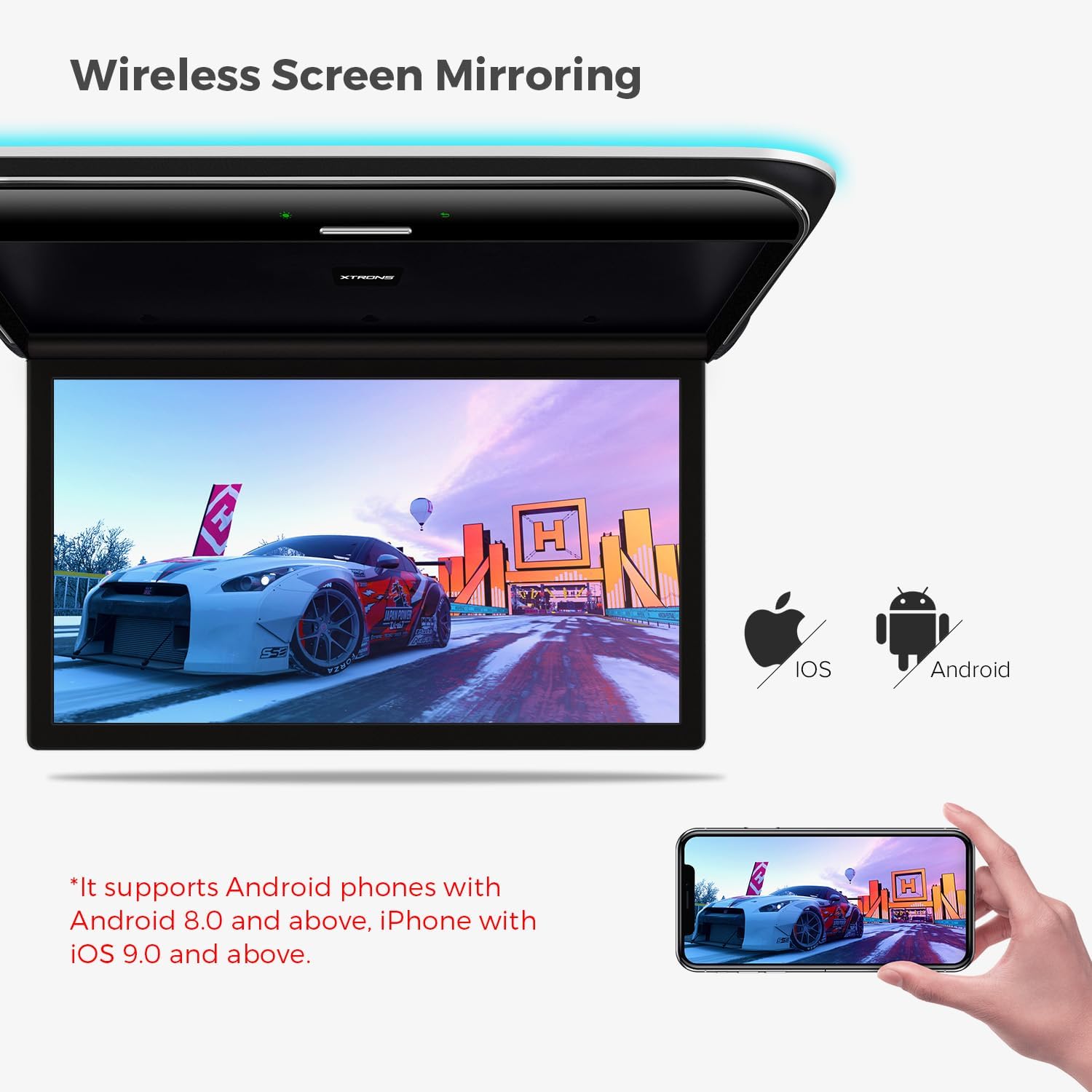
Abbildung 4.3: Expanded Interfaces. This image shows the various ports and wireless connectivity options available on the monitor.
4.4 Videowiedergabe
The monitor supports a wide range of video formats, including high-resolution 8K video, ensuring smooth and detailed playback.
- Unterstützte Formate: MP4 / AVI / MKV / WMV / MPG / MPEG / MOV / RM / RMVB / DAT / FLV / MP3 / WMA / WAV / AAC / APE / FLAC / JPG / JPEG / BMP / PNG.
- Auflösung: Supports 8K, 4K, 2K, and 1080p video playback.

Abbildung 4.4: High-Resolution Display. The image highlights the monitor's capability to display high-quality video content.
4.5 Anzeigefunktionen
- Einstellbarer Öffnungswinkel: The screen can be rotated up to 170° for optimal viewing.
- Virtuelle Touch-Tasten: Buttons appear only when the unit is powered on, providing a clean aesthetic and easy operation.
- Colorful Aura Lighting: Enhances the in-car ambiance and reduces eye strain during night viewing. Note: This lighting replaces your existing dome light.
- Automatische Lichtsteuerung: Dual dome lights can be integrated with door control to automatically turn on/off when the door opens.

Abbildung 4.5: Lighting and Control Features. This image demonstrates the interactive and aesthetic lighting elements of the monitor.
5. Wartung
- Reinigen des Bildschirms: Verwenden Sie ein weiches, fusselfreies Tuch, um den Bildschirm vorsichtig abzuwischen. Bei hartnäckigen Flecken leicht andrücken.ampReinigen Sie das Tuch mit Wasser oder einem für Bildschirme geeigneten Reiniger. Vermeiden Sie aggressive Chemikalien.
- Allgemeine Reinigung: Wischen Sie die Außenseite des Geräts mit einem trockenen oder leicht feuchten Tuch ab.amp Tuch. Achten Sie darauf, dass keine Flüssigkeiten in das Gerät gelangen.
- Software-Updates: Überprüfen Sie regelmäßig die XTRONS webÜberprüfen Sie die Website oder die Geräteeinstellungen auf verfügbare Software-Updates, um eine optimale Leistung und den Zugriff auf neue Funktionen zu gewährleisten.
6. Fehlerbehebung
| Problem | Mögliche Ursache | Lösung |
|---|---|---|
| Kein Strom | Stromkabel nicht angeschlossen oder Sicherung durchgebrannt. | Check power connections. Consult a professional to check vehicle's fuse box. |
| Kein Ton | Volume too low, incorrect audio output selected, or external device issue. | Increase volume. Verify audio output settings (e.g., internal speakers, Bluetooth, FM-TX). Check external device's audio settings. |
| Bildschirmspiegelung funktioniert nicht | Incompatible phone OS version or connection issue. | Ensure phone meets OS requirements (iOS 9.0+, Android 8.0+). Reconnect or restart both devices. |
| Lagging performance | Too many apps running, low storage, or weak internet connection. | Close unnecessary apps. Clear cache/data. Ensure strong Wi-Fi or 4G signal. |
7. Spezifikationen
| Besonderheit | Detail |
|---|---|
| Marke | XTRONS |
| Modellnummer | CM195AP |
| Bildschirmgröße | 19.5 Zoll |
| Anzeigetyp | IPS |
| Bildschirmauflösung | 7680x4320 (8K) |
| Prozessor | Achtkernprozessor |
| RAM | 2 GB |
| ROM | 32 GB |
| Konnektivitätstechnologie | HDMI, IR, USB, Wi-Fi, 4G (via optional dongle) |
| Kompatible Geräte | Smartphone, Tablet, Video Game Console |
| Besondere Merkmale | HD/RCA Input, Screen Mirroring, Aura Lighting, Automatic Lighting Control |
| Produktabmessungen (Haupteinheit) | 525 mm (L) x 363 mm (B) x 35 mm (H) (Note: JSON data provided 49.5L x 49.5W x 49.5H cm, which may be a generic placeholder. Dimensions from product image are used here.) |
| Farbe | Schwarz |
8. Garantie und Support
Informationen zu Garantie und Kundendienst finden Sie auf der offiziellen XTRONS-Website. webBesuchen Sie unsere Website oder kontaktieren Sie Ihren Händler. Bewahren Sie Ihren Kaufbeleg für eventuelle Garantieansprüche auf.
- Ersatzteilverfügbarkeit: Informationen nicht verfügbar.
- Software-Updates garantiert bis: Informationen nicht verfügbar.
For technical assistance or inquiries, please visit the XTRONS official support page or contact their customer service.


