1. Einleitung
The Aputure MC PRO is a compact, high-performance RGBWW LED on-camera video light designed for professional and enthusiast filmmakers. Featuring a wide CCT range, full RGB color control, magnetic adsorption, and robust weather resistance, it offers versatile lighting solutions for various creative applications.

Image 1.1: The Aputure MC PRO light with its comprehensive accessory kit.
2. Packungsinhalt
Bitte überprüfen Sie, ob alle unten aufgeführten Artikel in Ihrem Paket enthalten sind:
- Aputure MC PRO LED Video Light x 1
- Aputure MC Pro Flat Diffuser x 1
- Aputure MC Pro Dome Diffuser x 1
- Aputure MC Pro 30° Light Control Grid x 1
- Aputure Cold Shoe Ball Head x 1

Bild 2.1: Überview of the Aputure MC PRO and its included accessories.
3. Einrichtung
3.1 Erstaufladung
The Aputure MC PRO features a built-in 15.5Wh lithium-ion battery. Before first use, fully charge the device using the provided USB Type-C cable. The light also supports wireless charging for convenience.
3.2 Anbringen von Zubehör
The MC PRO utilizes a magnetic accessory mount system. Simply align the Flat Diffuser, Dome Diffuser, or 30° Light Control Grid with the front of the light until it snaps into place magnetically.

Image 3.1: The magnetic accessory mount allows for quick attachment of diffusers and grids.
3.3 Montage der Leuchte
The Aputure MC PRO can be mounted in several ways:
- Magnetische Adsorption: The light features built-in magnets allowing it to attach to metallic surfaces.
- Cold Shoe-Kugelkopf: Use the included Aputure Cold Shoe Ball Head to mount the light onto a camera's cold shoe or other compatible mounts.
- 1/4-20in Screw: The light has a 1/4-20in screw thread for direct mounting onto tripods or light stands.

Image 3.2: The magnetic base and cold shoe mount offer flexible positioning options.
4. Bedienungsanleitung
4.1 Ein-/Ausschalten
Locate the power button on the side of the unit. Press and hold to power the device on or off. The OLED display will illuminate upon activation.
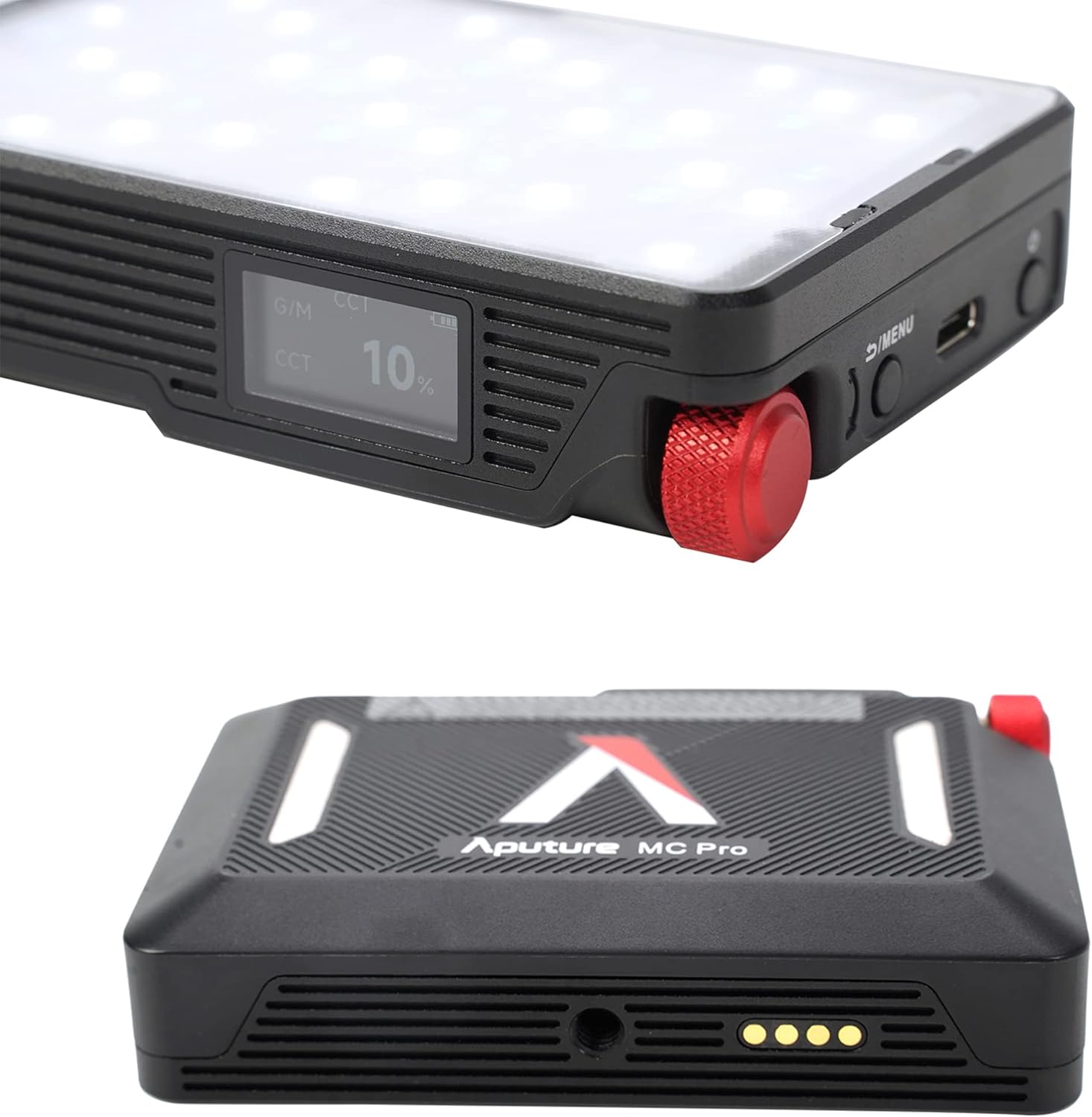
Image 4.1: The OLED display provides real-time information on light settings.
4.2 Anpassen der Lichteinstellungen
Use the control knob and menu buttons to navigate through the various lighting modes and parameters:
- CCT-Modus: Adjust color temperature from 2,000K to 10,000K with green-magenta adjustment.
- HSI-Modus: Control hue, saturation, and intensity for full RGB color.
- FX-Modus: Select from 15 built-in system effects such as Fireworks, Fire, Paparazzi, Faulty Bulb, TV, Pulsing, Cop Car, Lightning, Party Lights, Welding, Color Chase, Candle, Strobe, Explosion, and Club Lights.

Image 4.2: The light offers a range of special effects for creative lighting scenarios.
4.3 App Control (Sidus Link)
The Aputure MC PRO supports Sidus Link Bluetooth App Control, DMX/RDM1, and LumenRadio CRMX for advanced wireless control. Download the Sidus Link app on your smartphone to access comprehensive control over all light functions, including custom FX and color matching.

Image 4.3: The Sidus Link app provides extensive wireless control capabilities.
Video 4.1: Ein überview of the Aputure MC PRO RGBWW LED On-Camera Light, demonstrating its features and compact design.
5. Wartung
5.1 Reinigung
To clean the Aputure MC PRO, use a soft, dry cloth. Avoid using harsh chemicals or abrasive materials that could damage the finish or the LED panel. Ensure the device is powered off before cleaning.
5.2 Speicherung
Store the light in its included carrying case in a cool, dry place when not in use. Avoid extreme temperatures and direct sunlight.
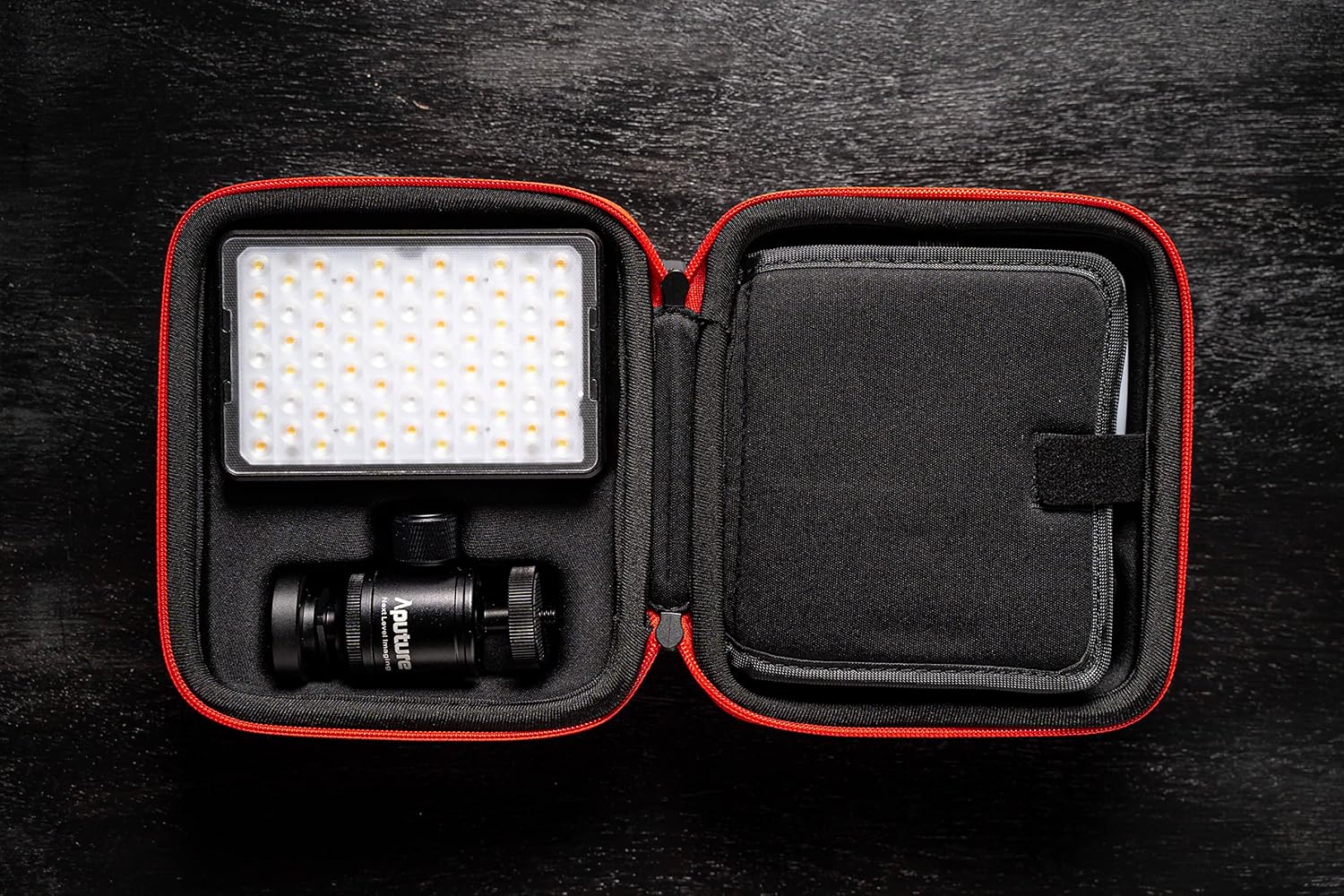
Image 5.1: The compact carrying case protects the light and its accessories during storage and transport.
5.3 Witterungsbeständigkeit
The Aputure MC PRO is IP65 dust and water-resistant, making it suitable for use in various environmental conditions. While it can withstand splashes and dust, it is not designed for submersion in water.

Image 5.2: The IP65 rating ensures durability in challenging weather conditions.
6. Fehlerbehebung
- Licht geht nicht an: Ensure the battery is charged. Connect the light to a power source using the USB-C cable.
- App-Verbindungsprobleme: Ensure Bluetooth is enabled on your device and the light. Restart both the light and the Sidus Link app.
- Ungleichmäßige Lichtleistung: Check for any obstructions on the LED panel or diffusers. Ensure the light is not overheating (though the fan should prevent this).
7. Spezifikationen
| Besonderheit | Wert |
|---|---|
| Verpackungsabmessungen | 6.54 x 6.06 x 3.43 Zoll |
| Artikelgewicht | 2.24 Pfund |
| Batterien | 1 Lithium-Ionen-Akku erforderlich (im Lieferumfang enthalten) |
| Akkulaufzeit | 2 Hours (at max output) |
| Konnektivitätstechnologie | Bluetooth |
| Hardware-Schnittstelle | USB Typ C |
| Compatible Shoe Mount Type | Kalter Schuh |
| CCT-Bereich | 2,000K to 10,000K with Green-Magenta Adjustment |
| CRI/TLCI | 96+ / 96+ |
| IP-Schutzart | IP65 staub- und wasserdicht |
8. Garantie und Support
For warranty information, technical support, or service inquiries, please refer to the official Aputure webBesuchen Sie die Website oder kontaktieren Sie den Kundendienst. Bewahren Sie Ihren Kaufbeleg als Kaufnachweis für Garantieansprüche auf.


