1. Einleitung
The SOAR ShockBox XL Wireless Bluetooth Speaker is designed to provide a high-quality audio experience for various occasions, including sports events and gatherings. This manual provides detailed instructions for the setup, operation, and maintenance of your speaker.

Figure 1: SOAR NFL XL ShockBox Wireless Bluetooth Speaker (Tennessee Titans edition).
2. Packungsinhalt
Bitte überprüfen Sie, ob alle Artikel im Paket vorhanden sind:
- SOAR NFL XL ShockBox Wireless Bluetooth Speaker
- Micro-USB-Ladekabel
- Benutzerhandbuch (dieses Dokument)
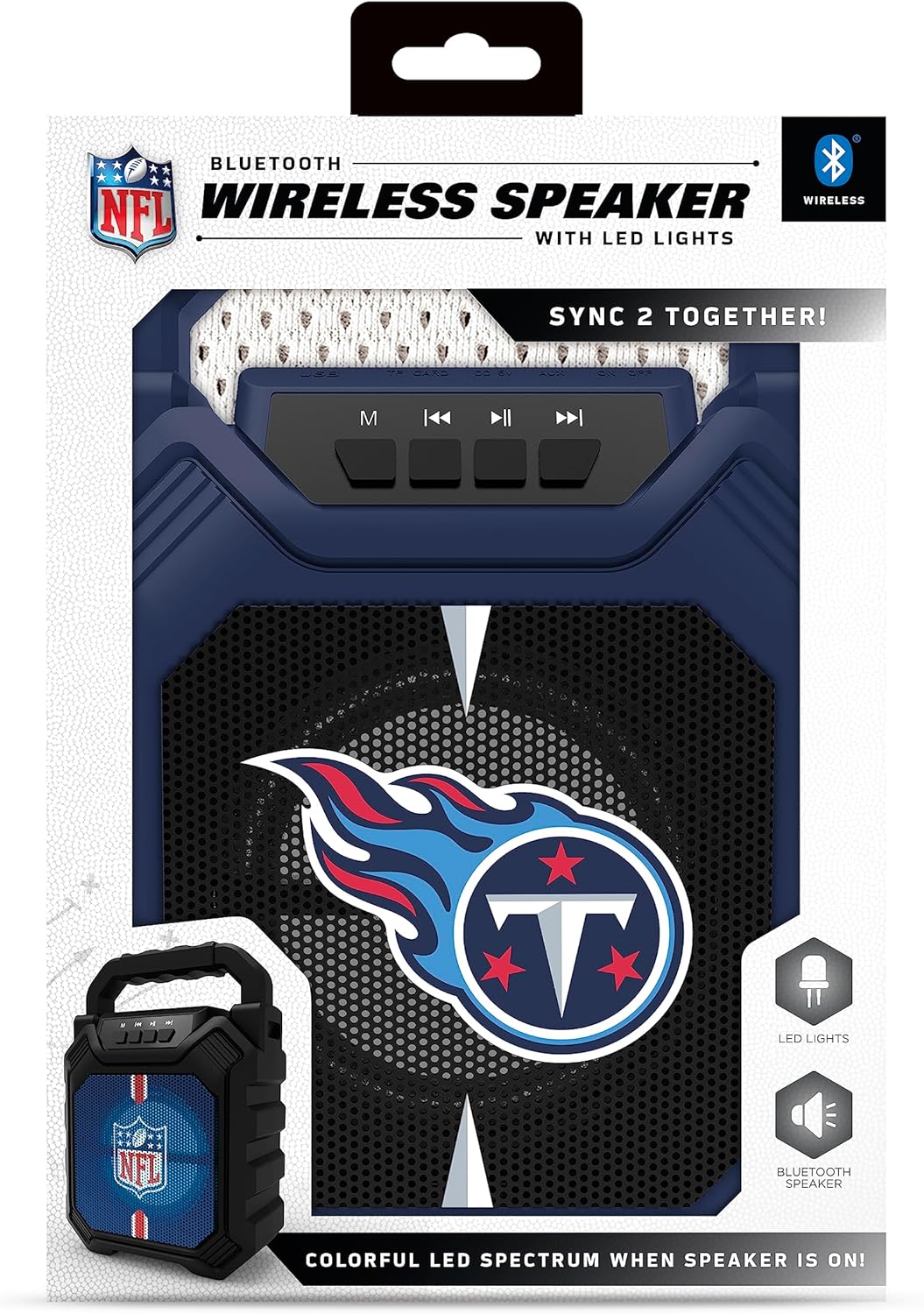
Figure 2: Speaker in its retail packaging, showing the product and its key features.
3. Produktmerkmale
- Bluetooth 5.0-Konnektivität: Ermöglicht drahtloses Audiostreaming von kompatiblen Geräten.
- Mehrere Audioeingänge: Includes AM/FM radio, USB port, and Aux input for versatile playback options.
- Tragbares Design: Features a convenient top handle for easy transport and a shockproof construction for durability.
- Erweiterte Spielzeit: Provides over 5 hours of continuous audio playback on a single charge.
- Dynamische LED-Beleuchtung: Multicolor LED lights synchronize with the music, enhancing the visual experience.
- Stereo Sound Pairing: Supports "Sync 2 Together" functionality, allowing two speakers to be paired for enhanced stereo audio.
- Audio Qualität: Delivers deep bass and crystal clear sound.
- Sprachansagen: Features voice-over speaker prompts for operational guidance.
- Lautsprechertreiber: Equipped with a 25W speaker driver for powerful sound output.
4. Bedienelemente und Anschlüsse
Familiarize yourself with the control panel and input ports located on the speaker:
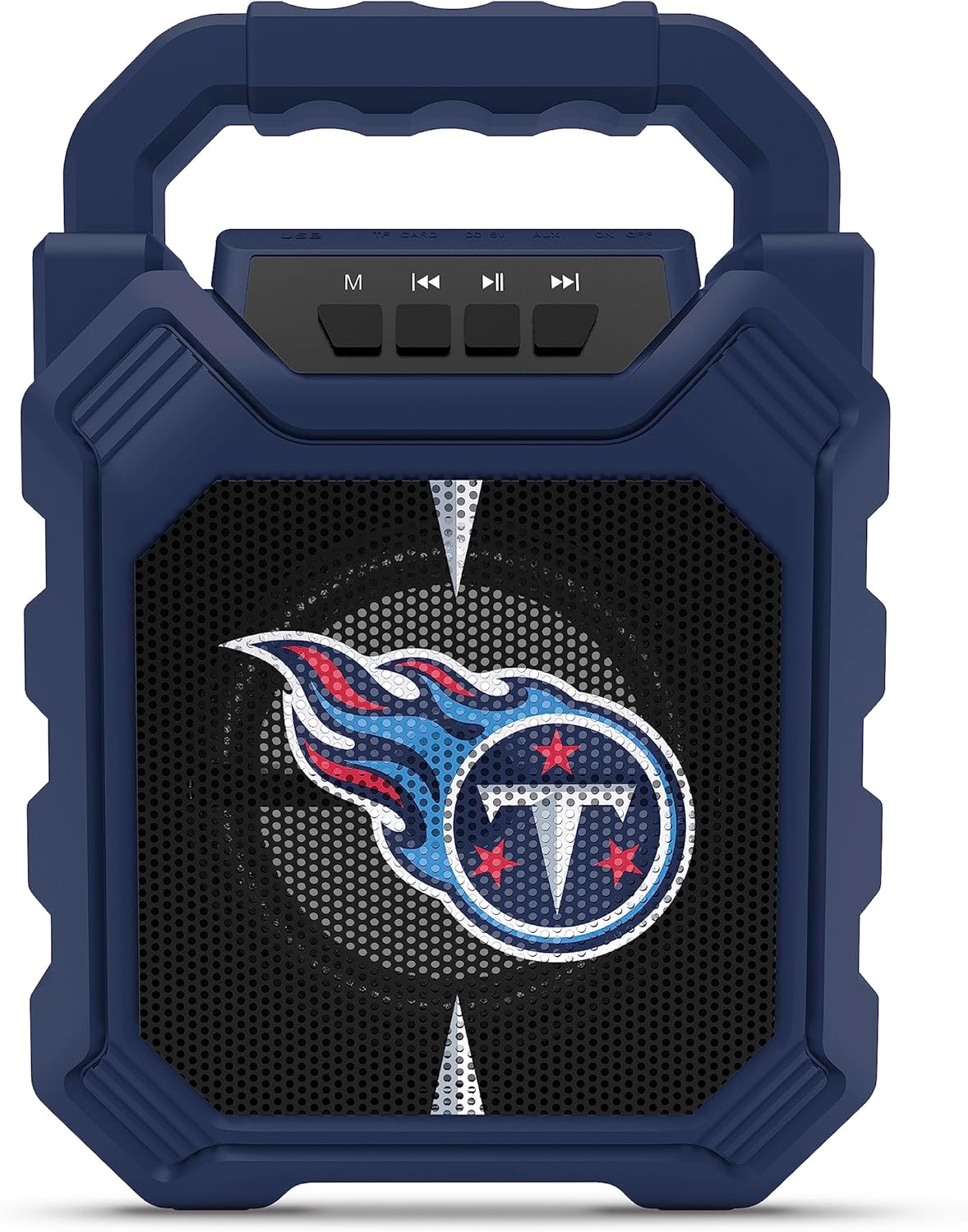
Figure 3: Top panel of the speaker with control buttons and input ports.
| Taste/Port | Funktion |
|---|---|
| M (Modus)-Taste | Switches between Bluetooth, FM Radio, USB, and Aux input modes. |
| Vorheriger Titel / Lautstärke verringern | Short press for previous track (Bluetooth/USB), long press to decrease volume. |
| Wiedergabe-/Pause-Taste | Startet oder pausiert die Audiowiedergabe. |
| Nächster Titel / Lautstärke erhöhen | Short press for next track (Bluetooth/USB), long press to increase volume. |
| USB-Anschluss | Zum Abspielen von Audiodateien von USB-Sticks. |
| TF-Karten-Slot | Zum Abspielen von Audio von TF-Karten (MicroSD-Karten). |
| AUX-Eingang | 3.5mm jack for connecting external audio devices via an auxiliary cable. |
| Micro-USB-Ladeanschluss | Zum Laden des internen Akkus des Lautsprechers. |
5. Einrichtung
5.1 Aufladen des Lautsprechers
- Connect the supplied micro-USB cable to the speaker's micro-USB charging port.
- Verbinden Sie das andere Ende des Kabels mit einem USB-Netzteil (nicht im Lieferumfang enthalten) oder einem USB-Anschluss Ihres Computers.
- Die LED-Anzeige leuchtet während des Ladevorgangs und erlischt, sobald der Akku vollständig geladen ist.
- Eine vollständige Ladung ermöglicht über 5 Stunden Spielzeit.
5.2 Ein-/Ausschalten
- To power on, locate the power switch (usually on the back or side) and slide it to the "ON" position.
- Zum Ausschalten schieben Sie den Netzschalter in die Position „AUS“.
6. Bedienungsanleitung
6.1 Bluetooth-Kopplung
- Ensure the speaker is powered on and in Bluetooth mode (press the 'M' button until you hear a Bluetooth prompt).
- Aktivieren Sie auf Ihrem Mobilgerät Bluetooth und suchen Sie nach verfügbaren Geräten.
- Select "SOAR ShockBox XL" from the list of devices.
- Sobald die Kopplung hergestellt ist, zeigt der Lautsprecher eine erfolgreiche Verbindung an, und Sie können mit dem Audiostreaming beginnen.
6.2 FM-Radiobetrieb
- Press the 'M' button to switch to FM Radio mode.
- Durch Drücken und Halten der Wiedergabe-/Pause-Taste werden automatisch verfügbare FM-Sender gesucht und gespeichert.
- Verwenden Sie die Tasten „Vorheriger Titel“/„Nächster Titel“, um zwischen gespeicherten Sendern zu navigieren.
6.3 USB and AUX Input Usage
- USB Eingang: Stecken Sie einen USB-Stick mit Audio ein fileStecken Sie das Kabel in den USB-Anschluss. Der Lautsprecher schaltet automatisch in den USB-Modus und beginnt mit der Wiedergabe.
- AUX-Eingang: Connect one end of a 3.5mm audio cable (not included) to the speaker's AUX input and the other end to your external audio device. Press the 'M' button to switch to AUX mode.
6.4 Dynamische LED-Leuchten
The speaker features multicolor LED lights that pulse to the rhythm of the music. These lights are automatically activated when the speaker is in use. There is no separate control for the LED lights mentioned in the product features.

Abbildung 4: Bspample of SOAR ShockBox XL speakers with dynamic LED lighting.
6.5 Sync 2 Together (True Wireless Stereo)
To pair two SOAR ShockBox XL speakers for true wireless stereo sound:
- Stellen Sie sicher, dass beide Lautsprecher eingeschaltet und im Bluetooth-Modus sind, aber noch nicht mit einem Gerät verbunden sind.
- On one speaker (this will be the primary speaker), press and hold the 'M' button until you hear a pairing tone.
- Die beiden Lautsprecher verbinden sich automatisch miteinander. Nach erfolgreicher Verbindung hören Sie einen Bestätigungston.
- Verbinden Sie nun Ihr Mobilgerät über Bluetooth mit dem Hauptlautsprecher, wie in Abschnitt 6.1 beschrieben. Der Ton wird über beide Lautsprecher in Stereo wiedergegeben.
7. Wartung
- Reinigung: Reinigen Sie die Außenseite des Lautsprechers mit einem weichen, trockenen Tuch. Verwenden Sie keine Scheuermittel oder Lösungsmittel.
- Lagerung: Bewahren Sie den Lautsprecher an einem kühlen, trockenen Ort fern von direkter Sonneneinstrahlung und extremen Temperaturen auf.
- Batteriepflege: Um die Akkulaufzeit zu verlängern, laden Sie den Lautsprecher vor längeren Nichtbenutzungszeiten vollständig auf. Vermeiden Sie es, den Akku häufig vollständig zu entladen.
- Wasserbeständigkeit: While the speaker has a shockproof design, specific water resistance ratings are not provided. Avoid exposing the speaker to water or excessive moisture.
8. Fehlerbehebung
| Problem | Mögliche Lösung |
|---|---|
| Der Lautsprecher lässt sich nicht einschalten. | Ensure the battery is charged. Connect the speaker to a power source using the micro-USB cable. |
| Kopplung via Bluetooth nicht möglich. |
|
| Kein Ton oder geringe Lautstärke. |
|
| Der FM-Radioempfang ist schlecht. | Adjust the speaker's position. Ensure no strong interference sources are nearby. |
| "Sync 2 Together" pairing fails. |
|
9. Spezifikationen
| Besonderheit | Detail |
|---|---|
| Modellnummer | NFL-BTH6-DLPH |
| Bluetooth-Version | 5.0 |
| Audioeingänge | Bluetooth, FM Radio, USB, Aux |
| Spielzeit | Über 5 Stunden pro Ladung |
| Ladeanschluss | Micro-USB |
| Lautsprechertreiber | 25 W |
| Hersteller | Prime Brands Group Inc |
| Erstes verfügbares Datum | 6. September 2023 |
10. Garantie und Support
For information regarding warranty coverage and customer support, please refer to the contact details provided by Prime Brands Group Inc., the manufacturer. Protection plans are available for purchase separately through the retailer.
For further assistance, please visit the official SOAR webWebsite oder wenden Sie sich an den Kundendienst.


