Einführung
Thank you for choosing the Hama MW-500 Recharge Optical 6-Button Wireless Mouse. This manual provides essential information for the safe and efficient operation of your device. The MW-500 mouse features a high-precision BlueWave optical sensor, 2.4 GHz wireless connectivity, and a built-in rechargeable Li-ion battery for extended use.
Aufstellen
1. Packungsinhalt
- Hama MW-500 Wireless Mouse
- USB-Empfänger
- Ladekabel
- Dieses Benutzerhandbuch
2. Anschließen des USB-Empfängers
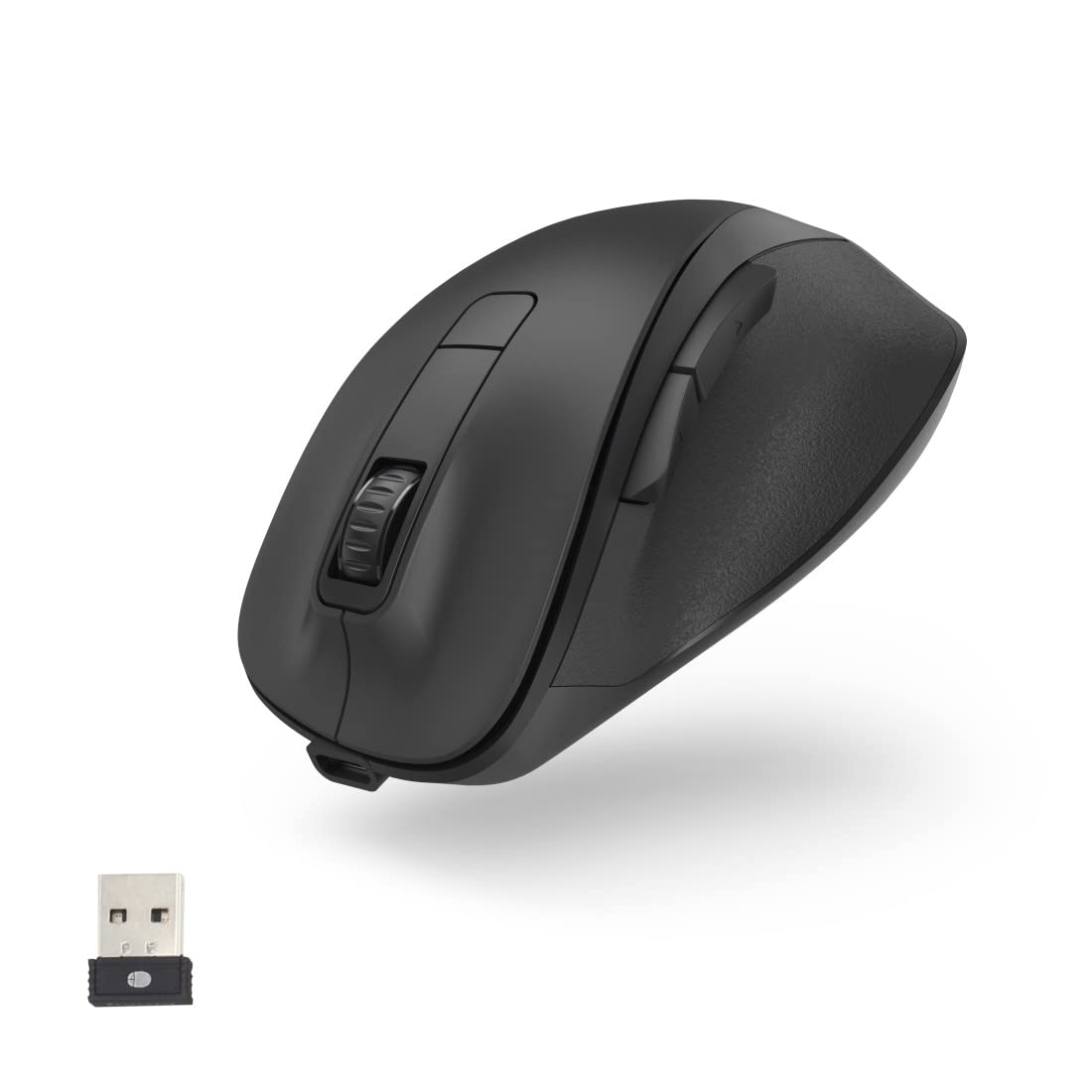
Locate the ultra-small USB receiver, typically stored in a compartment on the underside of the mouse. Remove the receiver and plug it into an available USB port on your notebook or PC. The Smart-Link technology ensures easy and automatic connection.
3. Aufladen der Maus
The MW-500 mouse features a built-in rechargeable Li-ion battery. Before first use, or when the battery is low, connect the provided charging cable to the USB-C port on the front of the mouse and to a USB power source (e.g., computer USB port, USB wall adapter). A full charge provides approximately 75 days of everyday use. The mouse can be used while charging.


4. Ein-/Ausschalten
Locate the power switch on the underside of the mouse. Slide the switch to the 'ON' position to power on the mouse. Slide it to 'OFF' when not in use to conserve battery life.
Betrieb
1. Tastenfunktionen
The Hama MW-500 is a 6-button mouse, providing enhanced functionality:
- Links Klick: Standard-Primärtaste.
- Rechtsklick: Standard-Sekundärtaste.
- Scrollrad: Zum vertikalen Scrollen. Kann auch für die Mittelklick-Funktionalität angeklickt werden.
- DPI-Taste: Located behind the scroll wheel, used to adjust cursor sensitivity.
- Vorwärts-/Rückwärtstasten: An der Seite gelegen, typischerweise zur Navigation verwendet in web Browser bzw file Entdecker.
2. DPI-Anpassung
Press the DPI button to cycle through the available sensitivity settings: 800, 1200, and 1600 DPI. This allows you to adjust the cursor speed to suit your preference and task requirements.
3. Energiesparmodus
The mouse is equipped with an automatic power-saving mode. If the mouse is inactive for a period, it will enter a low-power state to conserve battery. Move the mouse or click any button to wake it up.

Wartung
1. Reinigung
Reinigen Sie Ihre Maus mit einem weichen, trockenen und fusselfreien Tuch. Bei hartnäckigem Schmutz tupfen Sie die Maus leicht ab.ampen the cloth with water or a mild cleaning solution. Avoid using harsh chemicals, abrasive cleaners, or solvents, as these can damage the surface of the mouse.
2. Batteriepflege
The integrated Li-ion battery is designed for long life. To maximize battery lifespan:
- Vermeiden Sie häufiges vollständiges Entladen des Akkus.
- Bewahren Sie die Maus an einem kühlen, trockenen Ort auf, wenn sie längere Zeit nicht benutzt wird.
- Setzen Sie die Maus keinen extremen Temperaturen aus.
Fehlerbehebung
Maus reagiert nicht
- Stellen Sie sicher, dass die Maus eingeschaltet ist.
- Prüfen Sie, ob der USB-Empfänger fest an einen funktionierenden USB-Anschluss angeschlossen ist.
- Vergewissern Sie sich, dass die Batterie der Maus ausreichend geladen ist. Laden Sie sie gegebenenfalls auf.
- Versuchen Sie, den USB-Empfänger an einen anderen USB-Anschluss anzuschließen.
- Starten Sie Ihren Computer neu.
Unregelmäßige Zeigerbewegung
- Stellen Sie sicher, dass der Maussensor sauber und frei von Verunreinigungen ist.
- Use the mouse on a suitable surface (e.g., a mouse pad). Highly reflective or uneven surfaces can affect tracking.
- Überprüfen Sie, ob andere drahtlose Geräte Störungen verursachen.
Probleme beim Aufladen
- Ensure the charging cable is properly connected to both the mouse and the power source.
- Versuchen Sie es mit einem anderen USB-Anschluss oder einem anderen Ladeadapter.
- Prüfen Sie, ob das Ladekabel beschädigt ist.
Technische Daten
| Marke | Hama |
| Modellnummer | 00173032 |
| Konnektivitätstechnologie | 2.4-GHz-Funk (USB-Empfänger) |
| Bewegungserkennungstechnologie | Optical (BlueWave) |
| DPI-Empfindlichkeit | Switchable: 800, 1200, 1600 dpi |
| Anzahl der Tasten | 6 |
| Akku-Typ | Wiederaufladbares Lithium-Polymer |
| Durchschnittliche Akkulaufzeit | Approx. 75 days (with everyday use) |
| Produktabmessungen (L x B x H) | 12 x 8.5 x 4.2 cm |
| Artikelgewicht | 114 g |

Garantie und Support
For warranty information and technical support, please refer to the documentation provided with your purchase or contact Hama customer service directly. The manufacturer is Hama GmbH & Co. KG, Germany.


