1. Einleitung
The PETKIT EVERSWEET Solo 2.0 Connected Water Fountain is designed to provide fresh, filtered water for your pets. Featuring an upgraded wireless 3.0 pump, quiet operation, and smart app connectivity, this fountain ensures your pet stays hydrated with minimal effort from you. Its detachable design simplifies cleaning and maintenance.
2. Packungsinhalt
Bitte überprüfen Sie, ob alle Artikel im Paket vorhanden sind:
- 1 x PETKIT EVERSWEET Solo 2.0 Water Fountain
- 1 x Filter
- 1 x USB-Netzkabel
- 1 x Benutzerhandbuch (dieses Dokument)
3. Produktüberschreitungview
The PETKIT EVERSWEET Solo 2.0 features a sleek design and advanced functionalities to ensure optimal hydration for your pet.

Bild 1: Vorderseite view of the PETKIT EVERSWEET Solo 2.0 Water Fountain, showing the water reservoir, pump, and water level indicator.
Key features include a wireless pump for enhanced safety and ease of cleaning, a multi-layer filtration system to remove impurities, and Bluetooth connectivity for app control and status monitoring.
4. Einrichtungsanweisungen
Follow these steps for the initial setup of your PETKIT EVERSWEET Solo 2.0 Water Fountain:
- Komponenten auspacken: Nehmen Sie alle Artikel vorsichtig aus der Verpackung.
- Spülkomponenten: Rinse the water reservoir, tray, and pump thoroughly with clean water. Do not use soap on the pump.
- Filter installieren: Place the filter into its designated slot in the upper tray. Ensure it is securely seated.
- Brunnen zusammenbauen: Place the wireless pump into the base. Then, align the water reservoir with the base and gently press down until it clicks into place. The detachable design allows for easy separation of the body and base.
- Mit Wasser füllen: Fill the water reservoir with clean drinking water up to the 'MAX' line indicated on the side. Avoid overfilling.
- Strom anschließen: Connect the USB power cable to the base of the fountain and plug the other end into a compatible USB power adapter (not included) and then into a wall outlet.
- Einschalten: The fountain will automatically start operating.
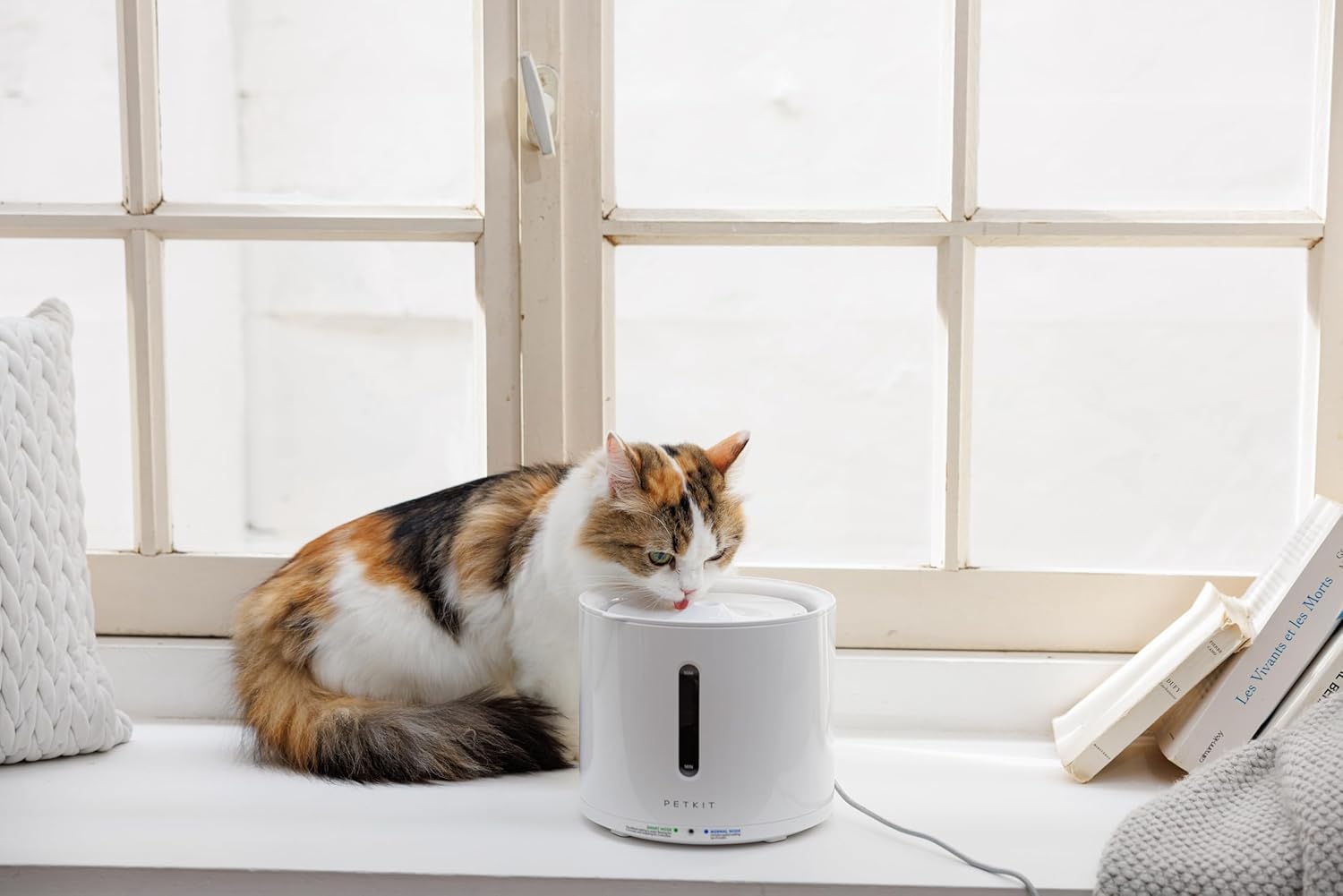
Image 2: A cat drinking water from the PETKIT EVERSWEET Solo 2.0 Water Fountain, positioned on a windowsill.
5. Operating Modes and App Connectivity
The PETKIT EVERSWEET Solo 2.0 offers various operating modes and smart features via the PETKIT app:
- Smart-Modus: Optimizes water dispensing based on environmental conditions and pet activity, conserving energy.
- Normalmodus: Provides continuous water flow.
- Nachtmodus: Adjusts operation for quieter performance during nighttime hours.
App-Konnektivität
Download the PETKIT app from your device's app store. Connect the fountain via Bluetooth to:
- Monitor the water fountain's status in real-time.
- Receive alerts for low water levels.
- Adjust operating modes and settings remotely.
6. Wartung
Regular maintenance is crucial for the longevity and optimal performance of your water fountain.
Reinigen des Brunnens
We recommend dismantling and cleaning the pump and all fountain components regularly (e.g., weekly). This extends the life of the pump and water dispenser.
- Stromversorgung trennen: Unplug the fountain from the power source.
- Zerlegen: Separate the water reservoir from the base. Remove the filter and pump.
- Saubere Komponenten: Wash the reservoir, tray, and other non-electrical parts with mild soap and water. Rinse thoroughly.
- Pumpe reinigen: Carefully disassemble the pump according to its instructions (refer to the pump's specific manual if provided). Clean all internal parts, including the impeller, with a small brush or cotton swab to remove any debris, hair, or mineral buildup. Rinse the pump thoroughly with clean water.
- Zusammenbauen: Reassemble the pump, then place it back into the base. Reinstall the filter and reassemble the fountain.
- Nachfüllen und neu starten: Fill with fresh water and reconnect power.
Thorough cleaning of the water pump can help resolve issues such as weakened or absent water flow and increased pump noise.
Filterwechsel
The multi-layer filter helps remove hair, dust, odors, and heavy metals. Replace the filter regularly according to the PETKIT app's recommendations or approximately every 2-4 weeks, depending on usage and water quality.
- Stromversorgung trennen: Trennen Sie den Brunnen.
- Alten Filter entfernen: Lift the upper tray and remove the used filter.
- Neuen Filter installieren: Rinse the new filter under running water for a few minutes to remove any loose carbon dust. Place the new filter into the designated slot.
- Reassemble and Restart: Reassemble the fountain, fill with fresh water, and reconnect power.
7. Fehlerbehebung
If you encounter any issues with your PETKIT EVERSWEET Solo 2.0, refer to the following common problems and solutions:
- No Water Flow or Weak Flow:
- Ensure the fountain is properly assembled and the pump is correctly seated.
- Check the water level; refill if it's below the minimum line.
- Clean the pump thoroughly, as debris or hair can obstruct water flow. Refer to the 'Cleaning the Fountain' section.
- Replace the filter if it is clogged.
- Increased Pump Noise:
- Ensure the water level is sufficient. Low water levels can cause the pump to run dry and become noisy.
- Clean the pump thoroughly, especially the impeller, to remove any trapped debris or mineral buildup. Refer to the 'Cleaning the Fountain' section.
- Ensure the pump is securely placed in its housing and not vibrating against the fountain walls.
- Probleme mit der App-Konnektivität:
- Stellen Sie sicher, dass Bluetooth auf Ihrem Mobilgerät aktiviert ist.
- Make sure the fountain is powered on and within Bluetooth range of your device.
- Restart the PETKIT app or your mobile device.
- If issues persist, try resetting the fountain (refer to the app or PETKIT support for specific reset procedures).
8. Spezifikationen
| Besonderheit | Spezifikation |
|---|---|
| Modellnummer | PTPE00421 |
| Abmessungen (L x B x H) | 8.27 x 8.27 x 7.87 Zoll (185 x 185 x 164 mm) |
| Artikelgewicht | 1.76 Pfund (800 Gramm) |
| Kapazität | 2 Liter |
| Material | Kunststoff, Edelstahl |
| Stromquelle | Kabelgebundener Strom (USB) |
| Konnektivität | Bluetooth |
9. Garantie und Support
For warranty information, technical support, or further assistance, please refer to the official PETKIT webBesuchen Sie die Website oder kontaktieren Sie den PETKIT-Kundendienst. Bewahren Sie Ihren Kaufbeleg als Kaufnachweis für Garantieansprüche auf.
You can visit the PETKIT store for more information: PETKIT Official Store