1. Einleitung
Thank you for choosing the Perlegear PGTVMC15 Mobile TV Stand. This manual provides essential information for the safe and correct assembly, operation, and maintenance of your new TV stand. Please read these instructions carefully before installation and retain them for future reference.
The Perlegear PGTVMC15 is a versatile mobile TV stand designed to accommodate 37-75 inch televisions weighing up to 40kg. It features a reinforced glass base for stability and a sleek aesthetic, 360-degree rotating casters with locking mechanisms for easy movement and secure positioning, 6-level height adjustment, and a ±35-degree swivel function for optimal viewing angles. Its design is suitable for various environments, including homes, schools, hospitals, and business displays.
Sicherheitshinweise
- Lies alle Anweisungen: Bitte stellen Sie sicher, dass Sie vor der Verwendung alle Montage- und Bedienungsanleitungen verstanden haben.
- Gewichtskapazität: Do not exceed the maximum load capacity of 40kg (88 lbs). Overloading can result in serious injury or property damage.
- TV-Größe: Dieser Ständer ist für Fernseher mit einer Bildschirmdiagonale zwischen 37 und 75 Zoll konzipiert.
- VESA-Kompatibilität: Ensure your TV's VESA mounting pattern is within the range of 200x100mm to 600x400mm.
- Montage: Assemble the product exactly as instructed. Improper assembly may lead to instability.
- Rollen: Um ein versehentliches Verschieben des Ständers zu verhindern, sollten die Rollen immer arretiert werden, wenn sich der Ständer in einer festen Position befindet.
- Kinder: Halten Sie Kinder während der Montage vom Fernsehständer fern und stellen Sie sicher, dass der Fernseher sicher befestigt ist, um ein Umkippen zu verhindern.
2. Packungsinhalt
Please verify that all components listed below are present and undamaged. If any parts are missing or damaged, please contact Perlegear customer support.
Das Paket beinhaltet typischerweise:
- Hauptstützsäule
- Reinforced glass base
- TV-Wandhalterungen
- Adjustable media shelf
- Casters with locking mechanism
- Hardware kit (various screws, washers, spacers for TV mounting and stand assembly)
- Montageanleitung
3. Spezifikationen
| Besonderheit | Spezifikation |
|---|---|
| Modellnummer | PGTVMC15 |
| Kompatible TV-Größen | 37 - 75 Zoll |
| Maximale Tragfähigkeit | 40 kg |
| VESA-Kompatibilität (horizontal) | 200 mm - 600 mm |
| VESA-Kompatibilität (vertikal) | 100 mm - 400 mm |
| Höhenverstellung | 6 levels (104cm - 129cm from floor to TV plate center) |
| Schwenkwinkel | ±35 Grad (links/rechts) |
| Grundmaterial | Reinforced Tempered Glass |
| Säulenmaterial | Stahl |
| Technische Daten | 60 x 40 x 125 cm (ungefähr, variiert je nach Höheneinstellung) |
| Produktgewicht | 16 kg |

Abbildung 3.1: Detailed dimensions of the Perlegear PGTVMC15 TV Stand. This diagram provides precise measurements of the TV stand, including its overall height (up to 129cm), base dimensions (60cm x 40cm), and shelf size, aiding in planning your setup.
4. Aufbau und Montage
Follow these steps to assemble your Perlegear PGTVMC15 Mobile TV Stand. It is recommended to have two people for assembly, especially when mounting the TV.
4.1 Vormontageprüfung
- Packen Sie alle Komponenten aus und legen Sie sie auf eine weiche, saubere Unterlage, um Kratzer zu vermeiden.
- Prüfen Sie anhand der Packungsinhaltsliste, ob alle Teile vorhanden sind.
- Ensure your TV meets the size (37-75 inches), weight (max 40kg), and VESA compatibility (200x100mm to 600x400mm) requirements.

Abbildung 4.1: TV compatibility guidelines. This image illustrates the compatibility of the TV stand, supporting televisions from 37 to 75 inches, with a maximum weight of 40kg. It is compatible with VESA mounting patterns ranging from 200x100mm to 600x400mm.
4.2 Montageschritte (Allgemein)view)
- Rollen an der Basis befestigen: Secure the casters to the reinforced glass base using the provided hardware. Ensure locking casters are positioned correctly.
- Assemble Support Column: Connect the main support column sections as per the detailed instructions in your package.
- Säule an Basis anbringen: Secure the assembled support column to the glass base.
- Medienregal installieren: Attach the adjustable media shelf to the support column at your desired height.
- Befestigen Sie die TV-Halterungen am Fernseher: Secure the TV mounting brackets to the back of your television using the appropriate screws, washers, and spacers from the hardware kit. Ensure the brackets are level and securely fastened.
- Fernseher am Ständer befestigen: With assistance, carefully lift the TV and hook the TV brackets onto the mounting plate of the stand. Secure the TV in place using the safety screws or locking mechanisms.
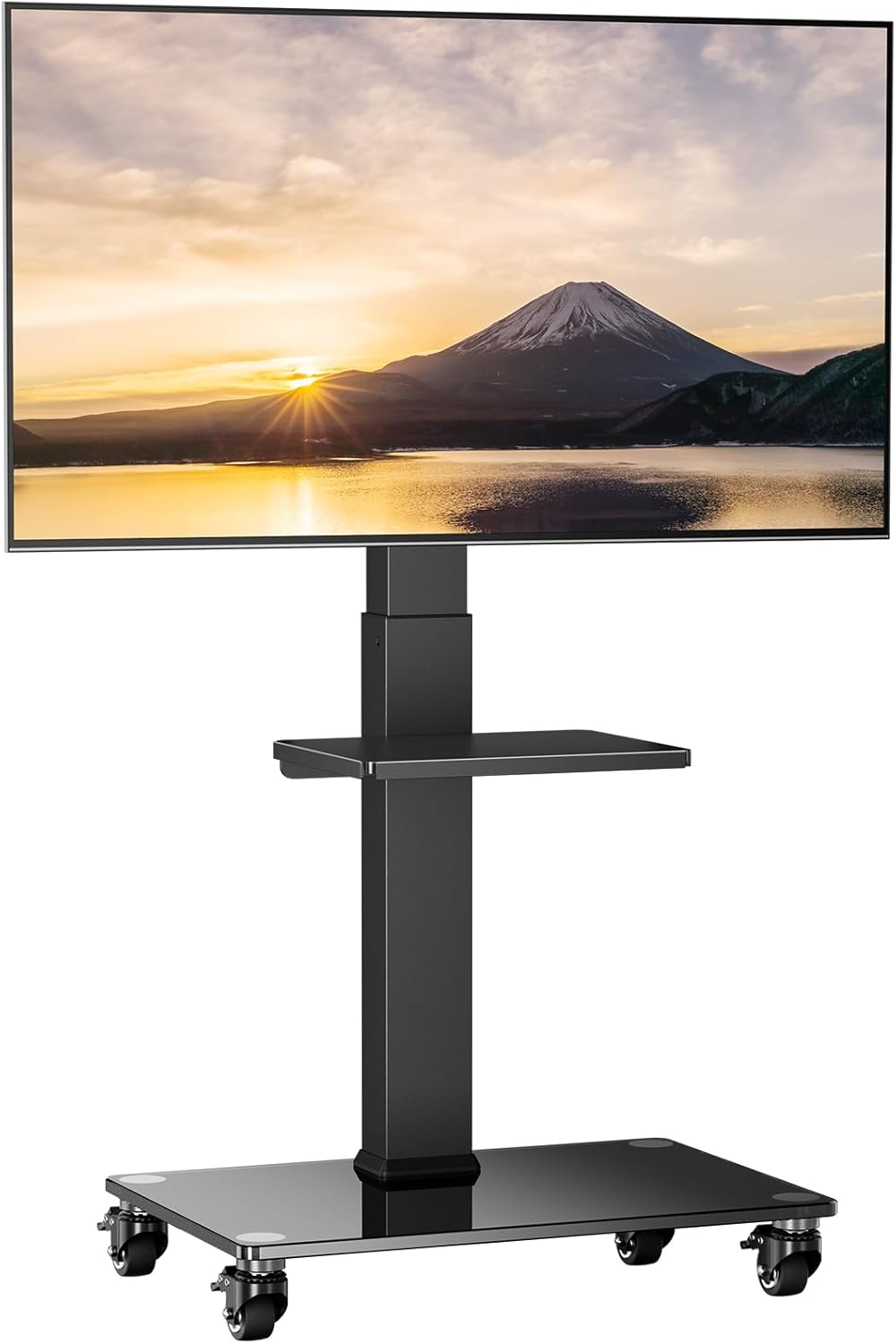
Abbildung 4.2: The Perlegear PGTVMC15 Mobile TV Stand fully assembled with a television mounted.
5. Bedienungsanleitung
5.1 Höhenverstellung
The TV stand allows for 6 levels of height adjustment to achieve your preferred viewing height. To adjust the height:
- Stellen Sie sicher, dass der Fernseher sicher montiert ist.
- Locate the pull-pin mechanism on the main support column.
- Pull the pin outwards to disengage the locking mechanism.
- Carefully slide the TV mounting plate up or down to the desired height.
- Release the pin, ensuring it fully engages into one of the adjustment holes to lock the height securely.

Abbildung 5.1: Height adjustment mechanism. The stand offers 6 levels of height adjustment, allowing the TV to be positioned between 104cm and 129cm (from the center of the mounting plate to the floor surface). Adjustment is made using a convenient pull-pin mechanism.
5.2 Schwenkfunktion
The TV stand allows for a ±35-degree swivel (left or right) to optimize your viewing-Winkel.
- Fassen Sie Ihren Fernseher vorsichtig an den Seiten an.
- Carefully rotate the TV to the desired left or right angle within the 35-degree range.
- No locking mechanism is required for swivel; the friction holds the TV in place.
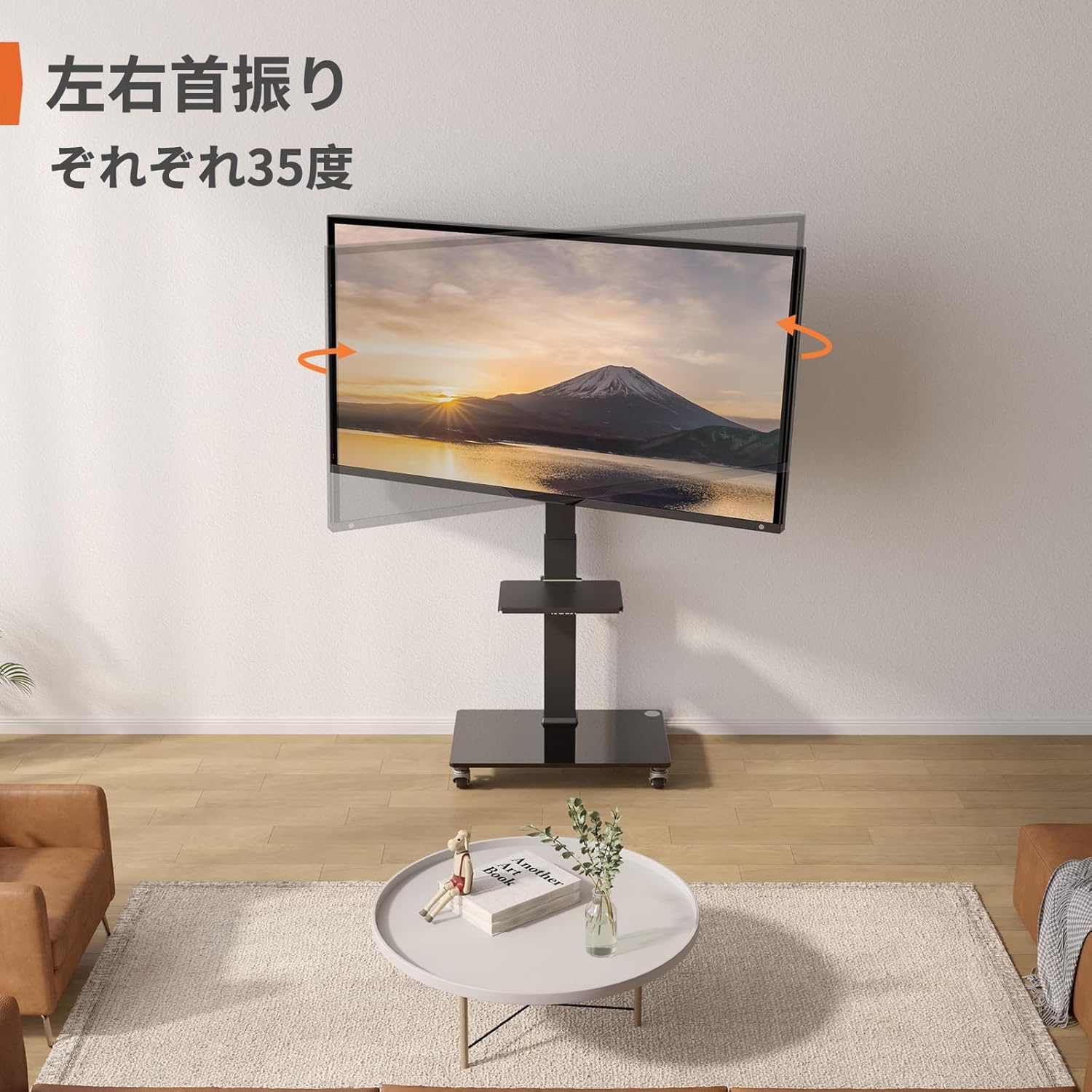
Abbildung 5.2: Swivel function. The TV stand features a ±35-degree swivel function, enabling you to adjust the viewWinkel für Komfort viewaus verschiedenen Positionen im Raum.
5.3 Mobility and Caster Usage
The integrated casters allow for easy movement of the TV stand. Each caster is equipped with a locking mechanism.
- Bewegen: Unlock all casters by flipping their levers upwards. Gently push the stand to its new location.
- Zum Sichern: Once in the desired position, lock all casters by flipping their levers downwards to prevent accidental movement.

Abbildung 5.3: Casters with locking mechanism. Equipped with smooth-rolling casters, this stand is suitable for various floor types including wood, carpet, and tile. The casters are designed for quiet operation and include locking mechanisms for stability.
6. Wartung
- Reinigung: Verwenden Sie ein weiches,amp cloth to clean the surfaces of the stand. Avoid abrasive cleaners or solvents that could damage the finish or glass.
- Regelmäßige Kontrollen: Überprüfen Sie regelmäßig alle Schrauben und Verbindungen, um sicherzustellen, dass sie fest sitzen und sicher sind. Ziehen Sie sie gegebenenfalls nach.
- Pflege des Casters: Um eine reibungslose Bewegung zu gewährleisten, sollten die Rollen frei von Schmutz sein.
7. Fehlerbehebung
7.1 Stand is Unstable
- Verbindungen prüfen: Stellen Sie sicher, dass alle Schrauben und Bolzen fest angezogen sind.
- Ebene Oberfläche: Vergewissern Sie sich, dass der Ständer auf einer ebenen, waagerechten Fläche steht.
- Gewichtsbeschränkung: Confirm your TV's weight does not exceed the 40kg (88 lbs) maximum load capacity.
7.2 Difficulty Moving the Stand
- Unlock Casters: Ensure all casters are in the unlocked position.
- Auf Schmutz prüfen: Clear any hair, dust, or debris from the caster wheels.
7.3 TV nicht waagerecht
- Re-adjust Brackets: Loosen the TV mounting screws slightly, adjust the TV to be level, and then retighten the screws.
- Check Stand Assembly: Ensure the main column and mounting plate are assembled correctly and are level.
8. Garantie und Support
Perlegear products are manufactured with quality and durability in mind. For specific warranty information, please refer to the warranty card included in your package or visit the official Perlegear webWebsite.
If you encounter any issues or have questions regarding your Perlegear PGTVMC15 Mobile TV Stand, please contact our customer support team. Our representatives are available to assist you with troubleshooting, parts replacement, or any other product-related inquiries.
Kontaktinformationen: Please refer to the contact details provided on the Perlegear official website or your product packaging for the most up-to-date support information.


