1. Einleitung
This manual provides detailed instructions for the installation and operation of the EASYGUARD ECS002PP-BM-CS4-1 Plug Play Factory Key Remote Starter. This system is designed to add remote start functionality to compatible BMW vehicles equipped with a factory OEM push start button, utilizing your existing factory key fob.
2. Sicherheitshinweise
- Keep the entire kit away from children.
- Installation should only be performed by a trained alarm installer or professional with experience in automotive electrical systems.
- Ensure the vehicle is parked safely and the parking brake is engaged before performing any installation or testing.
- Always disconnect the vehicle's battery before beginning installation to prevent electrical shorts or damage.
3. Produktüberschreitungview und Komponenten
The EASYGUARD ECS002PP-BM-CS4-1 system includes the main control module, a bypass module, wiring harnesses, and battery boards. These components integrate with your vehicle's existing systems to enable remote start and other features.

Abbildung 3.1: Überview of the EASYGUARD remote starter components, including the control module, bypass module, bypass wire, battery board (choose one to use), and plug-and-play wire harness.
4. Fahrzeugkompatibilität
This remote starter system is compatible with specific BMW models and series that feature a factory OEM push start button. Please verify your vehicle's year, plate, series, and platform against the table below.

Abbildung 4.1: Detailed compatibility chart for BMW vehicles, indicating supported years, plate numbers, series, platform (CAS4), and required jumper settings.
Notiz: All compatible vehicles must be equipped with a factory OEM push start button.
5. Einrichtung und Installation
Installation of this system requires careful attention to detail and understanding of automotive wiring. It is highly recommended that installation be performed by a professional or trained alarm installer to ensure proper function and avoid damage to your vehicle.
5.1 Bypass Module Installation
The bypass module is essential for the system to function correctly. It integrates with one of your factory key fobs. You will need two working factory key fobs for this installation: one to be placed inside the bypass module, and the other for daily use to control the vehicle.

Abbildung 5.1: Visual instructions for installing the bypass module, detailing the process of preparing the key, inserting it, and securing it with adhesive tape. The bypass module is included and does not require additional purchase.
5.2 Schaltplan
The system uses a plug-and-play wiring harness designed for specific BMW CAS4 vehicles. Refer to the English wiring diagram provided for precise connections. No cutting or soldering of factory wiring is required.

Abbildung 5.2: Comprehensive wiring diagram illustrating the connections for the remote starter system in CAS4 BMW vehicles. This includes details on fuse replacement, foot brake connector, push start button connection, and bypass module placement.
5.3 PKE Antenna Installation
Proper placement of the PKE (Passive Keyless Entry) antennas is crucial for optimal performance of the automatic lock/unlock feature. The front PKE antenna is typically installed near the windshield, and the rear antenna near the rear window.
Video 5.1: This video demonstrates the installation process for the PKE antennas, showing typical locations for the front and rear antennas within the vehicle's interior for optimal passive keyless entry functionality.
6. Bedienungsanleitung
6.1 Remote Engine Start/Stop (using Factory Key Fob)
The system allows you to remotely start and stop your vehicle using your original factory key fob. This feature is convenient for pre-cooling your car in hot weather or pre-warming it in cold weather.
- Zu Fernstart the vehicle: Press the Lock button three times on your factory key fob.
- Zu abschalten the vehicle: Press the Trunk button three times on your factory key fob.

Abbildung 6.1: This image demonstrates the remote start/stop method using the factory OEM key fob. Pressing the lock button three times initiates remote start, while pressing the trunk button three times shuts off the engine. This allows for pre-cooling or pre-warming the vehicle.
6.2 Passives schlüsselloses Zugangssystem (PKE)
The PKE feature automatically locks and unlocks your car doors as you approach or walk away from the vehicle, provided your factory key fob is within range (approximately 3-6 feet).
Video 6.1: This video illustrates the functions of Passive Keyless Entry (PKE) and remote start. It shows the automatic unlocking of car doors when approaching the vehicle with the key fob and the remote engine start feature.
6.3 Smartphone App Control (Optional Upgrade)
The system can be upgraded to include smartphone app control and 4G LTE GPS tracking by purchasing an additional GPS002-BM 4G LTE module (ASIN: B0D95Y1XN3). This allows for remote control and monitoring of your vehicle via a smartphone application.
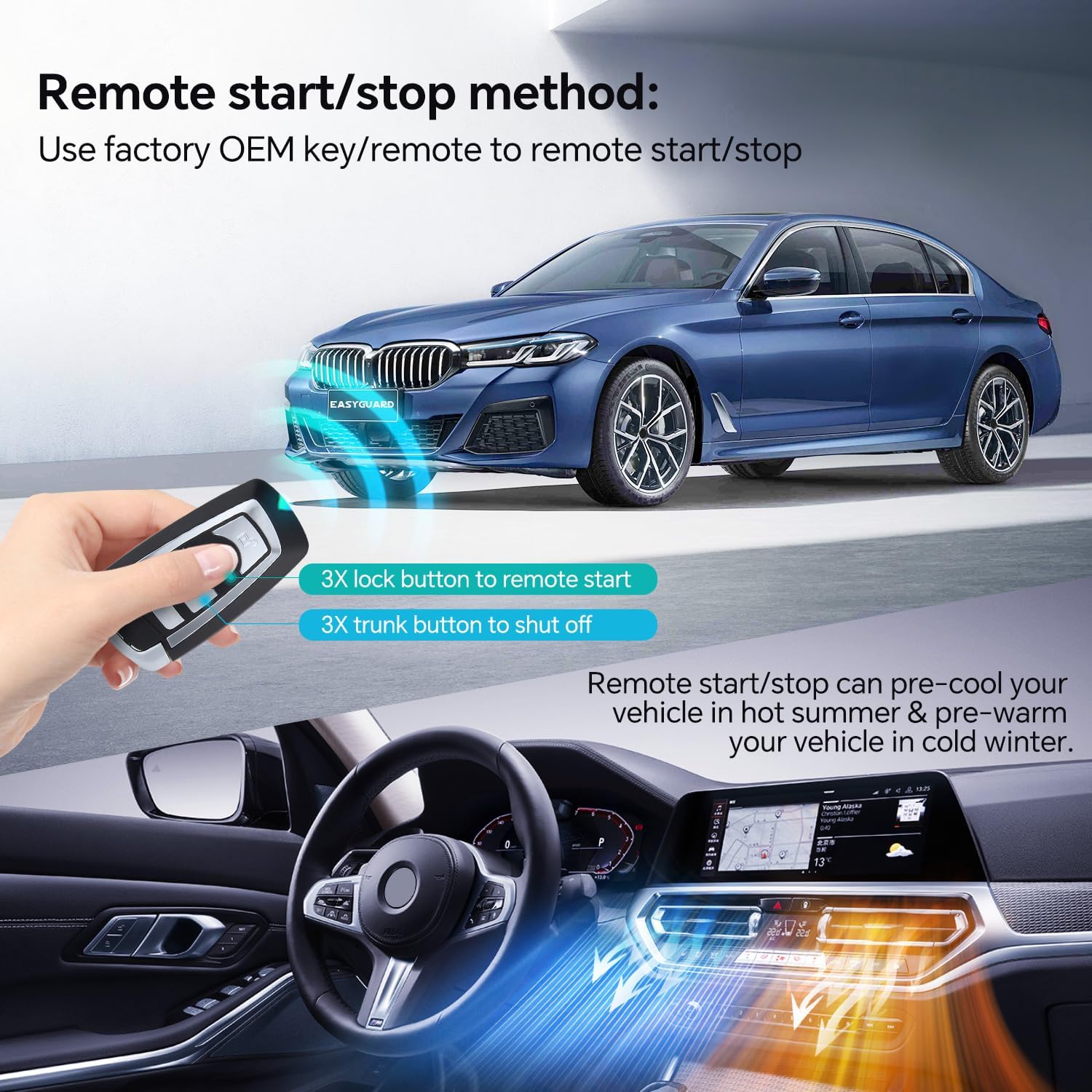
Abbildung 6.2: This image depicts the optional smartphone app interface for controlling the vehicle, showing functions like remote start/stop, lock/unlock, and GPS tracking capabilities when the additional 4G LTE module is installed.
7. Wichtige Hinweise
Please observe the following important considerations for the EASYGUARD remote starter system:

Abbildung 7.1: A summary of important notes for the remote starter, highlighting plug-and-play installation, no key programming, use of factory key fob, requirement for OEM push start, included bypass module, and the need for two working factory keys.
- Plug-and-Play-Installation: Designed for simplified installation without extensive modifications.
- No Key Programming Required: The system does not require programming of new car keys.
- Uses Factory OEM Key/Remote: Control is maintained through your existing factory key fob.
- Factory OEM Push Start Button Required: Only compatible with vehicles already equipped with a push start button.
- Bypass Module Included: The necessary bypass module is part of the kit.
- Two Working Factory Keys Needed: One key fob will be housed in the bypass module, while the other is used for daily operation.
8. Fehlerbehebung
If you encounter issues with your EASYGUARD remote starter, consider the following common troubleshooting steps:
- Installationsprobleme: If the system does not function as expected after installation, double-check all wiring connections against the provided diagram. Ensure all modules are securely connected. Professional installation is strongly advised to prevent such issues.
- Batterieverbrauch: If you experience unusual battery drain, verify that the bypass module is correctly installed and not causing continuous power draw. Ensure the vehicle's computer and monitor fully shut down after remote stop.
- Fernbereich: The remote start/stop functionality relies on the range of your factory key fob. Obstructions or distance can affect performance. PKE range is typically 3-6 feet.
- Engine Shut-off after Door Open: Some security features may cause the engine to shut off when a door is opened after remote start. Refer to the detailed wiring diagram and product specifications for specific operational behaviors.
- Missing Features/Functionality: Ensure all required components, such as the second factory key fob for the bypass module, are correctly utilized. For smartphone app control or GPS tracking, confirm the optional 4G LTE module is installed and activated.
- No Remote in Kit: This system is designed to work with your existing factory key fob; it does not include a separate remote control.
For persistent issues, consult a qualified automotive technician or contact EASYGUARD customer support.
9. Spezifikationen
| Besonderheit | Detail |
|---|---|
| Modellnummer | ECS002PP-BM-CS4-1 |
| Marke | EASYGUARD |
| Artikelgewicht | 1.1 Pfund |
| Technische Daten | 5.91 x 7.09 x 3.15 Zoll |
| Drahtlose Fernbedienung | No (uses factory key fob) |
| Hersteller | ieasyguard.com |
| Erstes verfügbares Datum | 15. April 2023 |
10. Garantie und Support
For warranty information, technical support, or further assistance, please contact EASYGUARD directly through their official website or the retailer from whom the product was purchased. Ensure you have your product model number and purchase details available when seeking support.


