1. Wichtige Sicherheitshinweise
Please read all safety instructions carefully before using the BYINTEK P70 Smart WiFi Projector. Keep this manual for future reference.
- Energiequelle: Verwenden Sie ausschließlich das mitgelieferte Netzteil. Stellen Sie sicher, dass die Lautstärketage entspricht den Anforderungen des Projektors.
- Batteriesicherheit: The projector contains a built-in lithium-ion battery. Do not expose to extreme temperatures, puncture, or disassemble.
- Belüftung: Sorgen Sie für ausreichende Belüftung um den Projektor herum, um eine Überhitzung zu vermeiden. Blockieren Sie die Lüftungsöffnungen nicht.
- Hitze: Der Projektor kann sich während des Betriebs erwärmen. Das ist normal. Vermeiden Sie es, die Linse oder die Lüftungsschlitze unmittelbar nach Gebrauch zu berühren.
- Lichteinwirkung: Schauen Sie nicht direkt in die Projektorlinse, wenn der lamp ist eingeschaltet, da das helle Licht zu Augenbelastung oder -schäden führen kann.
- Wasser und Feuchtigkeit: Schützen Sie den Projektor vor Wasser, Regen und übermäßiger Luftfeuchtigkeit. Bedienen Sie ihn nicht mit nassen Händen.
- Reinigung: Vor der Reinigung die Stromzufuhr unterbrechen. Ein weiches, trockenes Tuch verwenden. Keine flüssigen oder Aerosolreiniger verwenden.
- Kinder: Bewahren Sie den Projektor und sein Zubehör außerhalb der Reichweite von Kindern auf.
2. Produktüberschreitungview
The BYINTEK P70 is a portable smart DLP projector designed for versatile entertainment and presentation needs. It features an 8000mAh built-in battery, Android 9.0 operating system, auto-focus, and 3D support.
2.1 Packungsinhalt
- BYINTEK P70 Projector x 1
- Fernbedienung x 1
- Netzteil x 1
- Mini-Stativ x 1
- Aufbewahrungstasche x 1
- Benutzerhandbuch x 1
2.2 Hauptmerkmale
- Tragbares Design: Kompakt und leicht für einfachen Transport.
- Eingebaute Batterie: 8000mAh battery provides 1.5 to 3 hours of playback.
- Intelligentes Android-Betriebssystem: Android 9.0 for app downloads, online streaming, and gaming.
- Autofokus: Automatic focus adjustment for clear images.
- 6D-Trapezkorrektur: Advanced keystone correction for flexible placement.
- 3D-Unterstützung: Enjoy immersive 3D content.
- Kabellose Verbindung: Supports wireless screen mirroring from Android, iOS, and PC devices.
- Kabelgebundene Konnektivität: USB data cable sync for iOS and select Android devices.
- Große Projektionsgröße: Bis zu 200 Zoll.
- 4K-Wiedergabe: Supports up to 4K video input.
- Lange LED Lamp Leben: 30,000 Stunden.
- Zwei Stereolautsprecher: Integrated 2x5W speakers for clear audio.

Image: Infographic detailing the BYINTEK P70's features including 4K support, DLP display, 6D keystone, 8000mAh battery, 3D, Type-C charge, 2G+32G memory, Android OS, and stereo speakers.
3. Einrichtung
3.1 Charging the Projector
Before first use, fully charge the projector. Connect the provided power adapter to the projector's Type-C port and plug it into a power outlet. The charging indicator will show the charging status.

Image: The BYINTEK P70 projector connected to a power bank via a Type-C cable, illustrating its portable charging capability.
3.2 Erstplatzierung
Stellen Sie den Projektor auf eine stabile, ebene Fläche. Für optimale Ergebnisse viewing, position it directly in front of your projection screen or wall. The included mini tripod can be used for angle adjustments.
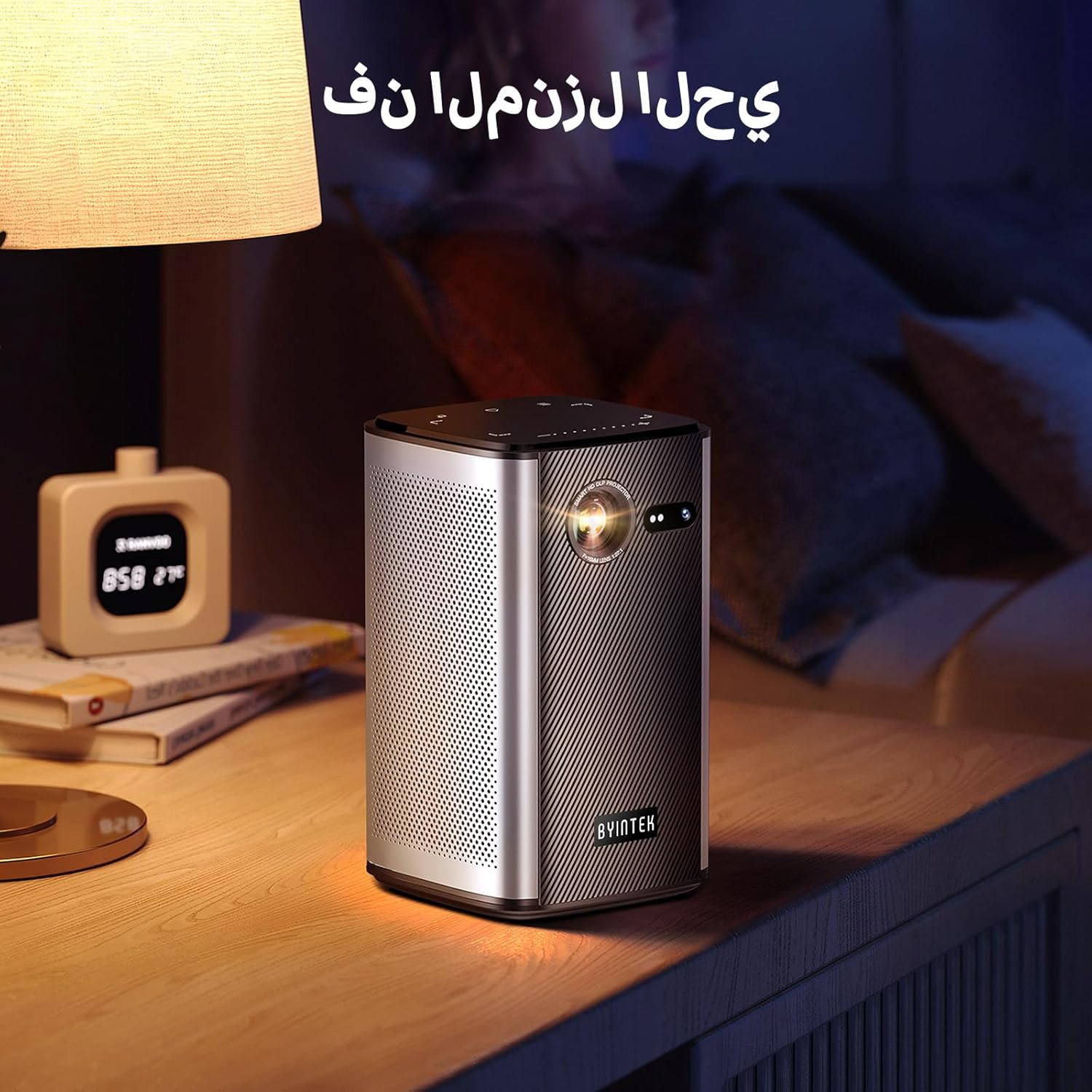
Image: The BYINTEK P70 projector placed on a bedside table, ready for indoor use.
3.3 Ein-/Ausschalten
Press and hold the power button on the projector or remote control to turn the device on or off.
3.4 Fokus- und Trapezkorrektur
The BYINTEK P70 features automatic focus. For keystone correction, navigate to the settings menu using the remote control. The 6D keystone correction allows for precise image adjustment, even with side projection.

Image: A visual representation of the projector's auto-focus feature, showing a clear image projected onto a wall.
4. Bedienungsanleitung
4.1 Navigation im Android-Betriebssystem
Use the remote control to navigate the Android 9.0 interface. The home screen provides access to pre-installed apps and settings. You can download additional applications from the app store.

Image: The projector displaying its Android operating system interface with various application icons like Miracast, Settings, AirPlay, Market, File Explorer, YouTube, and Netflix.
4.2 Drahtlose Bildschirmspiegelung
The projector supports wireless screen mirroring for Android, iOS, and PC devices. Access the 'Miracast' or 'AirPlay' app on the projector's home screen and follow the on-screen instructions to connect your device.
4.3 Kabelgebundene Bildschirmspiegelung
For iOS devices and some Android devices, you can use a USB data cable for wired screen synchronization. Connect your device to the projector's USB port using its original data cable.
4.4 3D-Wiedergabe
The BYINTEK P70 supports 3D content. To enjoy 3D movies, ensure your media file is in a compatible 3D format (e.g., Blu-ray 3D, SBS, TNB) and use active shutter 3D glasses (sold separately).

Image: A family wearing 3D glasses, enjoying a 3D movie projected by the BYINTEK P70, showcasing its 3D capability.
4.5 Digitalzoom
Adjust the image size from 50% to 100% using the digital zoom function on the remote control. This allows you to fit the image perfectly to your screen without moving the projector.
5. Wartung
5.1 Reinigung der Linse
Verwenden Sie ein weiches, fusselfreies Tuch, das speziell für optische Linsen entwickelt wurde, um die Projektorlinse vorsichtig abzuwischen. Vermeiden Sie die Verwendung von scheuernden Materialien oder aggressiven Chemikalien.
5.2 Außenreinigung
Wipe the exterior of the projector with a soft, dry cloth. Do not use liquid cleaners or sprays directly on the device.
5.3 Speicherung
Bewahren Sie den Projektor bei Nichtgebrauch an einem kühlen, trockenen Ort auf, geschützt vor direkter Sonneneinstrahlung und extremen Temperaturen. Verwenden Sie die mitgelieferte Aufbewahrungstasche, um ihn vor Staub und Kratzern zu schützen.
5.4 Batteriepflege
Um die Lebensdauer des Akkus zu verlängern, sollte dieser nicht häufig vollständig entladen werden. Bei längerer Lagerung sollte der Akku auf etwa 50 % geladen und alle paar Monate erneut aufgeladen werden.
6. Fehlerbehebung
| Problem | Mögliche Ursache | Lösung |
|---|---|---|
| Kein Bild projiziert | Projector not powered on; input source not selected; cable not connected. | Ensure projector is on. Select correct input source (HDMI, USB, Wireless). Check cable connections. |
| Bild ist verschwommen | Out of focus; projector too close/far from screen; lens dirty. | Lassen Sie den Autofokus sich anpassen. Stellen Sie den Projektorabstand ein. Reinigen Sie die Linse. |
| Fernbedienung funktioniert nicht | Batteries low/dead; remote not paired; obstruction. | Replace remote batteries. Ensure line of sight to projector's IR receiver. Re-pair remote if necessary (refer to specific pairing instructions in the full manual). |
| Kein Ton | Volume too low; external audio device connected; audio format not supported. | Increase projector volume. Disconnect external audio devices. Check audio format compatibility. |
| Probleme mit der drahtlosen Spiegelung | Poor Wi-Fi signal; device compatibility; firewall settings. | Ensure strong Wi-Fi signal. Check device compatibility with Miracast/AirPlay. Disable firewalls temporarily for testing. |
| Projektor überhitzt | Blockierte Belüftung; längerer Einsatz in heißer Umgebung. | Ensure vents are clear. Operate in a well-ventilated area. Allow projector to cool down. |
7. Spezifikationen
| Besonderheit | Spezifikation |
|---|---|
| Marke | VONINTEK |
| Modellnummer | P70 |
| Technische Daten | 8.2 x 8.2 x 14.2 cm |
| Artikelgewicht | 1.58 Kilogramm |
| Batterie | 1 Lithium Ion battery (included), 8000mAh, 29.6 Wh |
| Betriebssystem | Android |
| Bildschirmauflösung | 960 x 540 |
| Maximale Bildschirmauflösung | 4K Ultra HD Megapixel |
| Konnektivitätstechnologie | W-lan |
| Besondere Merkmale | Auto-focus, 3D Ready, Built-in Wi-Fi Receiver |
| Empfohlene Verwendung | Heimkino |
| Anzeigetyp | DLP |
| Formfaktor | Tragbar |
| Montagetyp | Stativmontage |
| USB 3.0-Anschlüsse | 1 |
| HDMI-Anschlüsse | 1 |
| Bandtage | 12 Volt |
| Wastage | 25 Watt |
| Stromquelle | Wechselstrom & Batterie |
8. Garantie und Support
The BYINTEK P70 Smart WiFi Projector comes with a standard manufacturer's warranty. For specific warranty details, please refer to the warranty card included in your product packaging or contact BYINTEK customer support.
If you encounter any issues or have questions regarding your projector, please contact BYINTEK customer support through their official website or the contact information provided in your product documentation. Please have your model number (P70) and purchase details ready when contacting support.


