Einführung
Thank you for choosing the SOAR NCAA Sport True Wireless Earbuds V.5. This manual provides detailed instructions for the proper setup, operation, and maintenance of your earbuds. Please read this manual thoroughly before use to ensure optimal performance and longevity of your device.
Packungsinhalt
- SOAR NCAA Sport True Wireless Earbuds V.5 (Left and Right)
- Tragbares Ladeetui
- USB-Kabel Typ C.
- Extra Ear Gels (various sizes)
- Benutzerhandbuch (dieses Dokument)
Produkt überview
Familiarize yourself with the components of your SOAR True Wireless Earbuds.

Image: The SOAR NCAA Sport True Wireless Earbuds V.5, featuring the TCU Horned Frogs logo, are shown both inside their open charging case and as a single earbud outside the case. The closed charging case lid is also displayed, highlighting the team logo.

Image: A diagram highlighting the functional aspects of the earbuds, including sweat resistance, secure fit ear hooks, the portable charging case, clear call quality, and intuitive one-touch controls.
- Ohrhörer: Left and Right earbuds with integrated controls and ear hooks for a secure fit.
- Ladekoffer: Stores and recharges the earbuds.
- LED-Anzeigen: Provide status updates for charging and pairing.
- Multi-function Button/Touch Control: Zur Steuerung von Wiedergabe, Anrufen und Sprachassistenten.
- Mikrofon: Mit integrierter Freisprechfunktion.
Aufstellen
1. Aufladen der Ohrhörer und des Ladecase
- Vor dem ersten Gebrauch die Ohrhörer und das Ladecase vollständig aufladen.
- Legen Sie die Ohrhörer in das Ladecase. Achten Sie darauf, dass sie richtig sitzen.
- Verbinden Sie das USB-Typ-C-Kabel mit dem Ladeanschluss am Gehäuse und das andere Ende mit einer USB-Stromquelle (z. B. Computer, Netzteil).
- The LED indicators on the case and/or earbuds will show charging status. Refer to the LED indicator section for details.
- Once fully charged, disconnect the charging cable. A full charge provides over 10 hours of music and talk time.
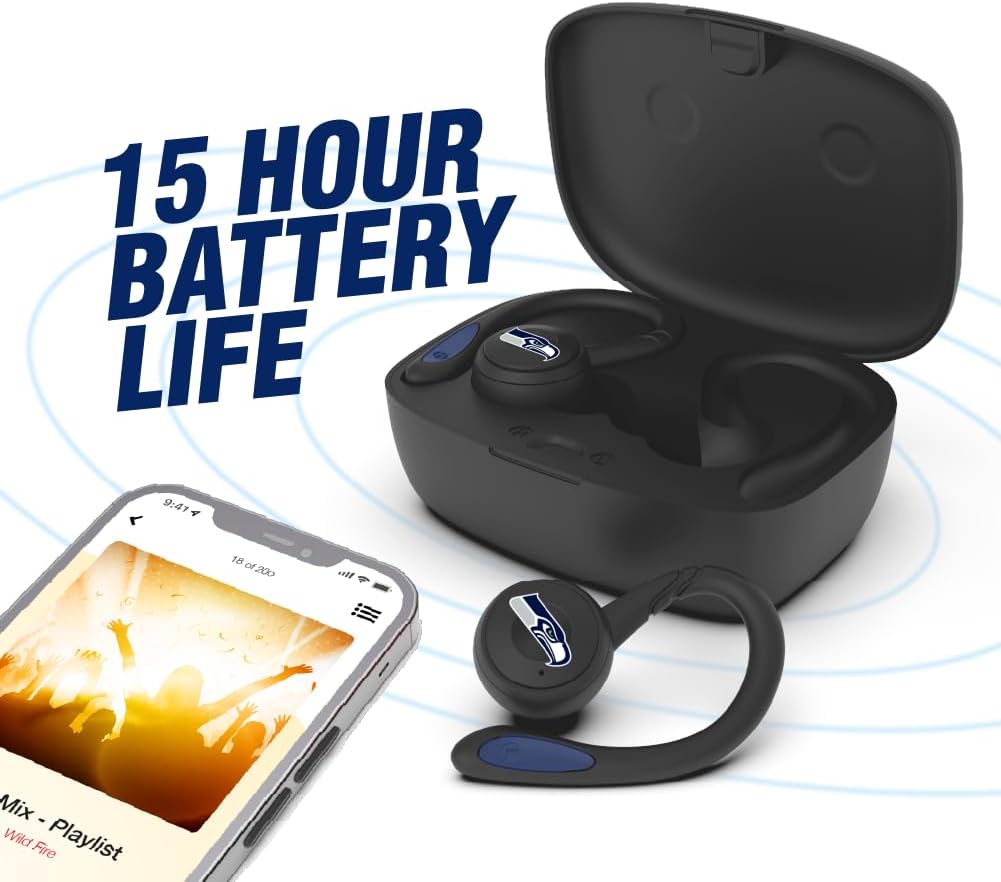
Image: The earbuds are shown within their charging case, positioned beside a smartphone playing music, emphasizing the extended battery life for continuous audio enjoyment.
2. Kopplung mit einem Bluetooth-Gerät
- Stellen Sie sicher, dass die Ohrhörer aufgeladen sind.
- Open the charging case. The earbuds will automatically enter pairing mode, and their LED indicators will flash (e.g., blue and red alternately).
- Aktivieren Sie Bluetooth auf Ihrem Gerät (Smartphone, Tablet usw.).
- Suchen nach available Bluetooth devices. You should see "SOAR Earbuds V.5" or a similar name appear in the list.
- Select the earbuds from the list to connect. Once connected, the LED indicators on the earbuds will stop flashing or show a solid blue light, and you will hear an audible confirmation.
- Falls die Kopplung fehlschlägt, schalten Sie die Ohrhörer aus, deaktivieren Sie Bluetooth auf Ihrem Gerät und wiederholen Sie die Schritte.
Bedienungsanleitung
Ein-/Ausschalten
- Einschalten: Open the charging case, or press and hold the multi-function button on each earbud for approximately 3 seconds.
- Ausschalten: Place the earbuds back into the charging case and close the lid, or press and hold the multi-function button on each earbud for approximately 5 seconds.
Musikwiedergabe
- Abspielen/Pause: Einmaliges Antippen der Multifunktionstaste an einem der Ohrhörer.
- Nächster Titel: Doppeltippen Sie auf die Multifunktionstaste am rechten Ohrhörer.
- Vorheriges Lied: Doppeltippen Sie auf die Multifunktionstaste am linken Ohrhörer.
- Lautstärke erhöhen: Triple tap the multi-function button on the right earbud.
- Lautstärke runter: Triple tap the multi-function button on the left earbud.
Anruf-Management
- Anruf annehmen/beenden: Einmaliges Antippen der Multifunktionstaste an einem der Ohrhörer.
- Anruf ablehnen: Drücken und halten Sie die Multifunktionstaste an einem der Ohrhörer 2 Sekunden lang.
Sprachassistent
- Sprachassistenten aktivieren: Press and hold the multi-function button on either earbud for 2 seconds (when not on a call).
Wartung
- Reinigung: Reinigen Sie die Ohrhörer und das Ladecase mit einem weichen, trockenen und fusselfreien Tuch. Verwenden Sie keine scharfen Chemikalien oder Scheuermittel.
- Ohrgele: Regularly remove and clean the ear gels with a damp Stoff. Stellen Sie sicher, dass sie vollständig trocken sind, bevor Sie sie wieder anbringen.
- Lagerung: Bewahren Sie die Ohrhörer bei Nichtgebrauch im Ladecase auf, um sie zu schützen und geladen zu halten. Lagern Sie sie an einem kühlen, trockenen Ort, geschützt vor direkter Sonneneinstrahlung und extremen Temperaturen.
- Wasserbeständigkeit: The earbuds are sweat resistant, but not waterproof. Avoid submerging them in water or exposing them to heavy rain.
Fehlerbehebung
| Problem | Lösung |
|---|---|
| Die Ohrhörer lassen sich nicht einschalten. | Stellen Sie sicher, dass die Ohrhörer aufgeladen sind. Legen Sie sie in das Ladecase und schließen Sie das Case an die Stromversorgung an. |
| Die Ohrhörer lassen sich nicht mit dem Gerät koppeln. |
|
| Nur ein Ohrhörer funktioniert. |
|
| Schlechte Tonqualität oder Verbindungsabbrüche. |
|
Technische Daten
| Besonderheit | Detail |
|---|---|
| Modellnummer | NCAA-TWS5-TXC |
| Konnektivität | Bluetooth 5.0 |
| Drahtlose Reichweite | Bis zu 30 Fuß (9 Meter) |
| Akkulaufzeit | Over 10 hours (music & talk time per charge) |
| Ladeanschluss | USB Typ C |
| Steuerungstyp | Touch Control / Multi-function Button |
| Mikrofon | Eingebaut |
| Material | Plastik |
| Gewicht | Approximately 140 g (total item weight) |
Garantie und Support
For warranty information and customer support, please refer to the official SOAR product webBesuchen Sie unsere Website oder kontaktieren Sie Ihren Händler. Bewahren Sie Ihren Kaufbeleg für eventuelle Garantieansprüche auf.
Für weitere Unterstützung besuchen Sie bitte: www.soar.com (Note: This is a placeholder link. Please refer to the actual product packaging or manufacturer's webWebsite für genaue Supportinformationen.)


