1. Wichtige Sicherheitshinweise
Please read all instructions carefully before using this appliance and retain them for future reference. Failure to follow these instructions may result in electric shock, fire, or injury.
- Dieses Gerät ist nur für den Gebrauch in Innenräumen bestimmt.
- Stellen Sie sicher, dass das Netzteil mit der Lautstärke übereinstimmttage ist auf dem Typenschild angegeben.
- Betreiben Sie das Gerät nicht mit einem beschädigten Netzkabel oder Stecker. Ist das Netzkabel beschädigt, muss es vom Hersteller, dessen Kundendienst oder einer ähnlich qualifizierten Person ausgetauscht werden, um Gefahren zu vermeiden.
- Keep the unit at least 50 cm away from walls and other objects to ensure proper airflow.
- Stecken Sie keine Finger oder Fremdkörper in den Lufteinlass oder -auslass.
- Vor der Reinigung oder Durchführung von Wartungsarbeiten muss das Gerät immer vom Stromnetz getrennt werden.
- Verwenden Sie zur Reinigung des Geräts keine chemischen Lösungsmittel (z. B. Benzol, Alkohol, Benzin).
- Dieses Gerät kann von Kindern ab 8 Jahren und von Personen mit eingeschränkten physischen, sensorischen oder geistigen Fähigkeiten oder Mangel an Erfahrung und Wissen verwendet werden, wenn sie beaufsichtigt werden oder in die sichere Verwendung des Geräts eingewiesen wurden und die damit verbundenen Gefahren verstehen.
- Kinder dürfen nicht mit dem Gerät spielen. Reinigung und Benutzerwartung dürfen nicht von Kindern ohne Aufsicht durchgeführt werden.
2. Produktüberschreitungview
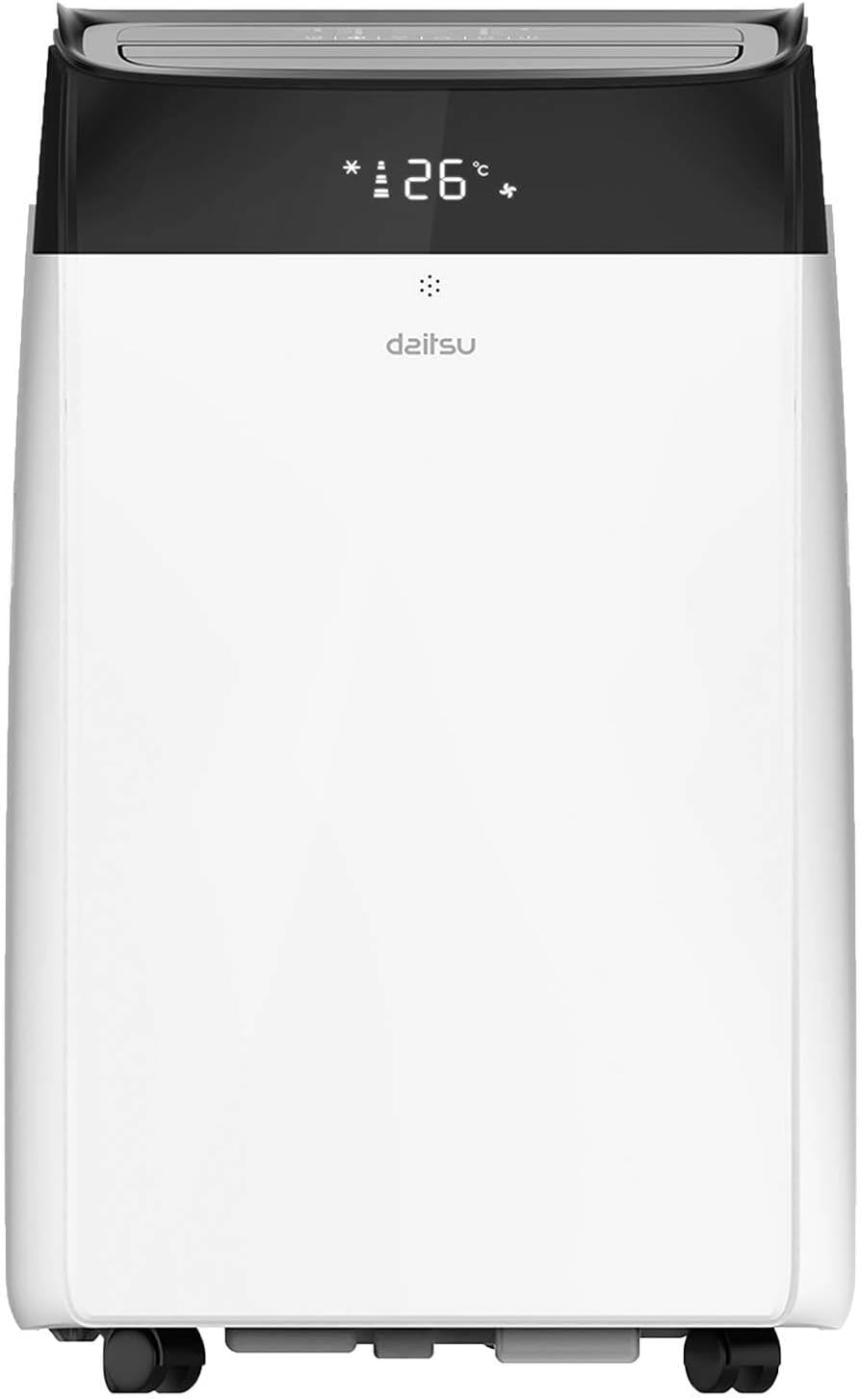
The Daitsu Alisios Premium APD12FCX is a portable air conditioner designed for efficient cooling, heating, dehumidification, and fan operation. It features Wi-Fi connectivity for smart control.
2.1 Komponenten der Einheit
- Vorderseite: Air outlet, control panel, display.
- Rückwand: Air inlet with filter, exhaust air outlet, continuous drainage port.
- Seitenleiste: Integrated handles for portability.
- Base: Caster wheels for easy movement.


3. Einrichtung und Installation
3.1 Auspacken
- Nehmen Sie das Gerät vorsichtig aus der Verpackung.
- Prüfen Sie die Ware auf Transportschäden. Sollten Sie Schäden feststellen, kontaktieren Sie umgehend Ihren Händler.
- Bewahren Sie die Verpackung für eine spätere Lagerung oder einen Transport auf.
3.2 Platzierung
Place the unit on a firm, level surface in a location that allows for proper air circulation and exhaust hose installation.
- Ensure there is at least 50 cm of space around the unit for optimal performance.
- Vermeiden Sie es, das Gerät direkter Sonneneinstrahlung oder der Nähe von Wärmequellen auszusetzen.
- The unit should be placed near a window or opening for the exhaust hose.

3.3 Montage des Abgasschlauchs
The exhaust hose expels hot air outside, which is essential for the unit's cooling efficiency.
- Attach the exhaust hose connector to the exhaust air outlet on the rear of the unit.
- Verlängern Sie den Auspuffschlauch und befestigen Sie den Fensterkit-Adapter am anderen Ende.
- Montieren Sie das Fensterset in einer geeigneten Fensteröffnung und achten Sie auf eine dichte Abdichtung, damit keine warme Luft wieder in den Raum gelangt.
- Keep the exhaust hose as short and straight as possible to maximize efficiency. Avoid kinks or sharp bends.
3.4 Entwässerungsanlage
During cooling and dehumidifying modes, water will accumulate inside the unit. This water needs to be drained.
- Intermittent Drainage: The unit will stop operating when the internal water tank is full. Drain the water manually from the drainage port at the rear of the unit into a suitable container.
- Kontinuierliche Entwässerung: For continuous operation, especially in high humidity or dehumidifier mode, attach a drainage hose (not included) to the continuous drainage port and direct it to a floor drain or a larger container. Ensure the hose is sloped downwards for gravity drainage.
4. Bedienungsanleitung
The unit can be operated via the control panel on the unit or the included remote control.
4.1 Systemsteuerung
The control panel on the top of the unit allows you to power on/off, select modes, adjust temperature, and set fan speed.
4.2-Fernbedienung
Die Fernbedienung ermöglicht den bequemen Zugriff auf alle Funktionen aus der Ferne.

4.3-Betriebsmodi
- Kühlmodus: Select the snowflake icon. Adjust the desired temperature using the up/down arrows.
- Heizbetrieb: Select the sun icon. Adjust the desired temperature.
- Gebläsemodus: Select the fan icon. The unit will circulate air without cooling or heating. Adjust fan speed.
- Entfeuchter-Modus: Select the water drop icon. The unit will remove moisture from the air.
4.4 Temperatur- und Lüfterdrehzahlregelung
- Verwenden Sie die Nach oben (^) Und Unten (v) arrows on the control panel or remote to set the desired temperature.
- Drücken Sie die Lüftergeschwindigkeit Taste zum Umschalten zwischen den Lüfterstufen Niedrig, Mittel und Hoch.
4.5 Timer-Funktion
Mit dem 24-Stunden-Timer können Sie einstellen, dass sich das Gerät nach einer bestimmten Zeitspanne automatisch ein- oder ausschaltet.
- Drücken Sie die Timer Taste.
- Stellen Sie mit den Auf-/Ab-Pfeilen die gewünschte Verzögerung in Stunden ein.
- Der Timer wird nach wenigen Sekunden aktiviert.
4.6 Schlafmodus
Sleep mode adjusts the temperature and fan speed for comfortable sleeping conditions and reduced energy consumption.
- Activate Sleep mode by pressing the dedicated button on the remote control (if available) or through the control panel.
4.7 WLAN-Konnektivität
The Daitsu Alisios Premium APD12FCX features Wi-Fi connectivity, allowing control via the Smart Life application on your smartphone.
- Laden Sie die Intelligentes Leben app from your device's app store (available on App Store and Google Play).
- Follow the in-app instructions to register an account and add your Daitsu APD12FCX unit.
- Ensure your unit is powered on and your smartphone is connected to a 2.4GHz Wi-Fi network during the pairing process.
- Once connected, you can control the unit's modes, temperature, fan speed, and timer remotely.

5. Wartung
Regelmäßige Wartung gewährleistet optimale Leistung und verlängert die Lebensdauer Ihrer Klimaanlage.
5.1 Reinigung des Luftfilters
Der Luftfilter sollte je nach Nutzung und Luftqualität alle zwei Wochen oder auch häufiger gereinigt werden.
- Ziehen Sie den Stecker aus der Steckdose.
- Locate the air filter on the rear panel (refer to Figure 2.2).
- Den Filter vorsichtig herausziehen.
- Waschen Sie den Filter mit lauwarmem Wasser und einem milden Reinigungsmittel. Gründlich ausspülen.
- Lassen Sie den Filter vollständig an der Luft trocknen, bevor Sie ihn wieder in das Gerät einsetzen. Setzen Sie ihn keiner direkten Sonneneinstrahlung aus.
5.2 Cleaning the Unit Surface
- Ziehen Sie den Stecker aus der Steckdose.
- Wischen Sie die Oberfläche mit einem weichen, damp Tuch.
- Do not use harsh chemicals, abrasives, or solvents, as these can damage the unit's finish.
5.3 Ablassen von angesammeltem Wasser
If the unit stops operating and displays a 'Full Water' indicator, you need to drain the internal water tank.
- Schalten Sie das Gerät aus und ziehen Sie den Stecker.
- Place a shallow pan or container under the drainage port at the rear of the unit.
- Entfernen Sie den Gummistopfen aus der Ablassöffnung.
- Lassen Sie das gesamte Wasser ablaufen.
- Den Gummistopfen wieder fest anbringen.
5.4 Speicherung
Bei längerer Lagerung des Geräts:
- Lassen Sie das gesamte angesammelte Wasser aus dem Gerät ab.
- Clean the air filter and the unit's surface.
- Lassen Sie das Gerät einige Stunden lang nur im Lüftermodus laufen, um die internen Komponenten zu trocknen.
- Ziehen Sie den Netzstecker und wickeln Sie das Kabel ordentlich auf.
- Lagern Sie das Gerät an einem trockenen, kühlen Ort, vorzugsweise in der Originalverpackung.
6. Fehlerbehebung
Bevor Sie sich an den Kundendienst wenden, konsultieren Sie bitte die folgende Anleitung zur Fehlerbehebung für häufig auftretende Probleme.
| Problem | Mögliche Ursache | Lösung |
|---|---|---|
| Das Gerät lässt sich nicht einschalten | Keine Stromversorgung Netzkabel nicht eingesteckt Leistungsschalter ausgelöst | Steckdose prüfen Stellen Sie sicher, dass das Netzkabel fest eingesteckt ist Trennschalter zurücksetzen |
| Gerät kühlt nicht effektiv | Fenster/Türen offen Exhaust hose blocked or kinked Luftfilter verschmutzt Zimmer zu groß Temperatureinstellung zu hoch | Alle Fenster und Türen schließen Ensure exhaust hose is clear and straight Reinigen Sie den Luftfilter Consider unit capacity for room size Verringern Sie die Temperatureinstellung |
| Gerät ist laut | Einheit steht nicht auf ebener Fläche Luftfilter verschmutzt Interne Komponenten vibrieren | Stellen Sie das Gerät auf eine ebene, stabile Oberfläche Reinigen Sie den Luftfilter This is normal operating noise for portable ACs. If excessive, contact support. |
| Wasserleck | Ablassschraube lose Drain hose not properly connected (continuous drainage) | Ensure drain plug is securely in place Check drain hose connection and ensure proper slope |
| Display shows 'FL' (Full Water) | Der interne Wassertank ist voll | Drain the water from the unit (refer to Section 5.3) |
7. Spezifikationen
Technical specifications for the Daitsu Alisios Premium APD12FCX portable air conditioner.
| Besonderheit | Spezifikation |
|---|---|
| Marke | Daitsu |
| Modellnummer | APD12FCX |
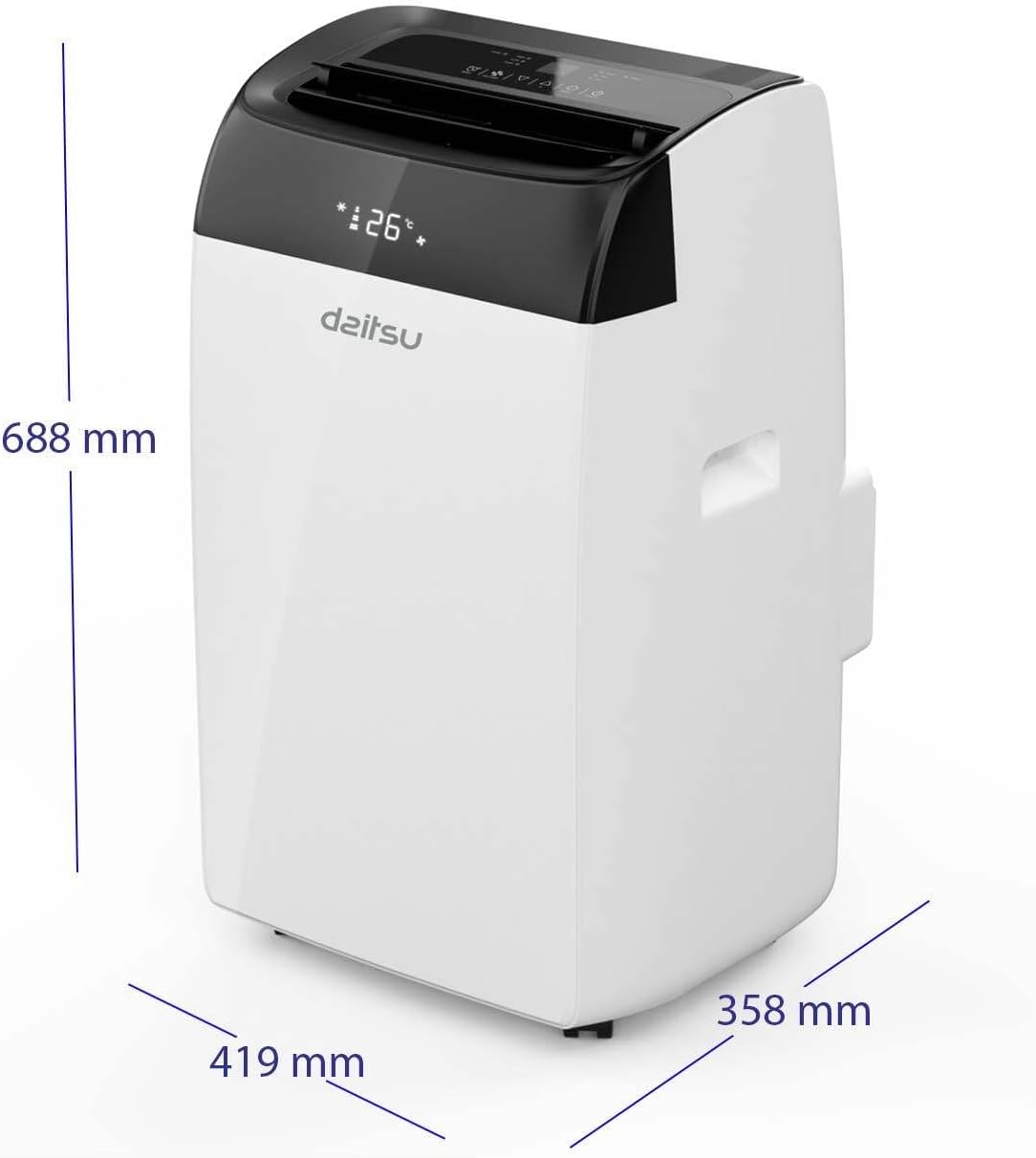
| Abmessungen (L x B x H) | 35.8 x 41.9 x 68.8 cm |
| Gewicht | 25 Kilogramm |
| Kühlleistung | 3009 Frigorias (approx. 3.5 kW) |
| Geräuschpegel | 53 Dezibel |
| Bandtage | 230 Volt |
| Leistung | 3.5 KW |
| Besondere Merkmale | Dehumidifier, Silent Mode, Remote Control, Wi-Fi Enabled |
| Filtertyp | Vorfilter |
| Stromquelle | Stromkabel |
| Installationstyp | Tragbar |
| Saisonales Energieeffizienzverhältnis (SEER) | 14 |
8. Garantie und Support
The Daitsu Alisios Premium APD12FCX typically comes with a 3 Jahr Garantie, as indicated on product packaging. Please refer to your purchase documentation for specific warranty terms and conditions.
For technical support, warranty claims, or service inquiries, please contact your retailer or the authorized Daitsu service center in your region. Keep your proof of purchase for warranty validation.


