Einführung
Thank you for choosing the A4 TECH 2DRUMTEK B25 True Wireless Earbuds. These earbuds feature advanced Bluetooth 5.2 technology for stable connectivity, Hybrid Active Noise Cancelling for an immersive audio experience, and an IPX4 rating for water and dust resistance, making them suitable for active lifestyles. The M.O.C.I (Mycelium of Carbon IT) hybrid diaphragm ensures clear highs, balanced mids, and deep bass. This manual provides detailed instructions for setup, operation, maintenance, and troubleshooting to help you get the most out of your device.
Packungsinhalt
- 2DRUMTEK B25 True Wireless Earbuds (Left and Right)
- Ladeetui
- Ladekabel
- Bedienungsanleitung
Produkt überview
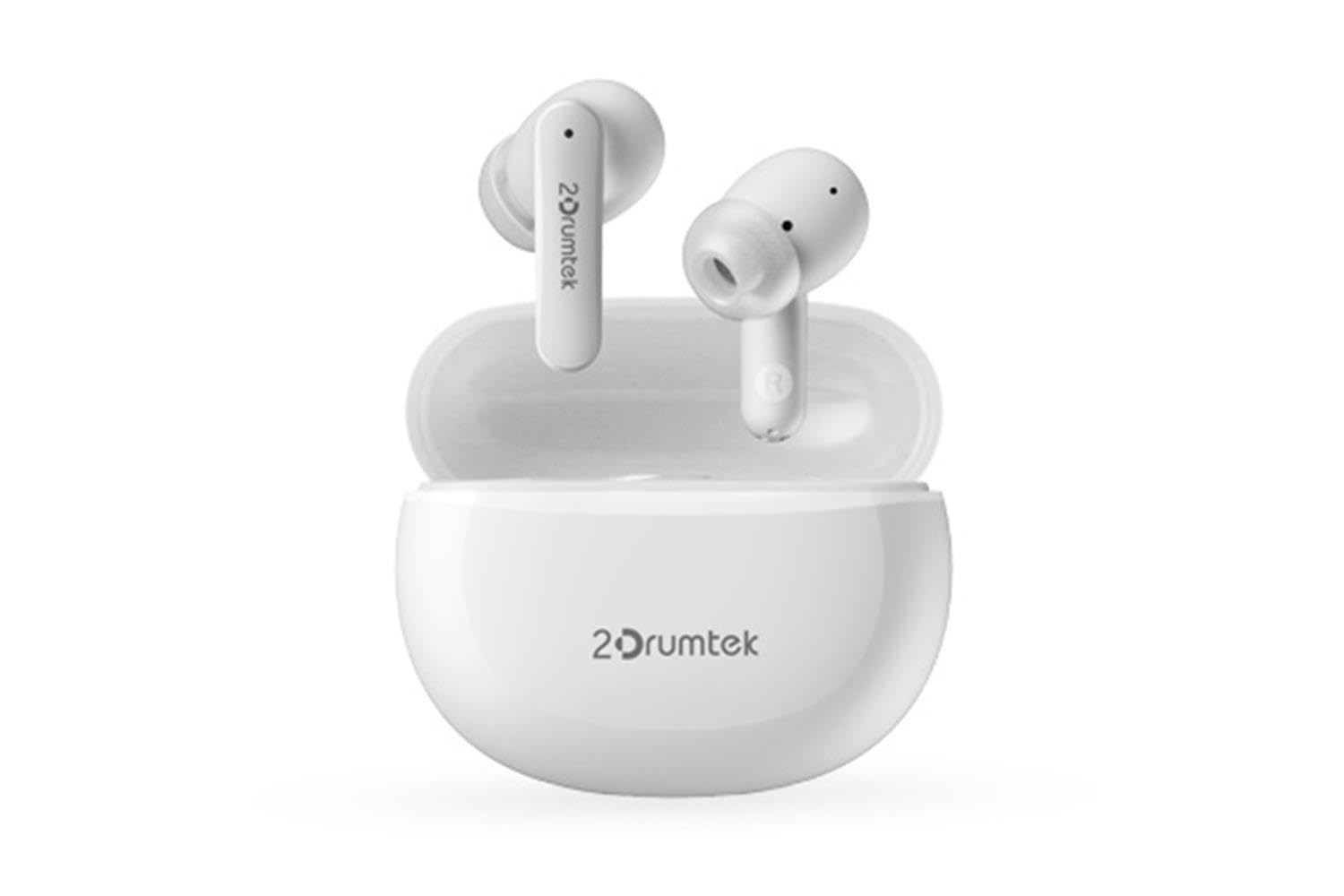
Image: A pair of white A4 TECH 2DRUMTEK B25 True Wireless Earbuds, showing their in-ear design and the '2Drumtek' branding on the stems.
The 2DRUMTEK B25 earbuds feature an ergonomic in-ear design. Each earbud includes a touch control area for various functions, a microphone for calls and voice assistant, and charging contacts at the bottom of the stem. An LED indicator provides status updates for pairing and battery life.
Aufstellen
1. Aufladen der Ohrhörer und des Ladecase
Before first use, fully charge the earbuds and the charging case. Place the earbuds into the charging case. Connect the charging cable to the case and a USB power source. The LED indicators on the case and earbuds will show charging status. A full charge provides up to 5 hours of playback for the earbuds, with an additional 15 hours from the charging case.
2. Erstes Pairing
- Öffnen Sie das Ladeetui. Die Ohrhörer wechseln automatisch in den Kopplungsmodus.
- Aktivieren Sie Bluetooth auf Ihrem Gerät (Smartphone, Tablet, PC).
- Suchen nach available Bluetooth devices and select "2DRUMTEK B25".
- Once connected, you will hear a confirmation tone, and the LED indicator on the earbuds will change.
3. Automatische Wiederverbindung
After the initial pairing, the earbuds will automatically connect to your previously paired device when you open the charging case and take them out, provided Bluetooth is enabled on your device.
Bedienungsanleitung
1. Ein-/Ausschalten
- Einschalten: Öffnen Sie das Ladeetui und die Ohrhörer schalten sich automatisch ein.
- Ausschalten: Legen Sie die Ohrhörer zurück in das Ladecase und schließen Sie den Deckel. Sie schalten sich automatisch aus.
2. Music Playback (Touch Control)
- Abspielen/Pause: Tippen Sie einmal auf einen der Ohrhörer.
- Nächstes Lied: Tippen Sie zweimal auf den rechten Ohrhörer.
- Vorheriges Lied: Tippen Sie zweimal auf den linken Ohrhörer.
3. Anrufverwaltung (Touch-Steuerung)
- Anruf annehmen/beenden: Tippen Sie einmal auf einen der Ohrhörer.
- Anruf ablehnen: Halten Sie einen der Ohrhörer 2 Sekunden lang gedrückt.
4. Voice Assistant (Touch Control)
Triple tap on either earbud to activate your device's voice assistant (e.g., Siri, Google Assistant, Amazon Alexa).
5. Aktive Geräuschunterdrückung (ANC)
The earbuds feature Hybrid Active Noise Cancelling. Refer to the specific touch control gestures in the quick start guide for activating and deactivating ANC mode, as these can vary.
Wartung
- Reinigung: Regularly clean the earbuds, especially the ear tips and charging contacts, with a soft, dry cloth. Avoid using harsh chemicals or abrasive materials.
- Lagerung: Bewahren Sie die Ohrhörer bei Nichtgebrauch im Ladecase auf, um sie vor Staub und Beschädigungen zu schützen.
- Water and Dust Resistance (IPX4): The earbuds are rated IPX4, meaning they are resistant to splashing water and sweat from any direction. They are suitable for workouts and outdoor activities but should not be submerged in water. Ensure the earbuds are dry before placing them back in the charging case to prevent damage.
- Batteriepflege: Um die Akkulaufzeit zu verlängern, sollten Sie die Ohrhörer nicht häufig vollständig entladen. Laden Sie sie regelmäßig auf, auch wenn Sie sie nicht ständig benutzen.
Fehlerbehebung
- Ohrhörer lassen sich nicht koppeln: Stellen Sie sicher, dass beide Ohrhörer geladen sind. Legen Sie sie zurück in das Ladecase, schließen Sie den Deckel und öffnen Sie ihn anschließend wieder, um den Kopplungsmodus erneut zu aktivieren. Überprüfen Sie die Bluetooth-Einstellungen Ihres Geräts und versuchen Sie, die Verbindung erneut herzustellen.
- Nur ein Ohrhörer funktioniert: Ensure both earbuds are charged. Try resetting the earbuds by placing them in the case and then taking them out. Re-pair with your device if necessary.
- Kein Ton: Check the volume level on your connected device. Ensure the earbuds are properly paired and connected.
- Probleme beim Aufladen: Stellen Sie sicher, dass das Ladekabel fest mit dem Ladecase und der Stromquelle verbunden ist. Reinigen Sie die Ladekontakte an den Ohrhörern und im Ladecase.
- Schlechte Tonqualität: Stellen Sie sicher, dass die Ohrhörer richtig im Ohr sitzen. Probieren Sie verschiedene Ohrstöpselgrößen aus, um einen besseren Sitz zu gewährleisten.
Technische Daten
| Besonderheit | Beschreibung |
|---|---|
| Modellname | 2DRUMTEK B25 |
| Konnektivitätstechnologie | Kabellos (Bluetooth 5.2) |
| Geräuschunterdrückung | Hybride aktive Geräuschunterdrückung |
| Wasserbeständigkeit | IPX4 (wasserbeständig) |
| Platzierung des Ohrs | In-Ear |
| Steuerungstyp | Touch-Steuerung |
| Kompatible Geräte | PCs, Laptops, Mobile Phones, Tablets, Other Bluetooth Devices |
| Material | Plastic, Metal, Carbon Fiber |
| Akkulaufzeit (Ohrhörer) | Bis zu 5 Stunden pro Ladung |
| Gesamtspielzeit (mit Hülle) | Bis zu 20 Stunden |
Sicherheitshinweise
- Das Produkt darf nicht zerlegt oder verändert werden.
- Vor extremen Temperaturen und direkter Sonneneinstrahlung schützen.
- Das Produkt darf weder Feuer noch starker Hitze ausgesetzt werden.
- Um Gehörschäden zu vermeiden, sollten die Ohrhörer nicht über längere Zeiträume mit übermäßig hoher Lautstärke verwendet werden.
- Außerhalb der Reichweite von Kindern und Haustieren aufbewahren.
Garantie und Support
This product comes with a standard manufacturer's warranty. For detailed warranty information, please refer to the warranty card included in your package or visit the official A4 TECH website. If you encounter any issues or require technical assistance, please contact A4 TECH customer support through their official channels. Please have your model number (B25) and proof of purchase ready when contacting support.