1. Einleitung
Thank you for choosing the SOLAKAKA SM66 Dual Mode Wireless Mouse. This manual provides detailed instructions for setting up, operating, and maintaining your device. Please read this manual thoroughly before use to ensure optimal performance and longevity of your mouse.
2. Packungsinhalt
- SOLAKAKA SM66 Dual Mode Wireless Mouse
- USB-C-Ladekabel
- 2.4-GHz-USB-Empfänger (in der Maus untergebracht)
- Bedienungsanleitung

Image: The SOLAKAKA SM66 mouse, USB-C charging cable, and user manual are included in the package.
3. Produktüberschreitungview
Familiarize yourself with the components of your SOLAKAKA SM66 mouse:

Image: A detailed diagram illustrating the various buttons and features of the SM66 mouse.
- Linke Taste: Standardmäßige Linksklick-Funktion.
- Rechter Knopf: Standardmäßige Rechtsklick-Funktion.
- Scrollrad: Für vertikales Scrollen und Klicken mit der mittleren Maustaste.
- DPI-Taste: Passt die Cursorempfindlichkeit (DPI) an.
- Side Button 1 (Forward): Navigiert vorwärts in web Browser oder Anwendungen.
- Side Button 2 (Backward): Navigiert rückwärts in web Browser oder Anwendungen.
- Ein / Aus Schalter: Schaltet die Maus ein oder aus.
- Signal Indicator (BT1/BT2/2.4GHz): Displays current connection mode and status.
- Modusschalter-Taste: Toggles between 2.4GHz and Bluetooth modes (BT1, BT2).
- 2.4-GHz-Empfängerfach: Stores the USB receiver.
- Optischer Sensor: Erfasst Mausbewegungen.
4. Einrichtung und Verbindung
4.1. Aufladen der Maus
The mouse features a built-in rechargeable 500mAh Lithium-ion battery. Use the provided USB-C cable to charge the mouse. You can continue to use the mouse while it is charging.
- Connect the USB-C end of the cable to the charging port on the front of the mouse.
- Connect the USB-A end to a USB power source (e.g., computer, wall adapter).
- Die Kontrollleuchte zeigt den Ladestatus an.

Image: The mouse connected to a USB-C charging cable, indicating its rechargeable nature.
4.2. 2.4-GHz-Funkverbindung
This mode uses the included USB receiver for a stable 2.4GHz wireless connection.
- Locate the 2.4GHz USB receiver in its compartment on the bottom of the mouse.
- Stecken Sie den USB-Empfänger in einen freien USB-Port Ihres Computers.
- Schalten Sie die Maus mit dem EIN/AUS-Schalter an der Unterseite ein.
- Short press the Mode Switch Button on the bottom of the mouse to select the 2.4GHz mode. The corresponding indicator light will illuminate.
- Ihr Computer sollte die Maus automatisch erkennen und sich mit ihr verbinden.

Image: Instructions for connecting the mouse via 2.4GHz mode, showing the USB receiver.
4.3. Bluetooth-Verbindung (BT5.0 / BT3.0)
The mouse supports two Bluetooth channels (BT1 and BT2) for connecting to multiple devices.
- Schalten Sie die Maus mit dem EIN/AUS-Schalter an der Unterseite ein.
- Long press the Mode Switch Button on the bottom of the mouse until the indicator light for BT1 or BT2 flashes rapidly. This indicates pairing mode.
- On your device (laptop, PC, tablet, mobile phone), go to Bluetooth settings.
- Suchen nach available devices and select "SM66 BT5.0" or "SM66 BT3.0" to connect.
- Sobald die Verbindung hergestellt ist, hört die Anzeigeleuchte auf zu blinken und leuchtet konstant.
- To connect a second device, repeat the process, selecting the other Bluetooth channel (BT1 or BT2) by long-pressing the Mode Switch Button.

Image: Visual guide for establishing a Bluetooth connection with the SM66 mouse.
Video: An official demonstration of the SOLAKAKA SM66 Dual Mode Wireless Mouse, highlighting its features and connectivity options.
5. Bedienungsanleitung
5.1. DPI-Anpassung
The mouse offers 5 adjustable DPI levels: 800, 1200, 1600, 2400, and 4800. To change the DPI:
- Drücken Sie die DPI-Taste (located on the top of the mouse, behind the scroll wheel) to cycle through the available DPI settings.
- Each press will change the cursor sensitivity, allowing you to find your preferred speed.

Image: A visual representation of the mouse's 5-level DPI adjustment feature.
5.2. Stumme Tasten
The SM66 mouse is designed with silent buttons, reducing click noise by 99%. This feature is ideal for quiet environments such as libraries, offices, or late-night use.
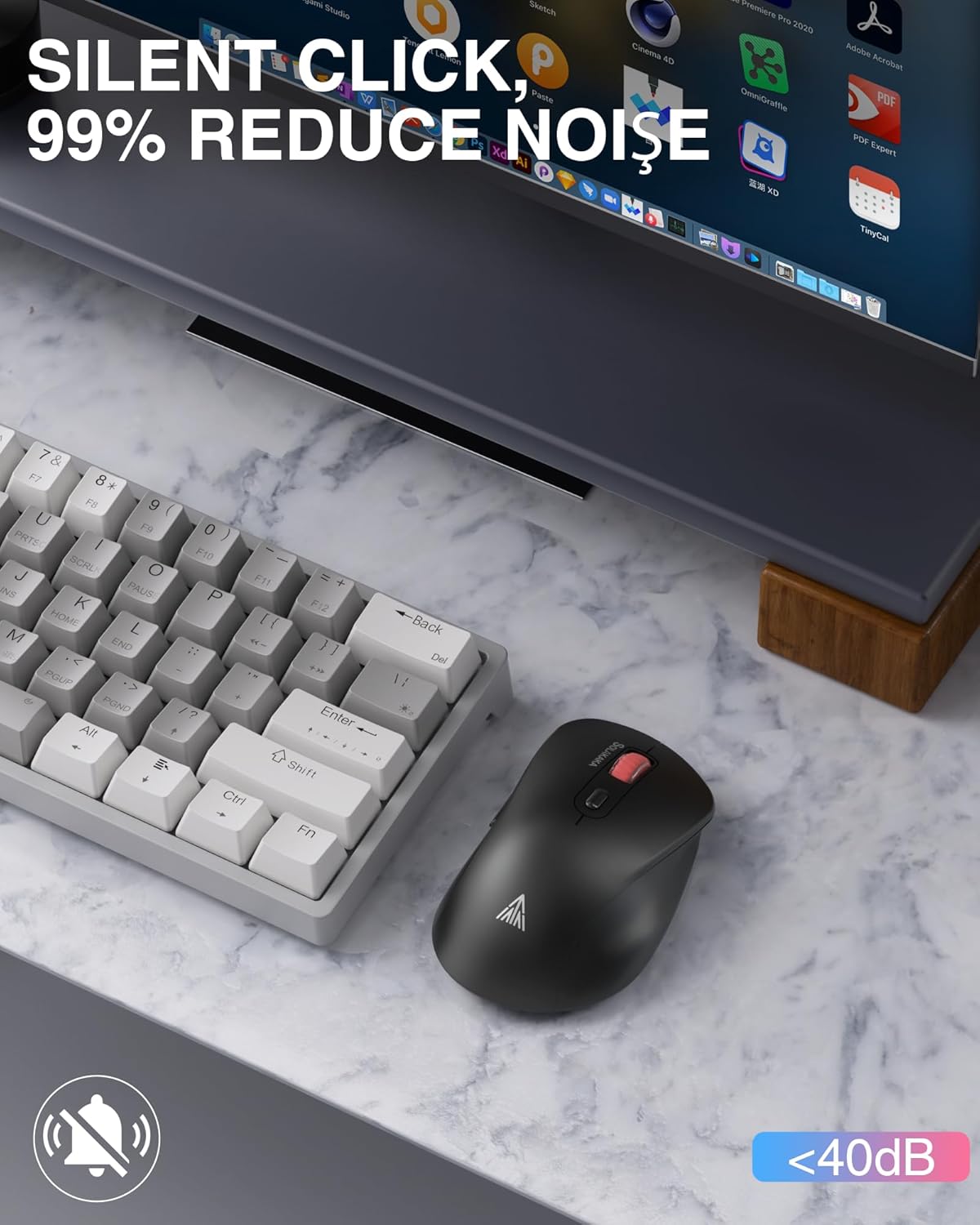
Image: The mouse positioned next to a keyboard, emphasizing its silent click capability.
5.3. Umschaltung mehrerer Geräte
Easily switch between up to three connected devices (one 2.4GHz and two Bluetooth) using the Mode Switch Button on the bottom of the mouse.
- Drücken Sie kurz die Modus-Umschalttaste to cycle through the connected devices.
- The Signal Indicator will show which mode (2.4GHz, BT1, or BT2) is currently active.

Image: The SM66 mouse shown with a laptop, tablet, and mobile phone, demonstrating its multi-device connectivity.
5.4. Energiesparmodus
The mouse features a smart sleep design to conserve battery life. If inactive for 3 minutes, it will enter sleep mode.
- To wake the mouse, simply click any button.
Image: A reminder about the mouse's smart sleep feature and low power indication.
6. Wartung
Durch sachgemäße Wartung wird die Langlebigkeit und Leistungsfähigkeit Ihrer Maus sichergestellt.
- Reinigung: Reinigen Sie die Maus mit einem weichen, trockenen Tuch. Vermeiden Sie aggressive Chemikalien oder scheuernde Materialien.
- Batteriepflege: Charge the mouse when the cursor shows delayed movement due to low power. Avoid fully depleting the battery frequently.
- Oberflächennutzung: For optimal tracking, use the mouse on a mouse pad. Before use, remove any protective film from the mouse's non-slip feet.
7. Fehlerbehebung
| Problem | Mögliche Ursache | Lösung |
|---|---|---|
| Maus reagiert nicht | Mouse is off, low battery, incorrect connection mode, receiver not plugged in (2.4GHz), Bluetooth not paired. | Turn on the mouse. Charge the mouse. Switch to the correct connection mode. Plug in the 2.4GHz receiver. Re-pair Bluetooth. |
| Cursor movement is delayed or erratic | Low battery, unsuitable surface, interference. | Charge the mouse. Use on a mouse pad. Move closer to the receiver/device, reduce interference from other wireless devices. |
| Verbindung über Bluetooth nicht möglich | Mouse not in pairing mode, device Bluetooth off, already connected to another device. | Long press mode switch button to enter pairing mode. Ensure device Bluetooth is on. Disconnect from other devices or use a different BT channel. |
| Die Seitentasten funktionieren nicht. | Application does not support side buttons, driver issue. | Testen Sie in einer anderen Anwendung (z. B. web browser). Ensure your operating system drivers are up to date. |
8. Spezifikationen
| Besonderheit | Detail |
|---|---|
| Modell | SM66 |
| Konnektivität | 2.4-GHz-Funk, Bluetooth (BT5.0, BT3.0) |
| DPI-Stufen | 800, 1200, 1600, 2400, 4800 |
| Schaltflächen | 7 (Left, Right, Scroll Wheel, DPI, 2 Side Buttons, Mode Switch) |
| Besondere Merkmale | Silent Clicks, Ergonomic Design, Rechargeable |
| Batterie | Wiederaufladbarer Lithium-Ionen-Akku mit 500 mAh |
| Ladeanschluss | USB-C |
| Arbeitsabstand | Bis zu 10 Meter (32 Fuß) |
| Gewicht | 3.84 Unzen |
| Maße | 4.8 x 3.31 x 1.85 Zoll |
| Kompatibilität | Windows, macOS, Android, iOS, etc. |
9. Garantie und Support
For warranty information or technical support, please refer to the product packaging or contact SOLAKAKA customer service directly. Keep your purchase receipt for warranty claims.


