Einführung
The j5create Wireless Extender (Model JVW120) is designed to transform your wired USB camera, microphone, or speaker into a wireless device, providing cable-free convenience for video conferencing, streaming, and broadcasting setups. This extender allows for extended range and reduces visual clutter, ensuring seamless audio and video transmission.

Image: The j5create Wireless Extender system, showing both the transmitter and receiver units with their respective USB cables.
Lieferumfang
The package for the j5create Wireless Extender typically includes the following components:
- 1 x j5create Wireless Extender Transmitter (TX) Unit
- 1 x j5create Wireless Extender Receiver (RX) Unit
- 1 x Power Adapter (for TX unit)
- Kurzanleitung zur Installation

Bild: Eine Nahaufnahme view of the j5create Wireless Extender receiver unit, highlighting its compact design and connection ports.
Merkmale
- Kabelloser Komfort: Eliminates tangled cables and reduces visual clutter for video conferencing, streaming, or broadcasting.
- Kabellose Freiheit: Extends the range of wired USB cameras up to 82 ft. (25m).
- Seamless Audio and Video Transmission: Ensures low-latency, synchronized, and high-quality audio and video via USB.
- Vielseitige Kompatibilität: Compatible with Windows, macOS, and Chrome OS computers.
- Stabile Verbindung: Utilizes 5 GHz frequency for reliable wireless connection and supports H.264 and MJPEG video formats.
- Plug-and-Play: Für die meisten Betriebssysteme ist keine Treiberinstallation erforderlich.
- Audio ON/OFF Switch: Allows quick enabling or disabling of audio stream transmission.
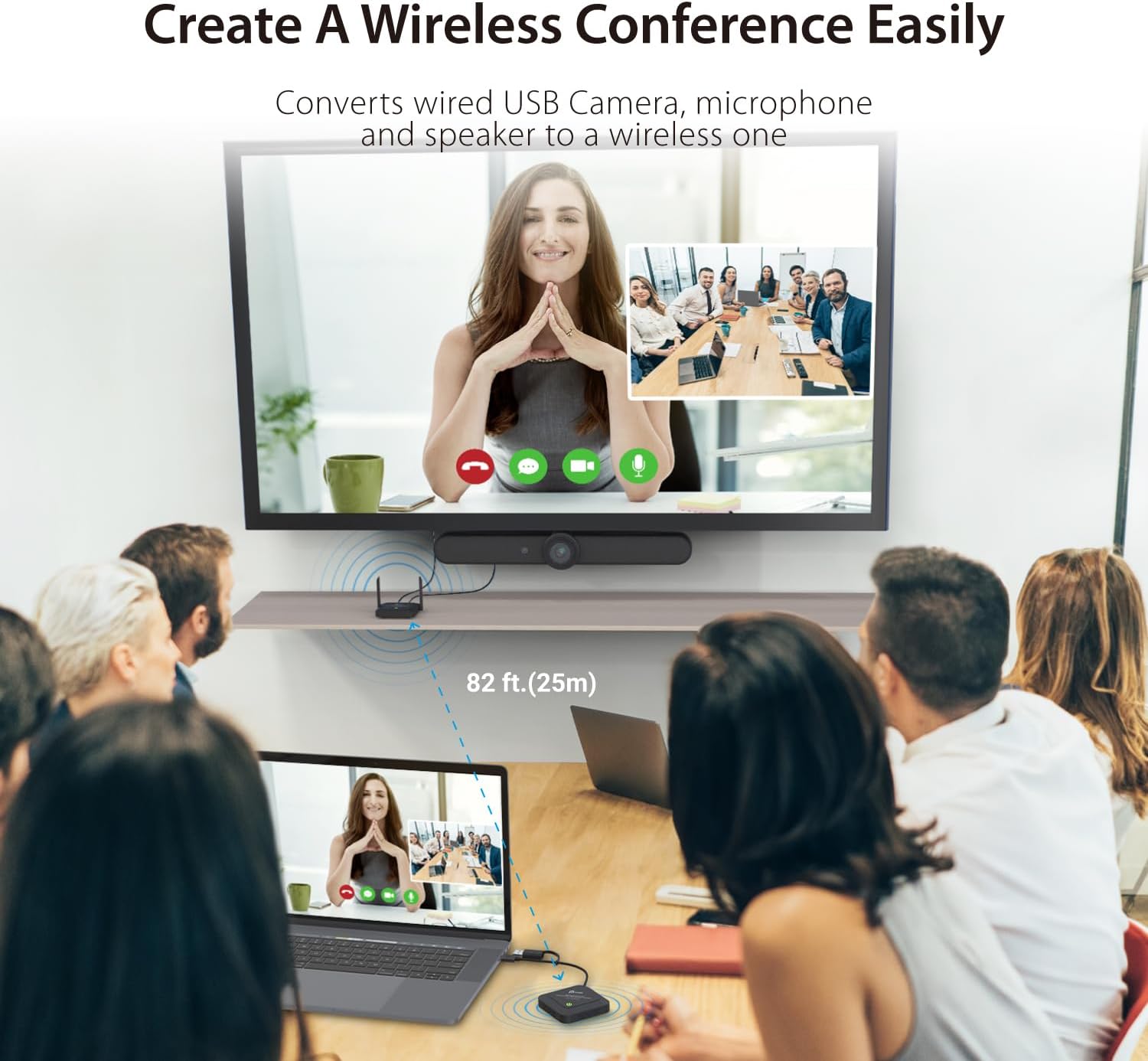
Image: An illustration showing the j5create Wireless Extender in a conference room setting, demonstrating its ability to convert a wired USB camera, microphone, and speaker to a wireless setup, extending the range up to 82 feet (25 meters).

Image: A comparison showing how the wireless extender allows for an enhanced field of view by removing cable length limitations, ensuring all participants are clearly visible in a meeting.
Kompatibilität
The j5create Wireless Extender is designed for broad compatibility with various operating systems and USB devices:
- Betriebssysteme: Windows, macOS, and Chrome OS.
- Kompatible Geräte: Laptops, desktops, and tablets running the supported operating systems.
- USB-Geräte: Primarily designed for USB webKameras, Mikrofone und Lautsprecher. Note: Not compatible with USB mouse/keyboard.
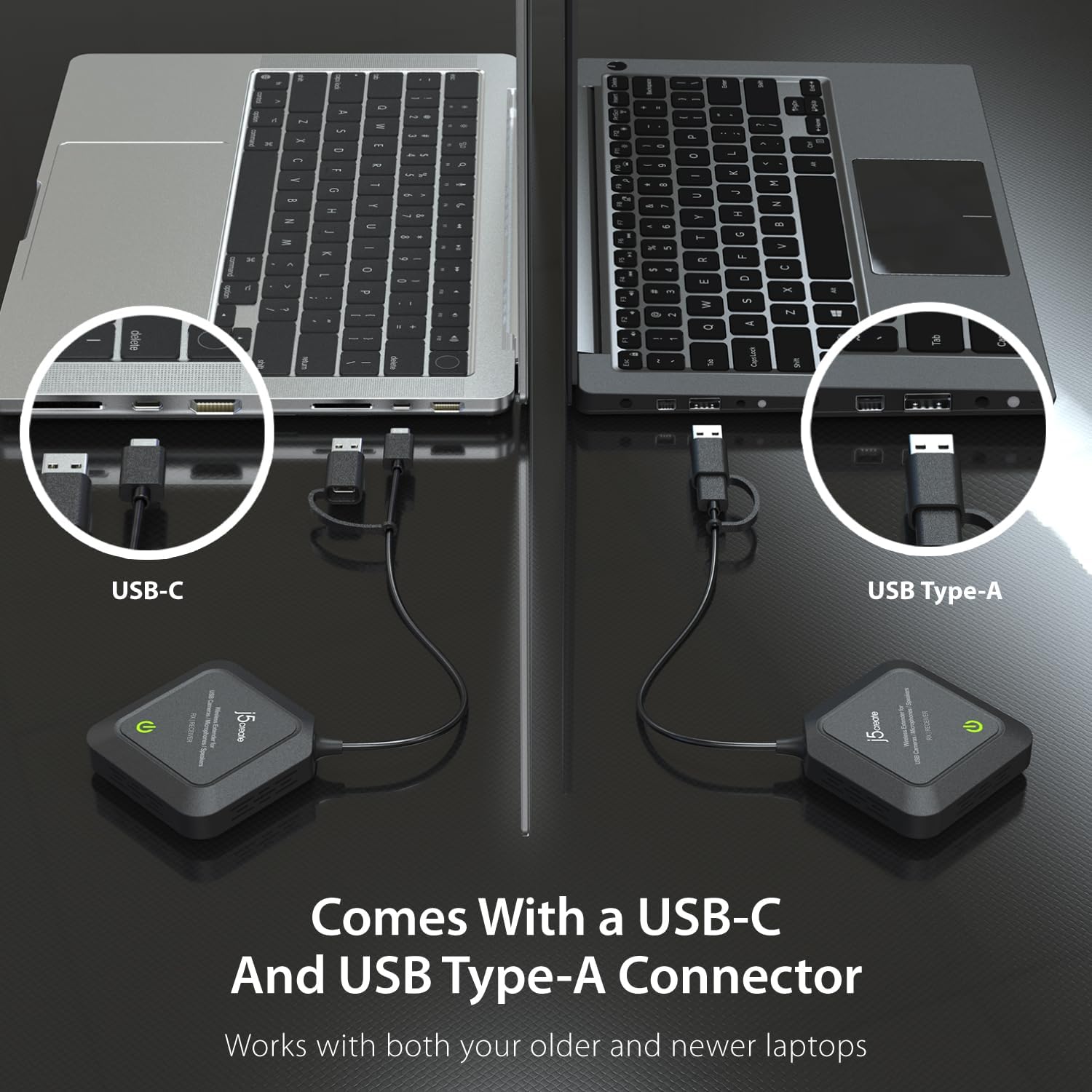
Image: The extender comes with both USB-C and USB Type-A connectors, ensuring compatibility with both older and newer laptops.

Image: The extender is compatible with all j5create and other standard webcam models, offering broad device support.
Aufstellen
Follow these steps to set up your j5create Wireless Extender:
- Schließen Sie die Sendeeinheit (TX) an:
- Connect your USB camera, microphone, or speaker to the USB port(s) on the TX unit.
- Schließen Sie das Netzteil an die TX-Einheit an und stecken Sie es in eine Steckdose.
- Schließen Sie die Empfängereinheit (RX) an:
- Plug the USB cable from the RX unit into an available USB port on your computer (USB-A or USB-C, depending on your laptop's port).
- Paarung:
- The TX and RX units are pre-paired from the factory. Once both units are powered on and connected, they should automatically establish a wireless connection.
- Observe the LED indicators on both units. A solid green light typically indicates a successful connection.
- Treiberinstallation:
- The device is designed for plug-and-play functionality. No additional drivers are usually required for Windows, macOS, or Chrome OS. Your computer should automatically recognize the connected USB device.

Image: A visual representation of the plug-and-play setup, showing the receiver unit connected to a laptop via USB, indicating no driver is required for Windows, macOS, and Chrome OS.
Bedienungsanleitung
Once set up, operating the j5create Wireless Extender is straightforward:
- Einschalten: Ensure both the TX and RX units are powered on and their indicator lights are solid green, signifying a stable connection.
- Geräteerkennung: Your computer should recognize the connected USB camera, microphone, or speaker as if it were directly connected via a cable.
- Softwarenutzung: Open your preferred video conferencing, streaming, or recording software (e.g., Zoom, Microsoft Teams, OBS Studio). Select your wirelessly connected USB device as the input source within the software settings.
- Audiosteuerung: Use the dedicated Audio ON/OFF switch on the TX unit to quickly enable or disable audio transmission as needed.

Image: A close-up of the Audio ON/OFF switch located on the extender unit, allowing for quick control over audio stream transmission.

Abbildung: Draufsicht view of a conference room where the j5create Wireless Extender facilitates a clear video call, demonstrating its utility in professional settings.

Image: A user streaming content with a webcam connected via the j5create Wireless Extender, showcasing its application in personal broadcasting and content creation.
Wartung
To ensure the longevity and optimal performance of your j5create Wireless Extender, follow these maintenance guidelines:
- Reinigung: Reinigen Sie die Außenseite der Geräte mit einem weichen, trockenen Tuch. Vermeiden Sie die Verwendung von flüssigen Reinigern oder Sprays.
- Lagerung: Bei längerer Nichtbenutzung sollten die Geräte an einem kühlen, trockenen Ort, geschützt vor direkter Sonneneinstrahlung und extremen Temperaturen, aufbewahrt werden.
- Belüftung: Um eine Überhitzung zu vermeiden, stellen Sie sicher, dass die Lüftungsschlitze an den Geräten nicht blockiert sind.
- Kabelpflege: Handle USB cables and connectors gently to prevent damage.
Fehlerbehebung
If you encounter issues with your j5create Wireless Extender, refer to the following common troubleshooting steps:
- Keine Verbindung / Zeitweise Verbindung:
- Ensure both TX and RX units are powered on and their indicator lights are solid green.
- Verify that the TX and RX units are within the specified 82 ft (25m) range and in the same space, without significant obstructions like walls.
- Check for other 5 GHz wireless signals that might be causing interference. Try moving the units to a different location.
- Unplug and replug both the TX and RX units to reset the connection.
- Poor Image/Audio Quality:
- Ensure the connected USB camera/microphone/speaker is functioning correctly when directly connected to the computer.
- Verringern Sie den Abstand zwischen den Sende- und Empfangseinheiten.
- Minimize wireless interference from other devices.
- Check if your computer's USB port is providing sufficient power. Try a different USB port.
- Gerät wird vom Computer nicht erkannt:
- Ensure the RX unit is securely plugged into a working USB port on your computer.
- Probieren Sie einen anderen USB-Anschluss an Ihrem Computer aus.
- Starten Sie Ihren Computer neu.
- Verify your operating system is supported (Windows, macOS, Chrome OS).
- Volume Changes Automatically (Mac Specific):
- Some users have reported automatic volume changes on Mac computers when the receiver is connected or wakes up. This behavior is unusual and may require checking system audio settings or contacting support if persistent.
Technische Daten
| Modellnummer | JVW120 |
| Technische Daten | 3.74 x 3.74 x 0.91 Zoll |
| Artikelgewicht | 14 Unzen (0.4 Kilogramm) |
| Marke | j5erstellen |
| Hardware-Schnittstelle | USB |
| Farbe | Schwarz |
| Kompatible Geräte | Laptops, desktops, and tablets running Windows, macOS, and Chrome OS |
| Data Link-Protokoll | USB |
| Datenübertragungsrate | 5E+1 Megabits Per Second |
| Drahtlose Frequenz | 5 GHz |
| Drahtlose Reichweite | Bis zu 82 m (25 Fuß) |
| Unterstützte Videoformate | H. 264, MJPEG |
| UPC | 847626006210 |
Garantie und Support
j5create products typically come with a limited warranty. For specific warranty details, technical support, or service inquiries, please refer to the warranty card included with your product or visit the official j5create website. You can also find additional resources and contact information on their support pages.
For the latest drivers, firmware updates, and detailed product information, please visit: www.j5create.com


