Einführung
The AstroLite LED Projector & Bluetooth Speaker is designed to transform any room into a magical and relaxing celestial environment. This versatile device projects various starry night and nebula patterns, creating an immersive space experience. It also features a built-in Bluetooth speaker for playing music or ambient sounds, and a white noise function to aid in sleep. Control is made easy with the included remote and timer functions.
Lieferumfang
- AstroLite LED Projector & Bluetooth Speaker (Astronaut Unit)
- Fernbedienung
- Power Cable (USB-C to USB-A, adapter not included)
- Benutzerhandbuch (dieses Dokument)

Image: The AstroLite projector shown with its remote control, illustrating its key features.
Aufstellen
- Packen Sie das Gerät aus: Carefully remove the AstroLite projector and all accessories from the packaging.
- Stromanschluss: Connect the provided USB power cable to the AstroLite projector's USB-C port (located on the back of the astronaut's backpack). Plug the other end of the USB cable into a compatible USB power adapter (5V/2A recommended, not included) or a USB port on a computer/power bank.
- Batterien der Fernbedienung: Legen Sie zwei AAA-Batterien (nicht im Lieferumfang enthalten) in die Fernbedienung ein und achten Sie dabei auf die richtige Polarität.
- Platzierung: Place the AstroLite projector on a stable, flat surface. For optimal projection, position it in the center of the room or against a wall, aiming towards the ceiling or desired projection surface.

Abbildung: Seite view of the AstroLite projector, highlighting the power input location.
Bedienungsanleitung
Ein-/Ausschalten
Press the power button on the remote control or the unit itself to turn the projector on or off.
Projektionsmodi
The AstroLite offers various projection modes:
- Starry Sky: Projects a field of green stars. Use the remote to adjust brightness or turn off the stars independently.
- Nebel: Projects colorful nebula patterns. Cycle through different nebula colors and patterns using the remote.
- Earth Projection: Projects a detailed image of Earth. This can be combined with starry sky or nebula effects.
- Kombinierte Modi: Mix and match star, nebula, and Earth projections for unique visual effects.
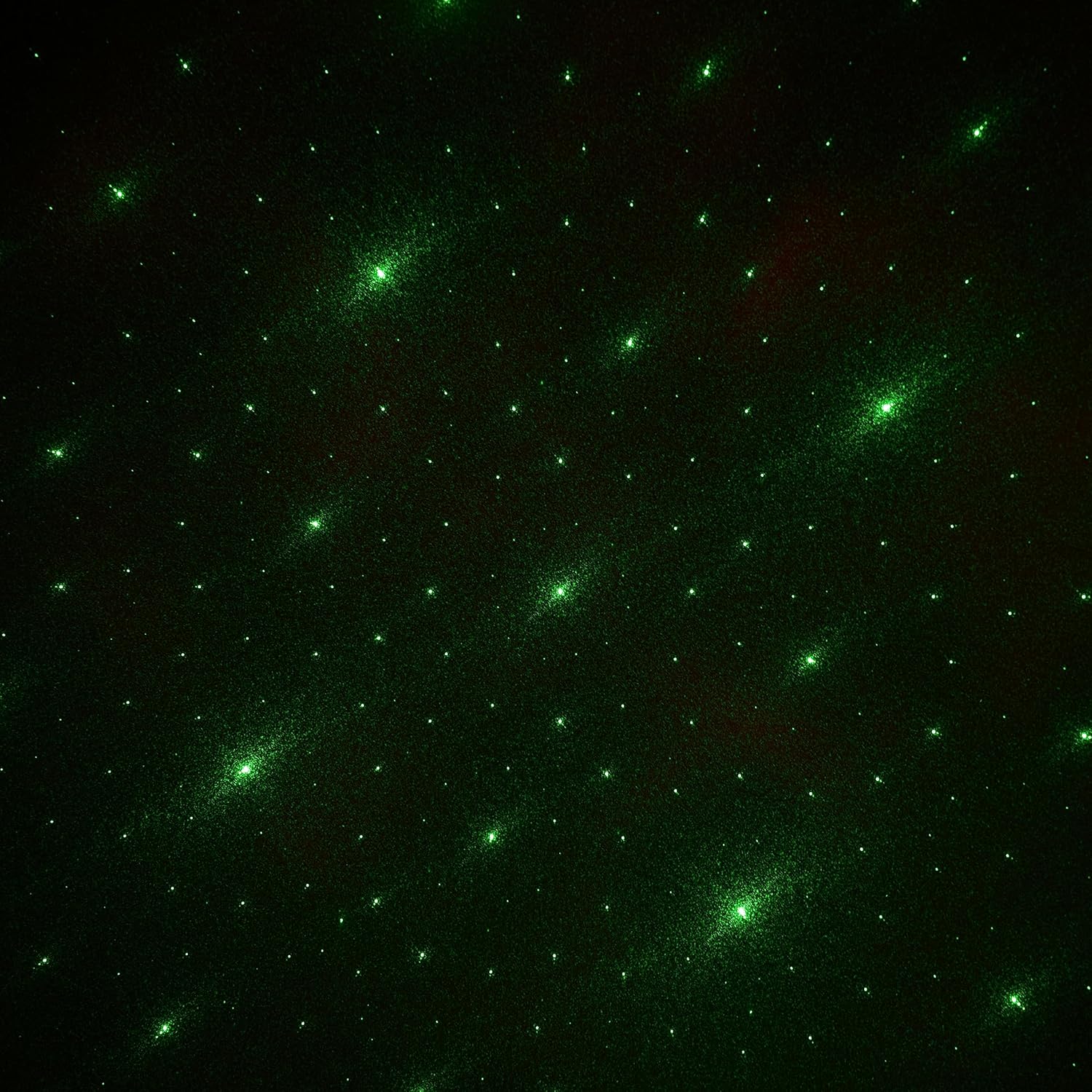
Image: Green Starry Sky Projection

Image: Earth and Purple Nebula Projection

Image: Earth and Red Nebula Projection

Image: Earth and Blue Nebula Projection
Bluetooth-Lautsprecher-Funktionalität
The AstroLite features a built-in Bluetooth speaker:
- Paarung: Turn on the AstroLite. The speaker will automatically enter Bluetooth pairing mode (indicated by a sound prompt).
- Verbinden: On your mobile device, search for Bluetooth devices and select "AstroLite Speaker" to connect.
- Wiedergabe: Once connected, you can play audio from your device through the AstroLite speaker. Use the remote control to adjust volume, skip tracks, or pause/play.
Funktion für weißes Rauschen
The AstroLite includes a white noise function for a soothing sleep environment. Activate this feature using the dedicated button on the remote control.
Timerfunktion
Set a timer for the projector to automatically turn off after a specified duration. Refer to the remote control's buttons for timer options (e.g., 1 hour, 2 hours).
Anpassen des Projektionswinkels
The astronaut's head is magnetically attached and can be rotated to adjust the projection angle. Gently rotate the head to direct the projection as desired.

Bild: Vorderseite view of the AstroLite projector, showing the adjustable head.
Produktvideo
Video: Official product video demonstrating the AstroLite LED Projector & Bluetooth Speaker in use, showcasing its projection capabilities and features.
Wartung
- Reinigung: Reinigen Sie das Gehäuse des Projektors mit einem weichen, trockenen Tuch. Verwenden Sie keine Scheuermittel oder Lösungsmittel.
- Linsenpflege: Gently wipe the projection lens with a microfiber cloth to remove dust or smudges. Avoid touching the lens directly with fingers.
- Lagerung: Bei längerer Nichtbenutzung sollte der Projektor an einem kühlen, trockenen Ort und vor direkter Sonneneinstrahlung geschützt aufbewahrt werden.
Fehlerbehebung
| Problem | Mögliche Lösung |
|---|---|
| Der Projektor lässt sich nicht einschalten. |
|
| Keine oder nur schwache Projektion. |
|
| Bluetooth-Verbindung wird nicht hergestellt. |
|
| Fernbedienung funktioniert nicht. |
|
Technische Daten
- Modell: WE-AL
- Marke: Wireless Express
- Produktabmessungen: 6"T x 5.5"B x 9.5"H
- Artikelgewicht: 0.61 kg
- Lichtquellentyp: LED
- Konnektivitätstechnologie: Bluetooth
- Kontrollmethode: Fernbedienung
- Energiequelle: External Power Adapter (USB, 5V/2A recommended)
- Material: Acrylonitrile Butadiene Styrene, Polyvinyl Chloride
- Verwendung im Innen- und Außenbereich: Nur für den Innenbereich
- Besondere Merkmale: Bluetooth Speaker, Remote Control, White Noise Function, Timer
Garantie und Support
For warranty information and customer support, please refer to the contact details provided on the product packaging or visit the official Wireless Express webBewahren Sie Ihren Kaufbeleg als Kaufnachweis für eventuelle Garantieansprüche auf.
Hersteller: Wireless Express
UPC: 850030392695


