Einführung
These Coby True Wireless Earbuds provide a high-quality audio experience with advanced features designed for convenience and performance. They feature adaptive noise isolation, an LCD battery display charging case, voice assistant support, and immersive high-fidelity audio. With up to 10 hours of total playtime and Bluetooth 5.3 connectivity, these earbuds are ideal for daily use, commutes, and active lifestyles.
Packungsinhalt

Image: The retail box, the charging case with earbuds inside, two loose earbuds, and a USB-C charging cable are displayed on a white surface.
Prüfen Sie nach dem Öffnen der Verpackung, ob alle Komponenten vorhanden sind:
- Coby True Wireless Earbuds (Left and Right)
- Charging Case with LCD Battery Display
- USB-C-Ladekabel
- Ohrpolster (verschiedene Größen)
Aufstellen
1. Erstes Aufladen

Image: Two black charging cases are shown, one with a USB-C cable plugged in, illustrating the fast charging capability. The LCD display on the cases shows "100".
Before first use, fully charge the earbuds and the charging case. Place the earbuds into the charging case. Connect the provided USB-C cable to the charging port on the case and the other end to a USB power source (e.g., wall adapter, computer USB port).
The LCD display on the charging case will show the current battery percentage, indicating charging progress. A full charge is indicated by "100" on the display.
2. Bluetooth-Kopplung

Image: A smartphone screen displays the Bluetooth settings, showing "CETW526" as a connected device. The charging case with earbuds is next to the phone.
- Stellen Sie sicher, dass die Ohrhörer aufgeladen sind und sich im Ladecase befinden.
- Öffnen Sie den Deckel des Ladecase. Die Ohrhörer wechseln automatisch in den Kopplungsmodus.
- Aktivieren Sie Bluetooth auf Ihrem Gerät (Smartphone, Tablet usw.).
- Suchen nach new devices. Select "CETW526" from the list of available devices.
- Sobald die Verbindung hergestellt ist, bestätigt eine Sprachansage die erfolgreiche Kopplung.
The earbuds utilize Bluetooth 5.3 for stable and fast wireless connectivity.
Bedienungsanleitung
Tragen der Ohrhörer

Image: A close-up of a man wearing a black Coby True Wireless Earbud, demonstrating a snug and secure fit in the ear.
Gently insert each earbud into your ear canal. Adjust the earbud until it feels snug and comfortable. The correct fit is crucial for optimal sound quality and noise isolation.
Audiowiedergabe und Anrufe
The earbuds feature intuitive controls for managing your audio and calls. Specific touch controls may vary slightly, but general functions include:
- Abspielen/Pause: Tippen Sie einmal auf einen der Ohrhörer.
- Nächster Titel: Doppeltippen Sie auf den rechten Ohrhörer.
- Vorheriges Lied: Doppeltippen Sie auf den linken Ohrhörer.
- Anruf annehmen/beenden: Einmaliges Tippen auf einen der Ohrhörer während eines eingehenden Anrufs.
- Anruf ablehnen: Drücken und halten Sie während eines eingehenden Anrufs einen der Ohrhörer 2 Sekunden lang.
- Sprachassistenten aktivieren: Triple tap on either earbud to activate your device's voice assistant (e.g., Siri, Google Assistant).
These earbuds offer adaptive noise isolation to reduce ambient noise, allowing for a more immersive listening experience.
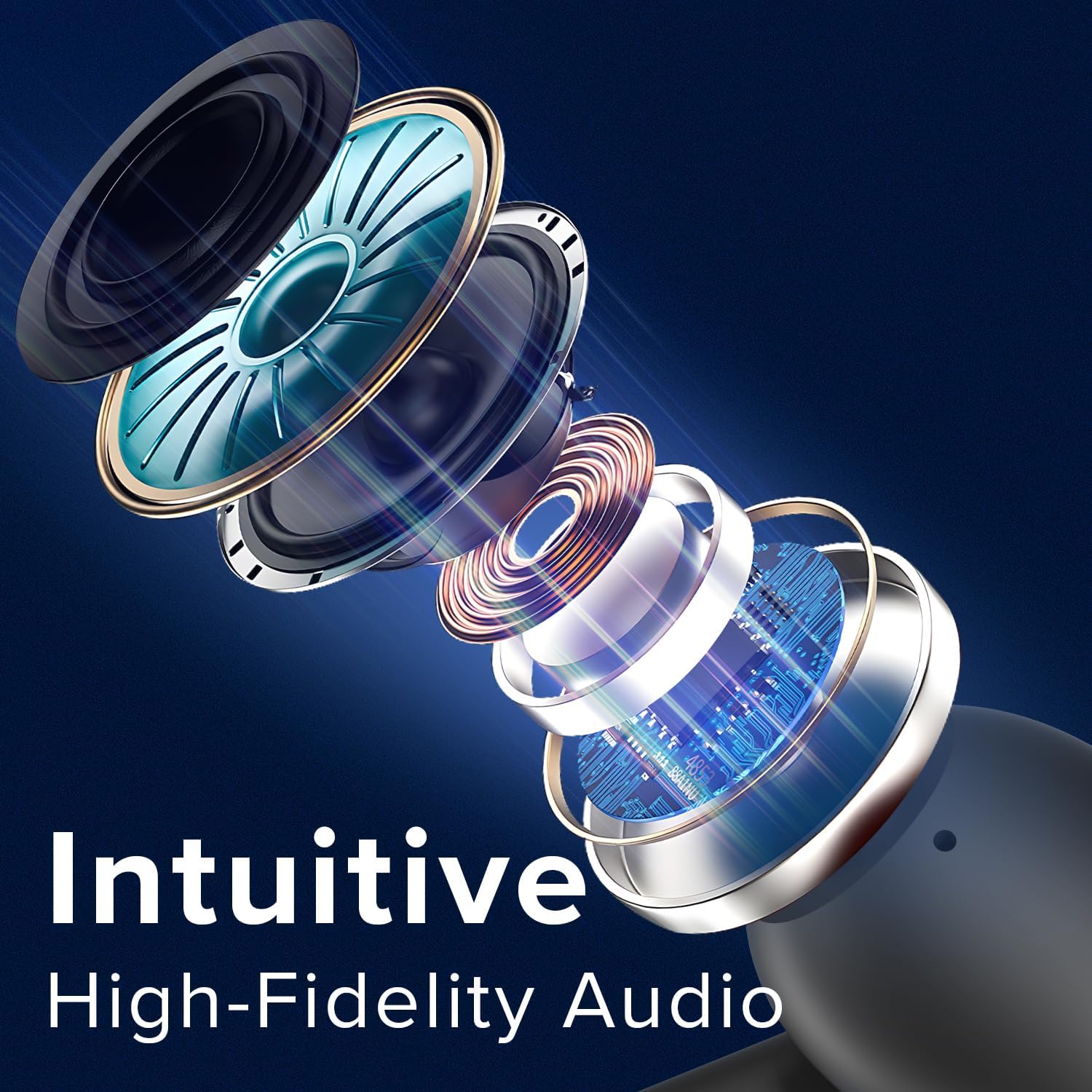
Image: An exploded diagram illustrates the internal components of a Coby earbud, highlighting its high-fidelity audio drivers and circuitry.
Wartung
To ensure the longevity and optimal performance of your Coby True Wireless Earbuds, follow these maintenance guidelines:
- Reinigung: Regularly clean the earbuds and charging case with a soft, dry, lint-free cloth. Do not use abrasive cleaners or solvents. For earwax buildup, gently clean the ear tips with a small, soft brush or cotton swab.
- Lagerung: Bewahren Sie die Ohrhörer bei Nichtgebrauch stets im Ladecase auf, um sie vor Staub, Schmutz und Beschädigungen zu schützen.
- Batteriepflege: Avoid fully depleting the battery frequently. Charge the case and earbuds regularly, even if not in constant use, to maintain battery health.
- Wasserbeständigkeit: The earbuds are water-resistant, but not waterproof. Avoid submerging them in water or exposing them to heavy rain. Dry them thoroughly if they get wet from sweat or light splashes.
Fehlerbehebung
Sollten Sie Probleme mit Ihren Ohrhörern haben, versuchen Sie folgende Lösungen:
| Problem | Lösung |
|---|---|
| Die Ohrhörer lassen sich nicht koppeln/verbinden. |
|
| Nur ein Ohrhörer funktioniert. |
|
| Geringe Lautstärke oder schlechte Tonqualität. |
|
| Ladecase lädt nicht. |
|
Technische Daten
| Besonderheit | Detail |
|---|---|
| Modellname | Kabellose Ohrhörer |
| Artikelmodellnummer | CETW526 |
| Konnektivitätstechnologie | Kabellos (Bluetooth) |
| Bluetooth-Version | 5.3 |
| Akkulaufzeit (Gesamtspielzeit) | Bis zu 10 Stunden |
| Steuerungstyp | Sprachsteuerung |
| Lärmschutz | Schallisolierung |
| Wasserbeständigkeit | Wasserfest |
| Frequenzbereich | 20 Hz – 20,000 Hz |
| Kompatible Geräte | iPhone, iPad, Android, Smartphone, Bluetooth Enabled Devices |
| Technische Daten | 1.62 x 5.52 x 7.49 Zoll |
| Artikelgewicht | 3.2 Unzen |
| UPC | 810071493423 |
Garantie und Support
For warranty information or technical support, please refer to the warranty card included with your product or visit the official Coby webSie können sich bei Produktproblemen oder Fragen auch direkt an den Coby-Kundendienst wenden.
Hinweis: Bewahren Sie Ihren Kaufbeleg als Kaufnachweis für Garantieansprüche auf.


