Einführung
The BoxWave DirectSync PD Cable is designed to provide efficient power delivery and high-speed data transfer for your USB-C compatible devices. This 3-foot braided cable supports up to 100W Power Delivery, making it suitable for charging a wide range of devices, including laptops, and ensures fast data synchronization.
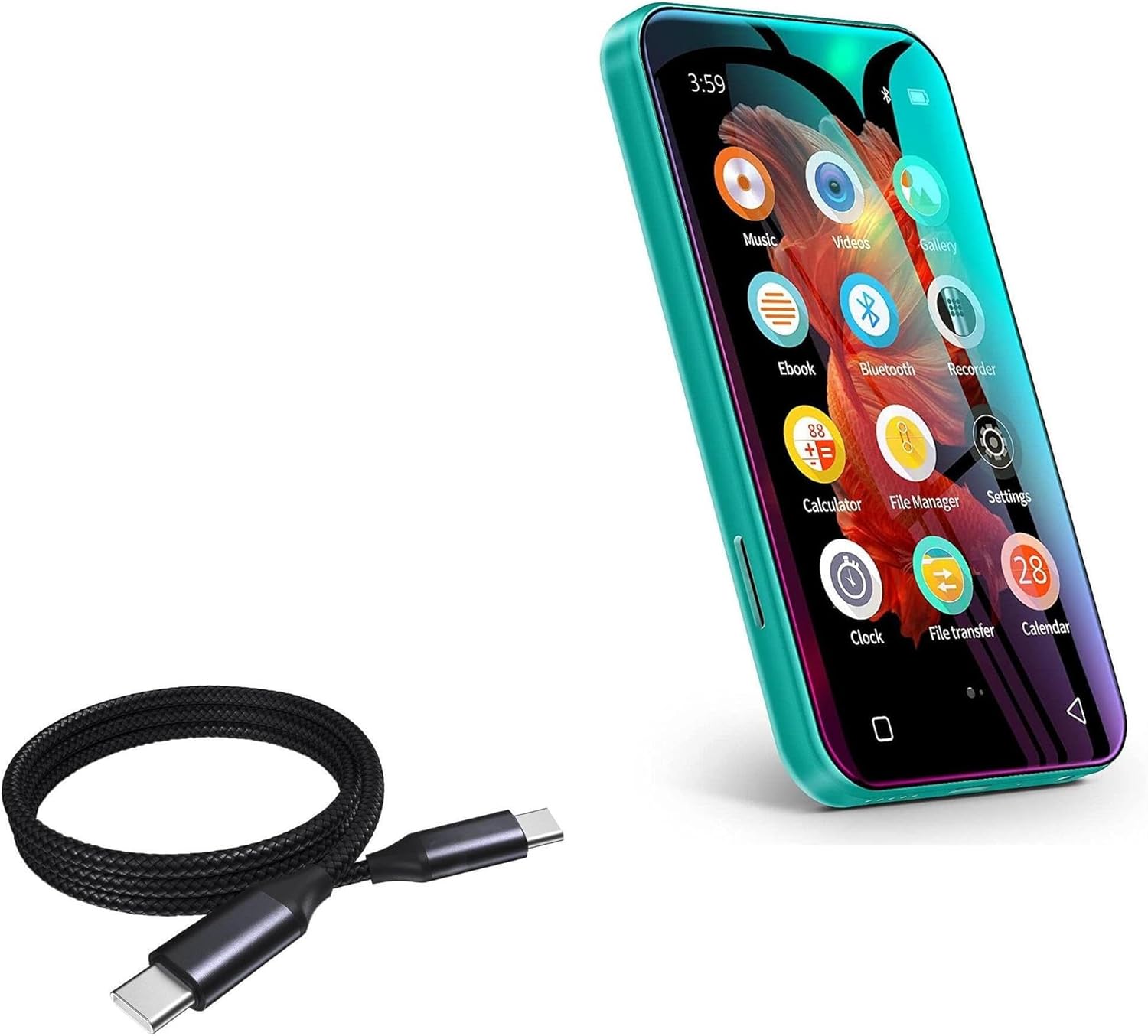
Image: The BoxWave DirectSync PD Cable shown alongside a TIMMKOO Q3E MP3 Player, illustrating its compatibility and primary use case.
Aufstellen
Setting up your DirectSync PD Cable is straightforward. Follow these steps to begin using your cable for charging or data transfer.
- Ports identifizieren: Ensure your device and power source (e.g., wall adapter, computer) have compatible USB-C ports.
- An Stromquelle anschließen: Insert one end of the DirectSync PD Cable into a USB-C power adapter or a USB-C port on your computer.
- Mit Gerät verbinden: Insert the other end of the cable into the USB-C port of your device (e.g., smartphone, tablet, laptop, MP3 player).
- Verbindung überprüfen: Confirm that your device indicates it is charging or connected for data transfer.

Image: The DirectSync PD Cable facilitating simultaneous charging and data synchronization between a laptop and a smartphone, demonstrating its dual functionality.
Bedienungsanleitung
Aufladen Ihres Geräts
The DirectSync PD Cable supports up to 100W Power Delivery, allowing for rapid charging of compatible devices.
- Schließen Sie das Kabel wie im Abschnitt „Einrichtung“ beschrieben an.
- For optimal charging speed, use a power adapter that supports USB Power Delivery (PD) and matches your device's power requirements.
- The cable will automatically negotiate the appropriate power output with your connected device and power source.

Image: The DirectSync PD Cable connected to a laptop, illustrating its capability for high-wattage power delivery, indicated by a visual representation of energy flow.
Datenübertragung
Utilize the DirectSync PD Cable for high-speed data transfers between your devices and computer.
- Connect your device to your computer using the DirectSync PD Cable.
- On your device, you may need to select the "File Transfer" or "MTP" (Media Transfer Protocol) option if prompted.
- Access your device's storage from your computer's file explorer (Windows) or Finder (macOS) to transfer files.
- The cable supports 480Mbps data transfer speeds.
Wartung
Proper care will extend the life of your BoxWave DirectSync PD Cable.
- Reinigung: Wipe the cable and connectors with a soft, dry cloth. Avoid using harsh chemicals or abrasive materials.
- Lagerung: Store the cable in a cool, dry place away from direct sunlight and extreme temperatures. Avoid tightly coiling or bending the cable at sharp angles to prevent damage to the internal wires and braided exterior.
- Handhabung: Always grasp the connector head when plugging or unplugging the cable, rather than pulling on the cable itself, to prevent strain on the connection points. The cable features reinforced strain reliefs for added durability.

Bild: Eine detaillierte view of the cable's nylon braided exterior, highlighting its durable construction designed to resist tangles and fraying.

Image: A close-up showing the rubberized, reinforced strain relief at the connector end of the cable, designed to prevent kinking and tearing.
Fehlerbehebung
If you encounter issues with your DirectSync PD Cable, refer to the following common problems and solutions.
| Problem | Mögliche Ursache | Lösung |
|---|---|---|
| Gerät wird nicht geladen. | Loose connection, incompatible power adapter, or device issue. | Ensure both ends of the cable are securely plugged in. Try a different USB-C power adapter. Test the cable with another device to rule out a device-specific issue. |
| Langsame Ladegeschwindigkeit. | Power adapter does not support PD, or device is not PD compatible. | Use a USB-C Power Delivery (PD) compatible wall charger with sufficient wattage (up to 100W). Ensure your device supports fast charging protocols. |
| Computer does not recognize the device for data transfer. | Device not set to file transfer mode, driver issue, or port issue. | On your device, check notifications and select "File Transfer" or "MTP" mode. Try a different USB-C port on your computer. Ensure your computer's drivers are up to date. Restart both devices. |
| Das Kabel scheint beschädigt zu sein. | Physischer Verschleiß. | Discontinue use immediately. Contact BoxWave support for assistance. |
Technische Daten
| Besonderheit | Detail |
|---|---|
| Marke | BoxWave |
| Modell | DirectSync PD Cable |
| Steckertyp | USB Typ-C auf USB Typ-C |
| Kabellänge | 3 Fuß (100 cm) |
| Stromversorgung (PD) | Bis zu 100 Watt |
| Datenübertragungsgeschwindigkeit | 480 Mbit/s |
| Material | High-grade Nylon Braided Cable with Rubberized Strain Reliefs |
| Farbe | Tiefschwarz |
Garantie und Support
Specific warranty information for the BoxWave DirectSync PD Cable is not provided within this manual. For details regarding warranty coverage, technical support, or to contact customer service, please visit the official BoxWave webSiehe Website oder die Produktverpackung.
For further assistance, you may also refer to the seller's information on the platform where the product was purchased.


