1. Einleitung
The eppfun AK8675B Pro is a versatile Bluetooth 5.2 audio adapter designed to function as both a transmitter (TX) and a receiver (RX). It features advanced Qualcomm QCC3040 chip technology, supporting various aptX codecs including aptX-Adaptive, aptX HD, and aptX Low Latency, ensuring high-quality audio with minimal delay. This device allows you to wirelessly stream audio from non-Bluetooth devices (like TVs or PCs) to Bluetooth headphones/speakers, or from Bluetooth-enabled devices (like smartphones) to wired audio systems.
2. Packungsinhalt
Bitte überprüfen Sie, ob alle unten aufgeführten Artikel in Ihrem Paket enthalten sind:
- eppfun AK8675B Pro Bluetooth Transmitter/Receiver
- USB-C-Ladekabel
- 3.5-mm-AUX-Audiokabel
- Optical Fiber Audio Cable
- Benutzerhandbuch (dieses Dokument)

Image: Contents of the eppfun AK8675B Pro package, including the device, various cables, and the user manual.
3. Produktüberschreitungview und Kontrollen
Machen Sie sich mit den Komponenten und Bedienelementen des Geräts vertraut:

Image: Diagram of the eppfun AK8675B Pro device with key interfaces and buttons labeled.
- A: Netzschalter - Press and hold to turn the device on or off.
- B: RX/TX Mode Switching - Slide switch to select Transmitter (TX) or Receiver (RX) mode.
- C: Pairing Button - Press to initiate Bluetooth pairing mode.
- D: AUX 3.5mm Interface - For connecting audio devices via a 3.5mm audio cable.
- E: Volume Adjusting - Buttons to increase or decrease audio volume.
- F: One Click Mute, Double Click Audio Decoding Switch - Single press for mute/unmute; double press to cycle through audio decoding options.
- G: USB Charging - USB-C port for charging the device.
- H: Optical Interface - For connecting audio devices via an optical fiber cable.
4. Setup and Operation Modes
The AK8675B Pro operates in two primary modes: Transmitter (TX) and Receiver (RX). Select the appropriate mode using the RX/TX mode switching slider (B).

Image: Comparison of Transmitter and Receiver modes, showing usage time, compatible codecs, and simultaneous linking capabilities.
4.1. Sendermodus (TX)
In TX mode, the device transmits audio from a non-Bluetooth source (e.g., TV, PC) to Bluetooth-enabled headphones or speakers.
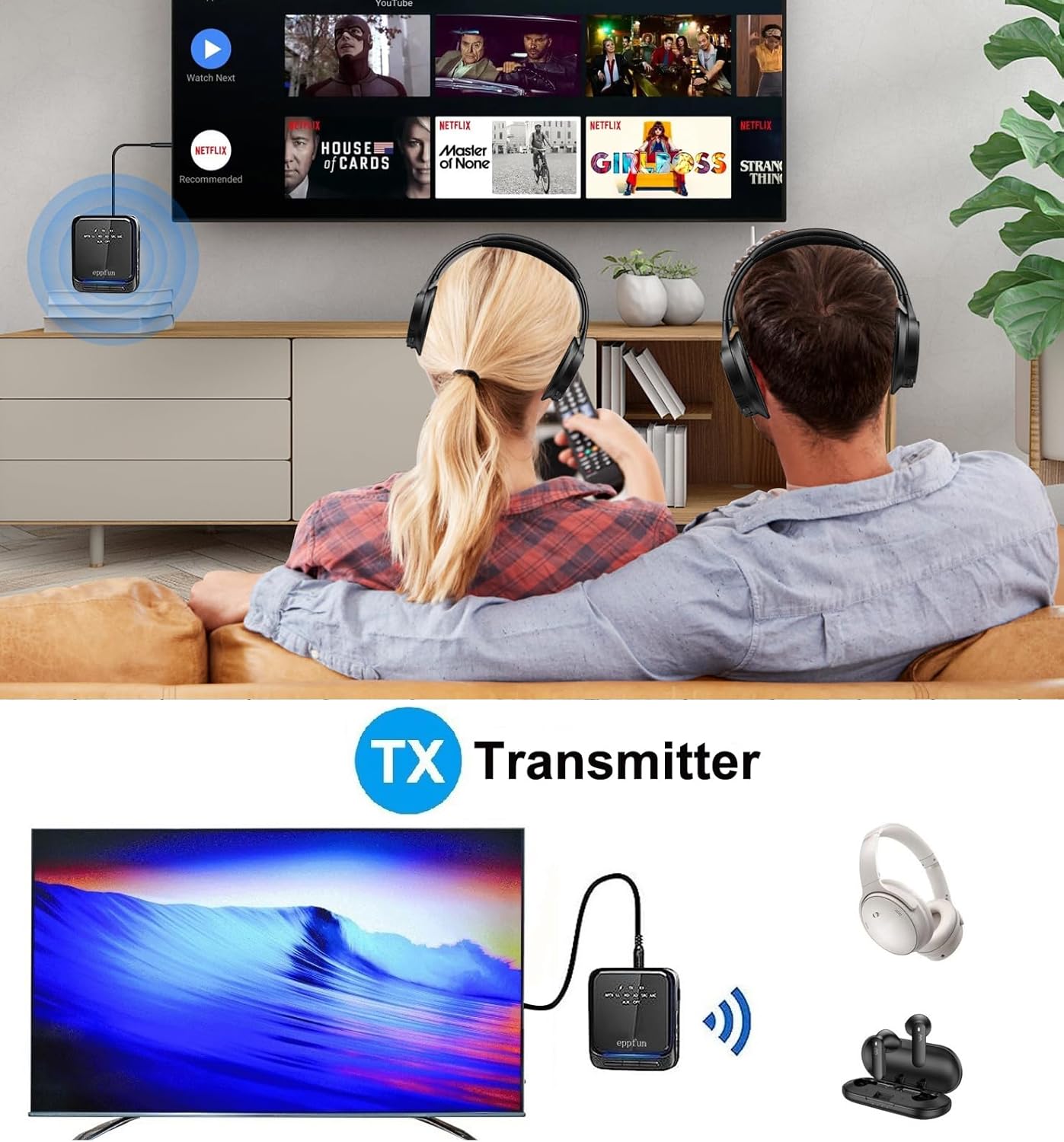
Image: An illustration of the eppfun AK8675B Pro connected to a TV, transmitting audio wirelessly to two pairs of Bluetooth headphones.
- Slide the mode switch (B) to TX.
- Connect the AK8675B Pro to your audio source (e.g., TV, PC) using either the 3.5mm AUX cable (D) or the Optical Fiber cable (H).
- Turn on the AK8675B Pro by pressing and holding the Power Button (A).
- Versetzen Sie Ihre Bluetooth-Kopfhörer oder -Lautsprecher in den Kopplungsmodus.
- Press the Pairing Button (C) on the AK8675B Pro to initiate pairing. The LED indicator will show pairing status.
- Once connected, audio from your source will stream wirelessly to your Bluetooth device(s).
TX Mode Features:
- Kompatible Codecs: aptX, aptX-Adaptive, aptX LL (Low Latency), aptX HD, SBC.
- Arbeitszeit: Ungefähr 12 Stunden bei voller Ladung.
- Doppelte Verbindung: Supports connecting two Bluetooth headphones/earbuds simultaneously with aptX LL technology.
4.2. Empfängermodus (RX)
In RX mode, the device receives audio wirelessly from a Bluetooth-enabled source (e.g., smartphone, tablet) and outputs it to a wired audio system (e.g., wired headphones, speakers).

Image: An illustration of the eppfun AK8675B Pro connected to wired speakers, receiving audio wirelessly from a smartphone.
- Slide the mode switch (B) to RX.
- Connect the AK8675B Pro to your wired audio output device (e.g., speakers, wired headphones) using the 3.5mm AUX cable (D).
- Turn on the AK8675B Pro by pressing and holding the Power Button (A).
- Enable Bluetooth on your smartphone or other Bluetooth audio source and search for available devices.
- Select "eppfun AK8675B Pro" from the list of available Bluetooth devices to pair. The LED indicator will confirm connection.
- Once connected, audio from your Bluetooth source will play through your wired audio system.
RX Mode Features:
- Kompatible Codecs: aptX, aptX-Adaptive, aptX HD, SBC, AAC.
- Arbeitszeit: Ungefähr 20 Stunden bei voller Ladung.
5. Aufladen des Geräts
To charge the eppfun AK8675B Pro:
- Connect the supplied USB-C cable to the USB Charging port (G) on the device.
- Verbinden Sie das andere Ende des USB-C-Kabels mit einem Standard-USB-Netzteil (nicht im Lieferumfang enthalten) oder einem USB-Anschluss Ihres Computers.
- The LED indicator will show the charging status. A full charge typically takes about 2 hours.
Note: The device cannot be used while it is charging.
6. Wartung
To ensure the longevity and optimal performance of your eppfun AK8675B Pro:
- Das Gerät sollte trocken gehalten werden. Vermeiden Sie den Kontakt mit Feuchtigkeit, Regen oder Flüssigkeiten.
- Reinigen Sie das Gerät mit einem weichen, trockenen Tuch. Verwenden Sie keine scharfen Chemikalien oder Scheuermittel.
- Bewahren Sie das Gerät bei Nichtgebrauch an einem kühlen, trockenen Ort auf.
- Vermeiden Sie extreme Temperaturen.
- Versuchen Sie nicht, das Gerät zu zerlegen oder zu verändern, da dies zum Erlöschen der Garantie führt und Schäden verursachen kann.
7. Fehlerbehebung
If you encounter issues with your AK8675B Pro, refer to the following common solutions:
- Das Gerät lässt sich nicht einschalten:
- Stellen Sie sicher, dass das Gerät vollständig aufgeladen ist. Verbinden Sie es mit dem USB-C-Kabel mit einer Stromquelle.
- Press and hold the Power Button (A) for a few seconds.
- Kopplung mit einem Bluetooth-Gerät nicht möglich:
- Ensure the AK8675B Pro is in the correct mode (TX for transmitting, RX for receiving).
- Make sure both devices are in pairing mode and within the 10-meter communication range.
- Clear previous pairing records on both the AK8675B Pro and your Bluetooth device, then attempt to pair again.
- Restart both the AK8675B Pro and your Bluetooth device.
- Kein Audioausgang/-eingang:
- Check all cable connections (3.5mm AUX or Optical Fiber) to ensure they are secure and in the correct ports.
- Verify that the volume on both the AK8675B Pro (E) and the connected audio device is not muted or set too low.
- Ensure the correct audio input/output is selected on your source device (e.g., TV audio settings).
- Confirm that the AK8675B Pro is successfully paired and connected to the desired Bluetooth device.
- Audio delay or poor quality:
- Ensure both the AK8675B Pro and your connected Bluetooth device support aptX Low Latency (aptX LL) for minimal delay, especially in TX mode.
- Reduce the distance between the AK8675B Pro and the connected Bluetooth device, and remove any obstacles.
- Prüfen Sie, ob es zu Störungen durch andere drahtlose Geräte kommen kann.
8. Spezifikationen
| Besonderheit | Spezifikation |
|---|---|
| Modellname | AK8675B Pro |
| Bluetooth-Version | 5.2 |
| Bluetooth-Chipsatz | Qualcomm QCC3040 |
| Unterstützte Codecs (TX) | aptX, aptX-Adaptive, aptX LL, aptX HD, SBC |
| Unterstützte Codecs (RX) | aptX, aptX-Adaptive, aptX HD, SBC, AAC |
| Frequenzband | 2.402 GHz – 2.480 GHz |
| Kommunikationsentfernung | Bis zu 10 Meter (33 Fuß) |
| Arbeitszeit im TX-Modus | Ca. 12 Stunden |
| Arbeitszeit im RX-Modus | Ca. 20 Stunden |
| Ladezeit | Ca. 2 Stunden |
| Ladeanschluss | USB-C |
| Audio-Eingang/-Ausgang | 3.5mm AUX, Optical TOSLINK |
| Akku-Typ | Lithium-Ionen (im Lieferumfang enthalten) |
| Technische Daten | 75 mm x 66 mm x 18 mm (ca.) |
| Produktgewicht | 60.5 g (ca.) |
9. Garantie und Support
eppfun products are designed for reliability and performance. For warranty information and technical support, please refer to the official eppfun webBesuchen Sie unsere Website oder kontaktieren Sie Ihren Händler. Bewahren Sie Ihren Kaufbeleg als Kaufnachweis für Garantieansprüche auf.


