Einführung
This manual provides essential instructions for setting up, operating, and maintaining your KALOC Fitness Tracker. Please read this guide thoroughly to ensure proper use and to maximize the device's features.
Lieferumfang
Überprüfen Sie nach dem Auspacken, ob alle Artikel vorhanden sind:
- KALOC Fitness Tracker (main unit)
- Uhrenarmband
- Ladekabel
- Bedienungsanleitung
Aufstellen
1. Aufladen des Geräts
Before first use, fully charge your fitness tracker. Connect the charging cable to the charging port on the back of the device and to a USB power source. The screen will indicate charging status.

Image: The KALOC Fitness Tracker displaying a '100% Fully charged' message while connected to its charging cable.
2. App-Installation und -Kopplung
To utilize all features and synchronize data, download the companion application to your smartphone. The app is compatible with Android 6.0 and iOS 12.0 or above, and requires Bluetooth 4.0.
- Scan the QR code in the quick guide or search for the app name (usually mentioned in the quick guide or packaging) in your phone's app store.
- Installieren Sie die Anwendung.
- Open the app and follow the on-screen instructions to create an account and pair your fitness tracker via Bluetooth. Ensure Bluetooth is enabled on your phone.
- Allow necessary permissions for the app to function correctly (e.g., location, notifications).
Bedienungsanleitung
Anzeige und Navigation
The KALOC Fitness Tracker features a 1.58-inch AMOLED touch display. Navigate through menus and functions by swiping up, down, left, or right, and tapping to select options.

Image: The 1.58-inch AMOLED screen of the KALOC Fitness Tracker, highlighting its resolution and brightness capabilities.
Grundfunktionen
- Uhrzeit und Datum: Automatically synchronizes with your paired smartphone.
- Gesichter ansehen: Customize your watch face through the companion app or directly on the device.

Bild: Examples of personalized watch faces available for the KALOC Fitness Tracker.
Funktionen zur Gesundheitsüberwachung
The KALOC Fitness Tracker provides comprehensive health monitoring throughout the day.
- Herzfrequenz-Überwachung: Überwacht kontinuierlich Ihre Herzfrequenz. View Echtzeitdaten auf dem Gerät oder detaillierte Trendanalysen in der App.
- Blutsauerstoffmessung (SpO2): Misst Ihren Blutsauerstoffsättigungsgrad.
- Schlafüberwachung: Analysiert Ihre Schlafmuster, einschließlich Tiefschlaf, Leichtschlaf und Wachphasen.
- Stresslevel-Überwachung: Monitors your stress levels and provides insights into your mental well-being.
- Schrittzähler & Kalorienzähler: Records daily steps, distance covered, and estimated calories burned.

Image: The KALOC Fitness Tracker displaying 24-hour health tracking data, including heart rate, sleep, and stress.

Image: The KALOC Fitness Tracker tracking daily fitness data, including steps, distance, calories, and activity time.
Sportmodi
The fitness tracker supports over 100 sports modes to accurately track your workouts. Select the appropriate mode before starting an activity for precise data collection.
- Examples include outdoor walking, running, cycling, strength training, yoga, and various ball games.
- Access sports modes from the device menu and select your desired activity.
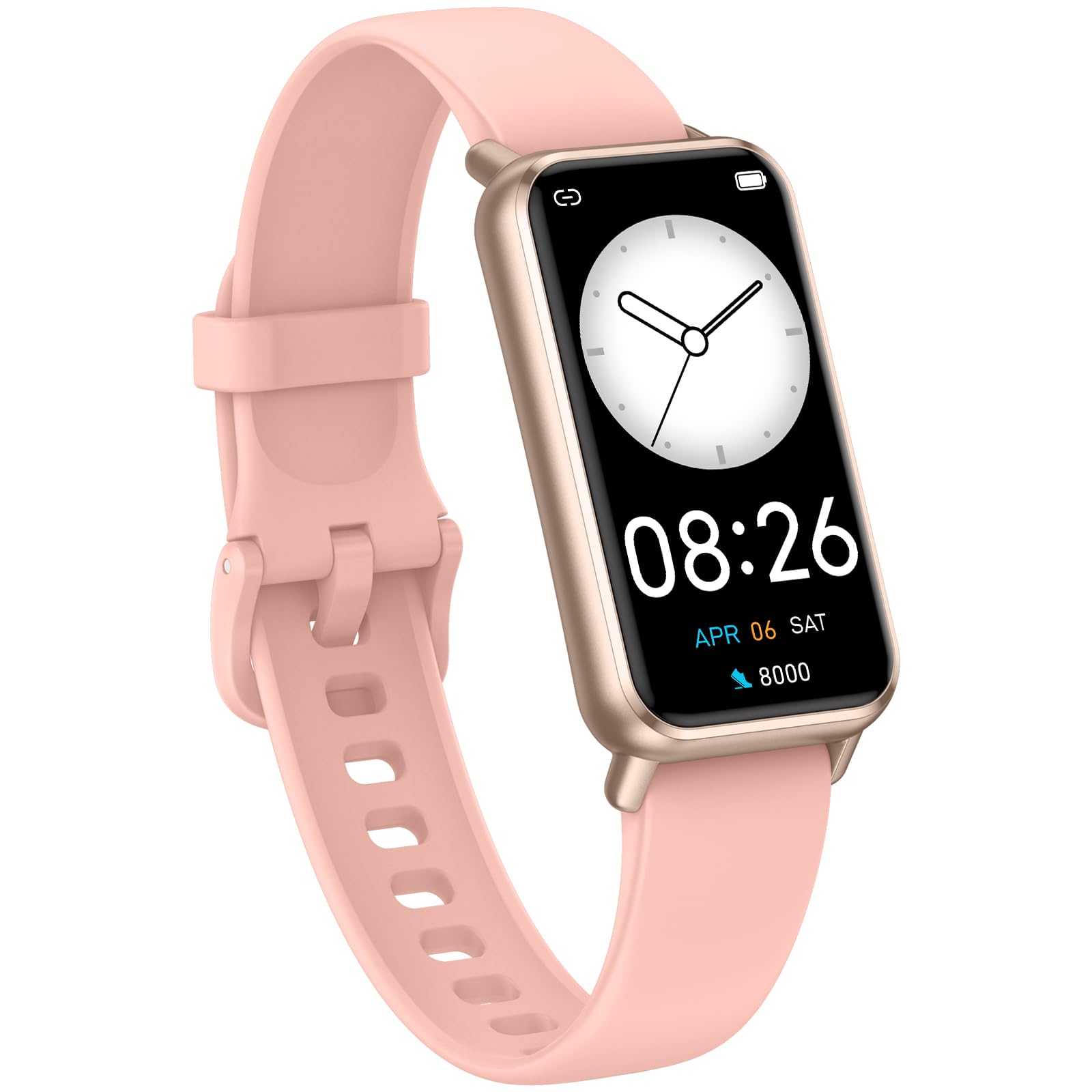
Image: The KALOC Fitness Tracker highlighting its support for over 100 sports modes.
Wasserbeständigkeit
The KALOC Fitness Tracker is 50-meter waterproof, making it suitable for various water activities.
- Suitable for washing hands, showering, swimming, and shallow water activities.
- Not recommended for diving, hot water activities, or high-pressure water exposure.

Image: The KALOC Fitness Tracker demonstrating its 50-meter waterproof feature during swimming.
Akkulaufzeit
The device offers an extended battery life, providing up to 14 days of typical use or 30 days of standby time on a single charge.

Image: The KALOC Fitness Tracker highlighting its 14-day battery life.
Intelligente Benachrichtigungen
Receive notifications for calls, messages, and app alerts directly on your wrist when paired with your smartphone.

Image: The KALOC Fitness Tracker receiving smart notifications from various applications.
Andere Funktionen
The KALOC Fitness Tracker includes several additional useful features:
- Kamerasteuerung: Steuern Sie die Kamera Ihres Telefons aus der Ferne.
- Musiksteuerung: Manage music playback on your paired phone.
- Wettervorhersage: View aktuelle Wetterbedingungen und Vorhersagen.
- Trinkerinnerung: Stelle dir Erinnerungen ein, um ausreichend Flüssigkeit zu dir zu nehmen.
- Sitzende Erinnerung: Erinnert Sie nach längeren Inaktivitätsphasen an eine Bewegung.
- Wecker: Set alarms directly on your device.
- Atemtraining: Geführte Atemübungen zur Stressbewältigung.

Image: The KALOC Fitness Tracker showcasing its multiple functions.
Wartung
To ensure the longevity and optimal performance of your KALOC Fitness Tracker, follow these maintenance guidelines:
- Reinigung: Regularly clean the device and strap with a soft, damp Tuch. Vermeiden Sie aggressive Chemikalien oder scheuernde Materialien.
- Laden: Use only the provided charging cable. Do not expose the charging contacts to water or corrosive liquids.
- Lagerung: Bewahren Sie das Gerät bei Nichtgebrauch an einem kühlen, trockenen Ort auf. Vermeiden Sie extreme Temperaturen.
- Wassereinwirkung: While waterproof, it is advisable to dry the device thoroughly after exposure to water to prevent skin irritation and ensure proper sensor function.
Fehlerbehebung
If you encounter issues with your KALOC Fitness Tracker, refer to the following common solutions:
- Gerät lässt sich nicht einschalten: Stellen Sie sicher, dass das Gerät vollständig aufgeladen ist. Schließen Sie es für mindestens 30 Minuten an das Ladegerät an.
- Kopplung mit dem Telefon nicht möglich:
- Stellen Sie sicher, dass Bluetooth auf Ihrem Telefon aktiviert ist.
- Stellen Sie sicher, dass sich der Tracker in Bluetooth-Reichweite Ihres Telefons befindet.
- Starten Sie sowohl Ihr Smartphone als auch den Fitness-Tracker neu.
- Check if the app has the necessary permissions.
- Ungenaue Daten:
- Ensure the tracker is worn snugly on your wrist, about one finger's width from your wrist bone.
- Reinigen Sie die Sensoren auf der Rückseite des Geräts.
- Update the device firmware via the app if available.
- Benachrichtigungen nicht erhalten:
- Verify that notifications are enabled in both the tracker's app and your phone's settings.
- Stellen Sie sicher, dass die App im Hintergrund ausgeführt wird.
If problems persist, consult the support section of the companion app or contact customer support.
Technische Daten
| Modellnummer | 529d841c-3537-4f97-bf0f-2a0c001c6b1e |
| Anzeigegröße | 1.58 Zoll AMOLED |
| Wasserbeständigkeit | 50 Meter |
| Akkulaufzeit | Bis zu 14 Tage (bei typischer Anwendung) |
| Konnektivität | Bluetooth 4.0 |
| Kompatibilität | Android 6.0+ / iOS 12.0+ |
| Artikelgewicht | 2.82 Unzen |
| Technische Daten | 6.4 x 3 x 0.7 Zoll |
Garantie und Support
For warranty information and customer support, please refer to the documentation included with your purchase or visit the official KALOC webBewahren Sie Ihren Kaufbeleg als Kaufnachweis für Garantieansprüche auf.


