1. Einleitung
Vielen Dank für Ihren Einkauf.asing the TOPTRO X2 Mini Portable Projector. This manual provides essential information for setting up, operating, and maintaining your projector. Please read it thoroughly before use to ensure optimal performance and safety.

Image 1.1: TOPTRO X2 Projector, carrying bag, and screen projection.

Image 1.2: Key features of the TOPTRO X2 Projector.
2. Sicherheitshinweise
- Schauen Sie nicht direkt in die Projektorlinse, wenn der lamp ist eingeschaltet.
- Sorgen Sie für eine ausreichende Belüftung rund um den Projektor, um eine Überhitzung zu vermeiden.
- Halten Sie den Projektor von Wasser, Feuchtigkeit und brennbaren Materialien fern.
- Verwenden Sie ausschließlich das mit dem Projektor gelieferte Netzteil.
- Do not attempt to disassemble or repair the projector yourself. Contact professional support if needed.
- Außerhalb der Reichweite von Kindern aufbewahren.
3. Packungsinhalt
Bitte prüfen Sie das Paket auf folgende Artikel:
- TOPTRO X2 Mini Portable Projector
- Netzteil
- Fernbedienung
- HDMI-Kabel
- AV-Kabel
- Bedienungsanleitung
- Tragetasche
4. Produktüberschreitungview
Familiarize yourself with the projector's components and controls.

Image 4.1: Projector controls and ports.
4.1-Vorderseite View
- Projektionsobjektiv: Gibt das Bild aus.
- Fokusring: Passt die Bildschärfe an.
4.2 Nach oben View
- Bedienfeld: Power button, navigation buttons, OK button.
4.3 Hinten/Seite View
- Leistungsaufnahme: Wird mit dem Netzteil verbunden.
- HDMI-Anschlüsse: Connect to HDMI-enabled devices (laptops, game consoles).
- USB-Anschlüsse: Schließen Sie USB-Laufwerke zur Medienwiedergabe an.
- AV-Anschluss: Connect to older devices using the AV cable.
- Audioausgang (3.5 mm): Schließen Sie externe Lautsprecher oder Kopfhörer an.
- IR Empfänger: Für Fernsteuersignale.
5. Einrichtung
5.1 Platzierung
Position the projector on a stable, flat surface or mount it. Ensure the projection path is clear.

Image 5.1: Multiple installation options.
5.2 Stromanschluss
- Connect the power adapter to the projector's power input.
- Stecken Sie das Netzteil in eine Steckdose.
5.3 Fokuseinstellung
Drehen Sie den Fokusring am Projektorobjektiv, bis das projizierte Bild klar und scharf ist.
5.4 Trapezkorrektur
If the projected image appears trapezoidal, use the manual keystone correction feature to adjust the vertical angle. This projector supports ±15° vertical keystone correction.

Image 5.2: Manual keystone correction.
6. Bedienung
6.1 Ein-/Ausschalten
Drücken Sie den Netzschalter am Projektor oder an der Fernbedienung, um das Gerät ein- oder auszuschalten.
6.2 Auswahl der Eingangsquelle
Use the 'Source' button on the remote or projector to select your desired input (HDMI1, HDMI2, USB, AV, Screen Mirroring).

Image 6.1: Projector ports and compatible devices.
6.3 Wireless Connection (WiFi Screen Mirroring)
The TOPTRO X2 supports wireless screen mirroring for iOS, Android, Windows 10, and Mac devices. No additional adapters or cables are needed.
- Wählen Sie „Bildschirmspiegelung“ als Eingabequelle aus.
- Follow the on-screen instructions to connect your device via WiFi.

Image 6.2: Wireless WiFi connection in use.
6.4 Bluetooth-Verbindung
Schließen Sie externe Bluetooth-Lautsprecher oder Kopfhörer an, um ein besseres Klangerlebnis zu erzielen.
- Navigieren Sie im Menü des Projektors zu den Bluetooth-Einstellungen.
- Aktivieren Sie Bluetooth und suchen Sie nach verfügbaren Geräten.
- Wählen Sie Ihren Bluetooth-Lautsprecher oder Ihre Kopfhörer zum Koppeln aus.

Abbildung 6.3: Bluetooth 5.0-Konnektivität.
6.5 Anpassen der Projektionsgröße (Zoom)
The projector features a zoom function to adjust the screen size from 75% to 100% without moving the projector.

Image 6.4: Zoom function (75%-100%).
6.6 Externe Geräte anschließen
Connect various devices such as TV sticks, laptops, game consoles, or USB drives to the projector's HDMI or USB ports.
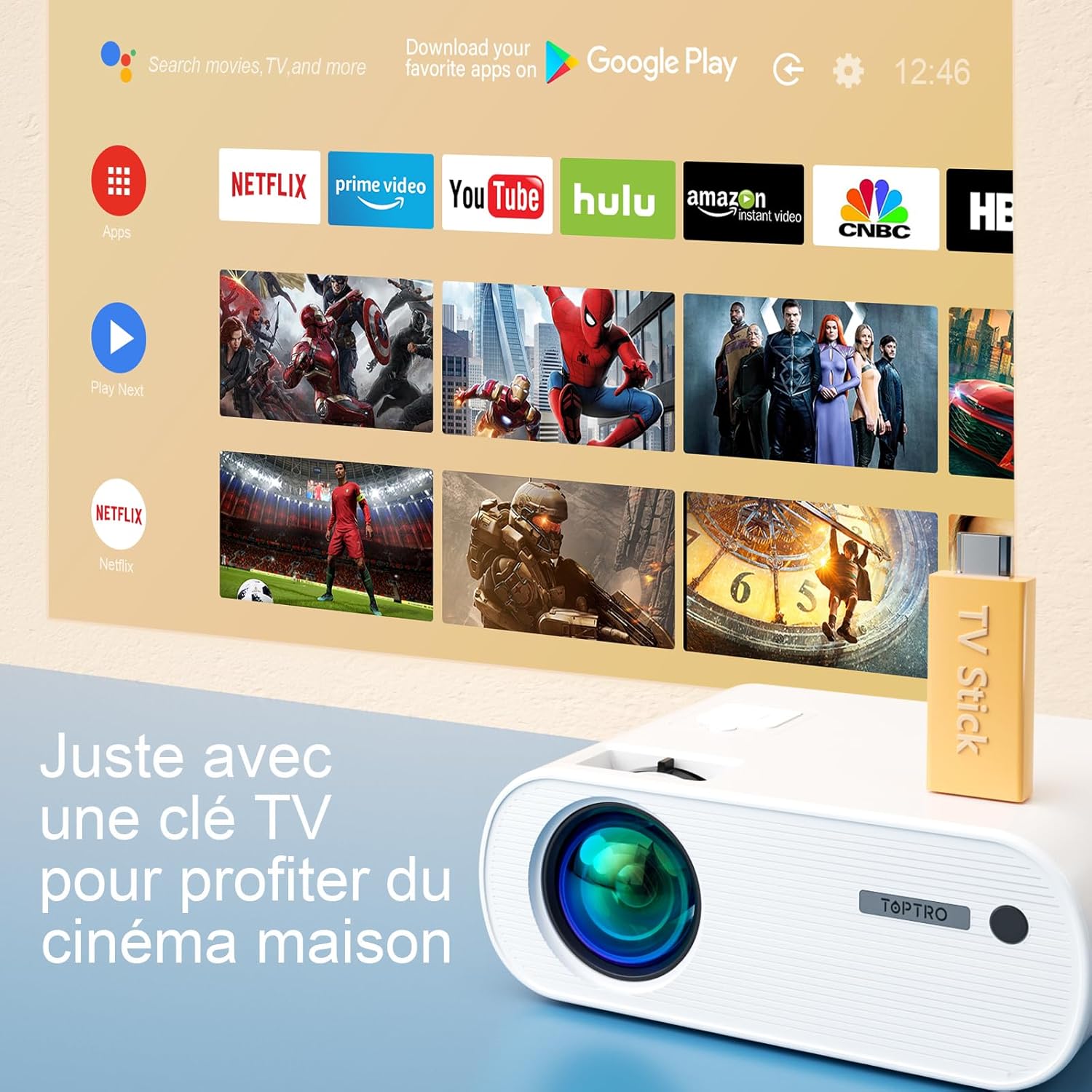
Image 6.5: Enjoying home cinema with a TV stick.
7. Wartung
7.1 Reinigung
- Verwenden Sie ein weiches, trockenes Tuch, um das Äußere des Projektors zu reinigen.
- For the lens, use a professional lens cleaning cloth and solution. Avoid harsh chemicals.
- Regularly clean the ventilation vents to prevent dust buildup.
7.2 Speicherung
When not in use, store the projector in its carrying bag in a cool, dry place, away from direct sunlight and extreme temperatures.
7.3 Literamp Pflege
Der Projektor verfügt über eine LED-Beleuchtung.amp with an extended lifespan of up to 90,000 hours, ensuring long-term use without frequent lamp Ersatz.

Image 7.1: Projector features including 90,000 hours LED lamp Leben.
8. Fehlerbehebung
- Kein Strom: Stellen Sie sicher, dass das Netzteil sowohl mit dem Projektor als auch mit der Steckdose fest verbunden ist.
- Kein Bild: Check the input source selection. Ensure the connected device is powered on and sending a signal. Adjust focus.
- Verschwommenes Bild: Adjust the focus ring. Ensure the projection surface is flat.
- Kein Ton: Überprüfen Sie die Lautstärkeeinstellungen sowohl am Projektor als auch am angeschlossenen Gerät. Stellen Sie sicher, dass externe Lautsprecher ordnungsgemäß angeschlossen oder per Bluetooth gekoppelt sind.
- Fernbedienung funktioniert nicht: Tauschen Sie die Batterien aus. Stellen Sie sicher, dass sich keine Hindernisse zwischen der Fernbedienung und dem Infrarotempfänger des Projektors befinden.
- Probleme mit der WLAN-Verbindung: Ensure your device and projector are within range of the WiFi network. Restart both devices.
9. Spezifikationen
Detailed technical specifications for the TOPTRO X2 Projector:

Image 9.1: Brightness and contrast comparison.
| Besonderheit | Spezifikation |
|---|---|
| Marke | TOPTRO |
| Modellreihen | X2 |
| Anzeigetyp | LCD |
| Native Auflösung | 1280 x 720 Pixel |
| Unterstützte Auflösung | Full HD 1080P |
| Helligkeit | 12000 Lumen |
| Kontrastverhältnis | 20000:1 |
| Konnektivitätstechnologie | WLAN, Bluetooth |
| Hardware-Schnittstelle | HDMI, USB, AV |
| Keystone-Korrektur | Manual ±15° (Vertical) |
| Zoomfunktion | 75 % - 100 % |
| Lamp Leben | Bis zu 90,000 Stunden |
| Produktabmessungen (L x B x H) | 21.2 x 17.2 x 8 cm |
| Formfaktor | Tragbar |
| Montagetyp | Tischplatte |
10. Garantie und Support
TOPTRO is committed to providing high-quality products and professional technical support. While specific warranty details may vary by region or retailer, TOPTRO ensures quality control before delivery.
If you encounter any issues or have questions regarding your TOPTRO X2 projector, please do not hesitate to contact TOPTRO customer support. Our team is available to assist you.
For support, please refer to the contact information provided with your purchase or visit the official TOPTRO webWebsite.


