Einführung
This manual provides comprehensive instructions for the setup, operation, and maintenance of your Surfans F22 Portable HiFi MP3 Player. Please read this manual thoroughly before using the device to ensure proper functionality and to maximize your listening experience.
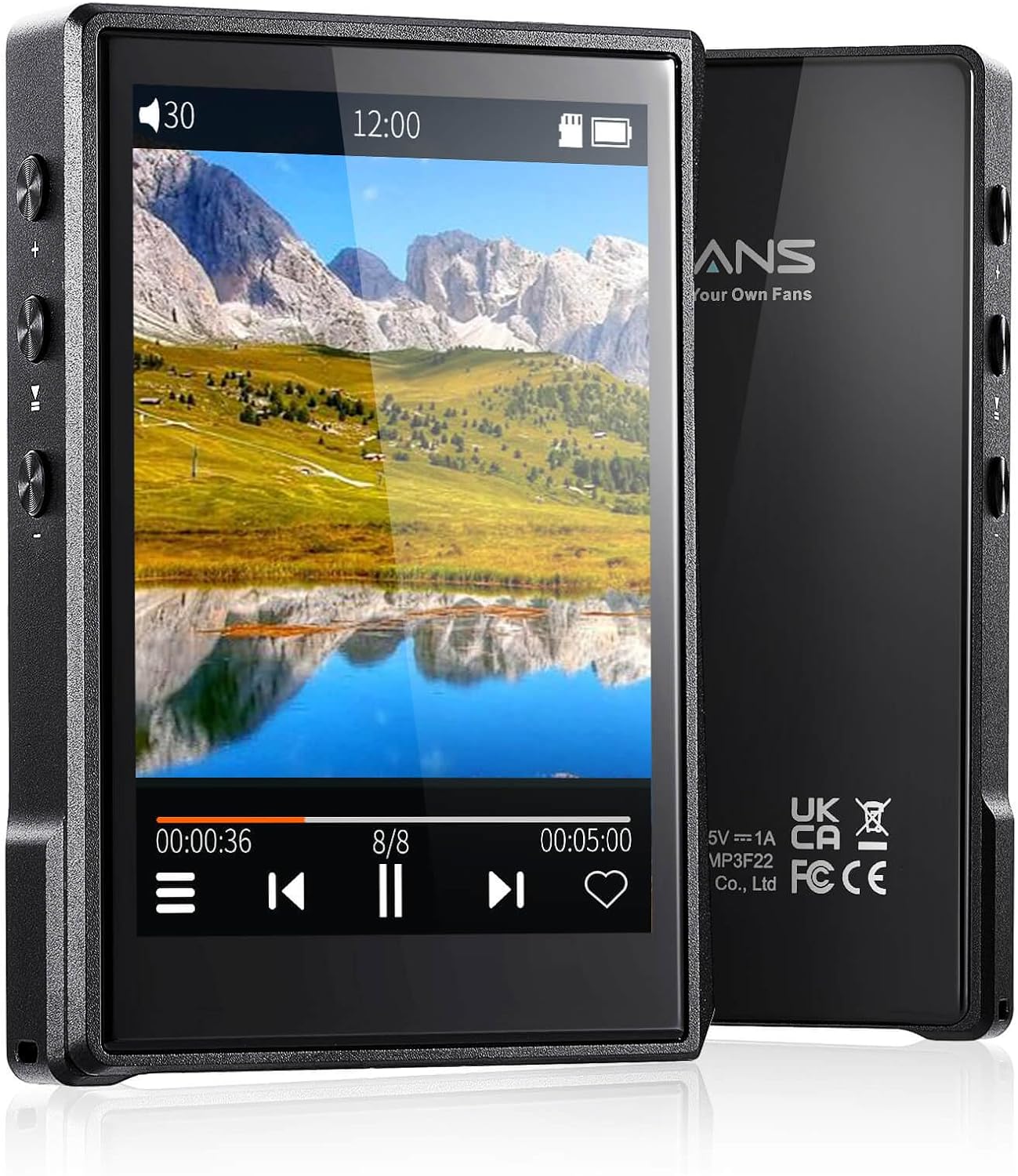
Abbildung: Vorder- und Rückseite view of the Surfans F22 Portable HiFi MP3 Player, showcasing its 2.8-inch touchscreen and sleek design.
Packungsinhalt
Überprüfen Sie, ob alle Artikel im Paket vorhanden sind:
- Surfans F22 HiFi Music Player
- Benutzerhandbuch (dieses Dokument)
- USB-C-Kabel
- 32-GB-Speicherkarte (vorinstalliert oder separat enthalten)
Gerät überview
Familiarize yourself with the physical components of your F22 player.

Image: Diagram illustrating the various ports and buttons on the Surfans F22 MP3 Player, including the power button, volume controls, headphone jack, and USB-C port.
- 2.8-inch IPS TFT Full Touchscreen: Hauptschnittstelle für Navigation und Steuerung.
- Netzschalter: Schaltet das Gerät ein/aus und sperrt/entsperrt den Bildschirm.
- Lautstärketasten: Regelt den Audioausgangspegel.
- Kopfhöreranschluss (3.5 mm): Schließen Sie kabelgebundene Kopfhörer an.
- USB-C-Anschluss: Zum Aufladen und zur Datenübertragung.
- Micro-SD-Kartensteckplatz: Für erweiterbaren Speicher bis zu 1 TB.
Aufstellen
1. Aufladen des Geräts
Before first use, fully charge the F22 player. Connect the provided USB-C cable to the device's USB-C port and the other end to a USB power adapter (not included) or a computer's USB port. The charging indicator will show progress. A full charge typically takes approximately 2 hours and provides up to 10 hours of playback.
2. Einlegen einer Micro-SD-Karte
The F22 comes with a 32GB memory card. For additional storage, you can insert a Micro SD card (up to 1TB) into the designated slot. Ensure the card is inserted correctly until it clicks into place.

Image: A Surfans F22 MP3 Player shown with a Micro SD card being inserted into its slot, illustrating the expandable storage capability.
3. Musik übertragen Files
Connect the F22 player to your computer using the USB-C cable. The device will appear as a removable storage drive. Drag and drop your music files (FLAC, WMA, WAV, DSF, DSD, MP3, etc.) into the appropriate folders on the player's internal storage or the Micro SD card.

Image: A Surfans F22 MP3 Player displaying music playback, with a person wearing headphones in the background, symbolizing the high-fidelity audio experience.
Bedienungsanleitung
1. Ein-/Ausschalten und Bildschirmsperre
- Zum Einschalten die Ein-/Aus-Taste gedrückt halten, bis der Bildschirm aufleuchtet.
- To power off, press and hold the Power button, then select "Power Off" on the screen.
- To lock/unlock the screen, briefly press the Power button.
2. Navigieren auf der Benutzeroberfläche
The F22 features a 2.8-inch touchscreen for navigation. Swipe left/right or up/down to browse menus and lists. Tap icons to select options or open applications.
3. Musikwiedergabe
- Wählen Sie im Hauptmenü „Musik“, um auf Ihre Bibliothek zuzugreifen.
- Stöbern Sie nach Künstler, Album, Song, Genre oder Ordner.
- Tippe auf einen Song, um die Wiedergabe zu starten.
- During playback, use the on-screen controls for play/pause, skip track, and volume adjustment. Physical volume buttons also control volume.

Image: The Surfans F22 MP3 Player screen showing options for music playback modes: List play, Single play, List loop, and Random, indicating flexible listening options.
4. Bluetooth-Konnektivität
The F22 supports Bluetooth 4.2 for wireless audio output.
- Gehen Sie zu „Einstellungen“ und wählen Sie „Bluetooth“.
- Turn Bluetooth on. The player will scan for available devices.
- Wählen Sie aus der Liste Ihre gewünschten Bluetooth-Kopfhörer oder -Lautsprecher zum Koppeln aus.
- Nach erfolgreicher Kopplung wird der Ton drahtlos an das verbundene Gerät gestreamt.

Image: A visual representation of the Surfans F22 MP3 Player's Bluetooth 4.2 capabilities, showing connections to Bluetooth headphones, a Bluetooth speaker, and a car stereo system.
5. E-Book Functionality
The F22 also supports E-book reading.
- Transfer compatible E-book files zum Gerät.
- Wählen Sie im Hauptmenü „E-Book“ aus.
- Browse and select a book to open and read.
Wartung
- Reinigung: Verwenden Sie ein weiches, trockenes Tuch, um das Gerät zu reinigen. Vermeiden Sie flüssige Reinigungsmittel oder scheuernde Materialien.
- Lagerung: Bewahren Sie den Player an einem kühlen, trockenen Ort fern von direkter Sonneneinstrahlung und extremen Temperaturen auf.
- Batteriepflege: Um die Akkulaufzeit zu verlängern, vermeiden Sie häufiges vollständiges Entladen des Akkus. Laden Sie das Gerät regelmäßig auf, auch wenn es längere Zeit nicht benutzt wird.
- Software-Updates: Überprüfen Sie die Angaben des Herstellers webDie Website wird regelmäßig auf Firmware-Updates aktualisiert, um eine optimale Leistung und neue Funktionen zu gewährleisten.
Fehlerbehebung
| Problem | Mögliche Ursache | Lösung |
|---|---|---|
| Gerät lässt sich nicht einschalten. | Schwache Batterie. | Laden Sie das Gerät mindestens 30 Minuten lang auf. |
| Kein Ton. | Volume too low; headphones not connected properly; incorrect audio output. | Increase volume; ensure headphones are fully plugged in; check Bluetooth connection if using wireless. |
| Übertragung nicht möglich files. | USB cable issue; device not recognized by computer. | Try a different USB port or cable; ensure the device is in data transfer mode if prompted. |
| Bluetooth-Verbindung instabil. | Interference; device too far from player. | Reduce distance between devices; avoid obstacles; try re-pairing. |
| Bildschirm reagiert nicht. | Vorübergehender Softwarefehler. | Perform a soft reset by holding the Power button until the device restarts. |
Technische Daten
| Besonderheit | Detail |
|---|---|
| Modell | Surfans F22 Hi Res Music Player |
| Prozessor | RK3308G 64-bit Quad-core ARM Cortex-A35 |
| Anzeige | 2.8-inch IPS TFT Full Touchscreen (240*320 resolution) |
| Unterstützte Audioformate | FLAC, WMA, WAV, DSF, DSD (Native DSD 128/256), PCM (up to 384kHz/32bit), DFF, DTS, APE, OGG, M4A, AIFF, AAC, MP3, Apple Lossless |
| Bluetooth | Version 4.2 |
| Interner Speicher | 32 GB (im Lieferumfang enthalten) |
| Erweiterbarer Speicher | Micro-SD-Karte bis zu 1 TB |
| Batterie | 1500 mAh Lithium-Polymer |
| Akkulaufzeit | Bis zu 10 Stunden Wiedergabezeit |
| Ladezeit | Ungefähr 2 Stunden (Schnellladung) |
| Maße | 4.72 x 3.15 x 1.77 Zoll |
| Gewicht | 7.4 Unzen |
| Konnektivität | USB-C |
| Besondere Merkmale | Equalizer, Hi-Res Audio, E-book function |
Garantie und Support
The Surfans F22 Portable HiFi MP3 Player comes with a one-year return and exchange guarantee from the date of purchase. This warranty covers manufacturing defects under normal use.
For technical support, warranty claims, or further assistance, please contact Surfans customer service through their official website or the retailer where the product was purchased. Please have your purchase receipt and product model number (F22) available when contacting support.
Hersteller: Surfans
WebWebsite: Surfans Official Store


