Introduction to Your Pixel 8 Pro
The Google Pixel 8 Pro is an advanced Android smartphone designed by Google, featuring a powerful Google Tensor G3 chip, a sophisticated triple camera system, and intelligent AI capabilities. This manual provides essential information for setting up, operating, maintaining, and troubleshooting your device.
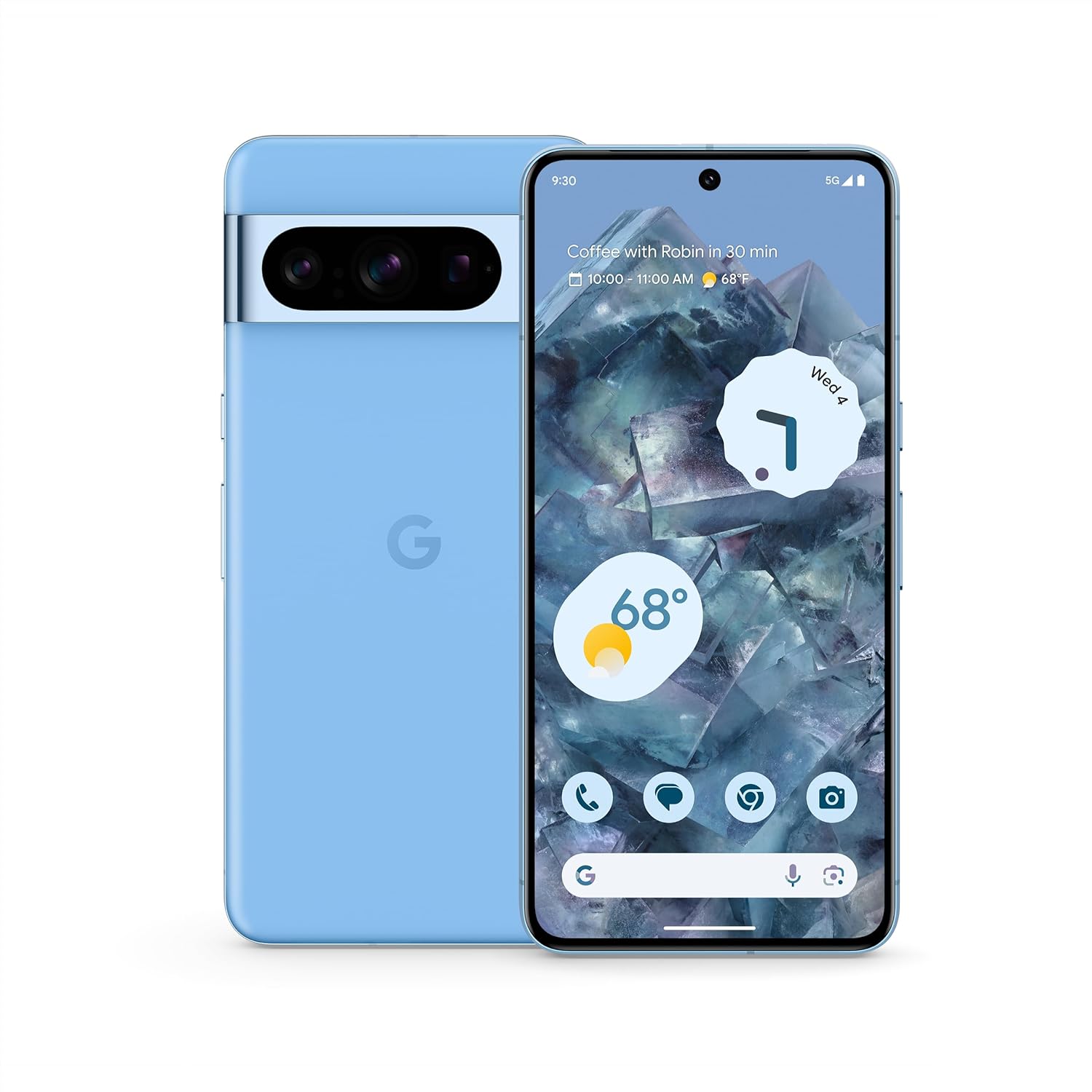
Abbildung: Vorder- und Rückseite view of the Google Pixel 8 Pro in Bay color, showcasing its sleek design and camera bar.
Video: Ein kurzer Überblickview of the Google Pixel 8 Pro, highlighting its key features and design elements.
Lieferumfang
Ihr Google Pixel 8 Pro-Paket enthält folgende Artikel:
- Google Pixel 8 Pro Smartphone
- SIM-Fach-Auswerfer
- USB-Kabel (USB-C auf USB-C)
- Schnellwechseladapter (USB-A auf USB-C)
Aufstellen
Ersteinrichtung
- Sim Karte einlegen: Use the provided SIM tray ejector tool to open the SIM tray. Place your nano-SIM card into the tray and reinsert it into the phone.
- Einschalten: Halten Sie den Ein-/Ausschalter an der Seite des Geräts gedrückt, bis das Google-Logo erscheint.
- Folgen Sie den Anweisungen auf dem Bildschirm: The phone will guide you through selecting your language, connecting to a Wi-Fi network, and signing in with your Google Account.
- Entsperren per Fingerabdruck: Set up your fingerprint for secure and convenient unlocking.
- Datenübertragung: If you're switching from another device, use the Quick Switch Adapter and follow the prompts to transfer your data, contacts, and apps.
Operating Your Pixel 8 Pro
Grundlegende Navigation
Your Pixel 8 Pro uses intuitive gesture navigation. Swipe up from the bottom to go home, swipe up and hold to view recent apps, and swipe from the left or right edge to go back.
Kamerafunktionen
The Pixel 8 Pro features a triple camera system with a dedicated 5x telephoto lens, improved autofocus, and advanced photography controls.

Image: Detailed breakdown of the Pixel 8 Pro's camera system, including megapixel counts for main, ultrawide, telephoto, and front cameras.
- Pro Controls: Access advanced settings for full-resolution photos, including shutter speed, ISO, and focus.
- Audio Magic Eraser: Utilize Google AI to reduce distracting noises in your videos, such as wind or traffic.
Video: Demonstrates how to edit videos on your Pixel phone, including trimming, adjusting, and applying effects like Audio Magic Eraser.
KI-Funktionen
Google AI enhances your Pixel 8 Pro experience with smart features designed for convenience and efficiency.
- Anrufunterstützung: Get help making and screening calls.
- Live-Übersetzung: Translate languages in real-time.
- Kreis zum Suchen: Instantly search what you see on your phone by circling, highlighting, or scribbling on images, text, or videos.

Bild: Visuelles Beispielamples of the Pixel 8 Pro's AI capabilities, including call screening, Google Assistant integration, and real-time language translation.
Temperatursensor
The Pixel 8 Pro includes a dedicated temperature sensor for measuring the surface temperature of everyday objects.
Video: Instructions on how to use the Pixel 8 Pro's temperature sensor to measure the temperature of objects around you.
Wartung
Software-Updates
Google provides 7 years of security updates and OS upgrades for your Pixel 8 Pro to ensure your device remains secure and up-to-date with the latest features.
- Ensure your device is connected to Wi-Fi and has sufficient battery life before initiating updates.
- Navigieren Sie zu Einstellungen > System > Systemupdate um verfügbare Updates zu überprüfen und zu installieren.
Batteriepflege
The Pixel 8 Pro features an all-day battery (5050 mAh) with fast charging and wireless charging capabilities.
- Use certified chargers and cables for optimal charging performance and safety.
- Vermeiden Sie extreme Temperaturen, da diese die Akkulaufzeit und die Leistung beeinträchtigen können.
- Enable Adaptive Battery in settings to optimize battery usage based on your habits.
Reinigung
To keep your Pixel 8 Pro clean and in good condition:
- Wischen Sie Bildschirm und Gehäuse mit einem weichen, fusselfreien Tuch ab.
- Vermeiden Sie die Verwendung aggressiver Chemikalien oder Scheuermittel.
Fehlerbehebung
If you encounter issues with your Pixel 8 Pro, refer to the common solutions below:
| Ausgabe | Mögliche Lösung |
|---|---|
| Telefon lässt sich nicht einschalten | Stellen Sie sicher, dass der Akku geladen ist. Halten Sie den Ein-/Ausschalter 10–15 Sekunden lang gedrückt, um einen Neustart zu erzwingen. |
| Apps stürzen ab oder frieren ein | Clear app cache/data (Settings > Apps > [App Name] > Storage). Update the app or uninstall/reinstall. |
| Schlechte Akkulaufzeit | Check battery usage in settings to identify draining apps. Reduce screen brightness, disable unnecessary features (GPS, Bluetooth, Wi-Fi when not in use). |
| Verbindungsprobleme (WLAN/Bluetooth) | Toggle Wi-Fi/Bluetooth off and on. Restart the phone. Forget and reconnect to the network/device. |
| Fingerprint scanner not working | Stellen Sie sicher, dass Ihr Finger sauber und trocken ist. Registrieren Sie Ihre Fingerabdrücke erneut in den Einstellungen. |
Technische Daten
| Besonderheit | Detail |
|---|---|
| Modellname | Pixel 8 Pro |
| Maße | 6.4 x 3.01 x 0.35 Zoll |
| Artikelgewicht | 7.5 Unzen |
| Anzeigegröße | 6.7 Inches Super Actua Display |
| Auflösung | 1344 x 2992 |
| Bildwiederholrate | 1-120 Hz adaptive |
| Betriebssystem | Android 13.0 (ships with) |
| Prozessor | Google Tensor G3 |
| RAM | 12 GB |
| Speicherkapazität | 128 GB (as per current product) |
| Batteriekapazität | 5050 mAh |
| Kameras | Triple Camera System (50MP Main, 48MP Ultrawide, 48MP Telephoto), 10.5MP Front |
| Konnektivität | 5G, WLAN, Bluetooth, NFC |
Sicherheits- und Regulierungsinformationen
For detailed safety, regulatory, and warranty information, please refer to the official Google Pixel support website or the documentation included with your device.
Garantie und Support
Your Google Pixel 8 Pro comes with a manufacturer's warranty. For warranty details, technical support, or service inquiries, please visit the official Google Support webWebsite:


