1. Einleitung
Thank you for choosing the WOLFANG WD01 4K Dash Cam. This manual provides detailed instructions for the installation, operation, and maintenance of your new dash camera system. Designed for optimal road safety, the WD01 offers high-resolution recording, advanced features, and user-friendly controls to ensure a reliable and comprehensive driving record.
The WOLFANG WD01 is a dual-camera system capable of simultaneously recording 4K video from the front camera and 1080P video from the rear camera. It features a responsive 3-inch IPS touch screen, built-in GPS for route tracking, and WiFi connectivity for easy access via a smartphone app. Enhanced night vision, G-sensor, loop recording, and 24-hour parking monitoring provide comprehensive protection for your vehicle.

Figure 1.1: WOLFANG WD01 4K Dash Cam system overview, showing the main unit, rear camera, and smartphone app integration.
2. Packungsinhalt
Please check the package carefully to ensure all items are present and in good condition. If any items are missing or damaged, please contact WOLFANG customer support.
- 1 x WOLFANG WD01 4K Dash Cam (Front Camera)
- 1 x 1080P Rückfahrkamera
- 1 x Rückkamerakabel
- 1 x Car Charger (with built-in GPS module)
- 1 x Saugnapfhalterung
- 1 x Typ-C-Stromkabel
- 1 x Werkzeug zum Entfernen von Kabelverschraubungen im Auto
- 1 x Benutzerhandbuch
- Spare 3M type stickers (for rear camera and GPS unit, if applicable)

Figure 2.1: All components included in the WOLFANG WD01 Dash Cam package.
3. Spezifikationen
| Besonderheit | Beschreibung |
|---|---|
| Modellname | WD01 |
| Auflösung der Videoaufnahme | Front 4K UHD (3840x2160P) and Rear 1080P FHD (1920x1080P) |
| Anzeige | 3-Zoll-IPS-Touchscreen |
| Fachgebiet View | Vorne 170 Grad, hinten 140 Grad |
| Konnektivität | Built-in WiFi, GPS, Type-C USB |
| Nachtsicht | SONY STARVIS Sensor, F1.8 Aperture, WDR & HDR |
| Besondere Merkmale | Auto Recording, Loop Recording, G-Sensor, 24/7 Parking Monitoring (G-Sensor, Time-lapse), Automatic and Manual Emergency Recording |
| Lagerung | Unterstützt TF-Karten bis zu 256 GB (nicht im Lieferumfang enthalten) |
| Stromquelle | Kfz-Ladegerät (12V) |
| Dimensions (Front Cam) | 1.52 x 3.6 x 2.2 Zoll |
| Artikelgewicht | 1.23 Pfund |
| Batterien | 1 Lithium-Ionen-Akku erforderlich (eingebaut) |
| Hersteller | WOLFANG |
| Ursprungsland | China |
4. Einrichtung und Installation
Follow these steps for proper installation of your WOLFANG WD01 Dash Cam system.
4.1 Vorbereitung der Installation
- Micro-SD-Karte formatieren: Before first use, insert a high-speed (Class 10 or higher) TF card (up to 256GB, not included) into the dash cam and format it via the camera's settings menu. This ensures optimal performance and prevents recording errors.
- Montageort wählen: Wählen Sie eine Stelle an Ihrer Windschutzscheibe, die Ihre Sicht nicht behindert. view of the road. The ideal spot is usually behind the rearview mirror. For the rear camera, choose a central location on the rear windshield.
4.2 Installation der Frontkamera
- Clean the chosen area on your windshield thoroughly to ensure strong adhesion of the suction cup mount.
- Bringen Sie die Saugnapfhalterung an der Dashcam an.
- Drücken Sie den Saugnapf fest gegen die Windschutzscheibe und verriegeln Sie ihn.
- Stellen Sie den Winkel der Frontkamera so ein, dass die Straße vor Ihnen klar erfasst wird.
4.3 Installation der Rückfahrkamera
- Clean the chosen area on your rear windshield.
- Befestigen Sie die Rückkamera mit dem mitgelieferten Klebepad.
- Connect the rear camera cable to the rear camera and route it neatly to the front dash cam. Use the included trim tool to tuck the cable along the vehicle's headliner and A-pillars for a clean installation.
- Plug the rear camera cable into the AV-IN port on the main dash cam unit.
4.4 Stromanschluss
- Stecken Sie das Autoladegerät in die Zigarettenanzünderbuchse Ihres Fahrzeugs.
- Connect the Type-C end of the power cable to the Type-C port on the dash cam.
- Route the power cable neatly, tucking it along the dashboard and console using the trim tool.
- Die Dashcam schaltet sich automatisch ein und beginnt mit der Aufnahme, sobald die Zündung Ihres Fahrzeugs eingeschaltet wird.

Figure 4.1: Wiring diagram for the WOLFANG WD01 Dash Cam system.
5. Bedienung
5.1 Grundlegende Aufnahmefunktionen
Once powered on, the dash cam will automatically start recording. The front camera records in 4K UHD, and the rear camera records in 1080P FHD simultaneously. Recordings are saved to the inserted TF card.

Figure 5.1: Visual representation of 4K front and 1080P rear recording quality.
- Loop-Aufnahme: The dash cam records video in continuous loops (e.g., 1, 3, or 5-minute segments). When the TF card is full, the oldest unlocked video files wird automatisch überschrieben.
- Notfallaufzeichnung (G-Sensor): Im Falle eines plötzlichen Aufpralls oder einer Kollision erkennt der eingebaute G-Sensor das Ereignis automatisch und sperrt die aktuelle Videoaufnahme. filewodurch verhindert wird, dass es durch die Loop-Aufnahme überschrieben wird. fileDie Dateien werden in einem separaten Ordner namens „Event“ gespeichert.
- Manuelle Notfallaufzeichnung: You can manually lock the current recording by pressing the designated button on the dash cam (refer to the on-screen interface or physical buttons).
5.2 3-inch IPS Touch Screen
The responsive 3-inch IPS touch screen allows for easy navigation of menus, settings, and video playback. Simply tap the icons on the screen to access various functions.
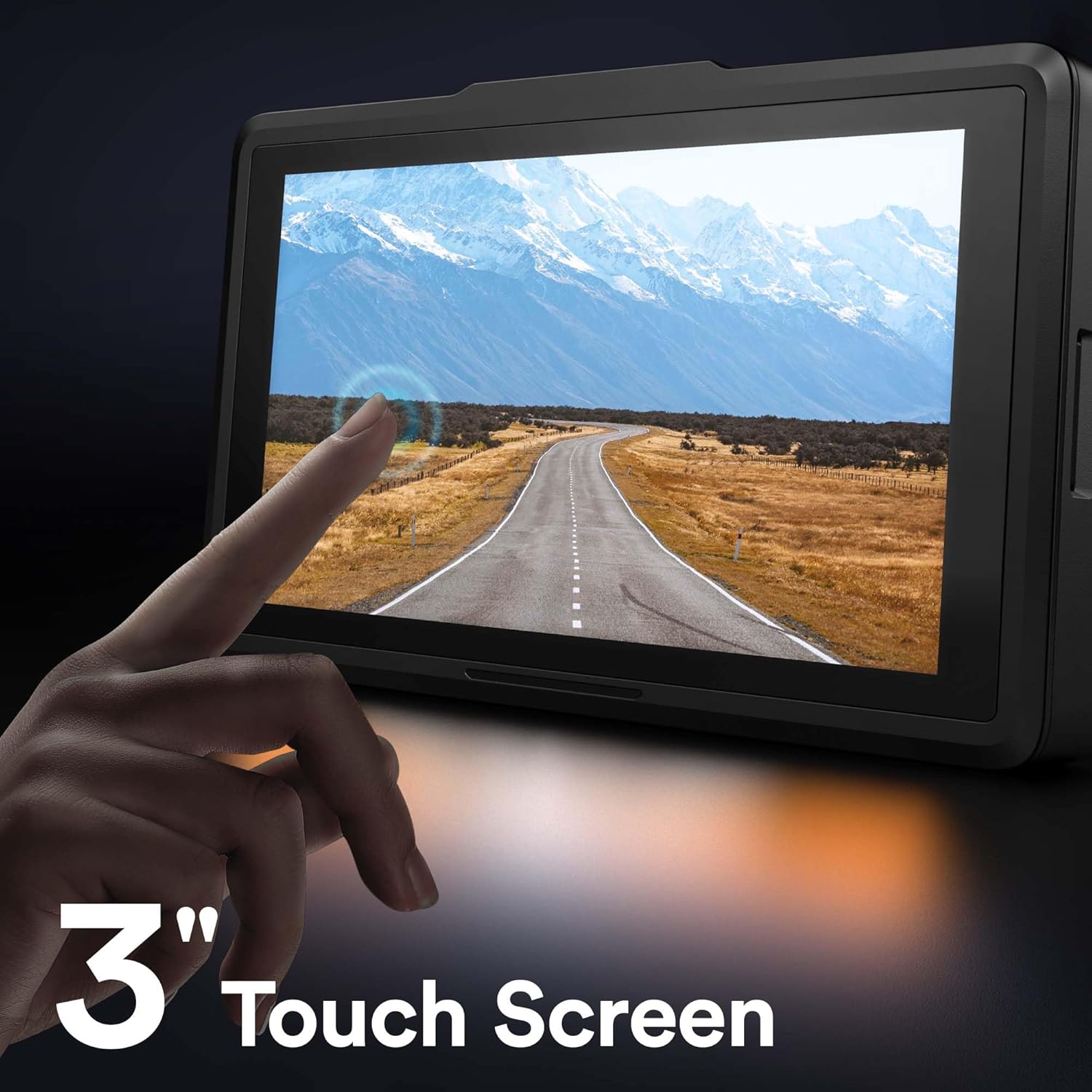
Figure 5.2: The 3-inch IPS touch screen interface.
5.3 GPS-Funktionalität
The built-in GPS module (integrated into the car charger cable) records your driving route, speed, and other location data. This information can be viewed using a dedicated GPS player software on your Windows or Mac computer, providing crucial evidence in case of an incident. Please contact WOLFANG support to obtain the GPS player software.

Figure 5.3: GPS data access via computer and WiFi connectivity for smartphone.
5.4 Integriertes WLAN und App-Steuerung
The WOLFANG WD01 features built-in WiFi, allowing you to connect your smartphone (iOS or Android) to the dash cam via the "LuckyCam" app. This app provides convenient access to:
- Live vorview von Aufnahmen.
- Playback of recorded videos.
- Adjustment of camera settings.
- Direct download of recorded videos to your smartphone.
- Easy sharing of footage in den sozialen Medien.
Download the "LuckyCam" app from your smartphone's app store. Follow the in-app instructions to connect to your dash cam's WiFi network.

Figure 5.4: Easy access and control via the LuckyCam smartphone application.
5.5 Nachtsicht
Equipped with an advanced SONY STARVIS sensor, F1.8 large aperture, and TRUE WDR (Wide Dynamic Range) technology, the WD01 dash cam provides enhanced low-light sensitivity, ensuring clear and detailed video recordings even in challenging night-time conditions.
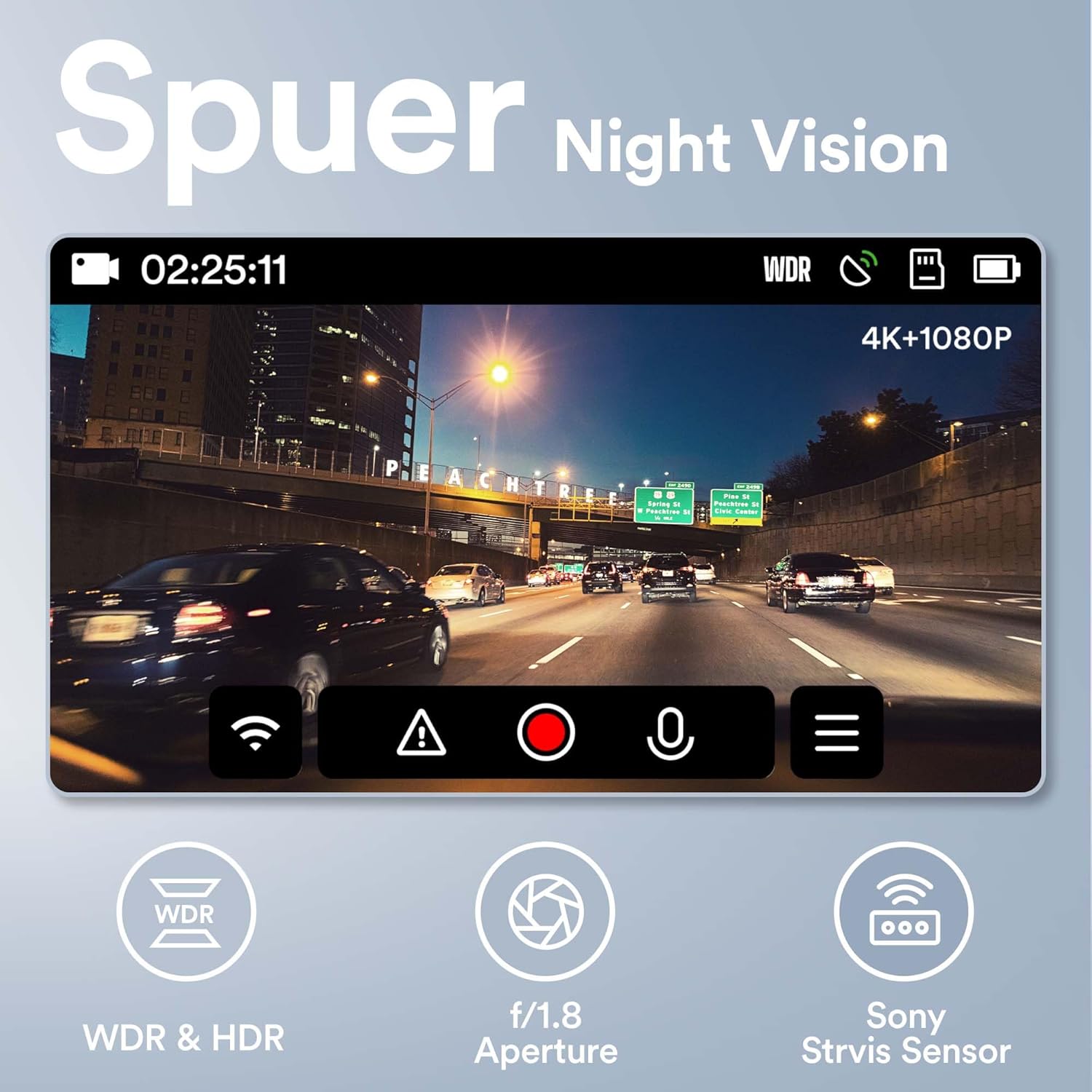
Figure 5.5: Super Night Vision capabilities of the WOLFANG WD01.
5.6 24-Stunden-Parkraumüberwachung
The 24-hour parking monitoring feature provides continuous protection for your vehicle even when parked. This mode can be activated through the camera settings and typically includes:
- G-Sensor-Modus: If an impact is detected while parked, the dash cam will automatically power on and record a short video, then power off.
- Time-lapse Monitor: Records continuous video at a low frame rate (e.g., 1 frame per second) to save storage space, then plays back at a normal speed, allowing you to review long periods of parking activity quickly.
Note: For continuous 24-hour parking monitoring, a hardwire kit (sold separately) is usually required to provide constant power to the dash cam without draining the car battery.

Abbildung 5.6: Überview mit 24-Stunden-Parküberwachungsfunktionen.
6. Wartung
- Reinigung: Reinigen Sie die Kameralinse und den Bildschirm mit einem weichen, trockenen Tuch. Verwenden Sie keine Scheuermittel oder Lösungsmittel.
- TF-Kartenwartung: It is recommended to format the TF card once a month to maintain optimal performance and prevent data corruption. Back up any important videos before formatting.
- Temperatur: Avoid exposing the dash cam to extreme temperatures (hot or cold) for extended periods, as this can affect battery life and component integrity.
- Firmware-Updates: Periodically check the WOLFANG official website for any available firmware updates. Updating the firmware can improve performance and add new features.
7. Fehlerbehebung
| Problem | Mögliche Lösung |
|---|---|
| Die Dashcam lässt sich nicht einschalten. |
|
| Camera stops recording or shows "Card Error". |
|
| Video footage ist verschwommen oder undeutlich. |
|
| GPS signal is not found or inaccurate. |
|
| WLAN-Verbindungsprobleme mit der App. |
|
8. Garantie und Support
WOLFANG is committed to providing high-quality products and excellent customer service.
- Garantie: The WOLFANG WD01 Dash Cam comes with a one-year warranty from the date of purchase, covering manufacturing defects. Additionally, WOLFANG offers a 3-year quality guarantee.
- Widerrufsfolgen: You are eligible for a 365-day return policy. Please refer to your purchase platform's return guidelines for specific details.
- Kundendienst: For any questions, technical assistance, or warranty claims, please contact our professional after-sales team. We offer 24-hour after-sales service.
Kontakt-E-Mail: support.vc@wolfang.co
Please provide your product model (WD01) and purchase details when contacting support for faster service.


