Einführung
Thank you for choosing the HAMMER SpeedMotion II Elliptical Trainer. This manual provides essential information for the safe and effective use of your new fitness equipment. Please read it thoroughly before assembly and operation, and keep it for future reference.
The SpeedMotion II offers an innovative and comfortable workout experience, combining dynamic movement with individual intensity control. Its natural, ergonomic design supports effective calorie burning and targets various muscle groups through its 3-fold incline adjustment.

The HAMMER SpeedMotion II Elliptical Trainer provides a full-body workout experience in the comfort of your home, featuring 24 programs, 16 resistance levels, an LCD display, and Bluetooth connectivity.
Sicherheitshinweise
- Konsultieren Sie einen Arzt, bevor Sie mit einem neuen Trainingsprogramm beginnen.
- Vor jedem Gebrauch sicherstellen, dass alle Schrauben und Muttern fest angezogen sind.
- Stellen Sie den Ellipsentrainer auf eine ebene, stabile Fläche.
- Halten Sie Kinder und Haustiere während des Betriebs vom Gerät fern.
- Tragen Sie geeignete Sportschuhe und -kleidung.
- Brechen Sie das Training sofort ab, wenn Ihnen schwindelig wird oder Sie Schmerzen verspüren.
- Das maximale Benutzergewicht für dieses Gerät beträgt 130 kg.
Einrichtung und Montage
The HAMMER SpeedMotion II Elliptical Trainer requires assembly. An instruction manual is included with the product to guide you through the process. It is recommended to lay out all parts and verify them against the parts list before beginning assembly.
- Auspacken: Entnehmen Sie vorsichtig alle Komponenten aus der Verpackung.
- Komponentenprüfung: Prüfen Sie, ob alle in der Montageanleitung aufgeführten Teile vorhanden und unbeschädigt sind.
- Basismontage: Befestigen Sie die vorderen und hinteren Stabilisatoren am Hauptrahmen.
- Pedal Arms and Flywheel: Assemble the pedal arms and connect them to the flywheel mechanism.
- Lenker: Secure the stationary and moving handlebars.
- Konsoleninstallation: Mount the LCD console and connect all necessary cables.
- Neigungsverstellung: Ensure the 3-fold incline adjustment mechanism is correctly installed and functional.
- Endkontrolle: Double-check all connections and ensure the elliptical is stable before first use.
Assembly typically takes approximately 45 minutes for one person, following the detailed, illustrated instructions provided.
Bedienungsanleitung
Konsole überview

The LCD display provides real-time feedback on your workout, controlled by the intuitive Push & Turn button.
The black-backlit LCD display provides clear visibility of your workout data. Use the central Push & Turn Button for intuitive navigation and selection.
- Drehzahl: Umdrehungen pro Minute
- Geschwindigkeit: Aktuelle Geschwindigkeit
- Distanz: Total distance covered
- Trainingszeit: Dauer Ihres Trainings
- Kalorienverbrauch: Geschätzte verbrannte Kalorien
- Herzfrequenz: Measured via handgrip sensors
- Widerstandsstufe: Current resistance setting
Trainingsprogramme
The SpeedMotion II features 24 pre-set training programs to help you achieve your fitness goals. Navigate through the programs using the Push & Turn Button and select the one that suits your needs.
Widerstandseinstellung
The elliptical trainer uses a manual resistance mechanism. Adjust the resistance level to increase or decrease the intensity of your workout. Higher resistance targets strength, while lower resistance focuses on endurance.
3-Fold Incline Adjustment

Adjust the incline to target different muscle groups: higher incline for glutes and hamstrings, lower incline for quadriceps.
The 3-fold incline adjustment allows you to vary your workout and target different muscle groups. A higher incline emphasizes the glutes and posterior thigh muscles, while a lower incline places more emphasis on the anterior thigh muscles (quadriceps).
Herzfrequenzüberwachung
Integrated handgrip sensors allow for real-time heart rate monitoring. Grip the sensors firmly during your workout to display your heart rate on the LCD console. This helps you stay within your target heart rate zone for optimal training.
Kinomap & Zwift Compatibility
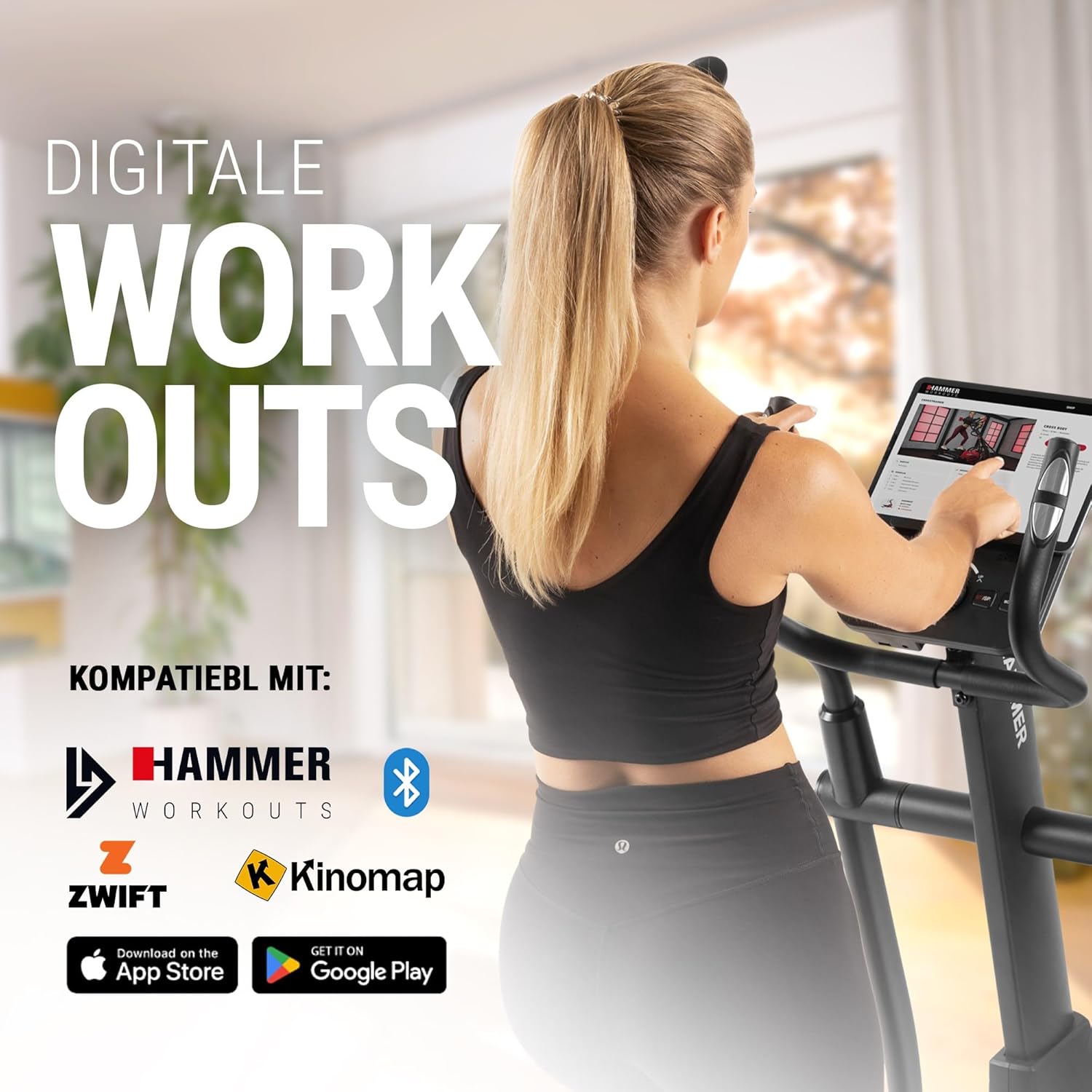
Connect your tablet or smartphone to the elliptical trainer for interactive workouts with Kinomap and Zwift.
The SpeedMotion II is compatible with popular fitness apps like Kinomap and Zwift. Connect your smartphone or tablet via Bluetooth to access virtual training worlds, interactive routes, and track your performance. Download the respective apps from the App Store or Google Play.
Wartung
Regelmäßige Wartung gewährleistet die Langlebigkeit und optimale Leistung Ihres Ellipsentrainers.
- Reinigung: Wischen Sie die Geräte mitamp Nach jedem Gebrauch mit einem Tuch abwischen, um Schweiß und Staub zu entfernen. Scheuermittel vermeiden.
- Schmierung: Periodically check moving parts, especially the rollers and tracks, for smooth operation. Lubricate as recommended in the detailed product manual if necessary.
- Anziehen: Regularly inspect all bolts, nuts, and connections. Tighten any loose components to prevent noise and ensure stability.
- Lagerung: Store the elliptical trainer in a dry, temperate environment away from direct sunlight and extreme temperatures.

The SpeedMotion II features a quiet drive system, high-quality rollers for smooth movement, and stability adjustments for a secure workout.
Fehlerbehebung
If you encounter issues with your HAMMER SpeedMotion II, refer to the following common troubleshooting tips:
| Problem | Mögliche Ursache | Lösung |
|---|---|---|
| Squeaking or rattling noises | Loose bolts or connections; lack of lubrication on moving parts. | Check and tighten all visible bolts and nuts. Lubricate joints and rollers as per the main manual. |
| Anzeige funktioniert nicht | Loose cable connection; depleted batteries (if applicable). | Ensure all console cables are securely connected. Check and replace batteries if the unit is battery-powered (AA batteries required, not included). |
| Uneven movement or instability | Uneven floor surface; loose frame components. | Adjust the leveling feet on the stabilizers. Check and tighten all frame connections. |
| Widerstand ändert sich nicht | Issue with the resistance mechanism. | Refer to the detailed manual for specific resistance mechanism troubleshooting or contact customer support. |
If the problem persists after attempting these solutions, please contact HAMMER customer support.
Technische Daten
| Besonderheit | Spezifikation |
|---|---|
| Modellname | SpeedMotion II |
| Modellnummer | 11000 |
| Abmessungen (L x B x H) | 160 x 60 x 177 cm |
| Artikelgewicht | 61.9 kg |
| Maximales Benutzergewicht | 130 kg |
| Schwungradmasse | 18 kg (implied from product title, not explicitly in specs table but in product title) |
| Schrittlänge | 50 cm |
| Pedalabstand | 14 cm (from feature bullets) |
| Neigungsverstellung | 3-fold manual adjustment |
| Widerstandsmechanismus | Handbuch |
| Studiengänge | 24 (from product title and feature bullets) |
| Anzeigetyp | Black-backlit LCD, 17.78 cm (7 inches) |
| Konnektivität | Bluetooth, Kinomap & Zwift compatible |
| Materialtyp | Metall |
| Stromquelle | Benötigt AA-Batterien (nicht im Lieferumfang enthalten) |
Garantie und Support
Garantieinformationen
Specific warranty details for the HAMMER SpeedMotion II Elliptical Trainer are typically provided with your purchase documentation. Please refer to the warranty card or the official HAMMER website for comprehensive information regarding coverage and terms.
Kundenservice
For technical assistance, spare parts, or any questions regarding your HAMMER SpeedMotion II, please contact HAMMER SPORT customer service. Contact details can usually be found on the official HAMMER webauf der Website oder in Ihrer Produktdokumentation.
Bitte halten Sie bei Kontaktaufnahme mit dem Support Ihre Modellnummer (11000) und den Kaufbeleg bereit.